Contractor Invoice: The Definitive 2025 Guide for Builders, Tradesmen & Finance Leaders
Software Contractor Invoices Capture Engine identifies retainage line, change order note, and multi-tax breakdown with 99.8% accuracy.
From writing a drywall quote on a napkin to posting a million-dollar progress bill in SAP, invoicing for construction and trades has come a long way. This guide unpacks contractor-specific invoice essentials, the rise of Software Contractor Invoice tools, and why Hyperbots’ agentic AI is redefining accuracy at 99.8%.
Table of Contents |
|---|
What Makes a Contractor Invoice Unique? |
Estimates vs. Invoices: Bridging the Gap |
Core Line-Items Every Tradesman Needs |
Manual Pain Points in Construction AP |
Choosing the Best Invoicing Software for Contractors |
Top 5 Apps Compared |
Hyperbots: AI Invoice Capture for Contractors |
11 Functional Capabilities You’ll Actually Use |
Compliance, Retainage & Change-Orders |
Implementation Roadmap |
ROI Math: Field to Ledger in <24 h |
Wrap-Up |
What Makes a Contractor Invoice Unique?
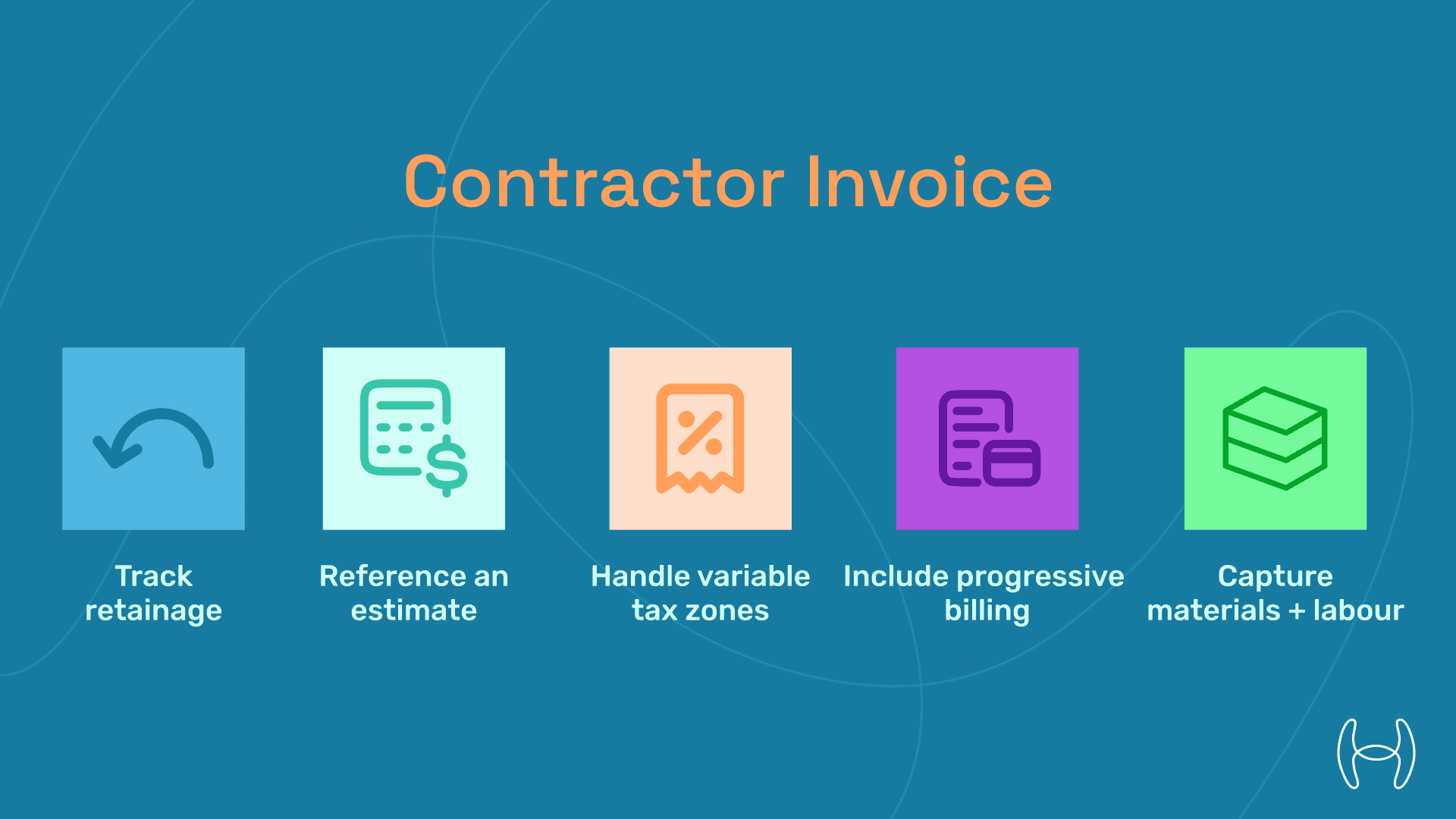
Unlike retail or SaaS invoices, contractor invoices must:
Track retainage — 5–10% held until project close-out.
Reference an estimate — Many owners require a linked cost code.
Handle variable tax zones — Job site may cross city limits.
Include progressive billing — Percent-complete, AIA G702/G703 forms.
Capture materials + labor — Often with differing mark-up rates.
These nuances explain why finding the best Invoice App for tradesmen is harder than downloading a generic receipt generator.
Estimates vs. Invoices: Bridging the Gap
Stage | Purpose | Must-Have Fields | Tool Example |
|---|---|---|---|
Estimate / Quote | Price the job; win the bid | Line-item scope, unit cost, expiry date | Estimate invoice app like Joist |
Progress Invoice | Bill percent complete | Schedule of values, retainage, and change orders | Best invoice app for contractors like QuickBooks Contractor |
Final Invoice | Collect the remaining balance | Punch-list sign-off, lien releases | Hyperbots capture + NetSuite ERP |
Pro tip: The smoother the hand-off from estimate to invoice, the faster you get paid.
Core Line-Items Every Tradesman Needs
Labor hours & classification (journeyman vs. apprentice)
Material quantities (e.g., 200 sq ft drywall)
Equipment rentals (scissor lift, compressor)
Sub-contractor charges
Retainage percentage & amount
Change-order references
Sales-tax jurisdiction
Payment terms (Net 30, 2 / 10 Net 30)
Penalty clauses for late payment
Discounts for early completion
Manual Pain Points in Construction AP
Scanning paper timesheets into a rusty copier.
Missed retainage lines → Over-billing disputes.
Duplicate vendor invoices across multiple job sites.
Slow approvals because the project manager is on-site.
Hand-written change orders that never reach head office.
Without automation, contractors average 14 days to approve an invoice, double the manufacturing benchmark.
Choosing the Best Invoicing Software for Contractors
When evaluating the best invoicing software for contractors, assess:
Estimate-to-Invoice Flow — One tap to convert.
Job-Cost Codes — CSI, NAHB, or custom.
Retainage Handling — Automatic withholding & release.
Multi-Entity Tax — City, county, and special district.
Mobile Capture — Snap a photo on-site
ERP Integration — QuickBooks, Sage 300, Viewpoint.
AI Accuracy — Can it read muddy job-site scans?
Lien Waiver Automation — Attach releases at the final bill.
Compliance — SOC 2, ISO 27001 for financial data.
Cost — Pay-as-you-go beats heavy license fees.
Top 5 Apps Compared
Rank | App | Strength | Watch-Out |
|---|---|---|---|
1 | QuickBooks Contractor | Mature job-costing, retainage | Limited AI capture |
2 | Joist | Easy mobile estimating | Weak ERP sync |
3 | Buildertrend | All-in-one project mgmt | Steep learning curve |
4 | Invoice2go | Slick UI for tradesmen | No retainage field |
5 | Hyperbots + ERP | 99.8 % AI capture, MoE | Requires ERP connector |
For pure capture accuracy and AP automation, Hyperbots outranks any best invoice app for contractors you’ll find in an app store.
Hyperbots: AI Invoice Capture for Contractors
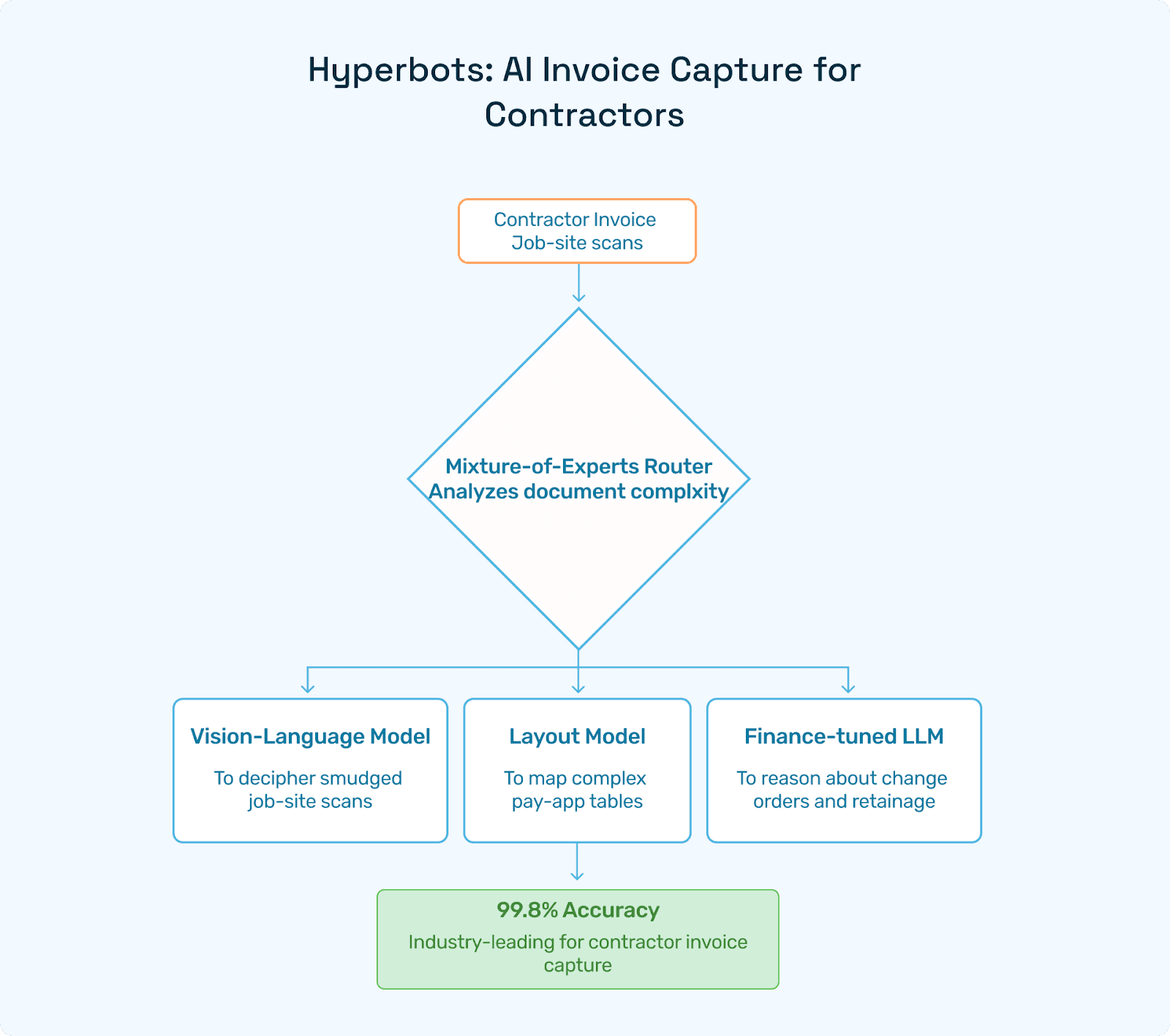
Hyperbots’ invoice processing co-pilot brings:
Vision-Language Model (VLM) to decipher smudged job-site scans.
Layout model to map complex pay-app tables.
Finance-tuned LLM to reason about change orders and retainage.
Mixture-of-Experts (MoE) router pushing accuracy to 99.8%, industry-leading for software contractor invoice capture.
Paragraph-Level Payment Term Parsing
Need to flag “1% per month after 60 days” or multi-bank ACH instructions? Hyperbots extracts them with surgical precision, which is something even the best invoice app for tradesmen can’t match.
11 Functional Capabilities You’ll Actually Use
Email & Portal Ingestion — No lost job-site invoices.
Intelligent Field Extraction — Header and unlimited lines.
Dynamic GL & Job-Cost Coding — Learns from history.
2-, 3-, n-Way Matching — PO, GRN, contract.
Tax & Payment-Term Validation — Penalties and discounts caught.
Exception Workflow — Routes only unresolved flags.
Real-Time ERP Integration — NetSuite, SAP S/4, Sage 300.
Continuous Learning Loop — Nightly micro-model re-training.
Agentic AI Orchestration — Tasks split among specialised bots.
Multi-Currency & Multi-Lang — Cross-border projects.
SOX-Ready Audit Log — Immutable hash chain.
Compliance, Retainage & Change-Orders
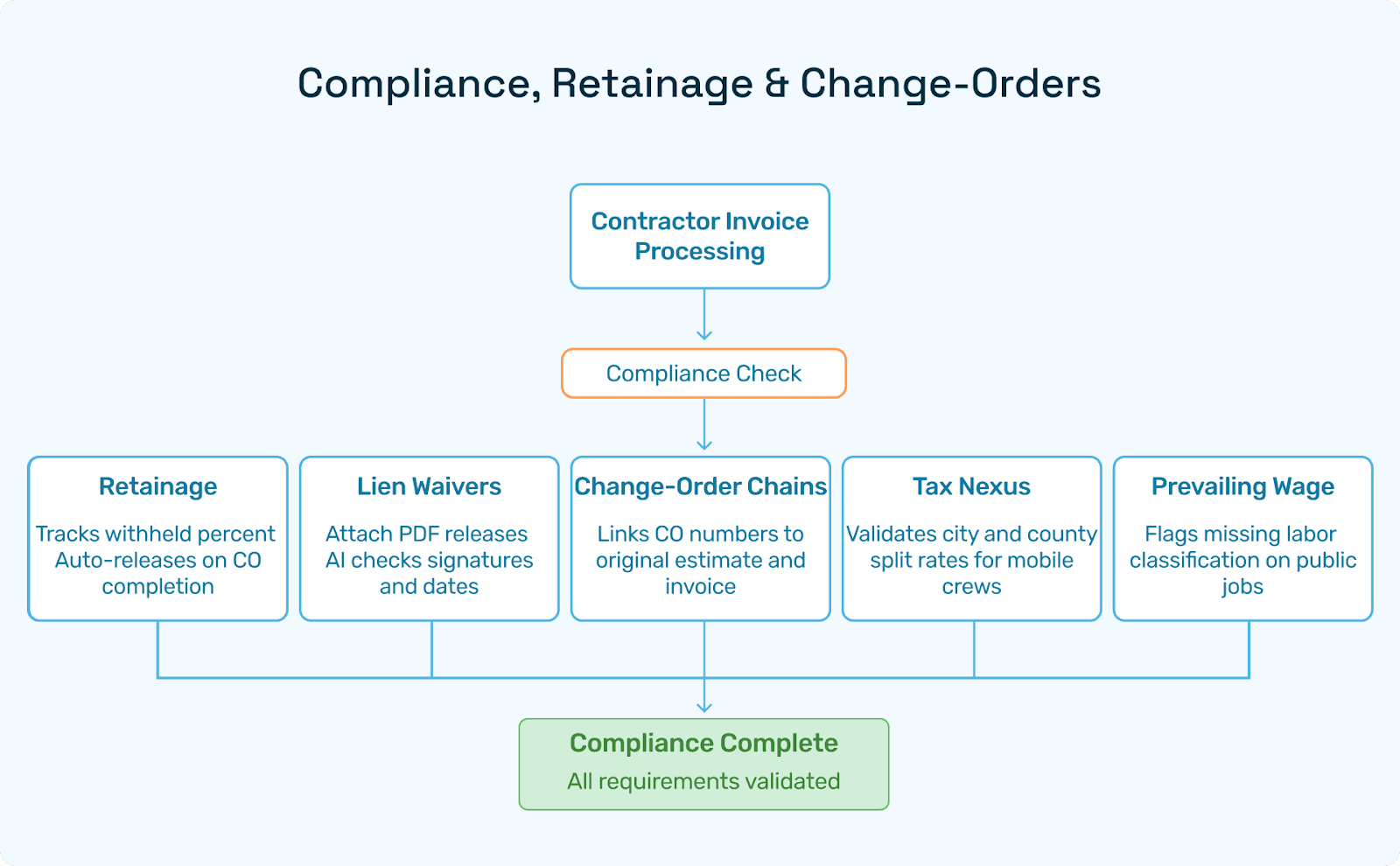
Retainage — Hyperbots tracks withheld percent and auto-releases on CO completion.
Lien Waivers — Attach PDF releases; AI checks signatures and dates.
Change-Order Chains — Links CO numbers to the original estimate and invoice.
Tax Nexus — Validates city and county split rates for mobile crews.
Prevailing Wage — Flags missing labor classification on public jobs.
Implementation Roadmap
Week | Phase | Deliverables |
|---|---|---|
1 | Discovery | Map job-sites, ERP touch-points, and KPIs |
2 – 3 | Pilot | 2,000 historic contractor invoices; baseline STP |
4 – 5 | Integration | REST/SOAP plugins for Sage 300 or Viewpoint |
6 | UAT & Training | Two-hour virtual workshop for project accountants |
7 | Go-Live | HyperCare Slack channel; daily exception report |
8 + | Scale | Add new divisions; refine tolerance rules |
ROI Math: Field to Ledger in <24 h
KPI | Manual | Hyperbots | Impact |
|---|---|---|---|
Cost per contractor invoice | $10.20 | <$2.70 | −73% |
Touch rate | 38% | <3% | −35 pp |
Payment-cycle days | 14 | <2 | ↘ 86% |
Early-pay discounts | 8% | 60% | +$420k / yr |
Dispute rate | 6% | 1% | −5 pp |
Takeaway: For builders processing 15k+ invoices/year, Hyperbots pays back in less than 6 months.
Wrap-Up
Whether you pour concrete, wire smart homes, or manage a billion-dollar EPC project, getting paid quickly hinges on accurate, timely invoices. Generic apps bill, but only Hyperbots’ Agentic AI captures every retainage line, change-order note, and multi-tax breakdown with 99.8% precision. That’s why finance leaders pick Hyperbots when they need the best Invoice app for contractors, an Estimate Invoice app that rolls cleanly into billing, and the market’s most precise Software Contractor Invoice capture engine.
Ready to turn job-site paperwork into real-time cash-flow insights? Book a live demo and watch Hyperbots turn contractor invoicing pain into a strategic advantage within weeks, not quarters.