Step-by-Step: How to Create and Use a Purchase Order System
Create a purchase order system step-by-step, leveraging AI automation to streamline procurement, boost efficiency, and ensure compliance.
Executive Summary
For many finance leaders, purchase orders (POs) are the backbone of procurement control and compliance. Yet, manual processes often leave CFOs and procurement teams grappling with inefficiency, errors, and hidden costs. This guide explains how to create a purchase order system and how to use a purchase order system effectively—whether starting with spreadsheets or scaling into automated platforms. We’ll provide a purchase order system example, walk through a purchase order processing system, and show how AI-powered solutions like Hyperbots Procurement Copilot transform requisition-to-PO processes with cycle time reduction, ERP-synced approvals, and real-time spend visibility.
By the end, you’ll know:
The essential steps in building a purchase order system.
Why automation is no longer optional.
How Hyperbots delivers differentiated ROI compared to traditional procure-to-pay players.
What Is a Purchase Order System?
At its core, a purchase order system is a structured workflow that ensures all purchases follow a standardized approval and documentation process. Instead of untracked emails or phone calls, a PO system enforces compliance and creates an auditable trail.
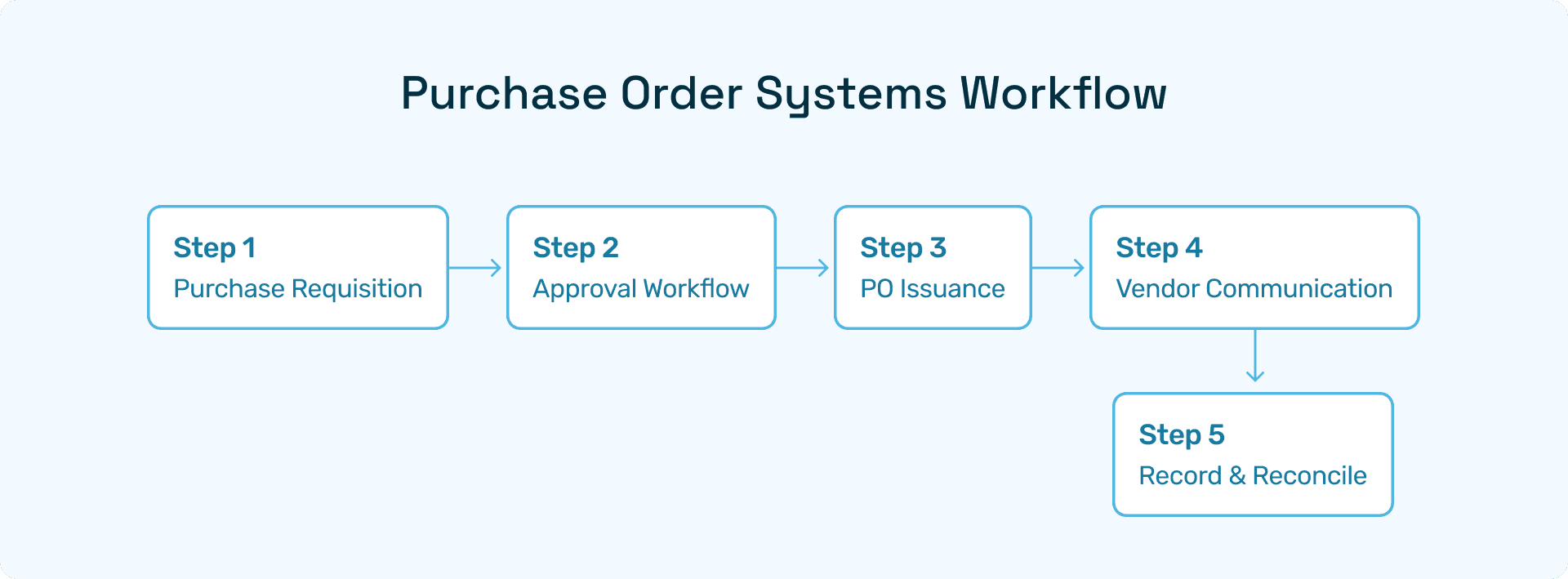
Definition: A purchase order system manages requisitions, approvals, PO issuance, vendor communication, and reconciliation.
Why it matters: It prevents overspending, strengthens supplier relationships, and ensures financial accuracy.
Step‑by‑Step: How to Create a Purchase Order System
Step 1: Define Approval Workflows
CFOs must decide who approves what based on spend thresholds. Clear workflows reduce bottlenecks and prevent unauthorized purchases.
Step 2: Standardize Purchase Requisition Templates
Templates that are initially in Excel or CSV, ensure every request captures the same fields: vendor, description, quantity, cost, and justification.
Step 3: Implement PO Numbering
Sequential PO numbers are critical for tracking and auditing. Automating numbering avoids duplication.
Step 4: Formalize Vendor Communication
Every approved PO should be emailed to suppliers in a standardized format. Hyperbots Vendor Management Copilot automates this by syncing directly with ERP and vendor portals.
Step 5: Record and Reconcile
When goods arrive, match invoices with POs and receipts. Automated matching through Hyperbots Invoice Processing Copilot eliminates manual reconciliation errors.
How to Use a Purchase Order System
A purchase order system is only effective if embedded into daily procurement activities. Here’s how to use a purchase order system efficiently:
Train staff on requisition protocols.
Automate approvals to accelerate cycle times.
Integrate with ERP to maintain data consistency.
Monitor PO status in real time with dashboards like those in Hyperbots Procurement Copilot.
Purchase Order System Example
Imagine a mid-size manufacturing firm:
A requisition is raised in Excel.
Approval is routed via email.
The PO is issued to the supplier.
Goods are received, and invoices reconciled.
While this purchase order system example works for small teams, scaling requires automation. Hyperbots’ AI platform replaces emails and spreadsheets with intelligent workflows that cut processing times by up to 80%.
Why Upgrade to an Automated Purchase Order Processing System?
A purchase order processing system powered by AI offers:
Speed: Instant ERP-synced approvals.
Accuracy: Zero duplication or missed approvals.
Visibility: Real-time dashboards for finance and procurement leaders.
Compliance: Audit trails built into workflows.
Deloitte’s latest 2025 Global CPO Survey highlights that top procurement organizations—so-called “Digital Masters”—are now allocating up to 24% of their budgets to procurement technology, with GenAI investments delivering 3.2× ROI compared to less mature peers. This proves that automation is not just operationally beneficial, but strategically transformative.
Hyperbots Platform Capabilities in Purchase Order Automation
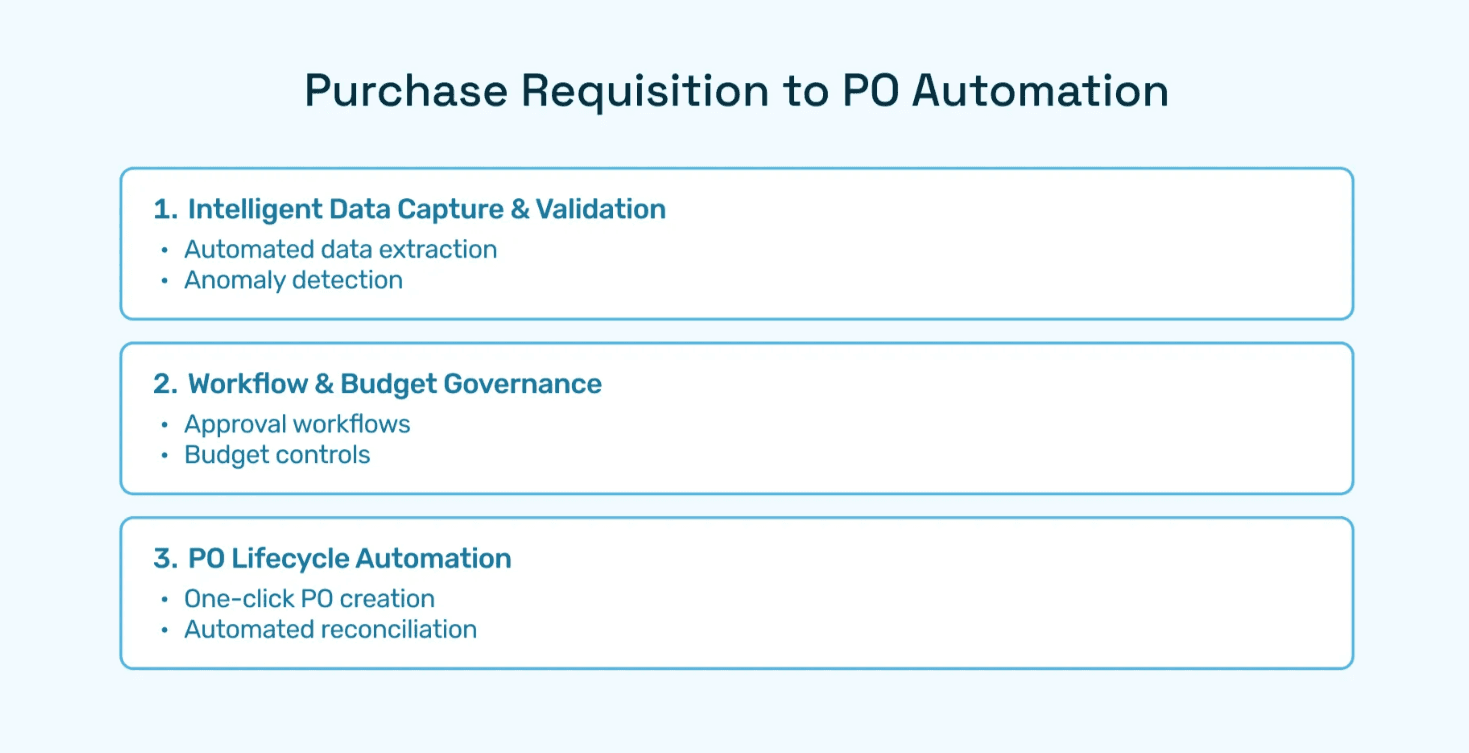
Hyperbots digitizes procurement by providing AI‑driven automation across the procure‑to‑pay lifecycle:
Procurement Copilot: Shrinks requisition-to-PO cycles by 80% while syncing directly with ERP.
Invoice Processing Copilot: Automates invoice capture, 3-way matching, and approvals.
Vendor Management Copilot: Provides vendor scorecards, onboarding automation, and compliance checks.
Contract Intelligence: Extracts and interprets terms for compliance and negotiation leverage.
👉 See full suite: Hyperbots AI Copilots
Unlike players like Bill.com or Tipalti, Hyperbots delivers predictive analytics and dynamic approval routing that adapt to spend patterns in real time, making it a strategic partner rather than just a process digitizer.
ROI with Hyperbots' AI-Driven PO System
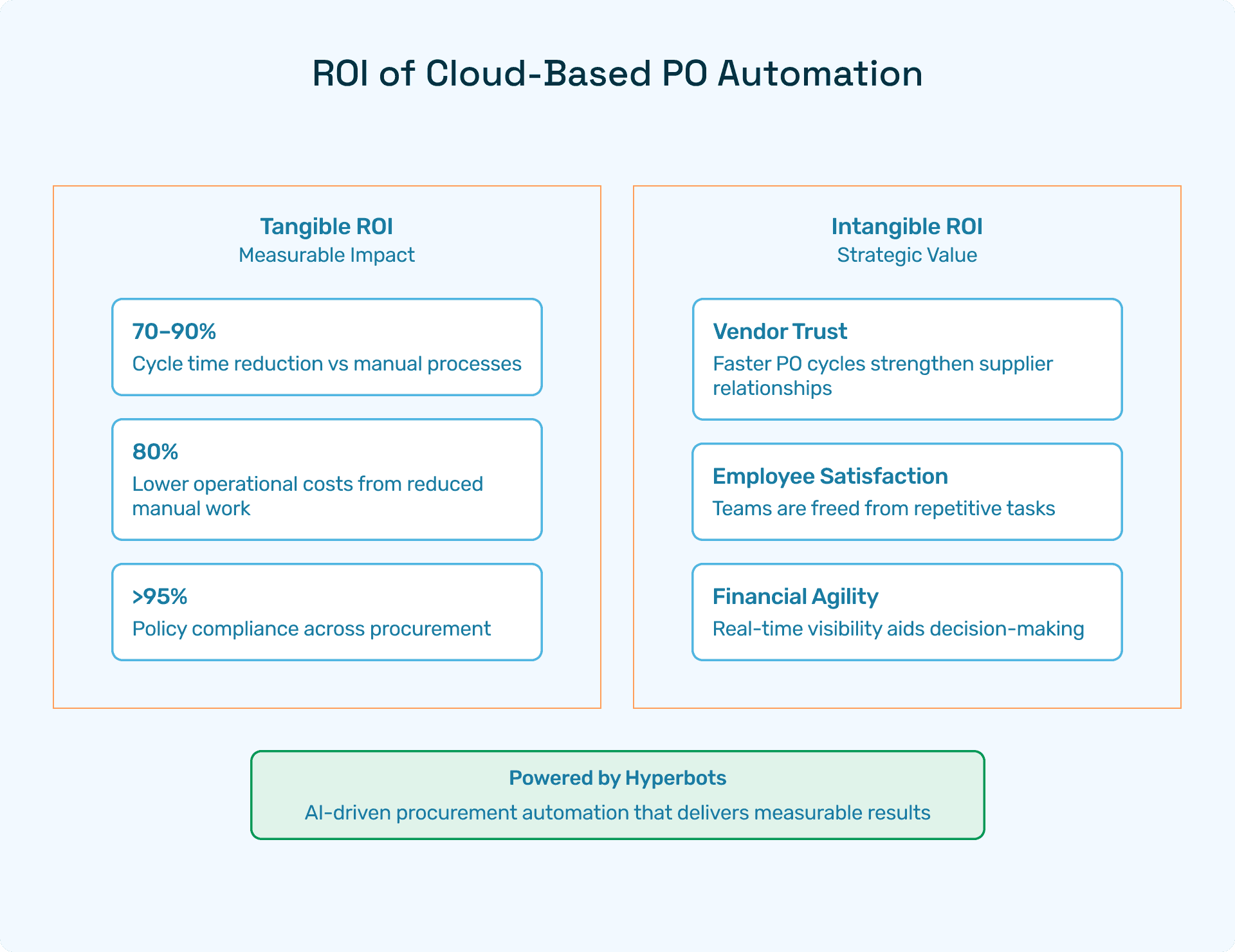
When finance leaders evaluate purchase order automation, the first question is simple: what’s the ROI? With Hyperbots, the answer is both measurable and transformative. The platform delivers savings you can quantify in hard dollars, along with intangible benefits that reshape how procurement and finance teams work.
Implementing Hyperbots' Procurement copilot deliver significant ROI and transforms procurement operations by providing:
Over 80% reduction in PO creation & dispatch time
5 minute PR creation time
At least a 10% reduction in cash outflows
Accurate and timely automatic communication with vendors
100% automation of forms and other information verification
Granular and customized workflow for each process
Improved vendor relationships due to predictable approval timelines.
Hyperbots’ integrated platform ensures that these benefits scale across departments, projects, and business units, turning procurement into a high-value function rather than a bottleneck.
FAQs
Q1: How long does it take to implement a purchase order system?
Implementation varies, but Hyperbots can deploy within weeks, integrating seamlessly with ERP systems.
Q2: Can a purchase order system work with Excel?
Yes, Excel can serve as a starting point. However, scalability requires an automated platform like Hyperbots.
Q3: What is the biggest benefit of automation? Time and cost savings. Hyperbots clients typically see ROI in under 12 months.