Build a Purchase Order Automation in Power Automate
Power Automate purchase order workflows help businesses cut costs, reduce manual tasks, and improve accuracy.
Executive Summary
Procurement and finance teams are expected to operate faster, stay compliant, and control costs more effectively than ever. Manual purchase order (PO) handling often works against these goals, leading to delays, mistakes, and overspending. Microsoft Power Automate provides a smarter way forward by digitizing PO creation, automating approval workflows, and ensuring seamless ERP integration. This guide walks you through building a high-performing purchase order automation system, enhanced with Hyperbots’ AI Co-pilots for greater speed, accuracy, and measurable ROI.
Why Automating Purchase Orders is Essential
Manual PO processes are prone to human error, slow approvals, and fragmented systems. Gartner emphasizes the importance of simplifying procurement workflows to enhance cost savings and employee engagement. Organizations have successfully streamlined their procurement processes, leading to increased cost savings and improved worker engagement.
Key challenges of manual PO systems include:
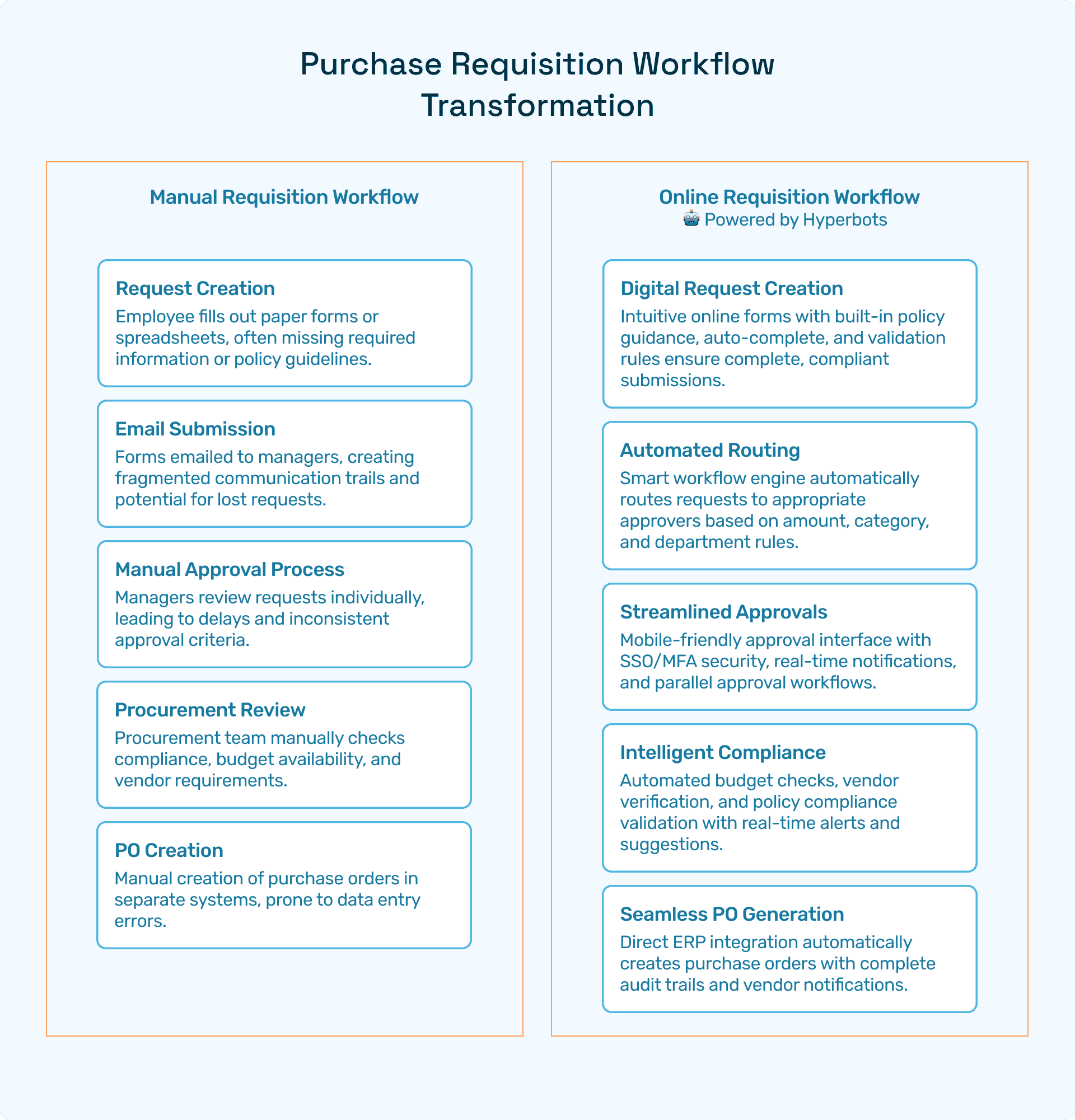
Delayed approvals leading to procurement cycle slowdowns
Lack of real-time spend visibility causing budget overruns
Data entry errors and compliance risks
Automating purchase orders streamlines workflows, enhances accuracy, and provides actionable spend insights.
Overview of Power Automate for Purchase Order Automation
Microsoft Power Automate is a powerful tool designed to connect apps, automate workflows, and integrate various systems seamlessly. For purchase order automation, it enables finance teams to:
Use Connectors to integrate with ERP, email, and cloud storage systems
Implement approval workflows using predefined logic
Step-by-Step Guide to Building Power Automate Purchase Order Automation
Step 1: Define Your Purchase Order Workflow
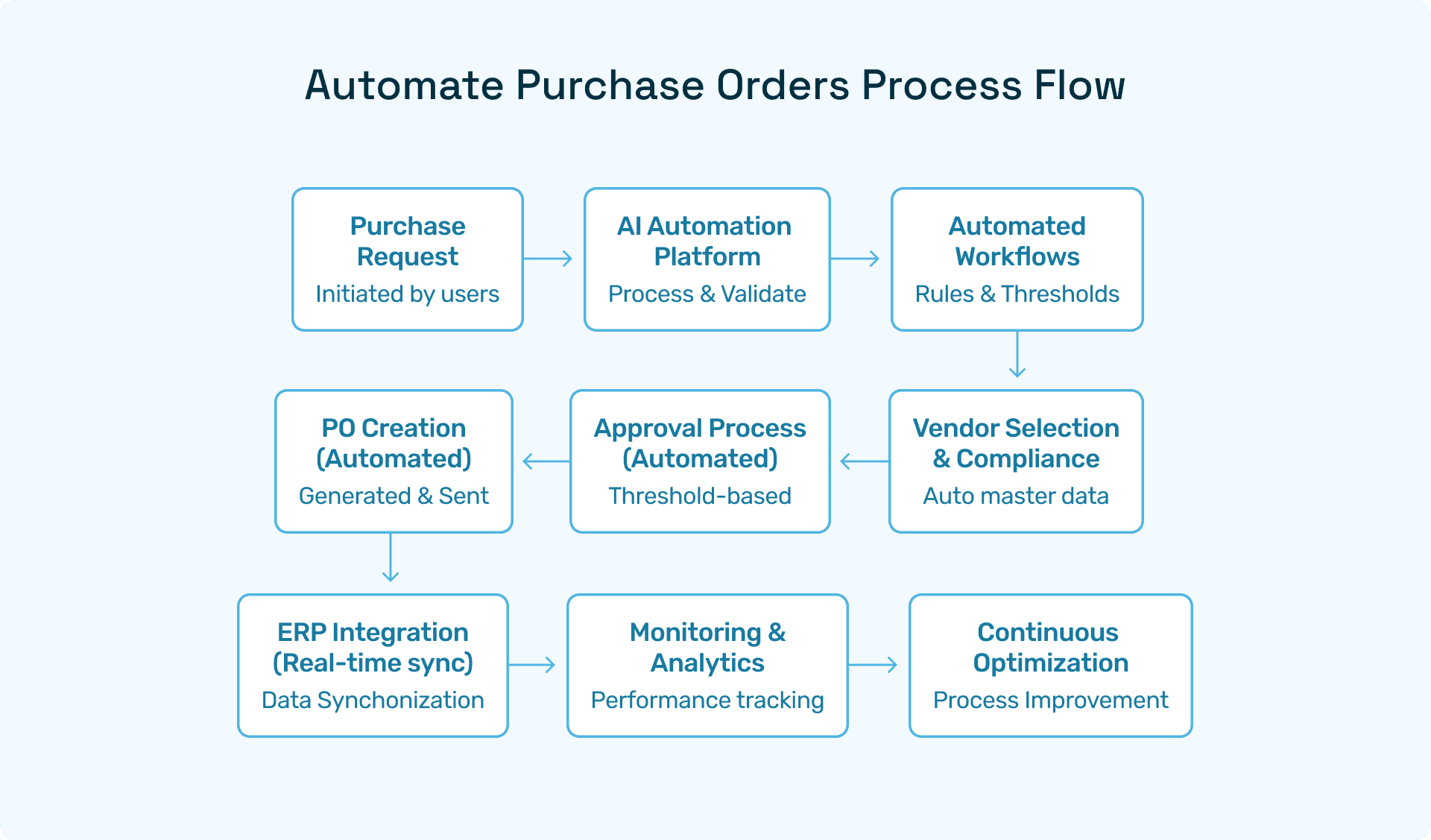
Map out the entire PO process from submission to approval and dispatch. Identify key touchpoints:
PO Request Creation
Managerial Approval
ERP System Update
Vendor Notification
Step 2: Set Up Power Automate Environment
Log into Power Automate portal
Use pre-built Templates or create custom flows
Step 3: Configure Connectors
Integrate essential systems:
ERP Connector (e.g., SAP, Dynamics 365)
Email Connector for notifications
SharePoint Connector for document storage
Step 4: Automate Purchase Order Approvals
Design conditional logic flows:
If PO amount > $10,000, route to senior management
Else, auto-approve
This ensures compliance with your organization’s approval policies.
Step 5: Test and Deploy
Perform iterative testing:
Simulate PO submissions
Validate approval triggers
Confirm ERP integration
Hyperbots’ AI Co-pilots: Redefining Purchase Order Automation
Hyperbots offers an advanced suite of AI Co-pilots designed specifically to augment Power Automate capabilities for finance teams. The primary Procurement Copilot delivers unparalleled advantages:
Instant ERP-synced Approvals: Eliminate manual sync errors and delays.
Real-time Spend Visibility: Automated dashboards provide actionable insights.
Cycle Time Reduction: Shrinks PO cycles from days to hours.
Supporting Co-pilots such as Invoice Processing, Procurement, and Vendor Management further enhance end-to-end automation, making Hyperbots stand out from traditional procure-to-pay solutions by focusing on intelligent automation rather than basic digitization.
Transformational Impact of Hyperbots Platform on Purchase Order Automation
When finance leaders evaluate purchase order automation, the first question is simple: what’s the ROI? With Hyperbots, the answer is both measurable and transformative. The platform delivers savings you can quantify in hard dollars, along with intangible benefits that reshape how procurement and finance teams work.
Implementing Hyperbots' Procurement copilot deliver significant ROI and transforms procurement operations by providing:
Over 80% reduction in PO creation & dispatch time
5 minute PR creation time
At least a 10% reduction in cash outflows
Accurate and timely automatic communication with vendors
100% automation of forms and other information verification
Granular and customized workflow for each process
Improved vendor relationships due to predictable approval timelines.
By leveraging AI-driven PO tracking, companies not only achieve quantifiable cost savings but also strengthen operational resilience and supplier collaboration. Hyperbots’ integrated platform ensures that these benefits scale across departments, projects, and business units, turning procurement into a high-value function rather than a bottleneck.
Best Practices for Automating Purchase Orders
Standardize PO Templates to ensure uniformity.
Implement granular approval rules based on thresholds.
Regularly update Connectors to maintain system compatibility.
Leverage Hyperbots AI for predictive analytics and anomaly detection.
Common Challenges and How to Overcome Them
Challenge | Solution |
Complex approval rules | Use conditional branching in Power Automate flows |
Integration issues | Leverage Hyperbots pre-built connectors and templates |
Data compliance | Utilize automated audit trails and validation logic |
FAQs
Q1: What is Power Automate Purchase Order Automation?
A: It’s the process of using Microsoft Power Automate to digitize and automate the creation, approval, and processing of purchase orders.
Q2: How does Hyperbots enhance Power Automate Purchase Order solutions?
A: Hyperbots AI Co-pilots add intelligent automation, predictive analytics, and seamless ERP integration, reducing manual work and improving compliance.
Q3: Can small businesses benefit from Power Automate Purchase Order solutions? A: Absolutely. Even small businesses can use Power Automate with Hyperbots to streamline POs, reduce errors, and gain better spend visibility.