Achieve 80% Productivity Gains & 99.8% Accuracy in Sage 300 with Hyperbots AI
Automate workflows, eliminate manual errors, and accelerate financial accuracy with Hyperbots AI copilots for Sage 300.
Jace Kitchen: Awesome. Well, thanks for joining me today, John. Today’s discussion will focus on Hyperbots AI copilots on Sage 300. I’m curious, what makes Hyperbots AI Copilot a natural fit for Sage 300?
Jon Naseath: One of the main challenges companies face when using a product like Sage 300 is that there are so many manual activities they’d like to automate. They’re looking for ways to make the system work better for them. Hyperbots brings in copilots with AI automations that otherwise would have to be done manually.
The big opportunity here is that there’s a ready-made connector already integrated with Sage 300. It leverages the web API and native SDK to expose all the finance objects like the chart of accounts, GL, vendor master, really everything you’d need to access. The integration is fairly quick. From what I’ve seen, deployments are purely configuration-based, and everything stays within Sage. Hyperbots simply enable you to automate more than before.
Jace Kitchen: Sure. And how long does it typically take to get a Copilot live on Sage 300?
Jon Naseath: It’s an integration like any other; you need to align the data and make sure everything is coordinated correctly. The full cutover usually takes about two to four weeks. That’s pretty standard for an AI integration into any ERP system. It really comes down to your company’s organization, such as API credentials, mapping sessions, and planning what’s required.
Jace Kitchen: Makes sense. And how often does Hyperbots sync data with Sage 300? What cadence would you recommend from your experience?
Jon Naseath: It really comes down to the frequency of the data itself. Think about how often the data changes. Real-time syncing is nice, but it’s not always necessary and can sometimes create confusion.
For metadata, syncing can be done in real time, hourly, daily, or weekly, whatever is appropriate. Weekly is often good enough when you think about master data like vendors and GL accounts. If those don’t change often, weekly might be fine. But if your vendors or items are changing frequently, daily syncing is better. GL accounts can be synced less often if they’re rarely updated.
Transactional data is usually the most critical. For any ETL or integration, you want transactions aligned—at least hourly is best. Real-time can be used if needed, but the key is making sure your team knows that some updates might take up to an hour. For any write connections to transactional data, real-time is usually preferred.
Jace Kitchen: Of course, it’s very customizable at the end of the day, depending on what fits your processes best. How does each copilot automate a typical Sage 300 task?
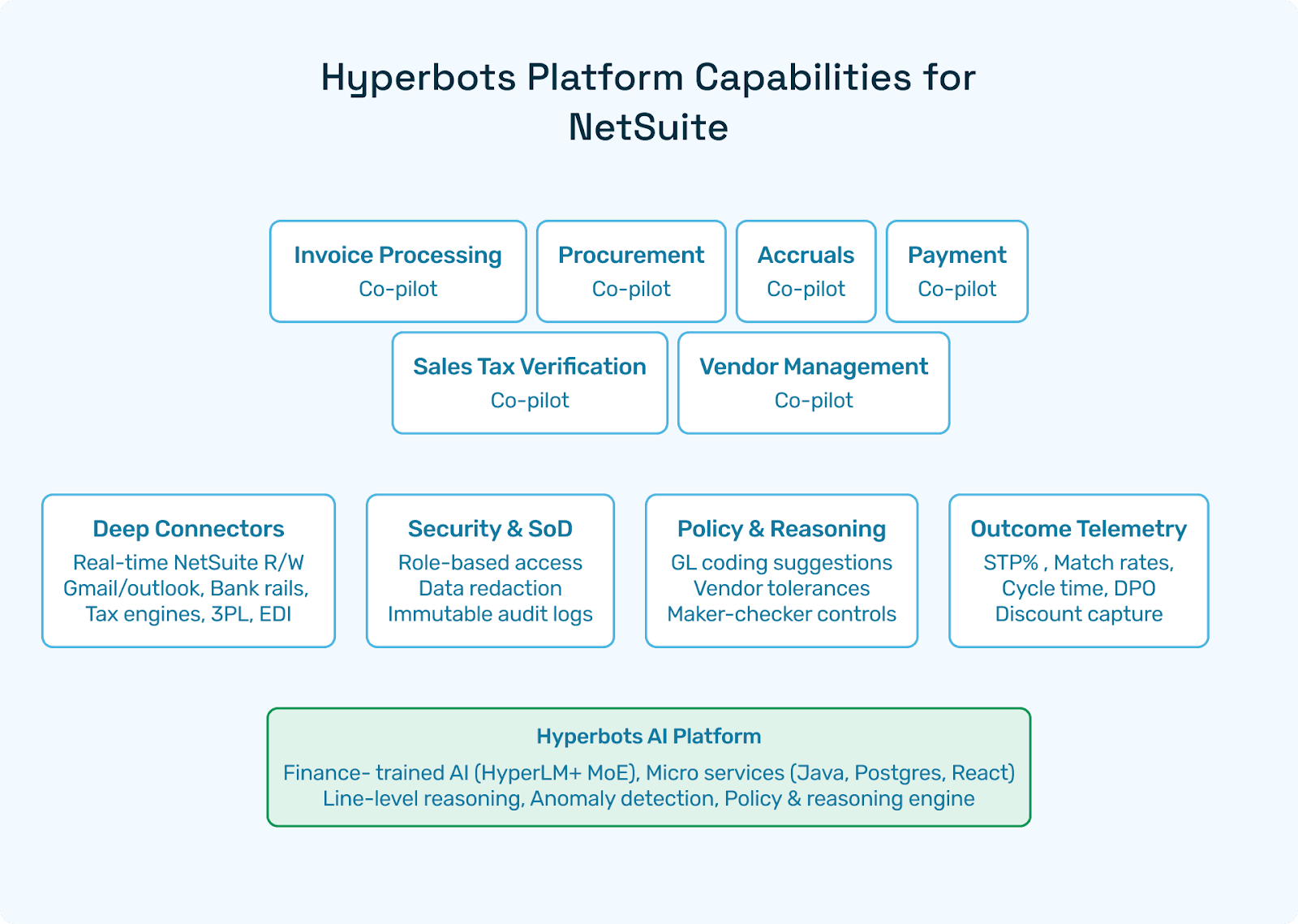
Jon Naseath: What I like about Hyperbots is that you can enable different types of copilots depending on the need. For example, invoice processing uses OCR. OCR is often built into products, but Hyperbots takes it further by reducing the number of touches required.
For accruals, it can make recommendations around what those should be. For PR/PO, it can build out requisitions, contracts, and check budgets. It also enables vendor management, payments, and sales tax verification. Essentially, anywhere manual lookups or analysis are required, the copilot can handle them and make suggestions based on past data.
You always want a person in the loop for reviews, but the copilots help clerks move quickly and prevent errors, particularly mapping errors in the GL.
Jace Kitchen: Sure. And how does Hyperbots handle exceptions or write failures back to Sage?
Jon Naseath: It’s pretty cool, actually. Every write into Hyperbots is followed by a read-back, so the system double-checks that everything stays in sync. If discrepancies occur, it can trigger up to three automatic retries. If it still fails, the item is dropped into an exception queue so you can validate, look it up, and manage it. Nothing reaches the GL unless it’s verified.
Jace Kitchen: A hundred percent, that’s exactly what I was going to say: making sure all the data is verified and accurate before being posted to the GL. What safeguards are in place for security, data integrity, and customization?
Jon Naseath: All the safeguards you’d expect. There’s encryption, SOC 2 compliance, ISO compliance, and role-based tokens that align with Sage’s security standards. You can also add security around field mapping, such as requiring rewrites for specific fields.
Another unique area in finance systems is multi-currency tables. Hyperbots ensures those aren’t mishandled, which is important to avoid potential fraud or errors. It also helps you clearly see which company you’re working on by managing everything from a single pane of glass.
Jace Kitchen: Sure. And what happens if we or in your case, you upgrade Sage or migrate to another ERP system?
Jon Naseath: Migrations are usually difficult, but Hyperbots is unique in that it’s built with a consistent AI interface. Connectors are versioned, so you can see what version you’re on and map it over to another version. Think of it as an abstracted middleware layer that simplifies transitions.
Jace Kitchen: And how do you guarantee that every write transaction into Sage is successful?
Jon Naseath: Honestly, the AI takes care of it. After posting a batch journal or any record, the connector validates and rereads the record to confirm it was posted correctly. It essentially gives you a checkbox confirmation, like the old-school way of making check marks on paper. If something doesn’t go through, it retries and alerts you.
Jace Kitchen: Awesome. How does Hyperbots handle Sage 300-specific nuances and customizations?
Jon Naseath: Sage 300 does have some unique aspects, optional fields, subledger batches, multi-currency, etc. The good news is that all of these are built into the Hyperbots connector. Anything pushed through follows the rules programmatically and maps correctly to the GL.
Jace Kitchen: Great. One last question for you, John. How is Hyperbots’ agentic AI on Sage different from other AI add-ons, including Sage’s own AI features?
Jon Naseath: We’re always focused on providing additional value. Other tools might offer OCR or statistical analysis, but Hyperbots approaches it as a workflow solution.
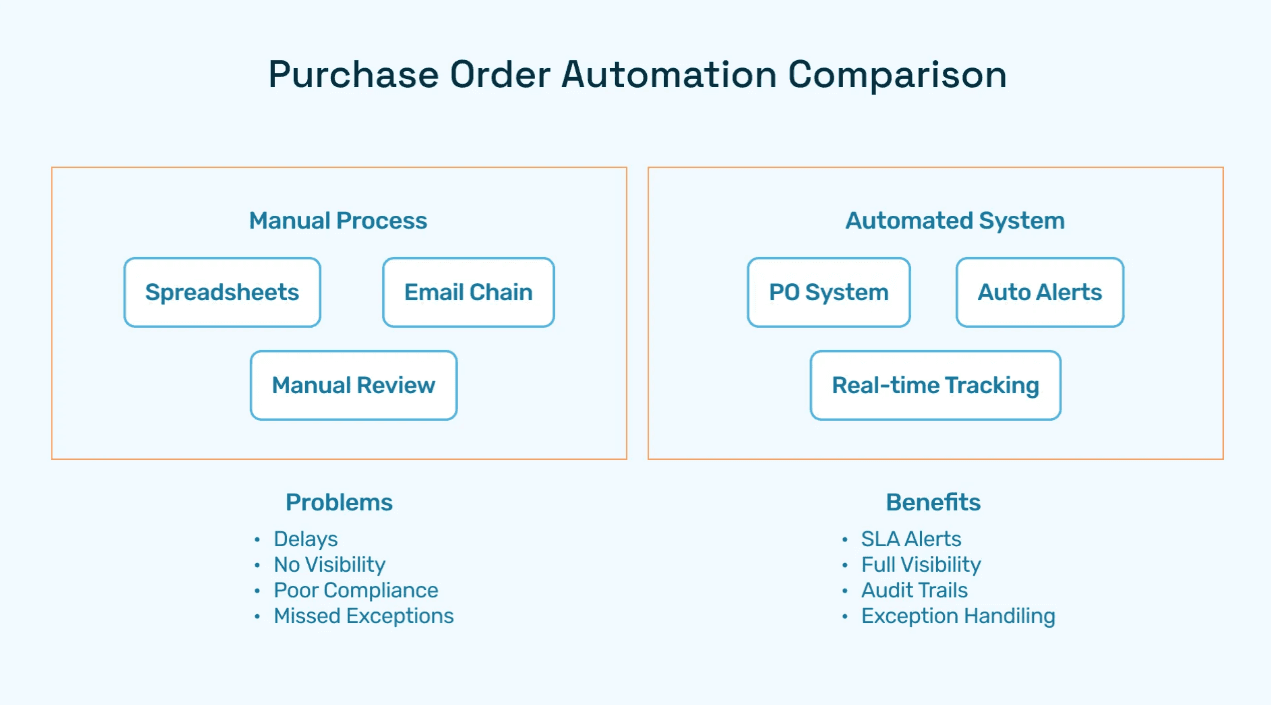
Think about all the manual steps that still exist in SaaS products like Sage such as manual lookups, reviews, or reconciliations. Hyperbots agents tie those pieces together and automate them. With finance-trained models, we’re seeing nearly 100% field extraction accuracy, like 99.8%. That drives significant productivity gains up to 80% productivity improvement compared to only about 30% with regular OCR.
So the real difference is that Hyperbots goes beyond OCR by automating workflows and eliminating manual steps that other AI tools still leave behind.
Jace Kitchen: Awesome. That’s all I had for you today, John. Thank you so much for your time, and we look forward to chatting again soon.
Jon Naseath: My pleasure.