Epicor EDI: Native Kinetic EDI vs Third-Party Providers
A practical guide to Epicor EDI, Kinetic's native capabilities, and third-party integration providers.

Electronic Data Interchange (EDI) allows businesses to exchange standardized documents such as purchase orders, invoices, and shipping notices directly between their systems. For manufacturers and distributors using Epicor Kinetic, EDI reduces manual document handling and helps maintain consistent information across trading partners.
However, implementing Epicor EDI involves more than connecting an ERP system to an external application. Businesses need to consider document translation, trading partner requirements, transaction validation, and how incoming information enters Epicor's business workflows.
Epicor offers dedicated EDI products and services, while third-party providers offer alternative integration options. Understanding the differences helps businesses choose an approach that fits their existing ERP environment.
For finance teams, another consideration is what happens after an EDI invoice reaches Epicor. An EDI 810 may communicate invoice information electronically, but it still needs to be validated, matched, coded, and posted.
This guide explains Epicor's EDI capabilities, compares native and third-party options, and explores how AP automation can complement EDI-based invoice processing.
What Is Epicor EDI?
Epicor EDI refers to the electronic exchange of standardized business documents between an Epicor ERP environment and external trading partners.
Instead of manually entering information from emails, PDFs, or paper documents, businesses can exchange structured transaction data using standards such as ANSI ASC X12 and EDIFACT.
A typical Epicor EDI integration involves five stages:
Document creation: A customer or supplier generates a business document, such as a purchase order or invoice.
EDI formatting: The document is converted into an agreed-upon EDI standard.
Transmission: The document is transmitted through a communication method such as AS2, SFTP, or a value-added network (VAN).
Translation and mapping: The receiving EDI system validates the message and maps its fields to the receiving ERP's data structure.
ERP processing: The translated information enters Epicor through the appropriate integration services and business workflows.
For example, a manufacturer may receive an EDI 850 purchase order from a retailer. The EDI system translates the transaction, maps the relevant fields, and transfers the order into Epicor for processing.
The same process applies to supplier invoices received through EDI 810 transactions.
The important distinction is that EDI handles document exchange and translation, while Epicor manages the underlying ERP transactions.
For additional context, refer to the X12 Supply Chain Transaction Flow.
Does Epicor Kinetic Have Native EDI?
One common question businesses ask is: Does Epicor Kinetic have native EDI?
The answer depends on what is meant by native EDI.
Epicor Kinetic provides integration capabilities that allow external applications to exchange information with ERP business objects. However, businesses should not assume that every standard Kinetic installation includes a complete EDI translator, trading partner network, communication infrastructure, and configured transaction maps.
Epicor offers dedicated EDI products and services designed to support these requirements.
Epicor's EDI capabilities
Epicor's EDI solutions include products and services for document translation, partner connectivity, transaction visibility, and managed EDI operations.
Its broader EDI offering includes:
HQXchange: Supports EDI and B2B integration through document mapping, translation, and communication capabilities.
EDI Managed Services: Provides outsourced EDI implementation and operational support.
PartnerXchange: Provides a web-based option for managing EDI interactions with trading partners.
IntelligentXchange: Supports supply chain visibility across EDI transactions.
Businesses should confirm current product availability and licensing with Epicor.
What Kinetic's integration capabilities provide
Epicor Kinetic also provides several integration mechanisms:
REST APIs: Allow external applications to interact with ERP business objects and services.
OData: Supports querying and retrieving structured ERP information.
Business Object Services: Allow applications to submit transactions through established ERP business logic.
These capabilities can connect an EDI provider to Epicor. However, a REST API does not automatically translate ANSI X12 documents, manage trading partner communication, or maintain partner-specific EDI maps.
Therefore, businesses evaluating Epicor Kinetic native EDI should distinguish between ERP connectivity and the complete EDI processing infrastructure.
Epicor EDI vs Third-Party Providers
Businesses generally evaluate Epicor's EDI offering against independent EDI providers based on their trading partner requirements, existing infrastructure, and internal IT resources.
Epicor's EDI portfolio includes solutions associated with 1 EDI Source, which became part of Epicor's EDI offering.
The 1 EDI Source Epicor Kinetic integration is relevant for organizations looking for EDI capabilities within the broader Epicor ecosystem.
Independent providers such as SPS Commerce and Cleo offer alternative EDI and integration capabilities.
Comparison: Epicor EDI vs independent providers
Criteria | Epicor EDI / 1 EDI Source | Independent EDI providers |
Epicor integration | Designed for Epicor ERP environments | Depends on available connectors |
Document translation | Available through EDI products | Generally supported |
Trading partner onboarding | Available through software and services | Provider-dependent |
Managed services | Available through dedicated offerings | Available with selected providers |
Multi-ERP integration | Depends on product | Varies by provider |
Customization | Depends on implementation | Depends on provider capabilities |
Which option should you choose?
Epicor EDI may be suitable when:
Your organization already operates within the Epicor ecosystem.
You want an EDI offering designed for Epicor ERP environments.
You need trading partner connectivity and transaction visibility.
You prefer access to dedicated EDI services.
An independent provider may be suitable when:
Your organization operates multiple ERP systems.
You already have an established EDI infrastructure.
You have specialized trading partner requirements.
You want to compare different managed service and integration models.
The decision should ultimately depend on transaction coverage, integration compatibility, support requirements, and total cost of ownership.
Common EDI Transaction Sets Supported in Epicor Integrations
EDI transactions use standardized codes to identify the business document being exchanged. Under ANSI ASC X12, several transaction sets are particularly relevant to manufacturing, distribution, and procurement.
EDI code | Transaction | Purpose |
810 | Invoice | Communicates supplier invoice details |
820 | Payment Order/Remittance Advice | Communicates payment and remittance information |
850 | Purchase Order | Communicates a buyer's purchase order |
855 | Purchase Order Acknowledgment | Confirms or communicates changes to an order |
856 | Advance Ship Notice | Communicates shipment contents and details |
997 | Functional Acknowledgment | Reports the structural acceptance or rejection of an EDI transaction |
The direction of these transactions depends on whether the business operates as a buyer or seller.
For example, a manufacturer may receive an 850 purchase order from a customer while sending an 850 to its own suppliers.
The X12 Supply Chain documentation explains how these transaction sets relate to purchase orders, deliveries, invoices, and payments. X12's transaction set reference provides the formal definitions.
Why EDI 810 matters for AP teams
The EDI 810 is particularly important for accounts payable.
It communicates supplier invoice information, including invoice numbers, dates, PO references, item details, quantities, prices, taxes, charges, and invoice totals.
An EDI 810 can therefore provide the structured information required to initiate an AP workflow without manually entering every invoice field.
However, a correctly formatted EDI invoice is not necessarily a financially valid invoice. Supplier details, PO references, quantities, prices, and applicable business rules still need to be checked.
How EDI 810 Invoices Flow Into Epicor Kinetic AP

EDI automates invoice exchange, but the AP process involves additional validation and accounting activities before an invoice should be posted.
Consider a manufacturer receiving supplier invoices through EDI 810.
Step 1: Receive and translate the invoice
The EDI provider receives the invoice through the agreed communication channel, validates its structure, and translates it into a format that Epicor or an intermediate integration layer can process.
Step 2: Map invoice fields to Epicor
The translated information is mapped to the relevant ERP fields.
EDI information | Epicor AP information |
Supplier identifier | Supplier ID |
Invoice number | Supplier invoice reference |
Invoice date | Invoice date |
PO number | Purchase order reference |
Item identifier | Part or item reference |
Quantity | Invoice line quantity |
Unit price | Unit cost |
Tax amount | Tax information |
Invoice total | Document total |
Mapping must account for supplier identifiers, units of measure, currencies, tax codes, and company-specific configurations.
Step 3: Validate and perform three-way matching
For PO-backed invoices, AP teams need to compare:
Purchase order: What did the business agree to purchase?
Goods receipt: What did the business actually receive?
Supplier invoice: What is the supplier charging?
For example:
Record | Quantity | Unit price | Total |
Purchase order | 100 | $50 | $5,000 |
Goods receipt | 100 | $50 | $5,000 |
EDI 810 invoice | 110 | $50 | $5,500 |
The invoice contains a quantity discrepancy and should be flagged for review rather than automatically posted.
Businesses can explore automatic receipt matching in Epicor to understand how AI-assisted matching can help identify discrepancies across purchase orders, receipts, and invoices.
Step 4: Handle GL coding
Non-PO invoices, such as utility bills, subscriptions, and professional services, require appropriate general ledger coding.
Account recommendations may need to consider invoice descriptions, historical transactions, and departmental coding rules.
Step 5: Create and post the AP invoice
After validation, matching, and coding, the invoice can be submitted to Epicor through its supported business object services.
The integration should confirm successful ERP creation and posting. A successful EDI acknowledgment alone does not establish that the financial transaction has been posted.
How AP Automation Complements Epicor EDI
EDI and AP automation address different parts of the invoice-processing lifecycle.
EDI handles standardized document exchange and translation. AP automation handles the financial processing required after an invoice enters the ERP workflow.
Even with a functioning EDI integration, finance teams may still need to validate invoices, perform PO matching, recommend GL codes, and investigate exceptions.
This is where Hyperbots complements Epicor EDI.
Hyperbots' role in the EDI-to-AP workflow
Once an EDI 810 has been translated into a supported structured format, it can enter the Hyperbots invoice-processing workflow.
The Invoice Processing HyperAgent can:
Understand invoice information: Identify supplier details, invoice references, PO information, and line-item data.
Validate invoices: Check information against available ERP records and configured business rules.
Perform three-way matching: Compare invoice details against purchase orders and goods receipts.
Recommend GL codes: Use invoice context, historical finance data, and organizational coding patterns to support account recommendations.
Identify exceptions: Flag duplicate invoices, missing information, and mismatches requiring review.
Post validated invoices: Submit AP transactions through Epicor's supported integration services and verify their status.
The architecture can be represented as follows:
Supplier → EDI 810 → EDI Provider → Hyperbots Invoice Processing HyperAgent → Epicor Kinetic
The EDI provider remains responsible for document transmission and translation. Hyperbots adds an intelligence and automation layer for downstream AP processing, while Epicor remains the system of record.
Hyperbots and Epicor: Integration Experience
Integrating AP automation with an ERP involves more than transferring invoice data. The integration must also account for the ERP’s existing data structures, supplier and purchase order records, approval workflows, posting requirements, and accounting controls.
Hyperbots is designed to work alongside Epicor Kinetic, adding an AI-powered automation layer to finance workflows while Epicor continues to serve as the system of record. The integration connects the two systems so that Hyperbots can retrieve the information needed to process transactions and write approved results back into Epicor.
How Hyperbots Integrates With Epicor Kinetic
Hyperbots integrates with Epicor Kinetic through a production-grade connector built on Epicor's native business objects and service layer. Rather than importing flat files or bypassing the ERP's business logic through a generic middleware bridge, the connector creates and processes transactions through the same services, validations, and posting workflows used by Epicor itself.
This allows Hyperbots to automate AP activities while keeping Epicor as the system of record. The integration uses Epicor's native services, including:
Erp.BO.APInvGrpSvcfor AP invoice group creation.Erp.BO.APInvoiceSvcfor invoice headers, lines, and invoice updates.Erp.Proc.APInvoicePostSvcfor invoice posting.Erp.BO.ReceiptSvcfor receipt-related operations.Erp.BO.POSvcfor purchase order data and operations.Erp.BO.GLJournalEntrySvcfor journal entries and accruals.
Connecting to Epicor and synchronizing data
The connector uses token-based authentication through Epicor Kinetic's token endpoint. API requests carry the authorization token and the tenant's API key. The connection is configured at the company level, allowing the appropriate Epicor company context to be applied to each request.
It uses two communication methods for different purposes:
OData collections: Retrieve ERP records and track changes across master data, purchase orders, receipts, and other entities.
Epicor business object (BO) methods: Create and update transactions, write invoice details, and initiate posting through native Epicor services.
Hyperbots retrieves the master data required for invoice processing directly from Epicor. This includes vendors, items, GL accounts, payment terms, and company information. It also reads purchase orders, including their line-level GL details and invoiced quantities and amounts, along with item receipts and receipt lines.
The integration uses Epicor's SysRevID as a change-tracking reference. Instead of repeatedly retrieving unchanged records, it reads records updated since the previous synchronization. Receipt-line changes are also consolidated at the parent receipt level, while paged and paced reads help limit the load on the live Epicor environment.
This keeps the information used by Hyperbots aligned with the ERP's latest records without requiring AP teams to upload supplier lists, purchase orders, or Chart of Accounts extracts manually.
Creating AP invoices through Epicor's native services
When Hyperbots processes an invoice, the connector builds the corresponding AP invoice in Epicor through a structured sequence of operations.
First, it checks that the invoice has a matched vendor, an invoice number, and at least one line. It then creates an AP invoice group, followed by the invoice header and its associated lines.
The connector handles PO-backed and non-PO invoice lines differently:
PO-backed lines: Lines associated with goods receipts are matched using the packing slip and pack-line references. The connector passes the invoice quantity, unit cost, and amount through Epicor's receipt-matching process.
Non-PO lines: Hyperbots writes the predicted GL account to the relevant invoice lines, supporting account coding without requiring a purchase order match.
Both types of lines can appear on the same invoice. This allows the integration to handle invoices containing a combination of purchase-order-backed items and expenses that require direct GL coding.
Once the invoice has been written, its Epicor invoice number is returned to the corresponding Hyperbots record. The original invoice PDF is also retrieved from Hyperbots' Document Vault, uploaded through Epicor's attachment service, and linked to the AP invoice header. Finance teams and auditors can therefore access the source document directly from the invoice record in Kinetic.
Three-way matching using live purchase order and receipt data
The integration retrieves purchase order information with the details required for invoice matching. This includes the GL account assigned to each PO line, the quantity and amount already invoiced, and whether the PO has been fully invoiced.
When a new receipt is recorded in Epicor, the connector refreshes the associated purchase order so Hyperbots can use the latest PO and receipt information during matching.
This gives the Invoice Processing HyperAgent the context needed to compare invoice quantities and amounts against the purchase order and goods receipt, identify discrepancies, and route exceptions for review. It also helps prevent subsequent invoices from being matched against quantities or amounts that have already been invoiced.
Native posting, validation, and rollback
Writing an invoice into Epicor does not automatically mean it has been posted. The connector follows Epicor's own posting process, including checks for bank references, vendor tax IDs, deferred-line scheduling, and GL account requirements.
It then runs Epicor's pre-post invoice validation. If Epicor returns a validation message or variance, posting is stopped rather than allowing the transaction to proceed. Once the checks pass, the posting request is submitted to the Epicor server agent.
Hyperbots then checks the invoice status until Epicor confirms that Posted = true. It reports the transaction as successfully posted only after receiving that confirmation, distinguishing between an invoice submitted for posting and one that has actually been posted.
The connector also handles failures during invoice creation. Because an AP invoice consists of multiple related records, such as the invoice group, header, lines, GL coding, and receipt matches, a failure during any stage triggers a compensating rollback. The connector removes the records it created so that Epicor is not left with a partially built invoice.
Corrected invoices are handled through clean rewrites, replacing the earlier entry rather than creating a duplicate. Group ID collisions are also handled through automatic retries.
Error visibility, audit trail, and configuration
When Epicor rejects a request, the connector parses its error message and surfaces the underlying explanation in Hyperbots. This gives users actionable information instead of a generic integration failure notification.
Write and posting failures can trigger Slack or Microsoft Teams alerts for operational teams. Structured event codes and references to the corresponding Epicor invoice, PO, group, and row records help support teams trace a transaction across both systems.
The integration is also template-driven. Customer-specific field mappings, company codes, and GL structures can be configured without embedding every customization in code or requiring a new software deployment.
Beyond AP invoice processing
The same Epicor connection supports additional procurement and accounting workflows:
Requisition-to-PO creation: Approved requisitions are converted into Epicor purchase orders, including line sequencing, delivery releases, and GL overrides. The resulting Epicor PO number is returned to Hyperbots.
GL validation: Requisition GL lines are validated against Epicor's GL account service, including dynamic account segments, before submission.
Accruals: Accrual journals are created, posted, and reversed through Epicor's native journal services.
Together, these capabilities allow Hyperbots to automate invoice processing, matching, coding, posting, procurement, and accrual activities while retaining Epicor's native transaction controls and accounting records.
Data synchronization and transaction processing
The connection uses different synchronization frequencies depending on the type of data. In the Persimmon implementation, company-site structures and the Chart of Accounts were synchronized weekly, while supplier, part, and GL code information was updated daily. Purchase order receipts and supplier invoices were synchronized hourly, with write operations such as purchase orders, invoices, journal entries, and accruals taking place in real time.
These frequencies can be adjusted according to data volumes and business requirements. This is important for AP automation because invoice processing depends on having sufficiently current PO, receipt, supplier, and accounting information available when a document is evaluated.
Posting validation and exception handling
The integration also includes checks to verify that transactions have been written correctly. After a write operation, Hyperbots reads the record back from Epicor and compares relevant fields, including the amount, currency, company, and posting date.
If a transaction encounters an issue, such as a closed fiscal period or a duplicate document number, the integration attempts to retry the operation. Items that remain unsuccessful are moved to an Integration Exceptions queue, with notifications sent to the finance team through Microsoft Teams. This gives users visibility into failed transactions instead of allowing posting errors to go unnoticed.
For on-premises Epicor environments, the Persimmon implementation uses a lightweight agent deployed on the Epicor application server. The agent establishes a secure outbound HTTPS connection to Hyperbots and communicates with Epicor through its local REST or Service Connect interfaces. This approach avoids requiring inbound firewall changes and gives the organization's IT team control over the ERP connection.
Together, these capabilities allow Hyperbots to automate finance activities without replacing Epicor or requiring teams to abandon their existing ERP workflows.
Case Study: How Persimmon Technology Integrated Hyperbots With Epicor
Persimmon Technology, a semiconductor robotics manufacturer, runs an on-premises version of Epicor. Its finance team wanted to reduce the manual effort involved in accounts payable while retaining its existing ERP environment.
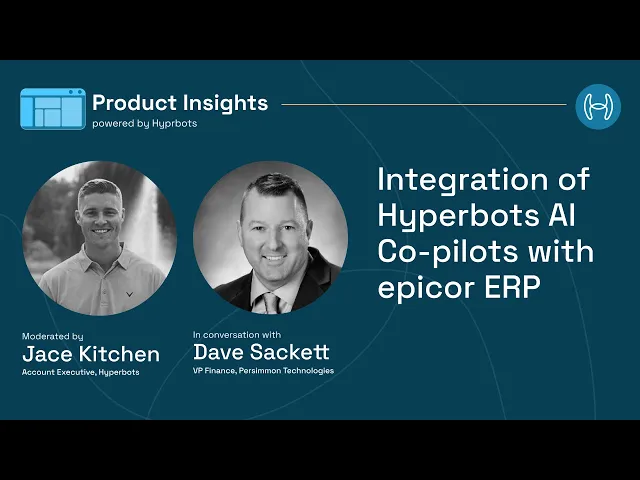
Hyperbots was integrated with Persimmon's Epicor system to automate invoice processing and other finance workflows. According to Dave Sackett, VP of Finance at Persimmon, the implementation took approximately three to five weeks and did not require custom coding.
Automating invoice processing in Epicor
Before an invoice is posted, the Invoice Processing HyperAgent reads invoice PDFs received through the company's Outlook mailbox. It extracts the relevant information and checks the invoice against the corresponding purchase order and receipt records in Epicor.
The workflow then supports several steps that would otherwise require manual AP work:
Invoice data extraction: Reads supplier invoices and captures the information required for processing.
Three-way matching: Compares invoice details with the purchase order and receipt records to identify discrepancies before posting.
GL coding: Recommends and generates GL codes using the relevant accounting context and historical posting information.
Tax verification: Determines the applicable tax information as part of invoice processing.
AP invoice posting: Writes the processed invoice into Epicor, with read-back validation to verify the transaction.
The case study reports that approximately 80% of invoices flowed straight through to posted invoices, reducing the amount of manual intervention required from the AP team.
Beyond invoice processing
The implementation also demonstrates how Hyperbots can support other finance and procurement workflows within Epicor:
Accruals: Identifies purchase order receipts for which supplier invoices have not yet arrived, creates month-end journal entries, and reverses the accruals when the corresponding invoices are received.
Procurement: Creates purchase orders from contracts, checks budgets and business rules, routes approvals through Microsoft Teams, and converts requisitions into purchase orders.
Vendor management: Validates supplier tax IDs and bank details, supports supplier onboarding, and updates supplier master records.
Payments: Prepares payment proposal batches, considers early-payment discounts against the cost of capital, generates NACHA and SEPA files, and supports payment clearing and bank reconciliation.
Sales tax verification: Checks ship-to and ship-from tax groups and part tax categories before invoices are posted.
Implementation timeline and reported results
The Persimmon deployment took approximately three to five weeks. The rollout involved connecting Hyperbots to the Epicor company database, mapping the required fields, testing transactions against expected results, completing user acceptance testing, and moving the workflows into production.
The case study reports the following outcomes:
Approximately 80% of invoices processed straight through to posted invoices.
80% reduction in AP data entry, reducing repetitive manual work for the finance team.
Three-to-five-week deployment, without custom coding.
These results illustrate how an AI automation layer can work with an existing Epicor environment to handle invoice processing and related finance activities while retaining the ERP's role as the system of record.
How this relates to Epicor EDI
It is important to distinguish the integration demonstrated in the Persimmon case study from a direct EDI 810 implementation. The invoice workflow described in the case study begins with PDF invoices received through Outlook. It does not establish that Hyperbots is processing inbound EDI 810 transactions directly.
In an EDI-based AP workflow, the EDI provider would first translate the incoming 810 transaction into a format supported by the downstream invoice-processing system. The resulting invoice data could then enter an AP automation workflow for validation, matching, GL coding, exception handling, and posting, subject to the relevant integration configuration.
Key Considerations When Implementing Epicor EDI
Before implementing Epicor EDI, businesses should evaluate a few important technical and operational requirements.
Trading partner requirements: Different partners may use different implementation guides, even when following the same X12 standard. Confirm that the provider supports the required partner-specific maps.
ERP field mapping: Validate supplier IDs, part numbers, PO references, units of measure, tax codes, and other relevant fields using actual transaction samples.
Duplicate prevention: Account for retransmitted documents using transaction control numbers and business identifiers such as supplier ID and invoice number.
Acknowledgments and error handling: Distinguish between EDI receipt, structural validation, ERP acceptance, and successful AP posting. A 997 acknowledgment does not confirm financial posting.
Security: Verify encryption, authentication, and access controls across AS2, SFTP, or VAN communication channels.
Scalability: Consider peak transaction volumes, retry mechanisms, monitoring, and recovery processes as the number of trading partners increases.
ERP compatibility: Confirm API availability, authentication requirements, and compatibility with your particular Kinetic version and deployment model.
Bringing Epicor EDI and AP Automation Together
Epicor EDI helps businesses exchange standardized documents with customers and suppliers, but selecting an EDI provider is only one part of the integration architecture.
Businesses also need to consider how incoming transactions are mapped, validated, and processed within Kinetic.
For finance teams, the next step is automating the work that follows an inbound EDI 810 invoice. Combining EDI with AP automation can reduce manual invoice handling while maintaining the validation and accounting controls required by the business.
Hyperbots complements Epicor Kinetic with an AI-powered finance automation layer for invoice processing, matching, GL coding, and exception management, while Epicor remains the system of record.
See how Hyperbots works with Epicor Kinetic. Request a demo to explore how AI-powered AP automation can simplify invoice processing, matching, GL coding, and posting within your existing ERP environment.
Frequently Asked Questions About Epicor EDI
1. Does Epicor Kinetic have native EDI?
Epicor offers dedicated EDI products and services for document translation, trading partner connectivity, and transaction management. However, businesses should verify whether these capabilities are included in their specific Kinetic licensing and implementation.
2. What is the difference between Epicor EDI and REST API?
EDI supports standardized document exchange between trading partners. REST APIs allow external applications to interact with Epicor's ERP business objects. An EDI provider can use REST APIs to transfer translated transactions into Kinetic.
3. What is 1 EDI Source Epicor Kinetic integration?
1 EDI Source became part of Epicor's EDI offering. Its products provide EDI and B2B integration capabilities, including document mapping, translation, and trading partner connectivity for ERP environments.
4. What is an EDI 810 invoice?
An EDI 810 is an ANSI X12 transaction set used to electronically communicate invoice information between a supplier and buyer. It typically includes invoice references, PO details, quantities, prices, taxes, and totals.
5. Can EDI invoices be automatically posted into Epicor?
Yes. Translated invoice data can be transferred into Epicor through supported integration services. However, validation, matching, ERP business rules, and posting confirmation must also be addressed.
6. Can Hyperbots automate EDI invoice processing in Epicor?
Hyperbots' Invoice Processing HyperAgent supports invoice understanding, validation, PO matching, GL coding, exception handling, and AP posting in Epicor. Incoming EDI 810 documents must first be translated into a supported input format before entering the invoice-processing workflow.
