Epicor AP Automation: Closing Kinetic's P2P Gaps with AI
How Epicor Kinetic handles procure-to-pay natively, where manual work slows AP down, and how AI agents automate invoice matching, procurement, payments, and vendor management on top of Kinetic.
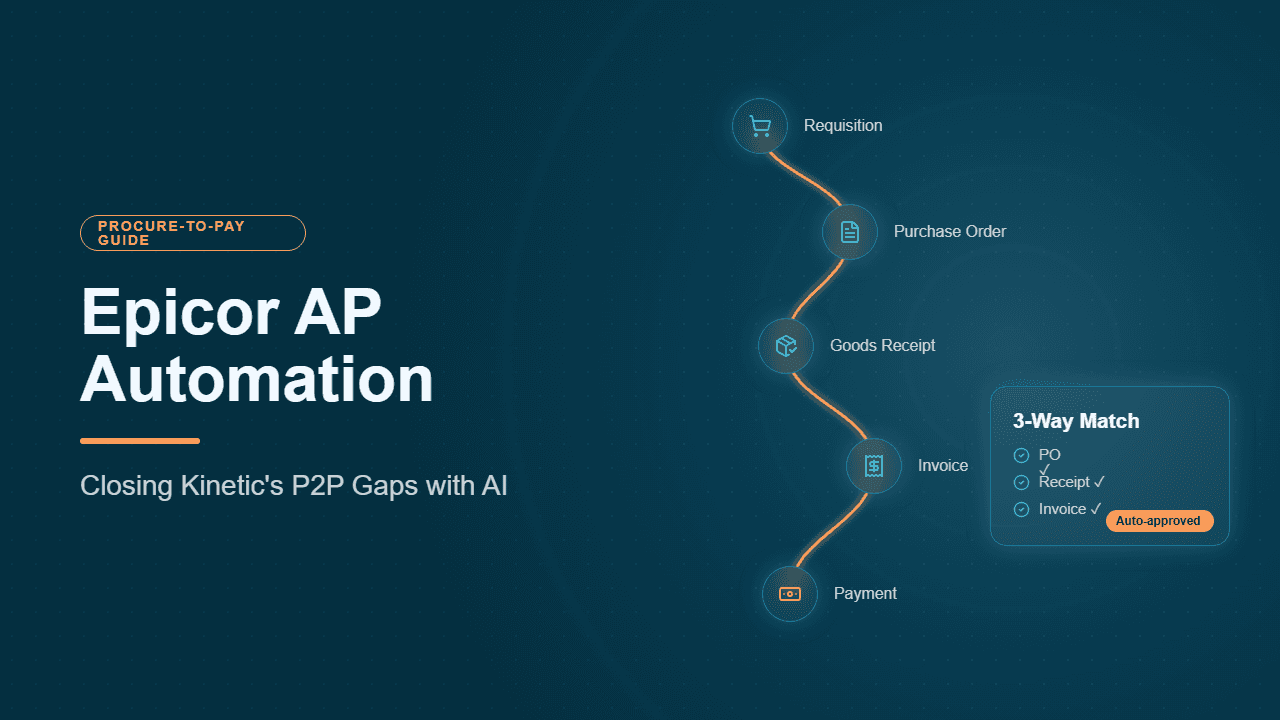
Epicor AP automation is capturing, matching, coding, posting, and paying supplier invoices in Epicor Kinetic (and Epicor ERP 10) without manual keying. Kinetic is a strong system of record for procure-to-pay, but out of the box, invoice entry, receipt matching, and exception handling are still largely human work. The most effective fix keeps Kinetic as the system of record and adds an AI execution layer on top that does that work and posts the results back into Epicor.
This guide follows that logic in order: how the native AP flow works in Kinetic, where it breaks, and how Hyperbots' Invoice Processing, Procurement, Payments, and Vendor Management HyperAGENTS close each gap, with results from an Epicor customer that cut AP data entry by 80%.
Why Epicor AP Automation Matters
AP is where most finance teams start with AI. A 2024 Gartner survey found that 58% of finance functions were using AI, with intelligent process automation and anomaly detection in data such as invoices among the most common use cases.
For Epicor users, the stakes are higher than average. Epicor's customer base leans toward manufacturers and distributors, whose PO-heavy invoices, partial receipts, and multi-site ledgers make manual AP slow and expensive. The cost difference is measurable: APQC benchmarking shows top performers spend about $0.38 per $1,000 of revenue on AP versus $0.92 for bottom performers, a gap worth more than $500,000 a year for a $1 billion company.
The Native AP Flow in Epicor Kinetic
Epicor treats procure-to-pay as a chain of linked records: each step creates the data the next one depends on, so a break anywhere surfaces later as an AP exception.
Stage | Where it happens in Kinetic | Key records and options | Accounting effect |
|---|---|---|---|
1. Requisition | Requisition Entry | Part-based or free-text lines, dispatched to the default buyer or the buyer assigned to the part or part class; approval before release | None yet; no commitment |
2. Conversion to PO | PO Suggestions (Generate Suggestions) | Requisition lines and MRP-driven suggestions, filterable by requisition in newer releases | None |
3. Purchase order | Purchase Order Entry | Lines set to Buy For Inventory, Other, Job Material, or Subcontract Operation; releases by date and quantity; buyer approval limits; blanket, drop-ship, and subcontract POs | Open commitment only |
4. Receipt | Receipt Entry, plus inspection and DMR where used | Receipt against a PO release; failed inspections raise a DMR, which can drive a supplier debit memo | Debit inventory or expense, credit received-not-invoiced (AP clearing) |
5. Invoice logging (optional) | Logged AP Invoice Entry | Invoices recorded on arrival, then approved or voided before matching | Books to expense and payables suspense accounts |
6. Supplier invoice | AP Invoice Entry, within invoice groups | Line types: Receipt Billing, Un-received Billing, Advanced Billing, Miscellaneous, Job Miscellaneous; debit memos and DMR debit memos; approved logged invoices pulled in | Clears AP clearing, credits Accounts Payable |
7. Match visibility | Invoice/Receipt Match Maintenance; Received but Not Invoiced report | Receipts still awaiting an invoice; un-received billing lines reconciled once goods arrive | AP clearing returns to zero when matched |
8. Payment | AP Payment Entry (payment groups), Payment Instrument Payable Entry | Checks, EFT/ACH, payment instruments; Void Payment Entry and AP Adjustment Entry for corrections | Debit Accounts Payable, credit cash |
Menu names and available screens vary by Kinetic release and menu customization.
Two design points shape everything that follows. The receipt is the pivot: PO-based invoices are matched to receipt lines, so an unreceived shipment has nothing to match against. AP clearing is your early-warning system: unmatched receipts accumulate there, signaling invoices that are stuck or missing.
Where Native Epicor AP Breaks Down
Epicor is an excellent system of record, but it wasn't built to be the worker that reads invoices, resolves mismatches, and decides when to pay. The gaps cluster into four areas.
Invoice handling. This is the deepest gap, and it has eight distinct failure points:
Invoices are scattered. They arrive in shared mailboxes, supplier portals, and the post, so AP spends time chasing and sorting before any data is entered, and some invoices are found only when a supplier calls. Automated invoice discovery sweeps those channels instead.
Every layout is different. Kinetic has no extraction layer, and template-based tools break whenever a supplier changes format, so clerks key the data. Template-free extraction reads any layout, which drives most of the time and cost to process an invoice.
Long and bundled documents. A 40-line freight invoice or one PDF containing several invoices has to be split and keyed by hand, whereas a HyperAGENT handles multi-page invoices and multi-invoice documents natively.
Missing fields. Invoices arrive without a PO number, site, or cost center, and AP emails the requester to fill the blanks. AI augmentation infers them from supplier history and open POs.
Duplicates slip through. The same invoice comes by email and portal, or with a suffix that defeats Epicor's invoice-number warning, until duplicate detection compares amounts, dates, and line items rather than just the number.
Matching needs judgment. Partial receipts, over-shipments, substituted parts, supplier part numbers that differ from your part master, freight and surcharge lines, blanket POs, and service invoices with no clean quantity all land on a clerk's desk. AI 2-way and 3-way matching resolves them against your tolerance policy, with configurable matching fields for Epicor-specific rules.
Non-PO coding is inconsistent. Utilities, subscriptions, and professional services get coded from memory, and sales tax is rarely checked line by line. AI GL coding learned from your Epicor posting history and automated sales tax verification make accurate GL coding repeatable at volume.
Posting and evidence. Someone still keys the approved invoice into Epicor, routes it for sign-off, and assembles documentation at audit time. Automated GL posting with custom field support, flexible approval workflow, and a complete audit trail close that loop.
Purchasing discipline: A wrong unit of measure, a placeholder price, or a missing GL account on a PO line doesn't fail at purchasing; it fails weeks later in AP. Budget checks and approval routing often live outside Epicor in email.
Payments: Payment runs follow due dates rather than weighing discounts against cash, so teams routinely miss early payment discounts, and reconciliation stays manual.
Supplier data and fraud.: Repeat invoices and changed bank details on a supplier's letterhead can slip past manual review, and supplier onboarding depends on someone checking tax IDs and banking by hand.
Epicor teams have tried to close these gaps in several ways. Epicor's ECM matching workflows capture invoices and present uninvoiced receipt lines, though line-level matching generally requires part numbers and UoM to match Epicor exactly. BPMs and custom code work but must be maintained through every upgrade. OCR plus rules breaks on non-standard layouts, which is why agentic AI outperforms template-based OCR on real supplier invoices. Each helps with one piece, but together these gaps are the constraints on straight-through processing that cause most automation projects to plateau.
How Hyperbots HyperAGENTS Close the Gaps on Top of Kinetic

Hyperbots takes a different approach: Kinetic stays the system of record, and AI agents become the execution layer. The HyperAGENTS read from Epicor, do the work, and write finished transactions back through Epicor's APIs, so your controls, security groups, and reports stay intact. It's a practical example of how AI complements ERP systems rather than replacing them.
The broader market is moving in this direction. Gartner predicts 33% of enterprise software applications will include agentic AI by 2028, and in Deloitte's Q4 2025 CFO Signals survey, 54% of CFOs named integrating AI agents a top transformation priority.
Invoice Processing HyperAGENT: closing the invoice-handling gap
The Invoice Processing HyperAGENT replaces the manual AP Invoice Entry routine. It pulls invoices from inboxes and portals, performs template-free data extraction, runs duplicate checks, applies AI GL coding learned from your posting history, and posts the invoice into Epicor.
It also answers the most common Epicor question: how to implement automatic receipt matching. The AI agent reasons about which receipt lines an invoice covers, including partial receipts and supplier part numbers, then applies tolerances you define through configurable matching strategies instead of custom code. To get the highest match rates with any approach:
Clean master data first, especially supplier part cross-references and UoM conversions. Finance leaders in the Gartner survey ranked poor data quality as their top AI adoption challenge.
Enforce receiving discipline with an SLA for receipt entry.
Choose a matching strategy per category, typically 3-way for inventory and 2-way for services, from the full set of invoice, PO, and GRN matching strategies.
Plan for hard cases such as freight lines and blanket purchase orders.
Route every non-match to an owned exceptions queue and review AP clearing monthly.
With that groundwork, AI 3-way matching takes over receipt selection and passes only true exceptions to your team.
Procurement HyperAGENT: fixing problems before they reach AP
The Procurement HyperAGENT protects the PO entry steps described above. It auto-fills requisition fields from history, enforces budget control before a PO is issued, routes approval workflows by threshold and category, and handles PO creation and dispatch and PO closure directly in Epicor. Cleaner POs mean fewer invoice exceptions downstream.
Payments HyperAGENT: paying on strategy, not just due dates
The Payments HyperAGENT turns Epicor payment runs into decisions. It makes early-payment recommendations that weigh discounts against the cost of capital, processes ACH payments, applies fraud prevention checks before money moves, and handles bank statement reconciliation.
Vendor Management HyperAGENT: protecting the supplier master
The Vendor Management HyperAGENT automates vendor onboarding and identity verification, validating tax IDs and bank details before they reach Epicor's supplier master, and gives suppliers a self-service portal for status and communication.
Beyond these four, the Accruals and Sales Tax Verification HyperAGENTS automate month-end received-not-invoiced entries and line-level tax checks. Across all of them, models arrive pre-trained and ready to deploy, and human-in-the-loop controls keep your team in charge of exceptions, with every action logged to an audit trail.
How Persimmon Technology Runs Hyperbots HyperAGENTS on Epicor
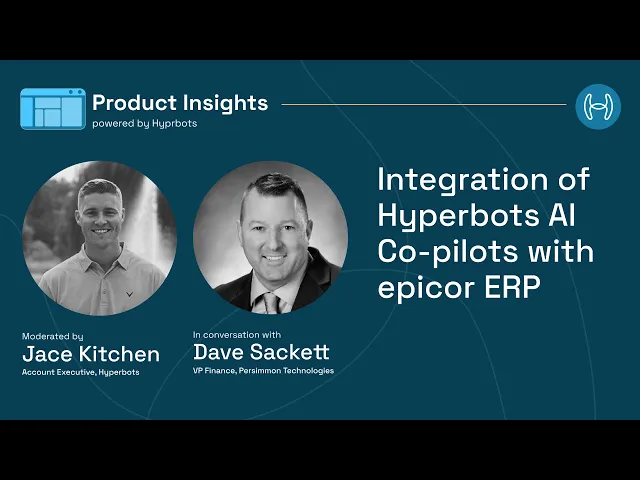
Persimmon Technology runs Epicor on-premise. In a recorded interview with Hyperbots, VP of Finance Dave Sackett described how the four HyperAGENTs work in their environment:
How Hyperbots Integrates With Epicor ERP
Hyperbots ships a plug-and-play connector for Epicor Kinetic, the cloud version, using Epicor REST v2 endpoints or Service Connect on older builds. It gets secure read-write access to companies, sites, suppliers, parts, receipts, AP invoices, payments, and any user-defined fields. Epicor remains the system of record; the AI agents sit on top and remove the manual keyboard work.
Because Persimmon runs Epicor on-premise, a lightweight agent is deployed on the Epicor app server. It opens a secure outbound HTTPS tunnel to Hyperbots with no inbound firewall changes, and calls Epicor REST or Service Connect APIs locally, so data never leaves the network unencrypted and stays under IT control.
How data stays in sync
Persimmon uses a standard cadence that can be throttled in the Hyperbots dashboard by data volume:
Data | Sync frequency |
|---|---|
Company-site structures and Chart of Accounts | Weekly |
Suppliers, parts, and GL codes | Daily |
PO receipts and supplier invoices | Hourly, near real time |
Writes: POs, invoices, journal entries, accruals | Real time |
How accuracy, exceptions, and customizations are handled
Read-back verification. After posting an invoice, PO, journal entry, or payment, the connector re-reads the record and compares all fields, including amount, currency, company, and posting date. Only a perfect match passes.
Retries and escalation. Errors such as closed fiscal periods or duplicate document numbers trigger three auto-retries. If the write still fails, the item lands in the Integration Exceptions queue and finance gets a Teams alert, so nothing fails silently. On new installations, a person still validates the co-pilot's work before final submission.
Custom logic preserved. During onboarding, Hyperbots pulls Epicor metadata so custom fields and tables become mapping targets, and the AI learns from historical postings how to populate them. Where business process workflows exist, the connector triggers them exactly as a human user would.
Security. SOC 2 Type II compliant and ISO 27001 certified, data encrypted in transit and at rest, access keys inheriting Epicor security groups under least privilege, and no stored passwords. Multi-site and multi-currency ledgers are respected, with one dashboard for integration health across all Epicor companies.
Upgrades and migrations. Each connector is versioned, and dual-write mode posts to both systems until cut-over, so the HyperAGENTs keep running without data loss.
Results Achieved by Persimmon post Hyperbots Implementation
Invoice Handling: the Invoice Processing HyperAGENT reads PDFs from the AP Outlook mailbox, performs a three-way match with the PO and receipt, auto-generates GL codes and tax, and posts the AP invoice in Epicor, about 80% straight through. Persimmon cut AP data entry by 80%.
Month-end close: the Accruals HyperAGENT finds PO receipts without invoices, books the month-end journal entries, and auto-reverses them once the invoice arrives.
Procurement: the Procurement HyperAGENT creates POs from contracts, checks budgets and rules, routes approvals in Teams, and converts requisitions into POs.
Vendor master: the Vendor Management HyperAGENT validates tax IDs and bank details, automates onboarding, and updates the supplier master with EFT data.
Cash and payments: the Payments HyperAGENT weighs early-pay discounts against the cost of capital, builds payment proposal batches, generates NACHA/SEPA files, posts clearing entries, and auto-reconciles them against bank statements.
Tax: the Sales Tax Verification HyperAGENT checks ship-to and ship-from tax groups and part tax categories before posting, eliminating tax mischarges.
Sackett contrasts this with the invoice OCR tools he used previously: most add-ons "just do OCR or basic workflows," while agentic AI raises requisitions, posts journals, reverses accruals, requests supplier credit memos, reconciles payments, closes POs, and verifies taxes, leaving an immutable audit trail for every action. In his assessment, finance-trained models can reach 99.8% accuracy and 80% productivity gains, against roughly 30% from traditional RPA and OCR tools. The rollout took 3–5 weeks with no custom coding, faster than the 6–8 weeks Hyperbots typically needs for an ERP it already has an API connector for.
Make Epicor the System of Record, Not the Bottleneck
Epicor Kinetic already holds everything procure-to-pay needs: requisitions, POs, receipts, invoices, and payments, all linked. What slows most Epicor finance teams down is the manual work between those records, from keying invoices and hunting for receipt lines to timing payments and checking supplier details.
Hyperbots' Invoice Processing, Procurement, Payments, and Vendor Management HyperAGENTS take on that work without changing what Epicor does well. They capture, match, code, pay, and verify, then post everything back into Kinetic under your existing controls. As Persimmon Technology's results show, that can remove most AP data entry in weeks, while keeping your team in charge of the exceptions that need judgment.
See it on your own Epicor invoices. Book a personalized Hyperbots demo and we'll show how the co-pilots match your receipts, code your invoices, and post them into Epicor.
FAQs (Frequently Asked Questions)
Q1. What is Epicor AP automation?
Epicor AP automation is processing supplier invoices in Epicor Kinetic or Epicor ERP 10 with minimal manual work. It covers six steps: capturing invoices from email and supplier portals, extracting header and line-level data, checking for duplicates, matching invoices to purchase orders and receipts (2-way or 3-way), coding and posting them to the general ledger through AP Invoice Entry, and paying suppliers through Payment Entry. It can be delivered through Epicor's own ECM add-on, custom BPMs, or AI agents such as Hyperbots that work on top of Kinetic and post transactions back into it.
Q2. Does Epicor Kinetic have built-in AP automation?
Epicor Kinetic includes the complete AP data model: purchase orders, receipts, AP Invoice Entry, invoice-to-receipt matching, GL posting, and Payment Entry. However, several core steps remain manual in standard Kinetic. Users typically key invoice data from PDFs, select the receipt lines to invoice against, adjust price and quantity differences by hand, and run payments based on due dates. Most Epicor customers add automation through Epicor ECM, business process management (BPM) customizations, or third-party AP automation software that integrates with Kinetic through its REST APIs.
Q3. How do you implement automatic receipt matching in Epicor systems?
Automatic receipt matching in Epicor means the system selects the correct receipt lines for each supplier invoice and validates quantity and price without a clerk doing it manually. To implement it:
Clean supplier master data, supplier part cross-references, and unit-of-measure conversions.
Enforce timely receipt entry in Receipt Entry, since Epicor matches PO-based invoices to receipt lines.
Define a matching strategy per spend category, usually 3-way for inventory and 2-way for services.
Set price and quantity tolerances by supplier or category.
Choose a matching engine: Epicor ECM workflows, custom BPMs, or an AI agent that handles partial receipts and supplier part numbers.
Route every non-match to an owned exceptions queue and review the AP clearing account monthly.
Q4. How do you enter a purchase order in Epicor Kinetic?
To enter a purchase order in Epicor Kinetic, open Purchase Order Entry (under Purchase Management > General Operations in the standard menu) and create a new PO. Select the supplier and confirm the purchase point, terms, and ship-to address. Assign a buyer, whose approval limit determines whether the PO needs further approval. Add each line with the part number, quantity, unit of measure, and unit cost, and set the line type as inventory, job, or other. Add releases for split deliveries, confirm GL accounts on non-inventory lines, then approve the PO and send it to the supplier. Menu paths can vary by Kinetic version.
Q5. What does Epicor procurement automation include?
Epicor procurement automation covers the steps from purchase request to closed purchase order. These include capturing requisitions from emails and forms, auto-filling requisition fields, validating requests against budgets and purchasing policies, routing approvals by amount and category, converting approved requisitions into POs, dispatching POs to suppliers, and closing POs once goods are received and invoiced. Automating these steps in Epicor reduces AP exceptions later, because most invoice mismatches start with purchase order errors such as a wrong unit of measure, a placeholder price, or a missing GL account.
Q6. What is the difference between Epicor ECM and AI agents for AP automation?
Epicor ECM is Epicor's content-management solution for AP. It captures invoices and supports matching workflows that present received-but-uninvoiced lines for an invoice, but line-level matching generally requires part numbers and units of measure to match Epicor records exactly. AI agents, such as Hyperbots, use finance-trained models to extract invoice data without templates, reason about which receipt lines an invoice covers even when supplier part numbers differ, and post verified transactions back into Epicor. AI agents also extend beyond invoice processing into procurement, payments, vendor management, accruals, and sales tax verification.
Q7. Can AI co-pilots work with on-premise Epicor ERP?
Yes. Hyperbots AI agents work with both Epicor Kinetic in the cloud and on-premise Epicor. The Hyperbots Epicor connector uses Epicor REST v2 endpoints, or Service Connect on older builds. For on-premise deployments, such as Persimmon Technology's, a lightweight agent installed on the Epicor app server opens a secure outbound HTTPS tunnel to Hyperbots, so no inbound firewall changes are required. Access inherits Epicor security groups with least-privileged permissions, and every record the HyperAGENT writes is read back and verified field by field.
Q8. How long does Epicor AP automation take to implement, and what results can you expect?
For ERPs where Hyperbots already has a prebuilt API connector, including Epicor, integration and rollout typically take 6 to 8 weeks, covering connection, field mapping, testing, and go-live. Persimmon Technology moved faster: according to Dave Sackett, VP of Finance, its rollout on on-premise Epicor took 3 to 5 weeks without custom coding. The first week covered connecting to the Epicor company database, mapping fields, and replaying historical transactions to confirm accuracy, followed by user acceptance testing and production cut-over. Since going live, Persimmon has cut AP data entry by 80%, with about 80% of invoices flowing straight through from its Outlook mailbox to posted AP invoices in Epicor.