Epicor ECM (DocStar) AP Automation, Limits & Alternatives
Epicor ECM captures and routes your invoices. Here's where it stops, and what Kinetic teams are adding to finish the job.
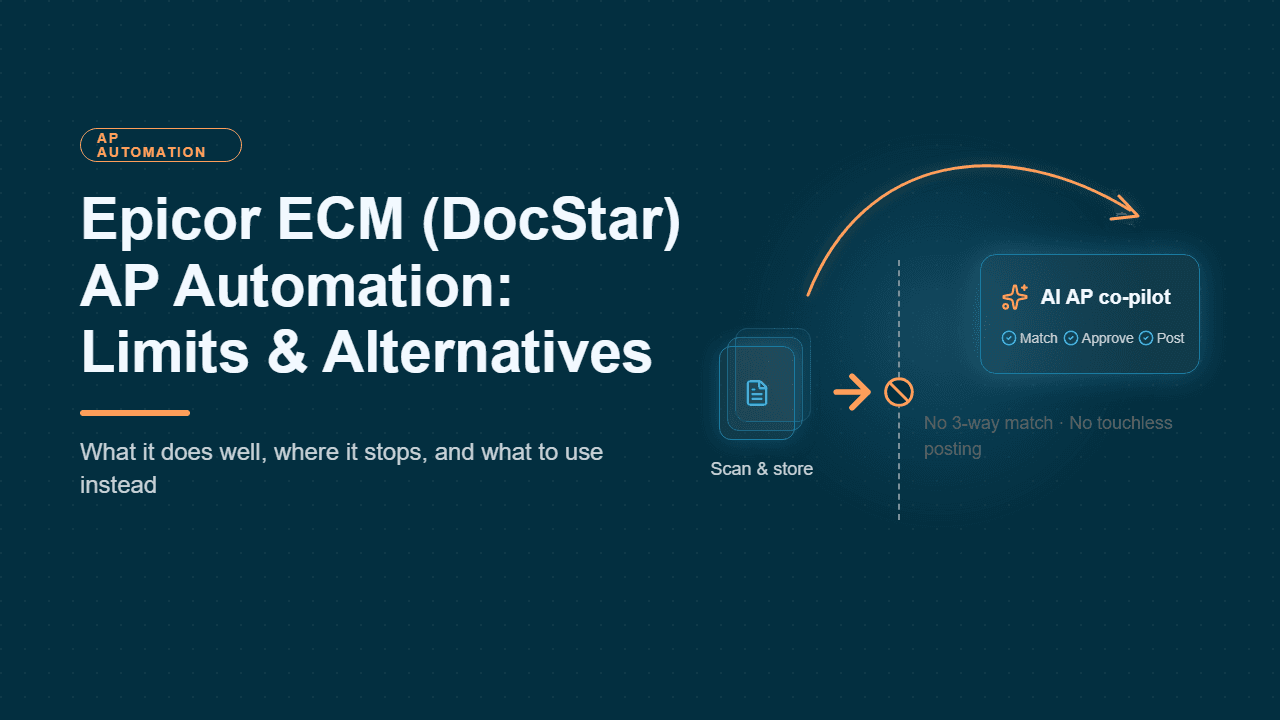
If your company runs Epicor Kinetic, there's a good chance your AP invoices already pass through Epicor ECM, the platform many teams still call DocStar. It moved a lot of finance departments off paper, out of filing cabinets, and away from approval chains buried in email. But capturing an invoice is not the same as processing it. Many Kinetic AP teams find that even with ECM in place, their people still spend their days resolving mismatches, coding non-PO invoices, and posting transactions by hand.
Below, we break down what Epicor ECM is, how its AP automation works inside Kinetic, and what changed in the 2025.1 release. We also cover where the platform's OCR and workflow approach reaches its limits, and the alternatives Kinetic finance teams now use for touchless invoicing, including a real Epicor Kinetic manufacturer that cut invoice processing from one week to one day.
What is Epicor ECM?
Epicor ECM is the content management and business process automation platform in Epicor's portfolio. Epicor bought the content solutions company DocStar in early 2017 and folded its product into the Epicor lineup. That's why you'll still see "DocStar Epicor," "Epicor DocStar," and "Epicor ECM (DocStar)" used interchangeably.
Partners describe ECM as a repository built for document management, retention, and automating paper-heavy data entry, with several ways to integrate with Epicor Kinetic and ERP 10. The platform also has analyst recognition. In 2023, Epicor said Nucleus Research had placed Epicor ECM (DocStar) in the Leader quadrant of its Content Services and Collaboration Technology Value Matrix for the fourth year running.
ECM covers AP, AR, HR, and sales order workflows. For finance teams, AP is the most common reason to buy it. There, ECM's value rests on the fundamentals of accounts payable document management: capturing, indexing, retaining, and retrieving every invoice and supporting document.
Epicor ECM vs. Epicor IDC: what is the difference?
The two products are easy to confuse:
Epicor ECM is the repository and workflow engine.
Epicor Intelligent Data Capture (IDC) is the extraction layer that works inside it. Epicor describes IDC as a module of ECM that uses AI to classify documents and extract data, and says it can cut manual data entry by up to 90%.
How Epicor ECM AP automation works in Kinetic
A typical Epicor Kinetic DocStar AP workflow, as implemented by Epicor partners, runs through six steps.
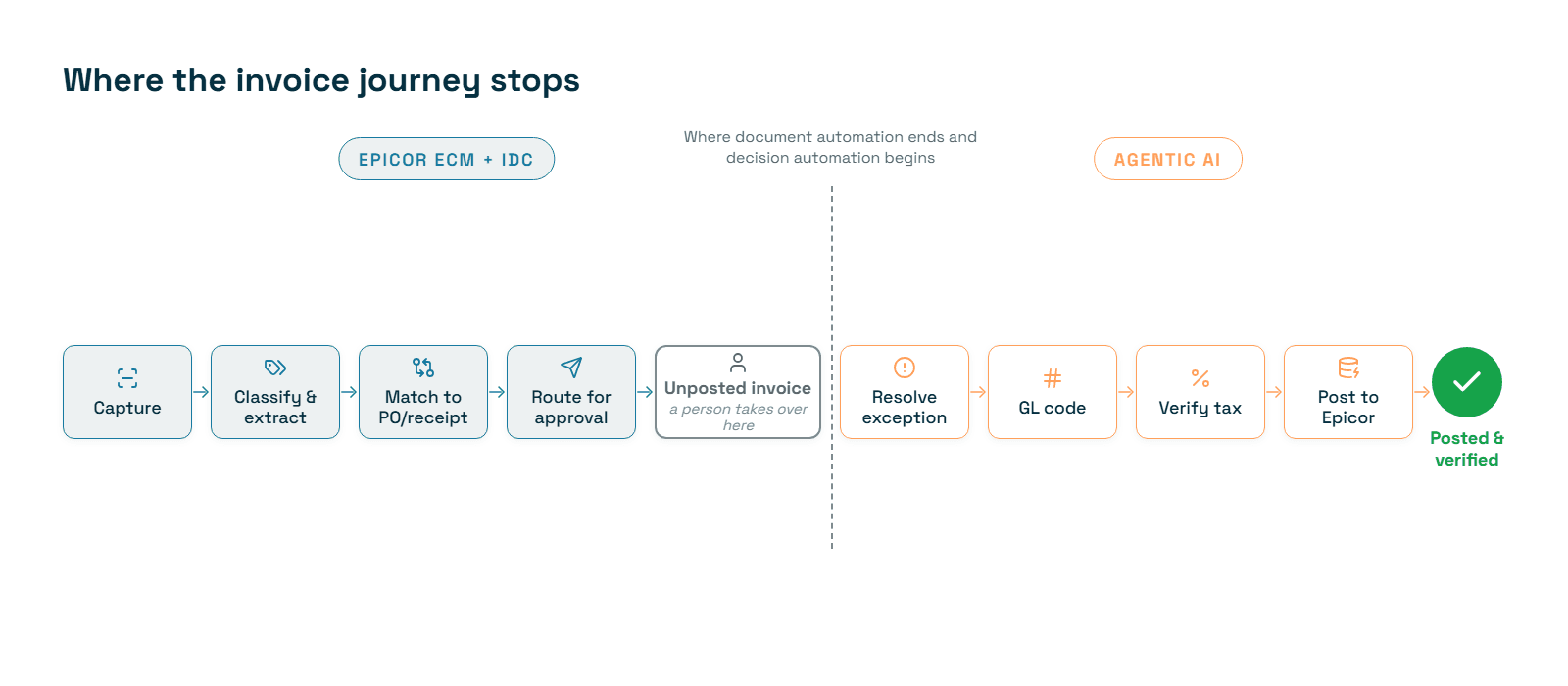
Capture. IDC brings in documents from scanners, multifunction devices, watched network folders, and email.
Classify and extract. IDC sorts documents into classes using neural networks that analyze pattern, appearance, and text. Epicor cites a 60–90% reduction in manual data entry.
Duplicate check and routing. The workflow confirms the invoice doesn't already exist in ECM or the ERP. It then routes the invoice down a PO-based or non-PO path.
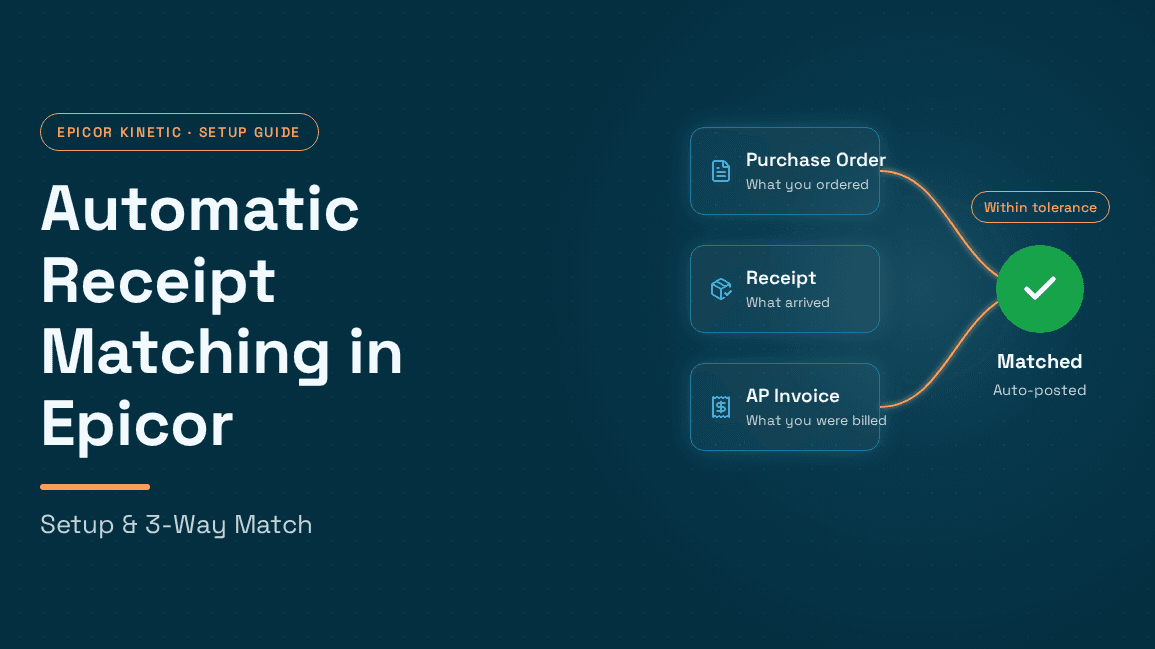
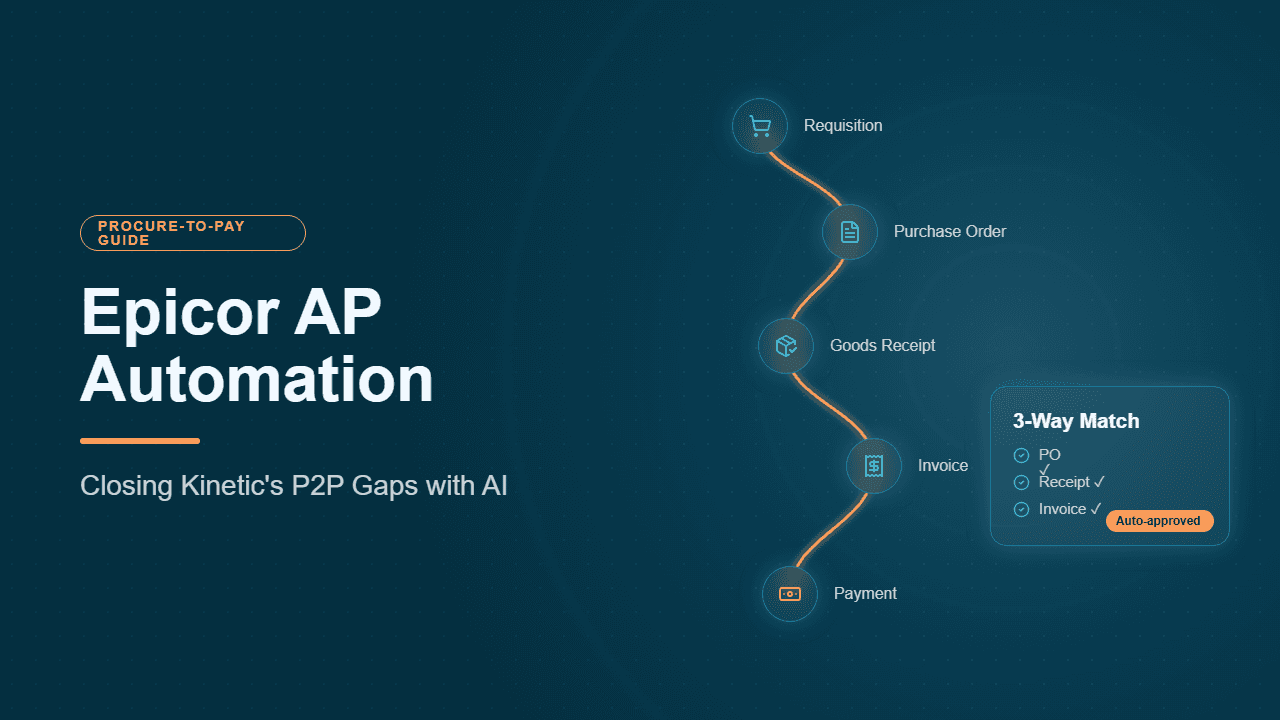
Matching. A link to Kinetic enables 3-way matching of invoices against the PO and receipt. If a discrepancy appears, the workflow stops and waits for a user.
Approvals. Variance thresholds decide the route. Partner configurations extend the standard matching strategies for invoices, POs, and GRNs to cover invoices spanning multiple POs and multiple invoices against a single packing slip.
ERP handoff. Once matching and approvals are complete, the workflow creates an unposted AP invoice in Kinetic, which a user reviews and posts.
What's new in Epicor ECM 2025.1
The 2025.1 release added three notable capabilities:
AI document search: natural-language search over your stored documents, available to SaaS customers only.
Freight invoice auditing for Kinetic: the workflow compares FedEx and UPS charges against Quick Ship estimates and flags discrepancies for review.
Sage Intacct support: ECM AP automation now integrates with Sage Intacct.
Where Epicor ECM works well
ECM is a sensible choice when your main needs are these:
A governed repository. You need versioned storage for invoices, contracts, and supporting documents, with history kept for every change.
Native Epicor fit. You want a document layer that attaches files to Kinetic records in both directions.
Stable vendor formats. Most of your invoices come from a consistent set of suppliers with predictable layouts.
One vendor for content management. You want a single Epicor-supported tool for documents across departments.
Epicor ECM limits for AP automation
These limits come from ECM's design as a content management and workflow platform, not from defects. Verify each one in your own environment.
1. Capture accuracy depends on teaching the system
Epicor says IDC can learn new layouts for existing document types through machine learning or user-guided teaching, without hand-built templates. That is a real step beyond template-based OCR. But accuracy still grows vendor by vendor as users correct results.
That matters because AI struggles with invoice information whenever layouts, field labels, and line-item structures shift. Even details as small as date format variations across suppliers have to be handled correctly. Practitioners have also reported uneven learning. One Epicor user forum post describes a company running two IDC document types: the newer one learned, while the original still needed every field keyed in by hand.
2. Exceptions stop the workflow instead of getting resolved
Rule-based workflows are deterministic. When a price variance, missing receipt, or partial shipment appears, the invoice waits in a queue. In high-volume manufacturing and distribution AP, exceptions are where most manual effort goes. How many exceptions a workflow can clear on its own is one of the biggest constraints on straight-through processing of invoices.
3. Posting is usually a human step
In the standard partner design, ECM delivers an unposted invoice and a user posts it. That's a sound control, but it isn't touchless.
4. GL coding, tax, and accruals need separate configuration or tools
ECM routes and matches documents. The decisions around them usually need additional rules, custom work, or other tools:
GL coding: a non-PO invoice needs accurate GL coding of expenses based on vendor history and policy.
Sales tax: jurisdiction-level checks carry real compliance implications when sales and use tax is wrong.
Accruals: booking and reversing accruals for goods received but not invoiced is a separate month-end process.
5. Advanced configurations often depend on partner services
Many of the more sophisticated AP behaviors described publicly were built by partners. Examples include miscellaneous charge handling, drop-shipment triggers, and multi-PO matching. That is why buyers search for an "Epicor ECM solution provider." Budget for implementation and for ongoing workflow maintenance as your policies change.
6. Some new capabilities depend on your deployment
The new AI document search is SaaS-only. If you run ECM on-premises, confirm which 2025.1 features apply to you.
Epicor ECM vs. agentic AI for Kinetic AP
Capability | Epicor ECM + IDC | Agentic AI layer (e.g., Hyperbots) |
Core design | Document repository and rule-based workflow | AI agents that read, reason, and write back to Kinetic |
Invoice extraction | Neural classification plus learning from users | Pre-trained vision-language models and LLMs, working from day one |
New vendor formats | Improve as users teach the system | Handled without per-vendor setup |
Exceptions | Workflow pauses for a user | Agents reason against policy and escalate only what they can't resolve |
GL coding and tax | Rules or add-ons | Built-in GL coding and sales tax verification agents |
Accruals and payments | Outside AP capture scope | Dedicated accruals and payments co-pilots |
Kinetic posting | Unposted invoice for a user to post | Posts directly after validation, with read-back checks |
Document repository | Core strength | Not a replacement for an ECM system |
The last row matters. Many Epicor customers keep ECM as their document system of record and add an AI layer for extraction, matching, and decisions. That combination reflects how AI complements ERP systems: it extends them rather than replacing them.
Alternatives to Epicor ECM for AP automation
Option 1: Optimize ECM with an Epicor ECM solution provider
This option fits moderate invoice volumes and stable vendor bases. A certified partner can tune IDC learning, add matching rules, and extend workflows. Ask any provider for their STP rate on PO-backed invoices, not just their extraction rate.
Option 2: Standalone OCR and IDP tools
These tools improve capture but usually inherit the same exception burden. That shared burden is why AP OCR software is giving way to agentic AI, and why any serious invoice OCR playbook for accurate, scalable extraction now looks beyond character recognition. RPA bots in accounts payable share the same brittleness whenever inputs vary.
Option 3: Payments-led AP suites
Tools such as Tipalti and Ramp are strong on supplier payments and onboarding, but their ERP depth varies. Tipalti's ERP connectivity and accuracy and where Ramp's spend control stops short of finance automation both deserve scrutiny before a Kinetic team commits.
Option 4: An agentic AI layer on Epicor Kinetic
For teams that want touchless invoicing rather than digitized invoicing, the Hyperbots Invoice Processing Co-Pilot covers the full lifecycle, from invoice discovery through extraction, validation, matching, GL coding, and posting.
Extraction accuracy: expert systems work with vision-language models and LLMs pre-trained on 35 million invoice fields, reaching 99.8% accuracy. That holds even on long multi-page invoices and PDFs containing multiple invoices.
Straight-through processing: roughly 80% of invoices move from email to GL with no human touch.
Kinetic integration: the Hyperbots Epicor connector syncs invoices, POs, vendor records, and GL transactions through secure APIs. Every write is read back and verified.
The same connection powers co-pilots for accruals, procurement, payments, vendor management, and sales tax verification.
80% Less Data Entry, Zero Custom Code: Inside an On-Premise Epicor AP Overhaul
The company and the starting point
Persimmon Technology is a manufacturer whose finance team runs Epicor on-premise, not the cloud edition of Kinetic. That matters for anyone weighing Epicor ECM against an alternative. On-premise Epicor shops often assume that anything beyond native tools means heavy IT work, firewall changes, or custom code.
Dave Sackett, Persimmon's VP of Finance, had used invoice OCR tools before and found them far simpler than what his team needed. In his words, most add-ons "just do OCR or basic workflows." Capturing invoice data was never the hard part for his team. The manual effort sat in everything after capture: matching, coding, tax, accruals, payments, and posting.
How the deployment worked
Persimmon rolled out Hyperbots AI co-pilots on its Epicor ERP with no custom code. Sackett described a typical rollout as 3–5 weeks:
Week one: connection and mapping. The co-pilots connect to the Epicor company database, fields are mapped, and "golden transactions" (known-good historical postings) are replayed to confirm the results match.
User acceptance testing. The finance team validates outputs against real work.
Production cut-over. The co-pilots go live.
For on-premise Epicor, a lightweight agent is installed on the Epicor app server. It opens a secure outbound HTTPS tunnel to Hyperbots, so no inbound firewall changes are needed. The agent calls Epicor's REST v2 endpoints, or Service Connect on older builds, from inside Persimmon's network, so data stays under IT's control. Access keys inherit Epicor's security groups with least-privilege access, and no passwords are stored.
Keeping Hyperbots in sync with Epicor
Epicor stays the system of record, and Hyperbots syncs with it on a set cadence:
Data | Sync frequency |
Company and site structures, chart of accounts | Weekly |
Suppliers, parts, GL codes | Daily |
PO receipts and supplier invoices | Hourly |
POs, invoices, journal entries, accruals (writes) | Real time |
Persimmon's Epicor environment is customized, as most are. During onboarding, Hyperbots pulled Epicor metadata so custom fields became mapping targets, and the AI learned how to populate them from historical postings. Where Epicor business process workflows exist, the connector triggers them the same way a human user would, so existing custom logic keeps working.
What the co-pilots do inside Epicor
The co-pilots cover far more of AP than a capture-and-route workflow does:
Invoices: the Invoice Processing Co-Pilot reads PDFs from an Outlook mailbox, three-way matches them against the PO and receipt, generates GL codes and tax, and posts the AP invoice in Epicor. About 80% of invoices go straight through.
Accruals: the Accruals Co-Pilot finds PO receipts that have no invoice, books month-end journal entries, and reverses them automatically when the invoice arrives.
Procurement: the Procurement Co-Pilot creates POs from contracts, checks budgets and rules, routes approvals in Microsoft Teams, and converts requisitions into POs.
Vendors: the Vendor Management Co-Pilot validates tax IDs and bank details, automates onboarding, and updates the supplier master with EFT data.
Payments: the Payments Co-Pilot weighs early payment discounts against the cost of capital, builds payment batches, generates NACHA/SEPA files, posts clearing entries, and reconciles them against bank statements.
Sales tax: the Sales Tax Verification Co-Pilot checks ship-to and ship-from tax groups and part tax categories before posting, which prevents tax mischarges.
How exceptions and controls are handled
This is the clearest contrast with a rule-based ECM workflow that stops and waits for a user:
Read-back verification: After every posting of an invoice, PO, journal entry, or payment, the connector re-reads the Epicor record and compares amount, currency, company, and posting date. Only an exact match gets a green check.
Automatic retries: Errors such as a closed fiscal period or a duplicate document number trigger three automatic retries.
Visible escalation: If a write still fails, the item moves to an Integration Exceptions queue and finance gets a Teams alert, so nothing fails silently.
Human validation at launch: For new installations, a person still validates the co-pilot's work before final submission. Automation expands as trust is established.
Audit and security: Every action is logged in an immutable audit trail, and the platform is SOC 2 Type II compliant and ISO 27001 certified.
Upgrade continuity: Connectors are versioned. During an Epicor upgrade or migration, dual-write mode posts to both systems until cut-over.
The results:
80% less AP data entry
About 80% straight-through processing for invoices posted into Epicor
Accruals, POs, payments, and tax verification automated on the same Epicor connection
3–5 week rollout on on-premise Epicor, with no custom code
Sackett also sees value beyond AP. In a separate conversation about future-ready F&A with the Invoice Processing Co-Pilot, he noted that once the Epicor link exists, other teams at Persimmon can apply AI to their own Epicor data without starting over.
What this means for Epicor ECM users
Persimmon's experience shows where the gap between document automation and decision automation actually lies. An Epicor ECM workflow can capture an invoice and hand Kinetic an unposted invoice. Persimmon's setup also codes the invoice, verifies tax, posts it, confirms the posting, books the related accrual, and schedules the payment. For Epicor teams asking whether AP can be touchless, the constraint is not the ERP. It is how much of the work after capture your automation can actually do.
Epicor ECM digitizes AP, while agentic AI makes it touchless
Epicor ECM (DocStar) is a proven, analyst-recognized platform for storing, versioning, and routing documents inside the Epicor ecosystem. For many Kinetic customers it was the first real step away from paper invoices and email approval chains. With Intelligent Data Capture, partner-built matching workflows, and 2025.1 additions like freight invoice auditing, it remains a reasonable choice for teams with moderate volumes and stable supplier formats.
ECM's AP automation follows its content-management design. Capture improves as users teach it, rule-based workflows pause when an invoice doesn't match, and the output is typically an unposted invoice that someone still reviews and posts. GL coding, sales tax checks, accruals, and payment decisions sit largely outside that workflow. As volume grows, those gaps turn into queues, and the queues become the real limit on how far your AP team can scale.
Choosing between the two comes down to three questions:
Is your bottleneck document handling or decision-making? If it's storage, retrieval, and routing, a well-optimized ECM setup may be enough. If it's exceptions, coding, and posting, you need AI that reasons, not just rules that route.
What is your real STP rate today? Measure invoices posted to Kinetic with zero human touch, not just fields extracted.
Do you need to replace ECM, or add to it? Many Kinetic teams keep ECM as the repository and add an agentic AI layer for extraction, matching, GL coding, and posting.
The Kinetic manufacturer above didn't get from a one-week to a one-day invoice cycle by scanning faster. It got there by automating the decisions that happen after capture. That shift, from digitized AP to touchless AP, is where Epicor finance teams are heading, especially in manufacturing environments with high invoice volumes and complex procure-to-pay flows.
Ready to see it on your own invoices? Request a demo, and we'll run the Invoice Processing Co-Pilot against a sample of your Epicor Kinetic invoices.
Frequently asked questions about Epicor ECM (DocStar)
1. What is Epicor ECM?
Epicor ECM (Enterprise Content Management) is Epicor's platform for document management and business process automation. It does four main things:
stores documents in a central repository
keeps version history
attaches files to ERP records in both directions
runs approval workflows across departments
Finance teams mainly use it for AP automation. ECM captures vendor invoices, extracts data through its Intelligent Data Capture (IDC) module, matches invoices to POs and receipts, and routes them for approval before handing them to the ERP. It also supports AR, HR, and sales order automation. Because Epicor sells and supports ECM, it is often the default document layer for companies on Epicor Kinetic or ERP 10.
2. Is DocStar the same as Epicor ECM?
Yes. DocStar was an independent content management company that Epicor acquired in early 2017, and its product was rebranded as Epicor ECM. That's why the product appears under several names: "DocStar ECM," "Epicor DocStar," "DocStar Epicor," and "Epicor ECM (DocStar)."
The core idea is unchanged: a document repository combined with a workflow engine. Epicor has since added IDC for AI-based classification and extraction, and in 2025.1 it added AI document search for SaaS customers. If you're relying on older DocStar documentation, check it against current Epicor ECM release notes, because features, tiers, and deployment options have changed.
3. How does Epicor ECM integrate with Epicor Kinetic?
Epicor ECM connects to Kinetic in two ways: document integration and process integration.
Document integration: files can be attached to Kinetic records from ECM, or pushed from a Kinetic attachment into ECM. Users can then pull up the invoice, PO, or contract behind any transaction.
Process integration: in a typical Epicor Kinetic DocStar AP workflow, ECM imports invoices, checks for duplicates in both systems, routes each invoice down a PO or non-PO path, runs 3-way matching against Kinetic POs and receipts, and creates an unposted AP invoice once approvals are complete.
Advanced configurations such as multi-PO matching, miscellaneous charge handling, and drop-shipment triggers are usually implemented by an Epicor partner.
4. Does Epicor ECM use AI for invoice processing?
Yes, within limits. Epicor IDC uses neural-network classification to sort documents by pattern, appearance, and text, then extracts key fields by document type. Epicor says this reduces manual data entry by 60–90%. IDC can also learn new layouts through machine learning or user-guided teaching, which avoids hand-built templates.
The AI in ECM is focused on capture and classification. After extraction, most decisions are still governed by configured rules and human review. Those decisions include resolving price variances, coding non-PO invoices, validating sales tax, and posting to the ERP. Agentic AI platforms differ on exactly this point, because their agents reason through those steps against company policy.
5. What are the main limitations of Epicor ECM for AP automation?
The limits come from ECM being a content management platform first:
Capture depends on teaching. Accuracy on new or irregular vendor formats improves as users correct results, so early accuracy can vary by vendor.
Exceptions pause the workflow. A failed match waits for a person, which caps straight-through processing.
Posting is often manual. The standard design produces an unposted invoice for review.
Adjacent tasks sit outside the core workflow. GL coding, sales tax verification, accruals, and payment optimization usually need extra rules or tools.
Partner dependence. Sophisticated AP logic is often custom-built, so changes may need services support.
Deployment differences. Some newer features, such as AI document search, are SaaS-only.
Test each of these against your own invoice mix before drawing conclusions.
6. What are the best alternatives to Epicor ECM for AP automation?
Kinetic finance teams generally weigh four paths:
Optimize ECM with an Epicor ECM solution provider. This suits moderate volumes and stable vendor bases.
Standalone OCR or IDP tools. These improve capture but usually leave exception handling and posting to people.
Payments-led AP suites. These are strong on payments and onboarding, but check how deeply they read and write Kinetic data.
An agentic AI layer on Epicor Kinetic, such as Hyperbots. It automates extraction, matching, GL coding, tax verification, and posting, with 99.8% extraction accuracy and about 80% straight-through processing.
The right choice depends on whether your bottleneck is document handling or AP decision-making.
7. Can I use Hyperbots alongside Epicor ECM instead of replacing it?
Yes, and many teams prefer this setup. ECM remains the system of record for documents, retention, and cross-department content. Hyperbots connects to Kinetic through its pre-built Epicor connector and takes over the AP work: invoice discovery, extraction, validation, 2- and 3-way matching, GL coding, sales tax verification, and posting.
Every write to Kinetic is verified by reading the data back, and any mismatch triggers a retry or an alert. The same connection can later power accruals, procurement, payments, and vendor management co-pilots, so AI automation can expand across finance without discarding your document management investment. For ERPs with pre-built connectors, integration typically takes 6-8 weeks.
8. How do I choose the right Epicor ECM solution provider?
Choose a partner on measured outcomes, not certifications alone. Ask each candidate for:
the number of Kinetic ECM AP projects they have delivered
the STP and IDC learning rates their clients achieved, and how those were measured
how they handle multi-PO invoices, partial receipts, freight, and miscellaneous charges
who maintains workflows when approval policies or entities change, and at what cost
which 2025.1 features apply to your deployment model
Request a reference customer with a similar invoice volume and vendor mix. Before committing to a multi-year services agreement, run a short proof of concept that compares an optimized ECM setup with an agentic AI alternative on the same set of your invoices.