How AI is Transforming the Invoice Approval Workflow: From Manual Queues to Auto-Approval
How AI Replaces Manual AP Approval Queues with Intelligent Automation
For decades, the invoice approval workflow has been treated as an administrative function, something to be managed, not engineered. Invoices arrive, humans key them in, someone forwards a PDF, a manager clicks approve (or doesn't, for three days), and eventually a payment runs. The process is slow by design, because it was designed for a world where every approval required a human to read, interpret, and decide on a physical document.
That design assumption is now obsolete.
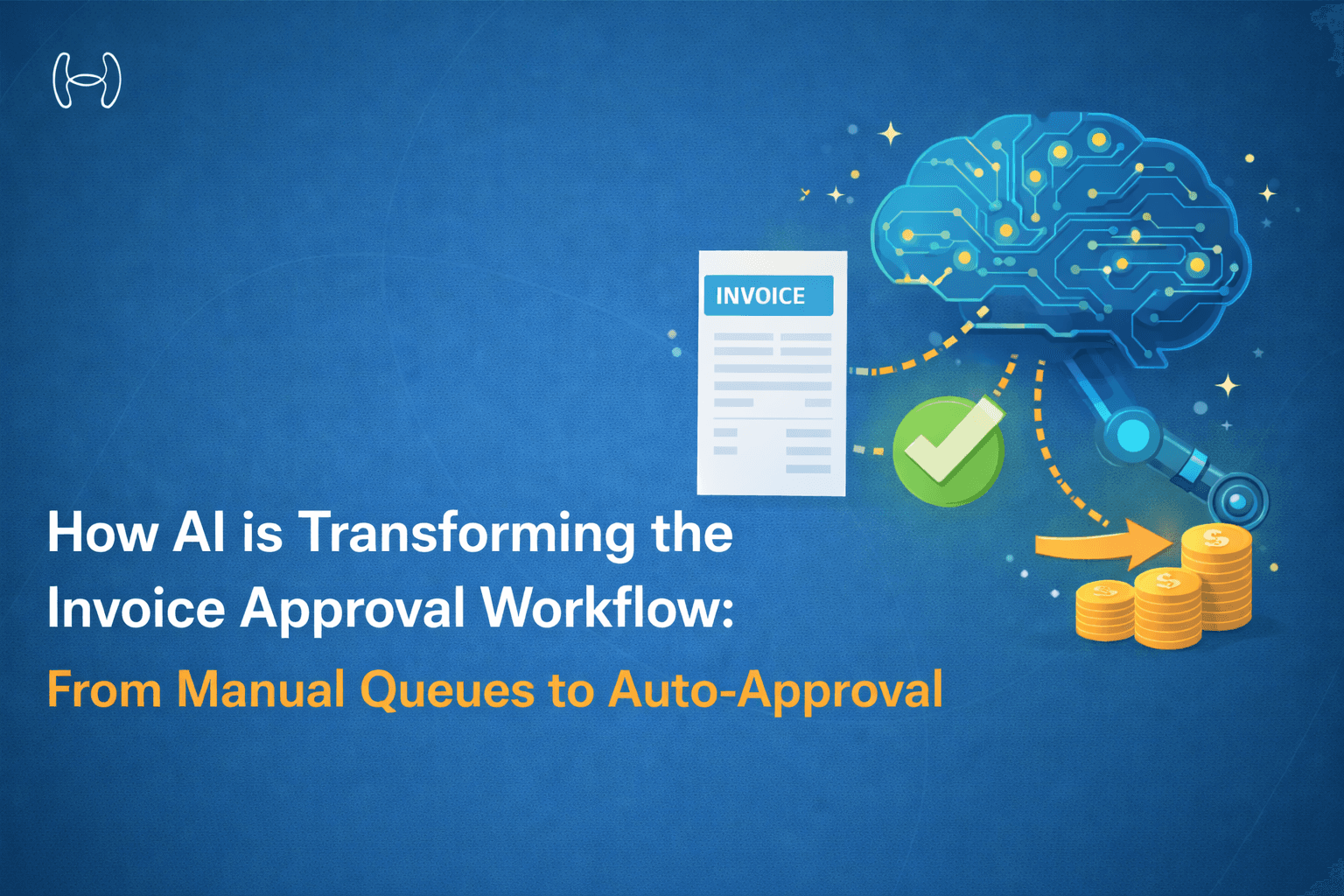
AI is not automating the invoice approval workflow in the way that word is usually meant. It is not just doing the same steps faster. It is restructuring the workflow itself: replacing manual extraction with models that read any invoice format with near-perfect accuracy, replacing email routing with context-aware bots that meet approvers where they work, and replacing blanket human review with intelligent triage that routes only genuine exceptions to human judgment.
This blog walks through exactly what that transformation looks like at each stage of the approval chain, what the old process does, where it breaks, and what AI replaces it with. Stage by stage, with verified numbers.
Who This Is For and What They Are Trying to Solve
What is an invoice approval workflow?
An invoice approval workflow is the end-to-end process by which a company receives a vendor invoice, validates it against a purchase order and delivery record, routes it to the right person for authorisation, and releases payment.
It sits at the heart of every accounts payable function, and in most organisations, it is still largely manual, running across email chains, ERP inboxes, and spreadsheet-tracked exception queues.
The finance teams driving AI adoption in AP are not chasing a technology trend. They are trying to solve a specific set of operational failures that their current tools have not fixed.
The AP manager is dealing with an exception pile that grows faster than the team can clear it. Template OCR fails on 30 to 40 percent of invoice formats. Every failure means manual keying, which means lag, which means missed discount windows and delayed closes. They need a system that handles the full range of invoice formats without human intervention on routine work.
The controller or VP Finance is watching approval cycles eat into early-pay discount windows, stretch vendor relationships, and produce audit trails that are incomplete because approvals happened over email with no structured log. They need speed without sacrificing control.
The CFO is looking at a monthly close that takes 12 working days when it should take five, an AP cost per invoice that is multiples of what best-in-class looks like, and a cash forecasting function that cannot see payment timing clearly enough to make good treasury decisions. They need the AP function to stop being a drag on the business and start being a lever.
AI addresses all three simultaneously, but only when it is applied to the right stages of the workflow. Understanding which stages those are, and why, is what this blog covers.
The Invoice Approval Workflow Today: Where Every Stage Breaks
Before examining what AI does, it is worth being precise about what the manual workflow actually looks like and where its failure points are. Most descriptions of broken AP are vague. The failures are specific. Let's break down the process:
Stage 1 — Capture: The Template Problem
The first step in any invoice approval workflow is getting invoice data into a structured format. In most AP environments today, this is done by one of two methods: manual keying by an AP clerk, or template-based OCR.
Manual keying is slow, error-prone, and does not scale. Template OCR is faster but brittle. It works when an invoice matches a pre-configured layout, and fails when it does not. Most vendors do not produce invoices that match a template. Smaller suppliers, international vendors, service providers billing on project terms, and any vendor that updates their invoice format will all produce failures.
The practical result is that somewhere between 30 and 40 percent of invoice volume falls into an exception queue at the capture stage, before a single human has reviewed whether the invoice is valid. Those exceptions sit until an AP clerk picks them up, often two to five days later, and it is the first place discount windows disappear.
Stage 2 — Validation and Matching: The Spreadsheet Problem
Once invoice data is captured, it needs to be validated against the purchase order and the receiving record, the three-way match. In a manual environment, this means an AP clerk opening the ERP, searching for the PO, comparing line items, checking quantities, and flagging variances.
This is tedious, repetitive, and prone to a specific class of error: not the error you make because the task is hard, but the one you make because you have done it 200 times today. Duplicate invoices get paid. Variances get waved through. PO numbers get miskeyed.
Stage 3 — Routing: The Email Problem
With a validated invoice, the AP team needs to get approval from the right person. In most organisations, this means composing a forwarding email, attaching the PDF, and hoping the right manager receives it, reads it, has the context to decide, and responds within a window the AP clerk is tracking manually.
None of those conditions are reliably true. The manager is in meetings. The email is buried. They need the PO reference and cannot find it. They are out of office and no one delegated. Every one of these scenarios adds a day or more to the cycle, and none of them trigger any alert in the AP team until someone decides to chase.
Stage 4 — Approval: The Context Problem
When the approver finally opens the invoice, they often lack the context to approve it confidently. They see a PDF. They do not see the PO it relates to, the budget balance for the cost centre, the vendor's payment history, or whether a discount deadline is active.
So they do one of two things. They approve quickly without full context, which creates fraud and duplicate-payment risk. Or they ask AP for more information, which creates an email round trip that costs another one to two days. Neither outcome serves the business.
Stage 5 — Posting and Payment: The Batch Problem
Once approved, the invoice typically enters a payment batch that runs weekly. Not because daily payment runs are technically impossible, but because the manual overhead of preparing a daily run is too high. Weekly batching means that even a fast approval process, one that clears in two days, still results in a payment that fires up to seven days later. For invoices with 10-day early-pay windows, that means the discount is gone before the payment leaves the building.
How AI Replaces Each Broken Stage
AI does not improve the manual workflow incrementally. It replaces the logic of each stage with a different mechanism, one built for speed, accuracy, and exception-first triage.
Replacing Stage 1 — AI Extraction: Reading Any Invoice, Any Format
Modern AI extraction does not use templates. It uses a combination of computer vision, document layout models, and large language models to read invoice data the way a human does, by understanding the document's structure and meaning, not by matching it to a pre-defined grid.
This means it handles PDFs from any vendor, scanned images, email-body invoices, handwritten amendments, and invoices where payment terms are written in paragraph form rather than a structured field. The extraction output is structured data: vendor, amount, line items, payment terms, PO reference, discount conditions, ready for matching in seconds.
Replacing Stage 2 — AI Matching: Three-Way Match in 15 Seconds
AI matching compares the extracted invoice data against the PO and receiving record simultaneously, at the line-item level, in seconds. Variances are flagged automatically with the specific discrepancy surfaced. Note this invoice does not match, but line item 3 shows 50 units at $12.00; PO shows 50 units at $11.80, variance $10.00.
Duplicate detection runs in parallel: the system checks invoice number, vendor, amount, and date against historical records and flags any match before the invoice enters the approval queue. The duplicate never reaches an approver because it never passes matching.
Replacing Stage 3 — Intelligent Routing: Rules Engine and Slack
Instead of an AP clerk manually deciding who to forward an invoice to, a rules engine reads the invoice attributes, cost centre, spend category, vendor risk score, invoice amount, PO-match status, and routes the approval request to the right person automatically.
The approval request does not go to an ERP inbox. It goes to Slack, Teams, or wherever the approver actually works, with the PO reference, budget balance, vendor history, discount deadline, and a one-click approve/reject action built in. The approver has everything they need to decide in one message.
Before the request is sent, the system checks the approver's calendar for OOO status. If they are unavailable, it routes to a delegate immediately. If they do not respond within the configured SLA window, it escalates automatically and notifies AP.
Replacing Stage 4 — Auto-Approval: Triage, Not Review
The most significant structural change AI introduces is the distinction between invoices that need human judgment and invoices that do not. In a manual workflow, 100% of invoices receive human review because there is no mechanism to distinguish between them.
With AI, this distinction is built into the process. A recurring $800 utility invoice from a vendor paid 60 times without a dispute, PO-matched within tolerance, from a cost centre with budget available, this invoice does not need a human. It is approved automatically, posted to the ERP, and scheduled for payment without anyone touching it.
The humans in the process now handle the 20% of invoices that are genuinely exceptional: new vendors, non-PO invoices, variances above threshold, high-value payments, compliance flags. Their attention is concentrated on the decisions that require it.
Replacing Stage 5 — Same-Day Payment: Timing Intelligence
With approvals clearing in under an hour instead of multiple days, the payment scheduling logic shifts from weekly batches to same-day or next-day processing. The AI payment layer identifies discount-eligible invoices and prioritises them, so the 10-day discount window has days of runway rather than hours. Payment rail selection (ACH, FedNow, SEPA) is automated based on amount, urgency, and vendor preference.
The Workflow Transformation: Before and After
The contrast between a legacy email-based approval and an AI-assisted workflow is not a matter of degree. It is a structural difference in how the process is designed.
Manual Workflow — avg. 3.8 days end to end
Invoice Arrives | → | Manual Keying | → | Email to Approver | → | Approver Reviews | → | Weekly Batch |
Email / PDF | Template OCR | No context | 2–3 day lag | Payment |
Discount windows expire. Duplicates slip through. The audit trail lives in email.
AI-Assisted Workflow — avg. less than 1 hour end to end
Invoice Arrives | → | AI Extraction | → | Auto 3-Way Match | → | Slack Approval | → | Same-Day Payment |
Any format | 10 sec · 99.8% | 15 sec · inline | 1-click · OOO-aware | Discount captured |
80% of invoices process without human touch. Exceptions routed with full context.
What 80% Touchless Actually Means in Practice
The headline number from AI-assisted AP is that 80% of invoices process straight through, from capture to ERP posting, without any human intervention. It is worth being precise about what this means and what it does not.
It means that 80% of invoice volume consists of invoices that are PO-matched, within variance tolerance, from vendors with established payment history, below the auto-approve threshold, and from cost centres with available budget. For these invoices, there is no information gap that requires a human decision. The AI has already validated everything a human would check.
It does not mean that controls are weaker. Every auto-approved invoice is logged with the validation steps that cleared it, timestamped, and attached to the ERP record. The audit trail for an auto-approved invoice is more complete than one approved by email, because every step is structured data, not a forwarded PDF thread.
The 20% that reach humans are the invoices where judgment is genuinely required: first-time vendors, non-PO invoices, amounts above threshold, variances outside tolerance, compliance flags. And because the AP team is no longer processing the routine 80%, they can give the exceptional 20% the time it deserves.
How Hyperbots Delivers This
The following section covers Hyperbots' Invoice Processing, Payments, Accruals, and Procurement Co-Pilots. All numbers below are verified platform benchmarks.
Hyperbots builds AI co-pilots for each stage of the finance workflow, purpose-built agents that handle extraction, matching, approval routing, payment, accruals, and procurement. For the invoice approval workflow, the following co-pilots work in sequence.
Invoice Processing Co-Pilot
The extraction engine uses VLM (Vision Language Model), LayoutLM, and LLM Mixture of Experts to read any invoice format without template configuration. It handles structured PDFs, scanned documents, email-body invoices, and invoices with unstructured payment terms.
The three-way match runs at line-item level against PO and receiving records. Duplicate detection, vendor validation, and tax checks (VAT/TIN) run in parallel before any invoice enters the approval queue.
Metric | Verified Number |
Invoice extraction accuracy | 99.8% |
Straight-Through Processing (STP) rate | 80% |
Reduction in invoice processing cost | 80% |
Payments Co-Pilot
Once approved, the Payments Co-Pilot handles timing intelligence, identifying discount-eligible invoices, prioritising them for same-day processing, and routing to the correct payment rail (FedNow, ACH, SEPA) based on amount, urgency, and vendor preference.
Metric | Verified Number |
Approval lag (legacy to Hyperbots) | 3.8 days to less than 1 hour |
Accruals Co-Pilot
The Accruals Co-Pilot auto-books and reverses accrual entries at month-end, matching accrued costs against actuals without manual journal entry preparation.
Metric | Verified Number |
Variance: accrued vs. actual costs | Less than 5% |
Reduction in cash flow impact | 10% |
Procurement Co-Pilot
For the purchase order side of the workflow, the Procurement Co-Pilot reduces the manual effort in PO creation and the time required to generate purchase requisitions.
Metric | Verified Number |
PR creation time | 5 minutes |
Reduction in PO creation and dispatch time | 80% |
Implementation: 30 Days to a Live AI Approval Workflow
The practical objection to any AP transformation is implementation time. A six-month integration project does not deliver ROI quickly enough to justify the disruption. Hyperbots deploys on standard ERP environments including Oracle, SAP, QuickBooks, Sage, Microsoft, and Deltek, in 30 days.
Week | What Happens | What You See |
Week 1 | 500 historical invoices run through AI extraction in sandbox | Baseline accuracy confirmed at 99%+; edge cases identified |
Week 2 | Approval matrix mapped; routing rules configured; Slack connected | Approvers receiving contextual one-click requests; no ERP login required |
Weeks 3–4 | 50% of live invoice volume piloted; exception handling tuned | Discount-flagged invoices clearing same day; STP rate visible |
Week 4+ | Full cut-over; email approval chain retired; ERP posting automated | 80% STP live; cost reduction measurable in first billing cycle |
Most Hyperbots customers see measurable improvement in invoice processing cost and approval lag within the first full billing cycle after go-live, typically within 30 days of starting implementation.
The 30-day timeline applies to standard ERP environments. Complex multi-entity or custom ERP configurations may require additional setup time.
The Takeaway
The invoice approval workflow is not broken because the people running it are doing something wrong. It is broken because it was built for a different era, one where every approval genuinely required a human to read and interpret a physical document.
AI changes the underlying assumption. When extraction is 99.8% accurate and matching runs in 15 seconds, the bottleneck is no longer data capture. When routing is context-aware and approvals happen in Slack with everything the approver needs inline, the bottleneck is no longer human availability. When 80% of invoices are auto-approved with a complete audit trail, the AP team stops being a processing function and starts being an exception-management and control function.
That is the transformation. Not faster OCR. Not a better email workflow. A fundamentally different process design, one where speed and control are not in tension, because the intelligence in the system handles the routine and reserves humans for the judgment calls.
If early-pay discount losses are the financial consequence you are trying to fix, see our companion piece: How Invoice Approval Delays Kill Early-Pay Discounts and How to Fix It.
For the complete AP approval framework this fits into, see the Accounts Payable Approval Process: 2026 Pillar Guide to Touch-Free AP.
See the AI Approval Workflow Live
Watch an invoice travel from inbox to ERP posting in under 60 seconds. 99.8% extraction accuracy, Slack-based approvals, same-day payment, and a full SOC 2 audit trail.