SAP Business One vs NetSuite Pricing: Full ERP Cost Comparison (2026)
A Finance Leader's Guide to Licensing, Implementation, and Long-Term TCO
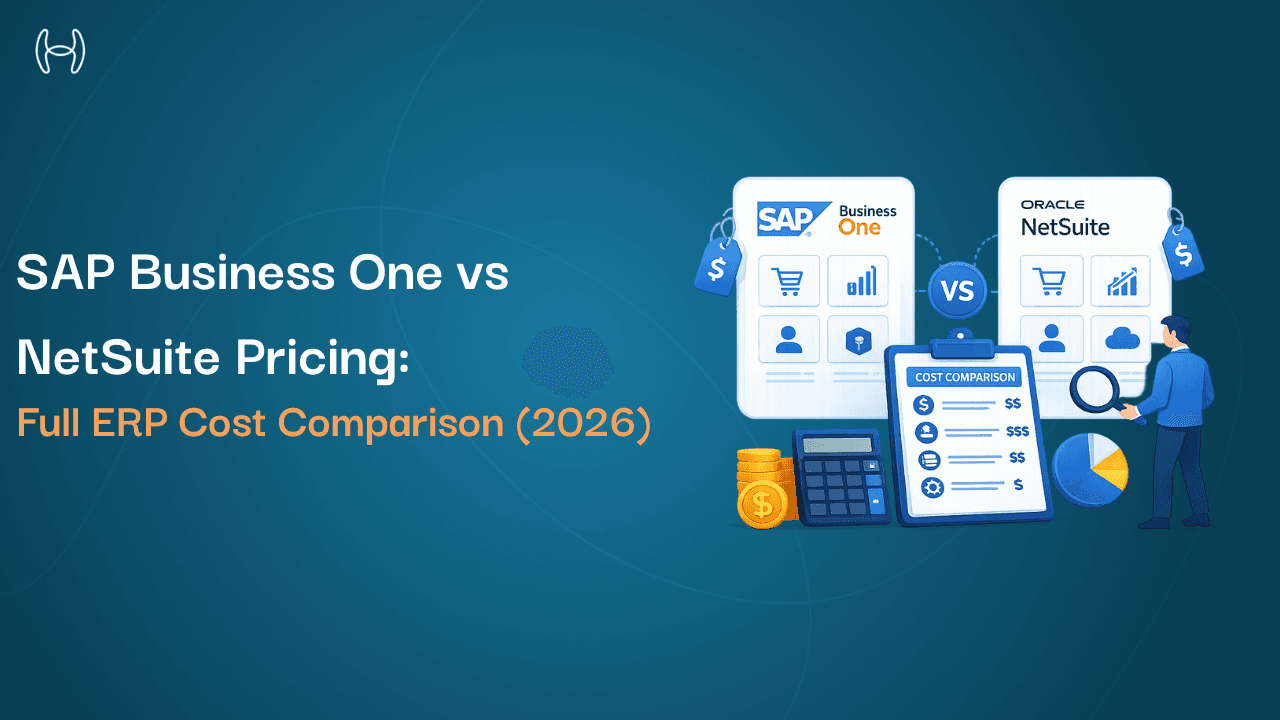
At some point during most mid-market ERP evaluations, the shortlist narrows to two names: SAP Business One and Oracle NetSuite.
Both have strong reputations. Both serve a similar market -companies that have outgrown basic accounting software but aren't yet ready for SAP S/4HANA or Oracle Fusion. And both are, in different ways, genuinely difficult to price without going through a vendor conversation.
That opacity is the starting point for this guide. If you've already requested quotes and received dramatically different numbers from each camp -or from different partners quoting the same system -you're not confused because you're missing something. The pricing architectures of these two systems are structurally different, and the true cost of each only becomes clear when you look beyond the headline software number to implementation, support, customisation, integration, and long-term total cost of ownership.
This comparison doesn't pick a winner. SAP Business One and NetSuite serve overlapping but meaningfully different buyer profiles, and which one is more cost-effective for your business depends entirely on your deployment preferences, team structure, industry requirements, and five-year growth trajectory.
What this guide does is give you the framework to compare them honestly -on your terms, not a vendor's.
Why ERP Pricing Comparisons Are Complicated
ERP pricing is not like SaaS pricing for a point solution. You can't go to a pricing page, pick a tier, and enter your credit card.
Both SAP Business One and NetSuite use negotiated, quote-based pricing. Neither publishes a definitive public price list. Both sell through partner networks (though NetSuite also sells direct through Oracle), and those partners have their own margin structures, service rates, and bundling practices that affect what you actually pay.
The result is that two companies with similar headcounts and operational complexity can receive quotes that differ by 30–40% -sometimes more -for the same system. That's not a red flag. It reflects genuine variation in user mix, module selection, deployment model, partner location, contract length, and how much volume discount leverage a buyer has.
To compare these systems fairly, you have to do the work of decomposing each quote into its component parts: licensing, implementation, support, customisation, integration, and ongoing maintenance. Only when those components are visible can you build a total cost of ownership model that tells you what you'll actually spend over five years.
For a broader context on how these systems sit within the wider mid-market ERP landscape, the ERP pricing buyer's guide is worth reviewing before you go into vendor conversations.
How SAP Business One Pricing Works
SAP Business One is designed for small to mid-sized companies and is sold exclusively through SAP's authorised partner network -not directly through SAP. That channel structure has significant pricing implications: your final cost depends not just on SAP's list pricing but on the partner you work with, their regional market, and the deal structure they offer.
License Types
SAP Business One uses named-user licensing. Every person who needs access to the system requires their own license. There are two primary license tiers:
Professional User License -Full access to all SAP Business One functionality. Suited to finance managers, operations staff, and anyone who needs to work across modules. Based on publicly available partner pricing, the cloud subscription for a Professional user typically runs in the range of $100–$219 per user per month, depending on partner and region. For perpetual on-premise licensing, Professional users are priced around $3,200–$4,000 per named user, with annual maintenance fees of 18–20% of the license cost thereafter.
Limited User License -Restricted access to a defined set of functional areas. Intended for users who only need to perform specific tasks -reviewing reports, entering transactions in one area, approving documents. Limited user cloud subscriptions run approximately $47–$108 per user per month. Perpetual on-premise pricing for Limited users ranges around $1,350–$1,800 per user, with the same 18–20% annual maintenance structure.
There is also a Starter Package -a bundled offering for businesses with up to five users, intended as a lower-cost entry point. This is typically not suitable for companies with more complex multi-department requirements.
Deployment Options and Their Cost Implications
SAP Business One can be deployed in two ways:
Cloud (subscription): SAP Business One is hosted on SAP's Business Technology Platform or a partner-hosted environment. Monthly fees include software, hosting, automatic updates, and standard support. This model trades the large upfront perpetual license cost for a predictable ongoing operating expense.
On-Premise (perpetual license): You purchase the licenses outright, deploy on your own infrastructure, and pay annual maintenance. Higher upfront cost, but lower ongoing fees once the software investment is amortised. You also bear full responsibility for infrastructure, security, and upgrade cycles.
The vast majority of new SAP Business One deployments today are on the cloud subscription model -particularly for companies without a strong existing IT infrastructure.
Module Costs
SAP Business One includes a core set of functionality covering financials, sales, purchasing, inventory, and basic production. Beyond that, additional capability -advanced manufacturing, HR, analytics, industry-specific features -typically requires add-on modules or third-party integrations from the SAP partner ecosystem. Each add-on carries its own pricing, which is set by the partner, not by SAP centrally.
How NetSuite Pricing Works
NetSuite, owned by Oracle, is a cloud-native ERP. There is no on-premise option. It is sold both directly through Oracle and through Oracle's network of Solution Providers, who can also implement and support the platform.
NetSuite's pricing has three structural layers: a base platform fee, per-user license fees, and module add-ons. All three are quoted and negotiated annually -Oracle does not publish a fixed public price list.
Base Platform Fee
Every NetSuite customer pays a base platform fee regardless of user count. This covers the core infrastructure, core financial modules (GL, AP, AR, fixed assets), and standard reporting. Based on widely reported partner and buyer data, the base platform fee typically starts at approximately $999 per month for smaller deployments and scales with edition tier -the Mid-Market Edition typically starts around $2,500 per month.
User License Fees
On top of the platform fee, you pay per named user. NetSuite uses two primary user types:
Full User License -Complete access to all licensed modules. Based on current market data from partner sources, full user pricing has recently increased to approximately $129–$199 per user per month following Oracle's pricing adjustment from the prior $99/user rate. This increase -roughly 30% -caught many existing customers off guard at renewal.
Employee Self-Service License -Limited access for time entry, expense submission, basic approvals. Typically runs $15–$30 per user per month, sold in packs of five.
Module Add-Ons
NetSuite's core platform includes basic financials. Almost everything beyond general ledger, accounts payable, accounts receivable, and basic reporting is a separately licensed add-on module. Common modules and their approximate monthly costs include:
Advanced Inventory Management: ~$499–$799/month
NetSuite CRM: ~$299–$599/month
Advanced Revenue Recognition: ~$500–$1,000/month
NetSuite OneWorld (multi-entity, multi-currency): ~$999–$2,499/month
Warehouse Management (WMS): ~$799–$1,499/month
Manufacturing: ~$599–$1,199/month
For a mid-market company with 50 full users, the base platform plus user licenses alone can reach $120,000 per year before any modules are added. Adding two or three operational modules typically pushes annual licensing to $135,000–$150,000 or beyond.
Licensing and Subscription Cost Differences
With both systems now broken down structurally, here is how they compare at a licensing level across different deployment scenarios. These are planning ranges -not quotes -drawn from publicly available partner data and buyer reports.
Scenario | SAP Business One (Cloud) | NetSuite |
10 users, basic financials | ~$12,000–$26,000/yr | ~$24,000–$36,000/yr |
25 users, financials + inventory | ~$30,000–$65,000/yr | ~$55,000–$90,000/yr |
50 users, financials + inventory + multi-entity | ~$60,000–$130,000/yr | ~$120,000–$175,000/yr |
100 users, full operational suite | ~$120,000–$260,000/yr | ~$200,000–$350,000/yr |
Several important caveats apply to this table. First, these ranges are directional -final pricing depends on negotiation, partner, region, and module selection. Second, the SAP figures assume partner-quoted cloud subscription pricing; perpetual on-premise costs have a very different profile. Third, NetSuite's modular add-on structure means costs can rise significantly with each additional module licensed.
The structural difference worth noting: SAP Business One pricing starts lower at small user counts. NetSuite's base platform fee creates a floor that makes it relatively more expensive for small deployments. At 50+ users with a full module suite, the two systems become more comparable in total licensing cost -though the specific module footprint required drives significant variation.
Implementation and Consulting Costs
Neither platform is plug-and-play. Both require professional services to configure the system, migrate data, train users, and manage go-live. This is where many buyers get surprised -because implementation costs routinely equal or exceed first-year licensing fees.
SAP Business One Implementation Costs
SAP Business One implementations are handled entirely by SAP's partner network. Implementation costs depend on the partner's rates, the project scope, and the level of customisation required. Based on publicly available partner guidance, a typical SAP Business One implementation for a 10–30 user company runs approximately $25,000–$100,000 in professional services. Larger or more complex deployments with significant customisation or integration work can reach $150,000–$300,000+.
Typical SAP Business One implementations take 3–6 months for straightforward mid-market deployments, with more complex projects running 6–12 months.
NetSuite Implementation Costs
NetSuite offers its own structured implementation methodology called SuiteSuccess, which targets faster go-live timelines (sometimes cited as within 100 days) for companies with relatively standard requirements and minimal customisation needs. SuiteSuccess implementations start at approximately $25,000–$30,000 for basic financials.
More realistically, mid-market implementations typically run $75,000–$250,000 in professional services, depending on the number of modules, integration complexity, data migration scope, and customisation requirements. Complex global or multi-entity deployments can exceed $500,000.
Side-by-Side Implementation Cost Comparison
Deployment Scale | SAP Business One | NetSuite |
Small (10–20 users, basic scope) | $25,000–$60,000 | $25,000–$50,000 |
Mid-market (25–75 users, multi-module) | $60,000–$150,000 | $75,000–$250,000 |
Complex (100+ users, integrations, custom) | $150,000–$350,000+ | $200,000–$500,000+ |
The key variable in both cases is customisation depth. Both platforms are significantly cheaper to implement when deployed closer to out-of-the-box configuration, with customisation reserved for genuinely critical requirements. Every custom development hour adds consulting cost and future upgrade complexity.
ERP Customisation and Integration Expenses
Customisation Costs
SAP Business One customisation is typically handled by SAP's ISV (Independent Software Vendor) ecosystem and implementation partners. SAP provides an SDK for custom development and a range of pre-built add-ons through its partner marketplace. This is a broad ecosystem -but it means costs vary considerably by the add-on vendor and the integration work required.
NetSuite's customisation platform -SuiteCloud -includes SuiteScript (JavaScript-based scripting), SuiteFlow (workflow automation), and SuiteBuilder (no-code configuration). NetSuite's customisation approach is relatively more self-contained, meaning standard customisations can sometimes be handled without deep development work. However, complex scripting and workflow builds still require developer time at $150–$350 per hour.
For both systems, the standard guidance applies: minimise core customisation, use configuration options wherever possible, and reserve development for truly mission-critical requirements. Excessive customisation raises implementation cost, extends timelines, and creates technical debt that compounds during future upgrades.
Integration Costs
This is where both systems can surprise buyers. Most mid-market businesses need their ERP connected to several external systems -payroll, CRM, e-commerce, banking, procurement platforms, 3PL systems, and industry-specific tools.
For NetSuite, integration costs typically run $2,500–$10,000 per connector for initial build and testing, plus ongoing connector maintenance fees. The most commonly needed integrations (CRM, e-commerce, payroll) often have pre-built connectors available from third-party middleware providers, which can reduce per-connector cost but introduce an additional platform fee.
SAP Business One benefits from a large ecosystem of pre-built integration adapters, particularly for SAP-adjacent systems. However, custom integrations with non-SAP tools still require professional services. A mid-market deployment with four or five integration points should budget $20,000–$60,000 in integration services on top of core implementation costs, for either system.
One area where integration complexity consistently affects operational finance teams: accounts payable, procurement workflows, and payment processing. Companies that process significant invoice or PO volumes often find that native ERP capabilities for three-way matching and automated approvals need augmentation with specialist tools. Hyperbots' invoice processing automation and procurement co-pilot are designed to work alongside both SAP Business One and NetSuite deployments, handling the high-volume transactional workload that general-purpose ERPs don't always execute efficiently at scale.
User-Based Pricing Models
Both SAP Business One and NetSuite use named-user licensing -but there are meaningful differences in how user tiers work and what each tier actually includes.
SAP Business One User Tiers
SAP Business One's two-tier model (Professional and Limited) is relatively straightforward. The challenge is that the gap in access between Professional and Limited is significant -Limited users can only access three functional areas, which isn't sufficient for most operational roles. Finance teams, operations managers, and anyone who touches multiple modules will typically need Professional licenses, which command the higher price point.
For a company with 50 users, a realistic mix might be 30 Professional and 20 Limited users -meaning the majority of your license spend is at the higher tier.
NetSuite User Tiers
NetSuite's Full User vs. Employee Self-Service structure has a similar dynamic. Full users need complete module access; employee self-service licenses only cover time, expenses, and basic approvals. For a mid-market finance and operations team, most active users will need full licenses at $129–$199 per month.
NetSuite also imposes user limits by edition tier. The Starter Edition caps at roughly 10 users. Mid-Market Edition accommodates up to 30 users. Beyond that, you're in Enterprise tier pricing. Crossing tier thresholds mid-contract triggers edition upgrades -a source of unexpected cost for growing companies.
The Growth Penalty
Under both systems, adding users increases costs. But the two platforms scale differently. SAP Business One's per-user cost is relatively linear -add a user, add a license fee. NetSuite's tier structure can create step-change cost jumps when edition thresholds are crossed, particularly around the entry to Mid-Market Edition and the addition of OneWorld for multi-entity requirements.
Finance leaders should model user counts at current state, 2-year projection, and worst-case growth scenario -and check whether any of those growth scenarios trigger a tier or edition upgrade that significantly changes the annual cost.
Support and Maintenance Costs
SAP Business One Support
For cloud subscriptions, standard support is included in the monthly subscription fee. The nature of that support -response times, escalation paths, access to dedicated engineers -varies by partner. Many SAP Business One partners offer tiered support packages at additional cost: basic, enhanced, and priority support tiers with different SLA commitments.
For perpetual on-premise deployments, SAP's annual maintenance fee covers software updates, bug fixes, and technical support. At 18–20% of original license cost, this is a significant ongoing commitment -on a $200,000 license investment, that's $36,000–$40,000 per year simply to maintain your support and upgrade entitlement.
NetSuite Support
NetSuite's standard support -included in base subscription -covers basic ticketed support. Oracle's Advanced Customer Support (ACS) is an optional premium support programme that includes dedicated support engineers, proactive health checks, and faster response SLAs. ACS costs extra and carries an important contractual caveat: companies that discontinue ACS have sometimes found that Oracle removes associated renewal pricing caps, allowing steeper annual increases. This dynamic is worth understanding clearly before signing.
Premium support for enterprise-level NetSuite deployments can cost an additional 10–20% of annual license fees.
Cloud Infrastructure and Hosting Considerations
This is a meaningful cost differential between the two systems.
NetSuite is cloud-only. Infrastructure -servers, storage, backup, security, redundancy -is Oracle's responsibility. It's included in the subscription. You don't hire IT staff to manage it, you don't buy servers, and you don't run major upgrade projects. For companies without dedicated IT infrastructure, this is a significant advantage.
SAP Business One offers a choice. The cloud subscription model mirrors NetSuite's approach -infrastructure is managed by the hosting partner. But the on-premise perpetual license model requires your own infrastructure investment: servers, networking equipment, backup systems, and IT staff to maintain them. Initial on-premise infrastructure costs typically run $50,000–$150,000 for a mid-market deployment, plus ongoing hardware refresh costs every three to five years.
If you're evaluating SAP Business One's perpetual license model, ensure your five-year TCO model includes the full infrastructure stack -not just the license fee.
Hidden ERP Costs Businesses Often Miss
Both platforms have cost categories that rarely appear prominently in initial proposals.
Annual price escalation. NetSuite contracts commonly include annual price increase clauses of 5–8%. Reports from buyers and partners suggest that at renewal, Oracle has removed pricing caps for customers who altered their support arrangements -sometimes resulting in increases of 20–28%. Negotiate price escalation caps (3–4% is reasonable) into the contract before signing.
Edition upgrade triggers. NetSuite's tier system means that growth can force an involuntary edition upgrade mid-contract if user count or transaction volume crosses a tier threshold. This is not always visible in initial quotes.
Minimum user commitments. Both platforms typically require minimum user counts. If your headcount drops during restructuring or if you anticipated growth that doesn't materialise, you're still paying for licenses you're not using.
Data migration costs. Migrating clean, structured data from legacy systems is rarely a quick job. In practice, data quality issues -duplicate records, inconsistent formats, missing fields -add weeks of preparation work. Budget this separately and generously.
Training and change management. Gartner's implementation research has consistently found that insufficient training investment is a primary factor in ERP projects that fail to meet their objectives. Both platforms require proper role-based training, and ongoing training for staff turnover is a recurring cost.
Third-party add-on fees. SAP Business One's ecosystem relies heavily on partner-developed add-ons for capabilities beyond the core. Each add-on carries its own licensing and support cost. NetSuite's module structure achieves more through native capabilities, but at a cost per module that compounds quickly.
Report customisation. Standard ERP reports almost never match the precise formats a finance team actually uses for board reporting, investor reporting, or operational dashboards. Custom report development adds consulting hours to both implementations.
Long-Term ERP Total Cost of Ownership
When you model five-year TCO for both systems, the picture changes substantially from what either proposal shows in year one.
Here is an illustrative 5-year TCO model for a 30-user mid-market company:
Cost Category | SAP B1 Cloud (5 yr) | SAP B1 On-Premise (5 yr) | NetSuite (5 yr) |
Software licensing / subscription | $150,000–$300,000 | $60,000–$100,000 (maint.) | $250,000–$450,000 |
Perpetual license (one-time) | — | $100,000–$200,000 | — |
Infrastructure | Included | $80,000–$150,000 | Included |
Implementation (yr 1) | $50,000–$120,000 | $50,000–$120,000 | $60,000–$200,000 |
Customisation / integrations | $20,000–$60,000 | $20,000–$60,000 | $30,000–$80,000 |
Support (premium) | $10,000–$40,000 | $12,000–$20,000/yr | $15,000–$50,000 |
Training (ongoing) | $10,000–$25,000 | $10,000–$25,000 | $10,000–$25,000 |
Upgrades / refresh | Included | $30,000–$80,000 | Included |
Estimated 5-Year Total | $240,000–$545,000 | $360,000–$755,000 | $365,000–$805,000 |
These are planning ranges, not quotes. Actual costs vary significantly based on user count, module selection, customisation depth, partner rates, and negotiated pricing. Build your own model using real quotes and your specific requirements.
Several observations from this model:
SAP Business One cloud typically comes in at a lower total cost for smaller user counts and less complex requirements -partly because its base subscription floor is lower than NetSuite's platform fee structure.
SAP Business One on-premise, despite lower ongoing software costs after the perpetual license investment, becomes expensive when infrastructure, maintenance, and upgrade cycles are properly costed over five years.
NetSuite's cost advantage is scalability: as companies grow in users, entities, and complexity, the modular platform scales more smoothly than on-premise alternatives. For companies expecting significant growth, that scalability often justifies the higher baseline cost.
For companies managing high volumes of financial transactions -AP processing, procurement cycles, accruals, and payment runs -the operational efficiency of the ERP matters as much as the licensing cost. Automating payment workflows and accruals management alongside an ERP can reduce the manual labour cost embedded in finance operations -a factor that doesn't appear in licensing comparisons but meaningfully affects the total operational cost of running finance on either platform.
Which ERP Pricing Model Fits Different Business Types
Rather than a binary recommendation, the honest answer is that each system is better suited to specific buyer profiles.
Buyer Profile | Better Fit | Why |
Single-entity SMB, 10–30 users, stable headcount | SAP Business One | Lower entry cost, strong partner ecosystem, established SMB functionality |
Fast-growing company, expecting 2x users in 3 years | NetSuite | Edition-based scaling, cloud-native, built for growth |
Multi-entity business, cross-subsidiary reporting | NetSuite (OneWorld) | Native multi-entity support, though comes at significant add-on cost |
Manufacturing company, complex production needs | SAP Business One | Stronger native manufacturing for SMB scale |
Company with complex revenue recognition (SaaS, services) | NetSuite | Advanced Revenue Management module built for ASC 606/IFRS 15 |
Business with strong preference for on-premise control | SAP Business One | Only B1 offers perpetual on-premise option; NetSuite is cloud-only |
Company wanting deep Microsoft ecosystem integration | Neither -consider Dynamics 365 Business Central | B1 and NetSuite both integrate with Microsoft but aren't native to it |
Business needing strong e-commerce / DTC integration | NetSuite | SuiteCommerce and native e-commerce capabilities are a differentiator |
The ERP system price comparison between these two platforms is not a simple "one is cheaper" conclusion. It's a function of company size, growth trajectory, operational complexity, and deployment preferences -evaluated against a five-year window rather than year-one quotes alone. For a detailed benchmark of SAP Business One across these variables, the SAP Business One pricing guide provides useful reference data for mid-market buyers.
ERP Pricing Evaluation Checklist
Use this before issuing any RFP, accepting a proposal, or signing a contract.
Define your requirements clearly first
[ ] Document all users who will need system access and categorise by role and access level needed
[ ] List all modules your business needs -not just day one, but what you'll likely need in three years
[ ] Map every system the ERP must connect to: payroll, CRM, e-commerce, banking, 3PL, procurement portals
[ ] Identify data migration complexity -volume, source systems, data quality issues
[ ] Decide whether cloud-only or on-premise option is acceptable based on IT capability and risk posture
[ ] Set a realistic total budget range including implementation and all ancillary costs -not just licensing
During vendor and partner conversations
[ ] Get quotes broken down by: base platform, per-user tier, each module separately, support tier
[ ] Ask for total five-year cost projection -not just year-one numbers
[ ] Request partner-specific implementation rate cards and a scoped project estimate
[ ] Ask about minimum user commitments and what happens if headcount changes
[ ] Confirm annual price escalation terms and whether caps are available
[ ] Ask whether edition upgrades could be triggered by your growth projections
[ ] For NetSuite: clarify the implications of ACS before committing or declining
For finance and AP teams specifically
[ ] Test the ERP's native three-way PO matching capability against your real invoice volume
[ ] Evaluate approval workflow flexibility for your actual procurement and payment sign-off structure
[ ] Understand what accrual management looks like natively vs. what requires configuration
[ ] Assess whether high-volume AP or procurement workloads need bolt-on automation tools
[ ] Review financial reporting outputs against your real board and management reporting requirements
Before signing
[ ] Build an independent five-year TCO model using your own assumptions -not a vendor calculator
[ ] Negotiate price escalation caps (3–4% annually for cloud subscriptions)
[ ] Confirm all integration requirements are in scope and priced explicitly
[ ] Validate that your implementation partner has delivered successful projects in your industry and size range
[ ] Include a contingency of 15–25% in your total budget for scope changes, data surprises, and extended training
Final Thoughts
SAP Business One and NetSuite are both credible, well-established mid-market ERP platforms. Neither is the wrong choice for every buyer -but both are the wrong choice for some buyers, particularly those who walk into the decision having only compared headline subscription numbers.
The real cost comparison happens when you look at five-year total cost of ownership across licensing, implementation, support, integration, and the operational efficiency (or inefficiency) of running finance on each platform. It requires actual scoped quotes, not website estimates. It requires a realistic growth model, not just current headcount. And it requires that the finance leader driving the evaluation has a clear picture of what their team actually does every day -because the operational fit of an ERP matters as much as the licensing cost.
Get multiple quotes from multiple partners on each system. Build your own TCO model. Ask hard questions about price escalation, edition upgrade triggers, and what happens to support SLAs when something breaks in month 14 of a go-live. The vendors who are uncomfortable with those questions are telling you something important.
Frequently Asked Questions
Is SAP Business One cheaper than NetSuite?
At lower user counts (under 25 users), SAP Business One's cloud subscription pricing typically comes in below NetSuite's total licensing cost, largely because NetSuite's base platform fee creates a higher floor. At 50+ users with a full module suite, the two systems become more comparable in licensing cost. Over a five-year TCO including implementation and support, the outcome depends significantly on deployment model, module selection, and growth trajectory. Neither system is universally cheaper -the right comparison requires a properly scoped TCO model for your specific situation.
Does NetSuite publish its pricing publicly?
No. Oracle does not publish an official NetSuite price list. All NetSuite pricing is negotiated, either through Oracle's direct sales team or through Solution Provider partners. Published market data from partner sources indicates a base platform fee starting around $999/month for smaller deployments, full user licenses running $129–$199/user/month following Oracle's recent pricing increase, and module add-ons priced separately. These are directional ranges -actual quotes will vary.
What is the typical implementation cost for SAP Business One vs NetSuite?
For a 25–50 user mid-market deployment, SAP Business One implementation typically runs $50,000–$150,000 in professional services. NetSuite implementations for comparable scope typically run $75,000–$250,000. Both figures assume moderate complexity with limited customisation. Highly customised deployments or those with significant integration requirements on either platform can exceed these ranges substantially.
Can SAP Business One be deployed on-premise?
Yes. SAP Business One supports both cloud (subscription) and on-premise (perpetual license) deployment. NetSuite is cloud-only -there is no on-premise option.
How do upgrade costs compare between the two systems?
For NetSuite (cloud-only), major version updates are handled by Oracle and included in the subscription. Your team may still need to test configurations and retrain users, but there is no large upgrade project cost. For SAP Business One on-premise, major version upgrades occur every few years and typically require consultant-led migration work costing $30,000–$80,000+, depending on customisation depth. SAP Business One cloud subscriptions include automatic updates similar to NetSuite's model.
What hidden costs should I watch for in both systems?
For both: data migration underestimation, training and change management shortfalls, integration development costs, and ongoing consultant fees for report customisation. Specific to NetSuite: annual price escalation clauses, edition upgrade trigger costs, and the implications of Oracle's Advanced Customer Support programme for renewal pricing. Specific to SAP Business One on-premise: server infrastructure, IT staff overhead, and periodic major upgrade costs.
How does pricing change as my company grows?
Both systems scale with user count, but differently. SAP Business One scales relatively linearly -add users, add license cost. NetSuite has edition tiers that can create step-change cost increases when user counts or organisational complexity (such as adding legal entities requiring OneWorld) crosses tier thresholds. Companies expecting rapid growth should model costs at their projected 2-year and 5-year user counts before committing to either system.
Which ERP is better for multi-entity or global businesses?
NetSuite has a stronger native offering for multi-entity, multi-currency, and multinational operations through its OneWorld add-on. SAP Business One can handle multi-entity structures but typically requires more configuration and partner-developed add-ons to achieve the same level of consolidated reporting and intercompany transaction management that NetSuite handles more natively.
See how Hyperbots streamlines invoice processing, procurement, accruals, and payments workflows. Book a demo or start your free trial.