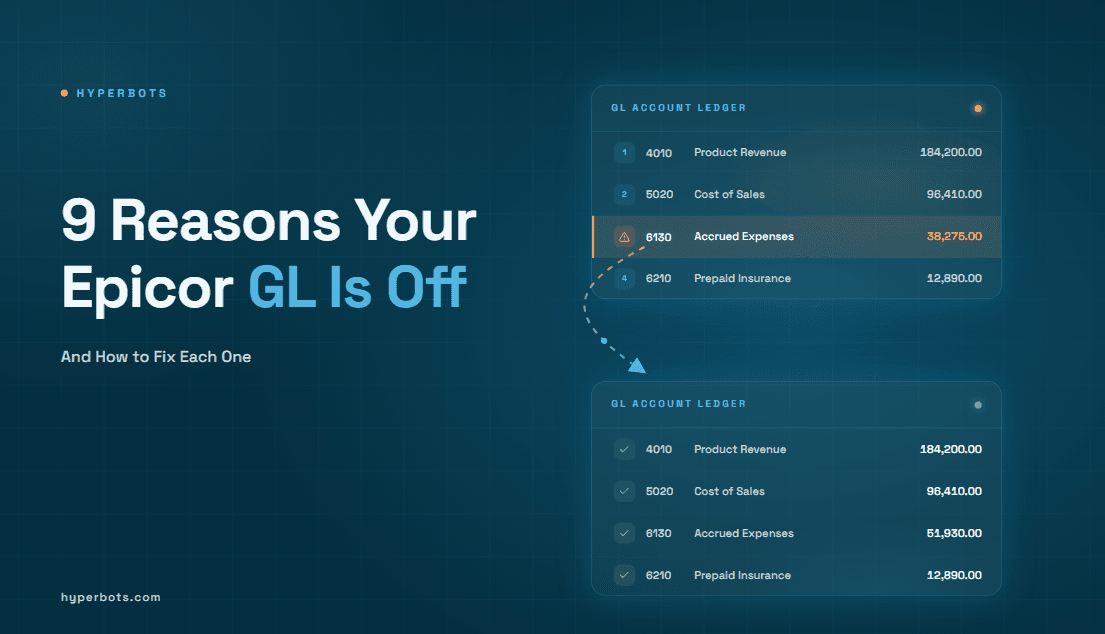
9 Reasons Your Epicor GL Is Off (and How to Fix Each One)
A controller’s guide to tracing and fixing GL discrepancies in Epicor Kinetic and 10.2, from stuck journals to report scope mismatches.
The trial balance shows one figure, the AP subledger shows another, and the journal posted yesterday is missing from the report. When a controller asks what can cause the GL to be off in Epicor, the answer is rarely one broken entry. In the Epicor Kinetic financial management module, subledger activity reaches the general ledger through a posting engine, so a gap can start at the source transaction, at the posting step, or in how the reconciliation report was run. Adjusting balances before you know which one it is usually creates a second problem.
Below are nine causes, with how to investigate, correct, and prevent each. The guide also explains the "Periodic Posting Process" label in Epicor 10.2 and how to edit a journal entry on Epicor without damaging the audit trail.
What Can Cause the GL to Be Off in Epicor?

The GL can be off in Epicor because a journal never posted, a posting rule or GL control is missing, a transaction landed in the wrong account or period, a manual entry was wrong, a subledger and the GL were compared at different times, a reversal or accrual did not run as planned, a transaction was entered twice, or the two reports being compared used different parameters.
Those causes fall into three groups, and each needs a different response:
Posting problems: an entry is unbalanced, rejected, or stuck, so it never reaches the posted GL.
Accounting errors: an entry is balanced and posted, but to the wrong account, period, or amount.
Reconciliation differences: the GL may be correct, and the gap comes from timing or report scope.
# | Cause | Group | First check |
1 | Journals stuck unposted or in error | Posting problem | Review Journal queue for the period |
2 | Missing GL control or posting rule | Posting problem | Error text on the stuck transaction |
3 | Balanced entry in the wrong account or segment | Accounting error | Drill from the account to the source document |
4 | Wrong or closed fiscal period | Accounting error | Transaction date against the posting period |
5 | Manual journal entry errors | Accounting error | Journal header, lines, and preparer |
6 | Subledger-to-GL timing differences | Reconciliation difference | Open receipts, shipments, and unposted invoices |
7 | Reversals or accruals not processed as intended | Accounting error | Accrual account activity by period |
8 | Duplicate transactions or repeated posting | Accounting error | Supplier, document number, amount, date |
9 | Report parameter or scope mismatch | Reconciliation difference | Company, book, period, and posted-only settings |
Causes of Epicor GL Discrepancies, in the Order to Check Them
Menu names and behavior differ between Epicor 10.x and current Kinetic releases, so confirm the navigation below against your release documentation or Epicor administrator. Corrections to posted records must follow your accounting policy and audit requirements.
1. Journals Stuck Unposted or in Error
What happens: Epicor can hold generated journals in Review Journal instead of posting them, either because validation failed or because the GL transaction type is set to review transactions manually. Until a journal is confirmed, it is not in the posted GL balance.
What you may notice: GL activity is lower than subledger activity, and journal groups remain listed in Review Journal with error messages.
How to investigate: Open Review Journal, filter to the period, and read the error on each group. Common reasons include a closed period, an inactive or wrong GL account, or a missing control.
How to fix it: Correct what validation reports, revalidate, then confirm. In an Epicor user thread on a journal stuck in error, contributors describe fixing an inactive or wrong account in Review Journal and cancelling a journal before editing it. Action labels vary by release.
How to prevent it: Assign an owner to the Review Journal queue, review it daily during close, and track the age of anything left in it.
2. A Missing GL Control or Posting Rule
What happens: The posting engine builds journal lines from GL transaction types and the GL controls tied to them. If a control is missing, one side of the entry cannot be built and Epicor reports that the transaction does not balance.
What you may notice: A "Transaction does not balance" error in Review Journal. In one Epicor user thread on Capture COS/WIP (Epicor ERP 10), a single $500 transaction was stuck, and later runs of the process added more entries to the same batch.
How to investigate: The thread describes enabling the Posting Engine log for the affected transaction type, running the Inventory/WIP Reconciliation report one date at a time, and looking in the log viewer for a "GL Control could not be found" message. Leave the log on only while troubleshooting, because it can grow large.
How to fix it: Have your configuration owner add or correct the control, test the change outside production, cancel the stuck journal, and rerun the process.
How to prevent it: Test every new part class, warehouse, or transaction type before go-live. Because GL accounts depend on one another, changes to one code can ripple through related codes, so route mapping changes through change control.
3. A Balanced Entry Posted to the Wrong Account or Segment
What happens: Debits equal credits, so Epicor accepts the entry, but the expense or asset lands in the wrong account because of a default mapping or a coding choice. This is not an imbalance, and cancelling or revalidating will not help.
What you may notice: One account runs high against budget or prior period while another runs low. The trial balance still balances.
How to investigate: Drill from the account balance to the source transaction, compare the coding with supplier, part, or expense defaults, and check each account segment.
How to fix it: Do not edit the posted entry. Post a reclassification journal with approval, then fix the default that caused the error.
How to prevent it: Review coding rules at the source, and pair regular sampling of posted expenses with automated checks, since accurate GL coding of expenses depends on both.
4. A Wrong or Closed Fiscal Period
What happens: The posting date decides the period. A late entry, or a transaction dated into a closed period, either errors out or lands in a period you did not intend. Epicor's book settings include a closed-period validation that can be set to raise an error or to adjust the date with a warning, so confirm which behavior your books use.
What you may notice: A single period is off while the year-to-date total agrees, or an entry appears in the following month.
How to investigate: Compare the transaction date with the posting period in the journal detail, and check Review Journal for closed-period errors.
How to fix it: In the user thread above, contributors suggest reopening the period from the Close Period screen and posting through Journal Entry Confirmation. That is a controller decision. If policy forbids reopening, post a correcting entry in the open period with documentation.
How to prevent it: Add a period-lock step to the close checklist and decide deliberately whether closed-period dates should error or auto-adjust.
5. Manual Journal Entry Errors
What happens: Manual journals can carry a wrong amount, account, or date. Company configuration includes a setting that permits unbalanced manual general journal entries, so confirm it is off unless needed.
What you may notice: Journal totals that do not net to zero, round-number entries, or period-end entries with thin descriptions.
How to investigate: Review the header, every line, the preparer, and the support attached. PCAOB AS 2401 lists entries recorded at period end with little or no explanation as a characteristic auditors may treat as higher risk, so expect questions on these.
How to fix it: Follow the editing workflow described later in this guide.
How to prevent it: Require descriptions and approval above a threshold, and review period-end manual entries before the books lock.
6. Subledger-to-GL Timing Differences
What happens: The subledger and GL are both right but measure different things. Goods received but not invoiced, shipments not yet invoiced, and invoices awaiting posting all sit between the two.
What you may notice: A difference that matches a known set of open documents and reverses when they post.
How to investigate: Run your received-not-invoiced and shipped-not-invoiced style reports for the cutoff date and compare them with the clearing account. Report names vary by release.
How to fix it: Nothing is wrong in the ledger. List the reconciling items, and accrue them if policy requires.
How to prevent it: Keep a reconciliation tracker with an owner and a cutoff rule. Goods and services received but not yet invoiced are the usual accrual candidates.
7. Reversals or Accruals Not Processed as Intended
What happens: An accrual posts but its reversal is missed, dated into the wrong period, or run twice. Epicor journal entry groups include a reverse option, but someone must use it with the right date.
What you may notice: An expense spike with no offset in the next period, or an accrued liability account that keeps growing.
How to investigate: List activity in the accrual account by period and match each accrual to its reversal and to the invoice that replaced it.
How to fix it: Post the missing reversal, or a correcting entry, in the open period and reference the original.
How to prevent it: Flag recurring accruals for auto-reversal and add a reversal check to the close list.
8. Duplicate Transactions or Repeated Posting
What happens: The same invoice is keyed twice, or a posting is retried and creates a second set of entries. Both sets balance, so no imbalance error appears.
What you may notice: Expense and AP exceed the purchase order or receipt, and two documents share a supplier, amount, and date.
How to investigate: Search by supplier, document number, amount, and date, including near-matches such as a changed suffix.
How to fix it: Cancel the duplicate if it is unposted. If it is posted, use the credit memo or reversal process your policy requires, and recover any payment already issued.
How to prevent it: Run duplicate checks before posting, not after.
9. Report Parameter or Scope Mismatches
What happens: Two reports compare different data because the company, book, period range, account range, or posted-only setting differs, though the ledger is intact.
What you may notice: The gap equals one book, one company, or one set of unposted items.
How to investigate: Rerun both reports with identical parameters and confirm the same company and book.
How to fix it: No accounting entry is needed. Document the parameters that reconcile the two.
How to prevent it: Save standard reconciliation parameters and attach them to the close checklist.
What Is the Periodic Posting in Epicor 10.2?
We could not locate a menu or program named "Periodic Posting" in the Epicor documentation we could access. What Epicor 10.x users describe is the Periodic Posting Process, the transaction text on GL entries created through Capture COS/WIP using the COSandWIP GL transaction type rule, as explained in an Epicor user thread on its elimination in 2022.2. In that thread, users note that no transaction detail was mapped, so the GL could not show which parts, labor, or cost of sales records an entry covered.
This differs from document-level posting, such as an AP invoice, because the entries are created when someone runs the capture process, not when each document posts. The same thread says Epicor added transaction detail to this rule in 2022.2, so newer Kinetic releases behave differently from 10.2, and any report that filters on the old text needs review.
Symptoms of a missed posting include inventory, WIP, or cost-of-sales activity missing for a date range, entries in an unexpected period when capture ran late, and the unbalanced transaction in cause 2. To investigate, confirm when Capture COS/WIP last ran and for which dates, check Review Journal for stuck entries, and use the Inventory/WIP Reconciliation report to trace GL activity to source transactions. This explanation relies on user community sources, so verify it against your release notes.
How to Edit a Journal Entry on Epicor
The right approach depends on whether the journal has posted. Exact screens, labels, and permissions differ by release and security configuration, so confirm them with your administrator.
Establish status. Find out whether the journal is still unposted, sitting in Review Journal, or already posted.
Inspect it. Review the header, each line, debit and credit totals, accounts, segments, dates, and fiscal period.
Check permissions. Confirm your security group allows the change in the journal's current status. If it does not, route the request to someone who can.
Correct an unposted journal. Fix the reported detail in Review Journal where Epicor allows it, such as an inactive or wrong account. Where lines are locked, cancel the journal to return it to an unposted state, correct it at the source, then revalidate and confirm.
Correct a posted journal. Do not edit or delete it. Reverse it using the reverse option on the journal entry group, dated in an open period, and post the corrected entry, or post a single correcting entry if your policy prefers.
Document it. Record the reason, approval, and support, and reference the original journal in the description.
Validate. Rerun the trial balance, the affected account detail, and the subledger reconciliation to confirm the gap has closed.
Never change database tables directly or remove posted accounting records as a shortcut, because that breaks the audit trail.
How to Prevent Recurring GL Discrepancies
Epicor's native controls include Review Journal, manual-review settings per GL transaction type, closed-period validation, and security groups. Finance teams typically add these practices on top, which are general controls rather than Epicor features:
A daily Review Journal and posting-status review during close.
A standard reconciliation template with saved report parameters.
A reversal and accrual check on the close checklist.
Approval thresholds for manual journals, with descriptions required.
Duplicate checks before invoices post.
Hyperbots and Epicor: Integration and Case Study
Many GL problems start before the posting engine runs. A miscoded invoice, a duplicate, or an incomplete document becomes a balanced but wrong entry. Hyperbots is an agentic AI layer for finance and accounting that works with an existing ERP, including Epicor, and does not replace it. It does not diagnose GL imbalances, edit posted journals, or catch every duplicate. Its relevance is upstream: GL coding suggests accounts from past entries and user corrections, invoice validation runs field, math, vendor, and date checks, and duplicate invoice checks score likely matches for review.
How Hyperbots Integrates with Epicor
The Hyperbots Epicor Kinetic connector works through Epicor's own business object services, not flat-file imports, so each invoice passes through the same group, line, receipt-matching, validation, and posting steps as one entered by hand.
Two-way sync: Vendors, items, GL accounts, purchase orders, and receipts are read from Epicor, which stays the source of truth. Hyperbots writes back AP invoices, purchase orders from requisitions, and accrual journals that the Accruals HyperAgent can book and reverse automatically, addressing cause 7.
Invoice build: Each invoice becomes its own AP invoice group. Non-PO lines carry the predicted GL account, and PO lines are matched to goods receipts.
Epicor's own checks: Posting runs Epicor's pre-post checks, and any warning stops the post. Hyperbots reports an invoice as posted only after Epicor confirms it.
Clean failure handling: A failed step is rolled back, so Epicor holds a complete document or nothing, and a corrected invoice replaces the original instead of duplicating it.
Traceability: The source PDF is attached inside Epicor, Epicor's error messages are shown to users, failures trigger Slack or Teams alerts, and audit trails follow each document to its Epicor record.
These controls reduce the chance that a bad write or repeated posting attempt reaches the ledger. Coding quality and source data still need review, as causes 3 and 8 show.
What Persimmon Technology Saw After Deploying Hyperbots
In Hyperbots' Epicor ERP integration case study, Dave Sackett, VP of Finance at Persimmon Technology, describes these outcomes:
Straight-through processing: About 80% of invoices go through without manual handling.
Less manual keying: He says it removes manual keyboard work and calls it a powerful support tool for the AP team.
Failures surfaced: Failed writes are retried, then sent to an exceptions queue with a Teams alert, so nothing fails silently.
Verified writes: After each write, the connector re-reads the record and compares amount, currency, company, and posting date. Only a perfect match gets a green check.
Controls: He describes an immutable audit trail for every action, and a person validates the bot's work on new installations, consistent with human-in-the-loop review.
Rollout: Three to five weeks with no custom coding. Integrations with ERPs Hyperbots already has connectors for typically take six to eight weeks, so this was a faster case.
The interview is vendor-hosted, and these are Sackett's statements. He gives no baseline, hours saved, or error rates.
Troubleshooting an Out-of-Balance Epicor GL: A Practical Order of Operations
When the GL is off in Epicor, work in a fixed order. Confirm the scope first, so you know whether the gap is real or a parameter mismatch. Locate the transaction, then verify its posting status, account, and period. Correct it through the approved workflow, reversing instead of editing anything posted. Then add the control that would have caught it.
If duplicate, miscoded, or incomplete invoices are feeding your GL exceptions, you can request a demo to see how Hyperbots handles exceptions and audit trails on top of your ERP.
Frequently Asked Questions
Q1. Every journal I checked is balanced, so why is my Epicor GL still off?
A balanced journal can still sit in the wrong place. Check for journal groups held in Review Journal, entries dated into the wrong or a closed period, and balanced entries coded to the wrong account. Then confirm both reports use the same company, book, and posted-only settings.
Q2. How do I tell a real GL error from a timing difference?
A timing difference matches a known set of open documents, such as goods received but not invoiced or invoices awaiting posting, and clears when they post. A real error remains after you list every open document at the cutoff date. Document the reconciling items, and accrue them if your policy requires.
Q3. Should I cancel a journal in Review Journal or fix it at the source?
Fix it in Review Journal when validation points to something simple, such as an inactive or wrong account. Cancel it when the lines are locked or the cause is upstream, such as a missing GL control, then correct the source and rerun. Leaving a bad transaction in a batch can block corrected entries from posting. Action labels vary by release.
Q4. Is it safe to reopen a closed period to post a missed entry?
That is a controller decision under your accounting policy, because reopening changes reported numbers. If approved, reopen, post, reclose, and document who approved it and why. If policy forbids it, post a correcting entry in the open period with a clear reference to the original.
Q5. Why do my 10.2 GL entries say "Periodic Posting Process" and what changed in newer releases?
That text comes from entries created by Capture COS/WIP through the COSandWIP rule. It carried no transaction detail, so you traced entries with the Inventory/WIP Reconciliation report. Per community sources, Epicor added detail in 2022.2, so newer Kinetic entries read differently and reports filtering on the old text need review.
Q6. Will Hyperbots fix entries that are already wrong in my Epicor GL?
No. Hyperbots does not diagnose GL imbalances or edit posted journals. It works upstream, flagging coding, validation, and duplicate exceptions for review before invoices post. Existing errors still need the investigation and correction steps above. If causes 3, 7, or 8 keep recurring, trace them back to invoice handling and add controls there.