Epicor Automation Studio: Benefits & Limits for AP
Epicor Automation Studio for AP: Benefits, Capabilities & Limitations

What Is Epicor Automation Studio?
A single supplier invoice can pass through an inbox, a document store, Epicor Kinetic, an approver's email or Teams channel, and a payments platform before it is paid. Moving data and decisions between those systems is where much of the manual effort in Epicor AP automation sits, and it is the problem Epicor Automation Studio, one part of Epicor's wider AI and automation stack, was built to solve.
Epicor Automation Studio is Epicor's integration platform as a service (iPaaS), introduced as embedded in Epicor Kinetic and Epicor Prophet 21. It is powered by Workato, and Epicor positions it as a low-code tool for connecting data across applications and automating workflows from inside the Epicor environment, with IT involved for governance.
Workflows are built as recipes: a trigger, such as a new record or a schedule, followed by actions in connected applications. Epicor's product page cites more than 1,000 connectors and 500,000 community recipes, plus Epicor-built connectors for Kinetic, Prophet 21, Eclipse, Epicor ECM and other Epicor products. Automation Studio runs in the cloud; for on-premises deployments, its On-Prem Agent reaches customer-authorized apps, databases and folders without opening ports in the corporate firewall.
That makes Automation Studio an orchestration tool. It moves data, triggers actions and routes tasks. Reading a supplier invoice, deciding which receipt line it covers and choosing the right GL account are different jobs. This article looks at the Epicor automation tool through that lens, using AP invoice processing as the test case.
What Are the Benefits of Epicor Automation Studio?
The core benefit is that Epicor teams can connect systems and automate repeatable hand-offs without commissioning a custom integration for each one. Epicor's documentation supports six benefits that matter to finance.
Connected applications. Prebuilt and Epicor-developed connectors link the ERP to CRM, e-commerce and collaboration apps, so data is not re-keyed between them.
Data synchronization. A change made in one system can flow to the other connected apps, reducing errors caused by stale master data.
Event-driven and scheduled workflows. Recipes start when a record changes or on a schedule. Epicor's example is a midnight recipe that flags contract items about to expire, replacing a manually run report.
Approvals with people in the loop. Human-interactive workflows pause for approval by email, Slack or Microsoft Teams, so control stays with the accountable person.
Prebuilt templates. Epicor industry templates are documented recipes for common needs, and Epicor lists AP Invoice Approval among them.
Low-code and AI-assisted building. Through Workato AI@Work, Workato Copilot builds recipes and connectors from natural-language prompts.
The business outcome is less manual coordination: fewer status-chasing emails, fewer reports run by hand and fewer swivel-chair transfers between applications. It is also why teams weigh Automation Studio against Kinetic's own BPM directives when deciding where a business rule should live.
How Epicor Automation Studio Works in an AP Workflow
In AP, Automation Studio acts as the conveyor that moves an invoice's data and status between systems. The example below is illustrative: it shows how a recipe could be assembled, not a verified out-of-the-box Epicor AP template.
A trigger starts the process. A new supplier invoice record appears in Kinetic, or an upstream capture tool marks an invoice as ready.
Data moves between systems. The recipe reads the invoice header, supplier and PO reference, then looks up related records such as the approver for that cost center.
Configured rules pick the next step. Conditions on amount, supplier or department decide whether approval is needed, and from whom.
A task is routed. The approver gets an email or Teams message and approves or rejects without logging in to the ERP.
The outcome is recorded. The recipe writes the approval status back to Kinetic and notifies AP.

Automation Studio orchestrates the flow, but it depends on inputs it does not create. Before step one, something must turn the invoice PDF into a structured record, match it to the PO and receipt, and code it. Depending on the configuration, that work comes from Kinetic, Epicor ECM or another document-processing capability.
Can Epicor Automation Studio Automate AP Invoice Processing?
Partly. Automation Studio can automate the workflow around AP invoices, and Epicor's wider portfolio covers more of the process than Automation Studio alone.
Epicor ECM AP Automation captures, indexes, routes and approves invoices and integrates with the ERP. Epicor says it performs two- and three-way matching, with Intelligent Data Capture (IDC) recording invoice data and matching it against purchase orders or receipts. Together with the AP Invoice Approval template, that means Epicor customers can automate meaningful parts of AP with Epicor products.
The better buyer question is which capability performs each stage:
AP stage | Where workflow automation helps | What the stage also needs |
Invoice intake | Watching a mailbox or folder and starting a recipe | Classifying documents and splitting multi-invoice PDFs |
Data extraction | Passing extracted fields to the ERP | Reading varied layouts and line items |
Vendor and invoice validation | Looking up supplier records | Judging duplicates, tax and field consistency |
GL coding | Applying a fixed rule per supplier | Coding non-PO invoices from history and context |
PO and receipt matching | Fetching the PO and receipts | Deciding which receipt lines an invoice covers, within tolerance |
Approval routing | Routing by amount, cost center or supplier | An approval policy owned by finance |
ERP posting | Writing the record back to Kinetic | Passing Kinetic's validation and posting rules |
Exception handling | Notifying owners and queuing items | Resolving variances, missing receipts and short shipments |
Workflow automation is strong in the middle column: moving, routing and recording. The right-hand column is document understanding and accounting judgment, which may come from Kinetic, ECM with IDC or an additional AI layer, depending on what is licensed and configured. The goal is Epicor Kinetic AP automation that connects all eight stages, not just the hand-offs.

Epicor Automation Studio Limitations: What Should AP Teams Evaluate?
Epicor does not publish a list of Automation Studio limitations for AP, so the practical test is how a proposed design handles the situations that create most AP work.
Who reads the invoice? Epicor documents Automation Studio as an integration and workflow platform, not an invoice extraction engine. Confirm which product extracts fields from varied layouts, and how accuracy is measured on your supplier mix.
How are partial receipts, price variances, missing POs and duplicates handled? Matching is documented in ECM AP Automation. Ask whether each case is resolved by ECM rules, Kinetic, a recipe or a person, and what tolerances apply.
Where do validation and matching live? If matching runs in ECM and routing in Automation Studio, map every hand-off and confirm which system is authoritative when they disagree.
What happens when a step fails or data is missing? Epicor's public materials do not detail failure handling for AP recipes. Ask how failed jobs surface, whether retries are automatic and who owns the exception queue.
Are audit trails and human review covered? Human-interactive approvals are documented. Confirm that every automated decision and write-back is logged in a form your auditors accept.
What else must be bought or built? Templates give a head start, but production AP workflows need configuration and testing. Confirm which connectors, licenses, ECM modules and services the design assumes.
Epicor Automation Studio Pricing: What Should Buyers Know?
Epicor does not publish Automation Studio pricing; its product page routes buyers to a demo request. In a 2022 Workato case story, Epicor's team described pricing it by the number of connections used. Treat that as background, not a current price model. Workato's own public pricing is not a proxy either, because Epicor packages Automation Studio on its own terms. Before signing, ask:
What is the licensing basis, and what usage limits apply?
Which Epicor and third-party connectors are included?
Are AI-assisted features such as Workato Copilot in your package?
What will implementation, support and recipe maintenance cost?
Does the AP design also need Epicor ECM or IDC licenses?
The answers let finance build a total-cost view that separates recurring fees from one-time implementation.
Workflow Automation vs. Agentic Document Understanding
Workflow automation coordinates configured processes across systems; finance-specific AI interprets the documents and performs the accounting checks those processes depend on. The categories overlap: Automation Studio offers AI-assisted recipe building, and Epicor ECM uses AI-assisted capture.
Workflow automation (e.g., Automation Studio) | Finance-specific agentic AI | |
Primary purpose | Connect systems and coordinate configured steps | Interpret financial documents and carry out finance tasks |
How work starts | A trigger, schedule or API call | An incoming document or ERP event |
Structured vs. unstructured data | Moves structured records between apps | Turns unstructured documents into validated records |
Invoice data extraction | Relies on a separate capture service | Core capability |
Accounting and matching decisions | Conditions the recipe builder defines | Matching and coding against POs, receipts, history and tolerance policy |
Exceptions and human review | Routes to a person per configured rules | Flags exceptions with reasons; people decide what the agent cannot |
Integration and ERP updates | Broad connector library across departments | Deep read/write access to finance records in the ERP |

Neither approach resolves every exception on its own. The useful test is which capabilities your AP process needs and how each will be delivered.
How Hyperbots Complements Epicor for AP Automation
Hyperbots adds a finance-specific execution layer to Epicor while Epicor remains the system of record. It does not replace Kinetic, Automation Studio or ECM; many teams keep Epicor ECM as their document repository and add AI for the work after capture.
Hyperbots' Epicor connector uses Epicor's REST v2 endpoints, or Service Connect on older builds, for read-write access to companies, sites, suppliers, parts, receipts, AP invoices, payments and user-defined fields. On that foundation, the Invoice Processing HyperAGENT handles the steps a workflow tool passes along:
Extraction: template-free field extraction from varied layouts, including line items.
PO-backed invoices: three-way matching against the PO and receipt.
Non-PO invoices: GL code recommendations learned from historical coding and reviewer corrections.
Posting: the AP invoice is posted in Epicor, and existing Epicor business process workflows fire as they would for a user.
Confirmation: each posted record is read back and compared on amount, currency, company and posting date. Errors such as a closed fiscal period trigger three retries, then an exceptions queue and a Teams alert.
What the agent cannot resolve goes to people, under human-in-the-loop controls with thresholds finance defines.
Persimmon Technology: AI agents on on-premise Epicor
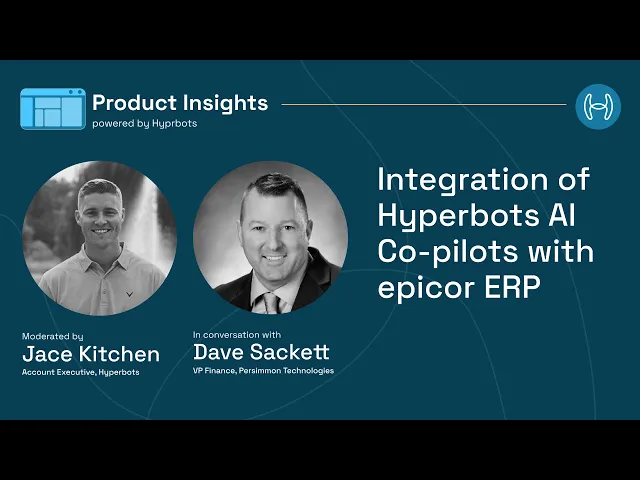
In a recorded interview, Persimmon Technology's VP of Finance, Dave Sackett, explained that the HyperAGENT reads invoice PDFs from the AP mailbox, three-way matches them and posts them in Epicor, with about 80% going straight through and AP data entry down 80%. Because Persimmon runs Epicor on-premise, a lightweight agent on the Epicor app server opens an outbound HTTPS tunnel, with no inbound firewall changes. The rollout took 3–5 weeks, faster than the 6–8 weeks Hyperbots typically needs for ERPs it already has connectors for, including Epicor.
This layer is worth evaluating when AP volume is high, supplier layouts vary widely, PO-backed invoices carry partial receipts, or non-PO coding depends on individual memory.
How to Choose the Right AP Automation Approach
Start from where AP time actually goes, not from the product category.
Is the bottleneck moving data and routing tasks? If invoices already arrive as clean, structured records and delays sit in approvals, notifications or hand-offs, workflow automation such as Automation Studio is the natural fit.
Is the bottleneck reading and deciding? If staff spend their days keying varied invoices, hunting for receipt lines, coding non-PO spend or clearing variances, evaluate document processing and finance-specific AI, whether Epicor ECM with IDC or an agentic layer.
Is it both? Most mid-market AP teams sit here. Decide which tool owns each stage, how data is validated before it reaches Kinetic, and which system is authoritative when two disagree.
Whichever path you take, test it on a sample of your real invoices, awkward ones included, and judge it on the complete AP process rather than its label.
Conclusion: Choosing the Right Automation Layer for Epicor
Epicor Automation Studio is a capable way to connect Epicor with the rest of the business and automate AP hand-offs: triggers, lookups, approvals and write-backs. Complete AP automation, though, depends on the capabilities around those hand-offs: extraction, validation, matching, coding and exception handling, delivered by Kinetic, Epicor ECM or a finance-specific AI layer.
For Epicor teams whose AP effort sits in those document and decision steps, Hyperbots is one option to evaluate alongside Epicor's own tools. Book a Hyperbots demo to see how the Invoice Processing HyperAGENT works with your Epicor environment and your own supplier invoices.
Frequently Asked Questions
What is Epicor Automation Studio?
It is Epicor's integration platform as a service, powered by Workato and embedded in Epicor Kinetic and Prophet 21. Users build low-code recipes that connect Epicor with other applications and automate workflows through triggers, actions and approvals.
What are the benefits of Epicor Automation Studio?
It connects Epicor to other systems, keeps data synchronized, runs event-driven and scheduled workflows, routes approvals by email, Slack or Teams, and offers Epicor templates and AI-assisted recipe building. Available features depend on your Epicor product, release and license.
Is Epicor Automation Studio powered by Workato?
Yes. Epicor describes it as powered by Workato, with Epicor-developed connectors and templates added. Features, limits and pricing on Workato's own platform do not automatically apply to Epicor's packaging, so confirm them with Epicor.
Can Epicor Automation Studio automate AP invoice processing?
It can automate the workflow around AP invoices, including routing, approvals and write-backs, and Epicor lists an AP Invoice Approval template. Capture, extraction and matching usually come from Epicor ECM with IDC, Kinetic or a finance-specific AI layer.
How much does Epicor Automation Studio cost?
Epicor does not publish pricing, so cost comes from a quote. Ask about the licensing basis, usage limits, included connectors, any ECM or IDC licenses the AP design needs, and implementation and support.
What is the difference between workflow automation and agentic AI for AP?
Workflow automation executes predefined steps across systems. Agentic AI for AP interprets invoices, matches them to POs and receipts, recommends coding within your policies and escalates what it cannot resolve. Many Epicor teams use both.