Epicor Prism AI: Use Cases, Limits & How It Compares
A practical guide to Epicor Prism AI's capabilities, use cases, pricing considerations, and role in finance automation.
What Is Epicor Prism AI?
Epicor is putting AI agents directly inside its ERP products. For a buyer, the useful question is narrower: what does Epicor Prism AI actually help a business get done, and where does its job end?
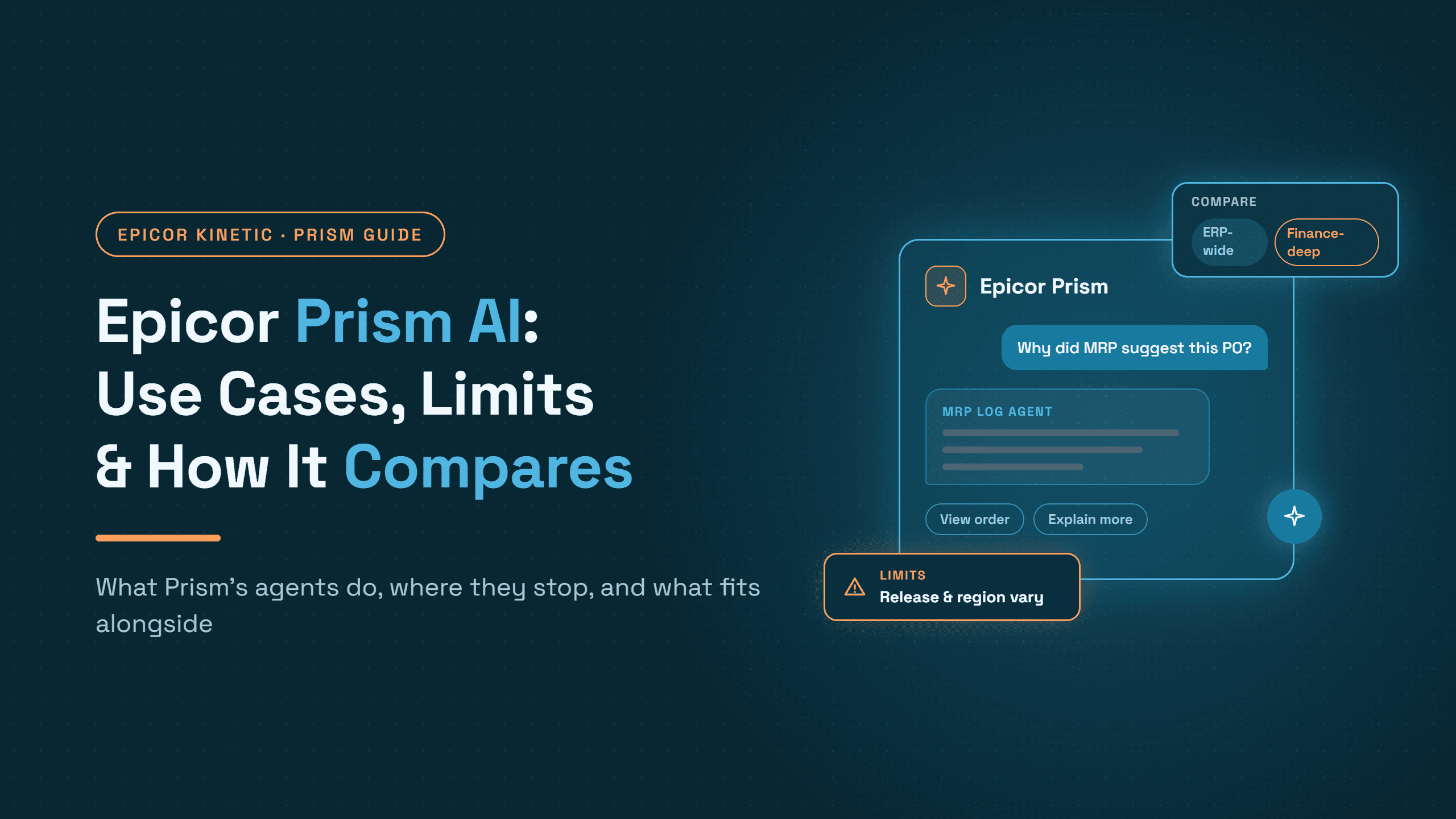
Epicor Prism is Epicor's network of vertical AI agents for manufacturers, distributors and other supply chain businesses. Epicor launched it in January 2025, initially for Epicor Kinetic, and now describes support across Kinetic and Prophet 21. Users ask questions in plain language inside their Epicor ERP, and specialized agents work behind the scenes to answer, recommend or, where an agent supports it, act.
Three different things tend to get filed under "AI in the ERP":
Information: "Which open POs for this supplier are past due?"
Recommendation: "Which carrier charges look like overbilling?"
Action: creating, changing or posting a record inside an authorized workflow.
Prism does some of each, depending on the agent. Keeping the three apart is the most useful habit in an evaluation, especially in finance, where Kinetic's procure-to-pay chain of requisitions, receipts and AP invoices sets the rules any AI layer has to follow. This guide covers Prism's use cases, limits, pricing and how it compares with finance-specific agentic AI.
How Epicor Prism AI Works
Epicor Prism works as a conversational layer on top of Epicor's own data model, with task-specific agents doing the work underneath. A user types a question in the ERP; Prism routes it to the agent built for that kind of task, and the agent answers using the data and permissions that user already has.
Natural language over ERP data
According to Epicor's June 2026 availability announcement, users can filter lists, summarize records and ask for totals, counts and averages in plain language rather than building reports. Epicor says Prism is fine-tuned to the Epicor data structure, which is what separates it from a general-purpose chatbot pointed at an ERP.
Specialized, vertical agents
Prism is not one assistant. It is a set of agents, each built for a defined job: a Reasoning Agent that analyses ERP data alongside documents, spreadsheets and screenshots; a Knowledge Agent that answers how-to questions in the flow of work; and narrower agents for MRP, freight, EDI and documents, covered in the next section. In May 2026 Epicor also announced Prism Agent Foundry, a guided workspace for customers and partners to build their own agents. Native agents and third-party Epicor AI agents are worth keeping distinct when you compare options.
Governance, permissions and human oversight
Epicor states three governance commitments for Prism:
Same access as the user. Prism respects the access rules and security of the person logged in.
Data isolation. Customer data stays separate from other Epicor customers and is not used to train base models, unless fine-tuning is specifically for that customer.
Human approval. Epicor says no actions are taken without human approval.
For finance, an agent that drafts an action for approval is a different control model from one that posts on its own, so know which you are getting.
Why functionality varies by customer
Epicor is explicit that availability, functionality, prerequisites and licensing vary by Epicor product, region and deployment model. Two Kinetic customers in different countries or releases may see different agents, so treat any agent list, including the one below, as a starting point to confirm.
Epicor Prism AI Use Cases: What Can It Help Teams Do?
Epicor Prism's documented use cases fall into four outcomes: faster answers from ERP data, operations and supply chain analysis, document-heavy work, and a growing set of supported actions.

ERP insights and decision support
This is where Prism is most established: a planner can ask which jobs are behind schedule, or a controller can ask for open receipts by supplier, without opening several screens or waiting for a report. The Reasoning Agent goes further by reading ERP data alongside attached documents, spreadsheets and screenshots, so a user can ask how a supplier quote compares with the last three POs. Epicor reports its Knowledge Agent alone handles more than 70,000 requests a month across Kinetic, Prophet 21 and Propello.
Operations and supply chain
The MRP Log Agent explains why MRP made a given recommendation. The Freight Spend Agent combines ERP and shipping data to spot carrier discrepancies and freight leakage. The EDI Agent lets Kinetic users ask about EDI document status and errors in plain language. In Epicor's May 2026 release, the CFO of Tuffaloy Products credited Prism with roughly 85% faster shipment tracking.
On the purchasing side, Prism Business Communications automates RFQ handling and quote comparison across multi-supplier, multi-part requests in Kinetic.
Document-intensive workflows
The agent most relevant to finance is the Smart Data Capture Agent, which Epicor describes as extracting and validating complex documents across accounts payable and compliance workflows. Epicor announced it in May 2026 in a list of "new and forthcoming" agents, without marking each one's release status, so confirm whether it is generally available for your product and region, and what it does after extraction. For customers on Epicor ECM, Prism can also answer questions about stored documents, including summaries, comparisons and data extraction. Epicor's existing ECM-based AP capture and matching is a separate product with its own scope.
From answers to supported actions
Prism reaches the action level in specific places:
Prism Developer for Application Studio generates Kinetic customizations, such as events, data views, rules and UI components, which users preview and validate before merging. Epicor reports it cuts build-and-test time by about 60% on average.
Prophet 21 Prism Business Rules Agent creates and modifies P21 business rules from natural-language prompts.
Prism Business Communications handles RFQ communication and quote comparison.
In each case Epicor frames the user as approving the result. The question is not whether Prism can act, but which actions, in which workflows, under whose approval.
Prism agents at a glance
Status reflects Epicor's own wording; confirm each agent for your product, release and region.
Agent or capability | What it does | ERP product | Status in Epicor's own sources |
Natural-language filtering and metrics | Filter lists, summarize, totals, counts, averages | Epicor ERP | Described as available today (Jun 2026) |
Reasoning Agent | Analyses ERP data with documents, spreadsheets, screenshots | Kinetic, Prophet 21 | Described as available today (Jun 2026) |
Knowledge Agent | How-to answers in the flow of work | Kinetic, Prophet 21, Propello | In production (70,000+ requests/month, May 2026) |
Prism Developer for Application Studio | Builds Kinetic customizations from prompts | Kinetic | Available as an add-on capability |
Prism Business Communications | RFQ handling and quote comparison | Kinetic | Launched Sep 2025, outcomes-based pricing |
MRP Log Agent | Explains MRP recommendations | Not specified | Announced May 2026 ("new and forthcoming") |
Freight Spend Agent | Finds carrier discrepancies and freight leakage | Not specified | Announced May 2026 ("new and forthcoming") |
EDI Agent | EDI status, errors and transactions in plain language | Kinetic | Announced May 2026 ("new and forthcoming") |
Prophet 21 Business Rules Agent | Creates and edits business rules from prompts | Prophet 21 | Announced May 2026 ("new and forthcoming") |
Smart Data Capture Agent | Extracts and validates AP and compliance documents | Not specified | Announced May 2026 ("new and forthcoming") |
Prism Agent Foundry | Workspace to build custom agents | Epicor platform | Announced May 2026 |
Beyond these, Epicor says more than 30 further Prism agents are in development, including financial planning, compliance and invoicing use cases. Until they ship, they are roadmap, not capability.
Where Does Epicor Prism AI Fit in Finance Workflows?
Kinetic already handles accounts payable natively, so judge Prism one AP step at a time.

Step | What Kinetic provides natively | Where Prism's documented capabilities may help | What to confirm |
Invoice intake | Invoices arrive by email, portal, mail or EDI, outside AP Invoice Entry; Epicor ECM can capture documents from those channels | ECM document questions, for ECM customers | Which channels are captured, by which tool, and how documents become AP records |
Data extraction and recording | AP Invoice Entry records the invoice once its data is keyed or passed in from a capture tool; Logged AP Invoice Entry can register it first | Smart Data Capture Agent (announced May 2026) | Availability, line-level depth, and how output reaches AP Invoice Entry |
GL coding | Default and user-selected GL accounts | No coding-specific agent documented | Whether any agent suggests or applies codes |
PO and receipt matching | Receipt Billing lines and invoice-to-receipt matching | Reasoning Agent can help investigate a mismatch | Whether line selection and tolerances are automated or manual |
Validation and posting | Invoice groups, posting rules, AP controls | Epicor says actions require human approval | Which postings, if any, an agent can initiate |
Exception resolution | Holds, Received-not-invoiced reporting | Faster analysis of the cause | Who owns the exception and how it is routed |
Help at one step does not by itself automate the workflow; coverage depends on the agent, release, configuration and workflow, and the usual constraints on straight-through processing sit in coding, matching and exceptions.
The practical question for any finance buyer: how much of the end-to-end workflow can the current solution automate, and what work remains for finance staff? Answer it with your own invoices, exceptions and controls, not with a feature list.
Epicor Prism AI Limitations: What Should Buyers Evaluate?
Epicor documents two constraints itself: availability, functionality and licensing vary by product, region and deployment model, and actions require human approval. Everything else is a question to verify for your own deployment, not a confirmed product fault.
Agent availability: Which agents are live for your product, release, region and licence, as opposed to announced or forthcoming? Ask for the agents named in your contract, not the portfolio.
Supported actions: For each agent, does it answer, recommend, start a workflow or complete an authorized action?
End-to-end workflow coverage: Mapped against a real process such as invoice to posting, which steps does an agent perform, which does it assist, and which does it leave untouched?
Exceptions and human oversight: How are mismatches, missing data and rejected transactions handled, and what does approving each action cost at your volume?
Governance and auditability: What is logged when an agent drafts or completes an action, and can auditors trace a posted record back to the agent's reasoning?
Implementation and customization: What configuration, data preparation, integrations and administration does each agent need, and does a custom Agent Foundry agent need partner services to build and maintain?
Epicor Prism AI Pricing: What Should Buyers Know?
Epicor does not publish a price list for Prism, so treat any figure you see online as an estimate and build your budget from the factors that drive Epicor Prism cost: licence scope, usage terms and services. What Epicor has published are pricing signals:
Licensing varies. Epicor says availability, prerequisites and licensing differ by product, region and deployment model.
Some capabilities are add-ons. Epicor describes Prism Developer for Application Studio as an add-on capability for Kinetic Application Studio.
At least one agent is priced on outcomes. For Prism Business Communications, Epicor says customers pay only for RFQs that convert to purchase orders. That shows Epicor is willing to price agents individually, so other agents may carry their own terms.
Before budgeting, confirm with Epicor or your authorized partner:
Whether Prism, or Prism Core, is included in your current agreement or needs additional licensing.
Which agents and capabilities your package covers.
Whether usage, consumption, outcome or user-based charges apply.
What implementation, customization or partner services will cost.
Whether terms differ by region, ERP product or release.
Epicor Prism AI vs. Finance-Specific Agentic AI: What's the Difference?
Prism starts from the ERP and works outward into operations; finance-specific tools start from finance documents and transactions and work inward to the ERP.
Dimension | Epicor Prism AI | Finance-specific agentic AI |
Primary focus | ERP-native intelligence and supported actions across manufacturing, distribution and supply chain work | Finance and accounting workflows such as AP, procurement, accruals and AR |
Context it works from | Epicor's data model, the user's permissions, documents in the ERP or ECM | Invoices, remittances and statements, plus ERP master and transaction data, matching rules and approval policies |
Typical use cases | ERP questions, MRP and freight analysis, EDI status, RFQs, customization | Invoice extraction, GL coding, PO and receipt matching, accruals, cash application, collections |
Workflow coverage | Depends on the agent; finance agents such as Smart Data Capture and invoicing are announced or in development | Depends on the product, its ERP connector and configuration |
How actions are controlled | Inherits user permissions; Epicor says actions need human approval | Configured approvals, confidence thresholds and human review of exceptions, varying by product |
Relationship to the ERP | Embedded in Kinetic and Prophet 21 | Works alongside the ERP through APIs and connectors |
System of record | Epicor | Epicor, when integrated that way |

The overlap is real. Epicor's Smart Data Capture Agent targets AP documents and invoicing agents are in development, so AP automation is not outside Epicor's scope. The difference today is depth: Prism spans the business, while finance-specific agentic AI goes deep on fewer finance workflows, from document to posted entry, the layered pattern described in how AI complements ERP systems.
How Hyperbots Complements Epicor Prism AI for AP and AR
Prism helps users work with information and supported actions inside Epicor. Hyperbots builds agentic AI for finance and accounting, automating the work around the transaction: the documents, matching, validation and exceptions that AP and AR teams handle every day, with Epicor remaining the system of record.
AP automation alongside Epicor Kinetic
Hyperbots' Epicor Kinetic connector supports the AP workflow from invoice to confirmed posting. In practice, the Invoice Processing HyperAGENT:
Reads Epicor master data it needs, including vendors, items, GL accounts, companies, payment terms, purchase orders and receipts.
Prepares the AP invoice and runs validation checks before anything reaches Epicor.
Codes non-PO lines to GL accounts.
Matches PO lines to receipts where applicable, using AI three-way matching, and handles PO and non-PO lines on the same invoice.
Posts through Epicor's own process, sending invoices through Epicor's established validation and posting, and confirming success from Epicor's response rather than treating submission as success.
Keeps the trail clean, with traceability, actionable errors, cleanup of incomplete records and, where enabled, the original invoice PDF attached to the Epicor record.
The same connector supports adjacent workflows: purchase orders created from approved requisitions, and accrual journals for received-but-not-invoiced items. Not every exception resolves itself; variances outside your tolerances go to a person with the context already assembled.
How Persimmon Technology runs Hyperbots on Epicor
Persimmon Technology runs Epicor on-premise. In a recorded interview, VP of Finance Dave Sackett described the setup:
Invoices: about 80% of invoices flow straight through from the AP Outlook mailbox to posted AP invoices in Epicor, and AP data entry fell by 80%.
Beyond AP: HyperAGENTS also book and reverse month-end accruals, create POs from contracts and requisitions, maintain supplier bank and tax details, build payment batches and verify sales tax.
Controls: after every write, the connector re-reads the record and compares every field. Failures retry three times, then land in an exceptions queue with a Teams alert.
Deployment: a lightweight agent on the Epicor app server opens an outbound HTTPS tunnel, so no inbound firewall changes were needed.
Persimmon's rollout took 3 to 5 weeks with no custom code. That was faster than usual: integrations with ERPs where Hyperbots already has an API connector, including Epicor, typically take 6 to 8 weeks.
AR automation: Collections and Cash Application
On the receivables side, Hyperbots offers two HyperAGENTS with distinct jobs:
The Cash Application HyperAGENT reads remittances in any format, matches payments to open invoices using invoice numbers, PO references, amounts and payment history, flags short payments and deductions, and posts validated applications back to the ERP.
The Collections HyperAGENT prioritizes overdue accounts by payment behavior, risk and dispute signals, runs follow-ups, tracks promises to pay, and routes disputes to the right owner.
One caution applies. Hyperbots' documented Epicor Kinetic deployment and connector scope are procure-to-pay and accruals. AR write-back for a specific Kinetic environment is confirmed during implementation scoping, as our Epicor Kinetic order-to-cash guide explains, so ask for it explicitly rather than assuming it.
The question to take into any evaluation: which finance stages are already covered by Kinetic and its AI capabilities, and where would additional automation materially reduce manual effort?
How to Decide Whether Epicor Prism AI Is Enough for Your Team
The right answer depends on whether your main problem is finding information or finishing finance work.
Prism may be a natural starting point when
Your main need is faster answers from ERP data, without building reports.
You want AI inside the ERP you already run, under the permissions you already manage.
The agents you need are available for your product and region.
Finance-specific automation is worth evaluating when
The goal is to automate several connected AP or AR stages, not assist with one.
High volumes of invoices, receipt matching, remittances or exceptions still consume much of the team's week.
You need posting confirmation, audit trails and exception handling assessed across the whole process.
Using both may make sense when
You need ERP-wide intelligence and deep finance automation at the same time.
Each tool clearly owns different stages, with no two agents writing the same record.
Epicor Prism AI and Finance Automation: The Bottom Line
Epicor Prism gives Kinetic and Prophet 21 users a growing set of ERP-native AI agents, strongest today in answering questions over ERP data and in supply chain analysis. Each agent has its own scope, release status, licence terms and level of action, so evaluate the agents you would use rather than "AI in the ERP" as a whole. Where you want AP and AR automated further, finance-specific agentic AI such as Hyperbots can sit alongside Epicor for supported workflows, with Kinetic remaining the system of record.
See how Hyperbots automates finance workflows alongside your ERP. Request a demo.
Frequently Asked Questions
What is Epicor Prism AI?
Epicor Prism AI is Epicor's network of vertical AI agents embedded in Epicor Kinetic and Prophet 21. Users ask questions in natural language, and agents answer, recommend or carry out supported actions using Epicor data and the user's existing permissions.
What can Epicor Prism do?
Epicor Prism can filter and summarize ERP data, analyse records alongside documents, answer how-to questions and help build Kinetic customizations. Epicor has also announced agents for MRP, freight, EDI and AP document capture; availability depends on your product, release, region and licence.
Is Epicor Prism included with Kinetic?
Epicor has not published a single answer: it says licensing varies by product, region and deployment model, and describes some capabilities as add-ons. Confirm what your Kinetic agreement covers with Epicor or your partner.
How much does Epicor Prism cost?
Epicor does not publish Prism pricing. One agent, Prism Business Communications, is priced on outcomes, with customers paying only for RFQs that convert to purchase orders; for the rest, get a quote that names the agents and terms included.
Does Epicor Prism automate accounts payable?
Partly, depending on the agent. Epicor has announced a Smart Data Capture Agent for AP documents and lists invoicing among agents in development, alongside Kinetic's native AP functions, so map which AP steps an available agent actually performs.
What is the difference between Epicor Prism and agentic AI?
Epicor Prism is itself agentic AI for the ERP, spanning manufacturing, distribution and supply chain work. Finance-specific agentic AI goes deeper on finance workflows such as invoice processing, matching, accruals and cash application, from document to posted entry.
Can Hyperbots work alongside Epicor Kinetic?
Yes. Hyperbots' Epicor Kinetic connector automates AP from invoice to confirmed posting, with Epicor as the system of record, and integrations on ERPs with an existing Hyperbots connector, including Epicor, typically take 6 to 8 weeks. AR write-back scope is confirmed during scoping.