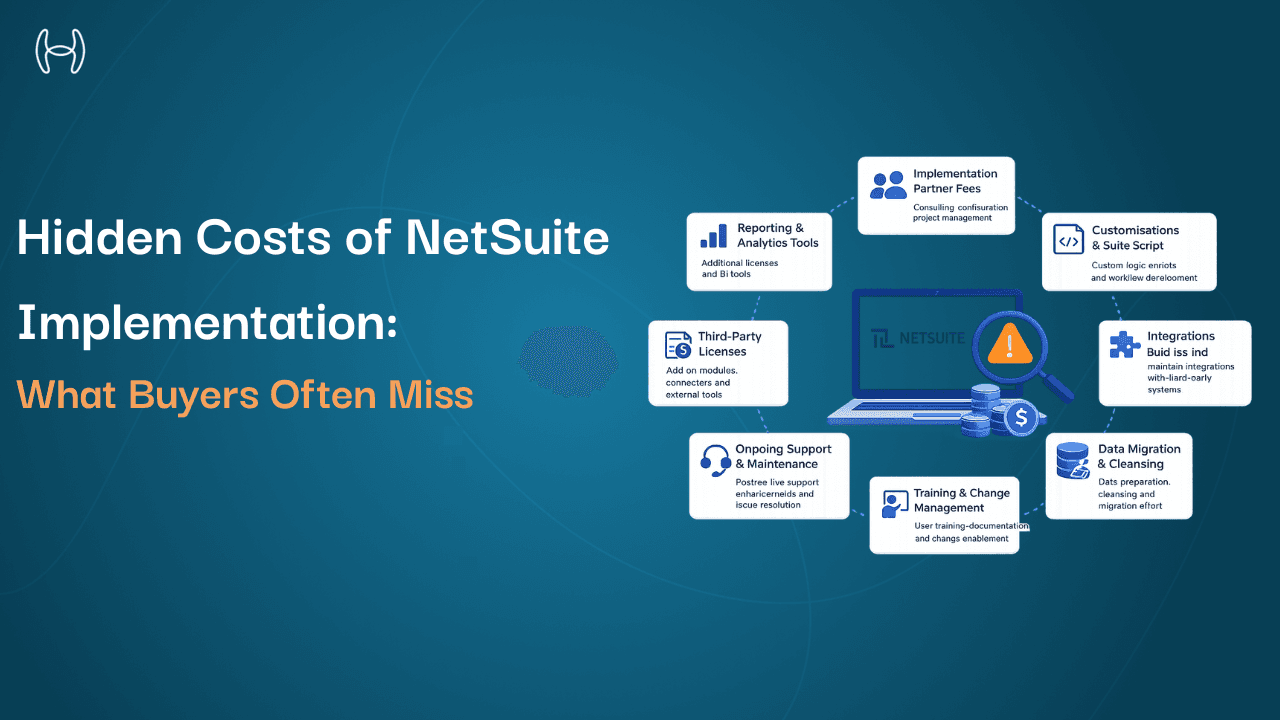
How to Reduce NetSuite Costs: Strategies to Improve ROI Without Switching ERP
NetSuite is not a cheap platform. Licensing fees, per-user charges, module add-ons, support contracts, and annual price escalation all add up. For many mid-market finance leaders, the cost of the platform has grown significantly since the original implementation, while the value returned has not kept pace.
The instinct is often to look at alternatives. But switching ERP is expensive, disruptive, and time-consuming. Most organisations that go through the process find that the new platform has its own cost structure, and the migration itself consumes resources that could have been spent differently.
The more productive question is not whether to replace NetSuite but how to extract more value from it. Most organisations running NetSuite are not using it to its full potential, paying for capabilities they do not use, running manual processes alongside the system that should be automated, and leaving measurable efficiency gains untouched.
This blog is for CFOs, finance leaders, and operations managers who want practical strategies to reduce their effective NetSuite cost and improve the return on a platform they are already paying for. It covers where NetSuite costs accumulate, what you can do about each category, and how AI automation on top of NetSuite changes the cost and output equation significantly. For a full breakdown of how NetSuite pricing is structured across modules, users, and implementation, the NetSuite pricing and ROI guide covers the complete picture.
Where NetSuite Costs Actually Come From
Before reducing costs, it helps to understand where they accumulate. NetSuite's total cost of ownership is made up of several components that are often treated separately but need to be assessed together.
Base platform licence. The core subscription fee covers the base NetSuite platform. This is a fixed annual cost and is the least flexible component of the spend.
Module licences. NetSuite charges separately for each functional module: Advanced Financials, Multi-Book Accounting, Fixed Assets, Revenue Recognition, Projects, and others. Many organisations license modules during implementation that are only partially used or not used at all.
Per-user licences. NetSuite charges per named user. Over time, user counts grow as staff are onboarded and old accounts are not deactivated. Inactive users on active licences are one of the most common sources of unnecessary spend.
SuiteSuccess and support. NetSuite's support and success packages carry their own annual cost. The appropriate tier depends on the organisation's dependence on NetSuite support, which varies significantly.
SuiteApp and third-party add-ons. Many NetSuite implementations include third-party applications from the SuiteApp marketplace, each with its own subscription cost. Over time, these accumulate and are rarely audited.
Customisation and maintenance overhead. Custom SuiteScript code, custom workflows, and custom records require ongoing maintenance. When NetSuite releases platform updates, customisations break and need to be repaired. This is a real cost that rarely appears in the platform cost conversation but consistently appears in IT and finance team capacity.
Manual process cost. This is the largest and most overlooked cost component. NetSuite records transactions well. It does not process them intelligently. Invoice entry, PO matching, GL coding, approval routing, and accrual estimation all involve significant manual work in most NetSuite deployments. That manual work has a headcount cost that is directly attributable to platform limitations.
Six Strategies to Reduce NetSuite Cost Without Replacing It
1. Audit and Clean Up User Licences
Run a report of all active NetSuite users and their last login date. In most organisations, a meaningful percentage of active licences belong to users who have not logged in for months: staff who changed roles, left the company, or simply use NetSuite through a connected system rather than directly.
Deactivating unused licences reduces the per-user cost immediately. The audit also identifies users with roles that may grant broader access than their function requires, which is both a cost optimisation and a security improvement.
This is the lowest-effort cost reduction available and should be done before any other optimisation.
2. Review Module Usage Against Licences
List every NetSuite module the organisation is licensed for and compare it against actual usage. The NetSuite licence manager and the system notes on module activation will show which modules are enabled. Usage reports show whether those modules are actually being used by active users.
Modules that are licensed but unused can often be removed at renewal. In larger NetSuite deployments, this review frequently surfaces two or three modules that were activated during implementation, never fully adopted, and have been billed annually ever since.
The key is to conduct this review before the annual renewal conversation with NetSuite, not after it. Negotiating licence changes mid-contract is harder than negotiating at renewal.
3. Consolidate and Renegotiate at Renewal
NetSuite contracts are annually renewable and are negotiable. Most organisations accept the renewal invoice without challenging it. That is a mistake.
Before each renewal, prepare a usage summary: active users versus licensed users, modules used versus modules licensed, support tickets raised versus support tier purchased. This data creates a factual basis for renegotiation and signals to the account team that the organisation is actively managing its spend rather than passively renewing.
Multi-year agreements often carry meaningful discounts versus annual renewal. If the organisation has confidence in its NetSuite commitment, a multi-year deal at a fixed price removes the annual escalation risk.
4. Reduce SuiteApp and Add-On Sprawl
SuiteApp add-ons are often adopted to fill a specific capability gap and then become part of the landscape without regular review. An annual audit of all third-party applications connected to or running within NetSuite, their cost, their actual usage, and whether the need they were bought to address still exists, frequently identifies subscriptions that can be cancelled.
Some SuiteApp capabilities overlap with native NetSuite features that have been added since the original implementation. If NetSuite has added native functionality that matches what an add-on provides, the add-on can often be retired.
5. Reduce Customisation Overhead by Standardising Where Possible
Custom SuiteScript code has a maintenance cost that grows over time. Every NetSuite update potentially requires customisation repairs. Every new developer who joins the team has to understand the custom logic before they can maintain it.
Where business requirements can be met through native NetSuite configuration, workflow rules, or saved searches rather than custom scripts, the lower-customisation approach is cheaper to maintain over the long term. A periodic customisation audit that identifies scripts which can be replaced by native functionality reduces the ongoing maintenance burden.
This is not about stripping out customisation that genuinely serves the business. It is about identifying the customisation debt that has accumulated from one-off requests and has never been reviewed since.
6. Automate the Manual Processes That Sit Around NetSuite
This is the highest-value cost reduction strategy available, and it is the one most commonly overlooked in platform cost discussions.
NetSuite records financial transactions. It does not intelligently process them. In most NetSuite deployments, a significant portion of AP, procurement, and finance team capacity is spent on work that happens alongside the ERP rather than inside it: manually entering invoice data, coding expenses to GL accounts, matching invoices to purchase orders, routing approvals, estimating accruals, and reconciling accounts.
That manual work has a headcount cost. Reducing it reduces the effective total cost of the NetSuite deployment even if the NetSuite licence cost stays the same. And in most mid-market finance operations, the manual process cost around NetSuite is larger than the licence cost itself.
The complete guide to NetSuite features in 2025 covers what NetSuite does natively across modules. The honest answer for most deployments is that the gap between what NetSuite offers natively and what a modern, high-performing finance function needs is closed by AI automation sitting on top of the platform, not by NetSuite features alone.
What the Numbers Look Like With and Without Automation
Process Area | Manual Operation on NetSuite | With AI Automation Layer |
Invoice extraction accuracy | Manual entry or basic OCR; high error rate | 99.8% accuracy |
Invoices processed without human touchpoints | Very few; most require manual steps | Up to 80% straight-through processing |
Invoice processing cost | High per-invoice cost | 80% cost reduction |
Purchase requisition creation time | Days from request to approval | Under 5 minutes |
PO creation and dispatch time | Manual, slow across multiple suppliers | 80% faster |
GRNI accruals vs. actual at period end | Significant variance from manual estimates | Less than 5% variance |
Cash flow visibility from accruals | Unpredictable timing gaps | 10% improvement in cash flow |
Reconciliation processing cost | Manual, labour-intensive | 80% cost reduction |
Unapplied cash | Large unmatched volumes | 90% auto-matched |
Collections cost | Manual follow-up across accounts | 70% cost reduction |
Days Sales Outstanding | Long collection cycles | 40% reduction |
These outcomes are from Hyperbots deployments running on top of NetSuite in production environments. The cost of manual processes around NetSuite is measurable. Removing that cost is the most direct route to improving the ROI of the platform.
How AI Automation Improves the NetSuite ROI Equation
The cost of NetSuite is not just the licence fee. It is the licence fee plus the cost of all the manual work that fills the gaps the platform leaves open. Reducing the second component is more impactful than negotiating the first.
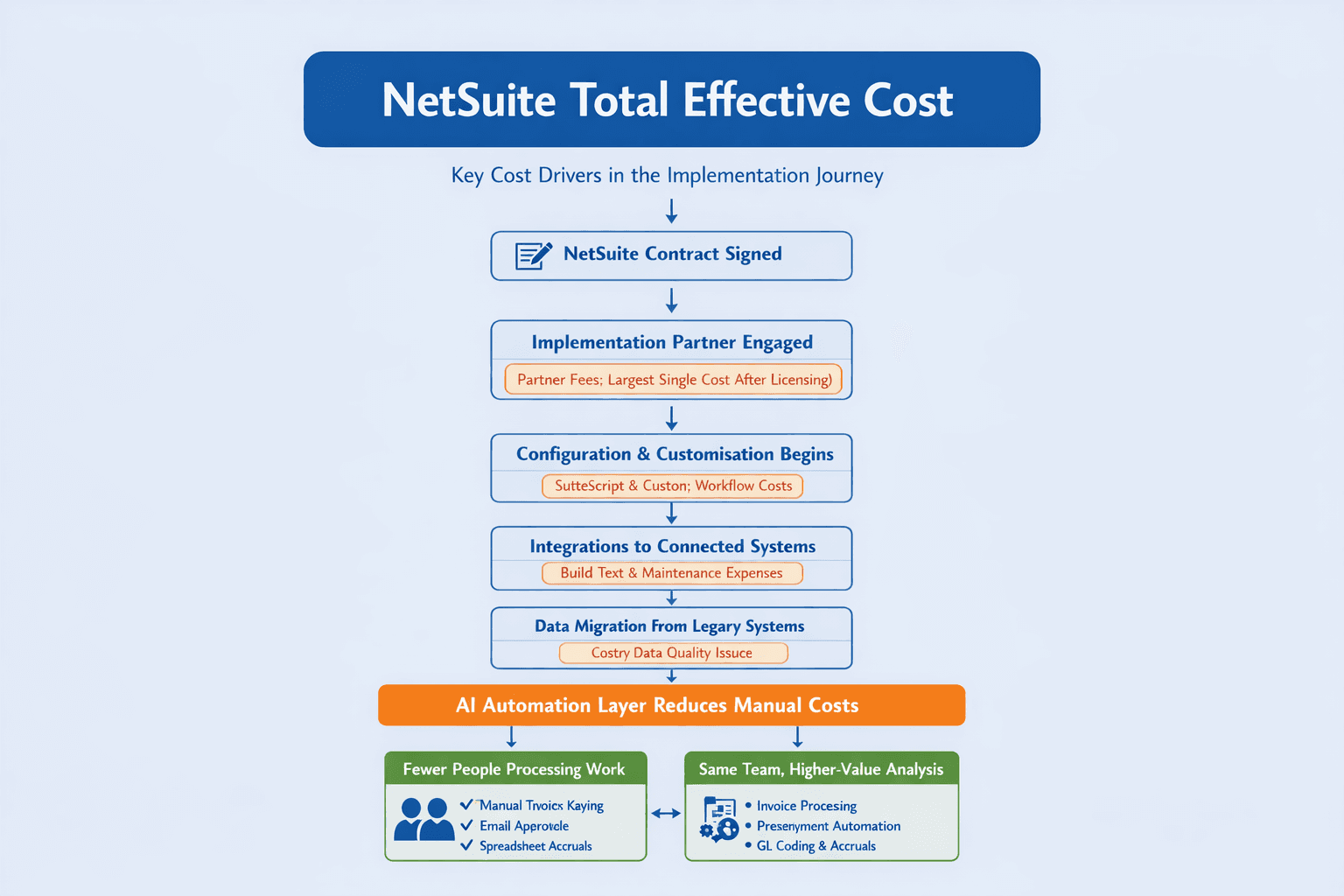
Hyperbots connects to NetSuite through a pre-built native integration that reads from and writes to NetSuite in real time without requiring custom SuiteScript development. This is an important distinction: automation that is built inside NetSuite using SuiteScript adds to the customisation overhead described above. Automation that sits above NetSuite and connects through standard APIs does not.
The Invoice Processing Co-Pilot processes invoices at 99.8% accuracy, with up to 80% straight-through processing end to end. Invoices are captured, extracted, GL coded against the live NetSuite chart of accounts, matched against the purchase order and goods receipt, routed for approval, and posted to NetSuite without manual intervention for the majority of transactions.
The Procurement Co-Pilot automates purchase requisition creation and PO dispatch, reducing the time from a production demand signal to an approved purchase order from days to under 5 minutes, with PO creation and dispatch 80% faster.
Accruals, payments, vendor management, collections, and cash application co-pilots address the remaining manual process cost areas across the finance function. The full picture of what this looks like in a running NetSuite environment is covered in the guide to advancing Oracle NetSuite operations with Hyperbots.
Hyperbots goes live within one month, with integration completed in two to four weeks through the pre-built NetSuite connector. See it in action with a demo or start your free trial today.
A Practical Cost Reduction Framework
Before the next NetSuite renewal, work through these steps in order:
Step 1: Licence audit. Pull active user list and last login dates. Identify inactive accounts. Deactivate them before renewal.
Step 2: Module usage review. Compare licensed modules against actual usage. Prepare a list of modules to remove or renegotiate at renewal.
Step 3: SuiteApp audit. List all third-party add-ons, their annual cost, and their actual usage. Identify candidates for cancellation.
Step 4: Customisation review. List active SuiteScript deployments. Identify any that can be replaced by native NetSuite functionality added since implementation.
Step 5: Manual process costing. Estimate the headcount time spent on AP processing, PO management, accruals, and reconciliation that sits around the ERP. This is the cost that automation addresses most directly.
Step 6: Renewal negotiation. Use the outputs of steps 1 to 4 as leverage in the renewal conversation. Enter the renewal with a documented usage position, not a passive acceptance of the renewal invoice.
The Bottom Line
NetSuite cost is not a fixed number. It is made up of components, some of which are negotiable at renewal, some of which can be reduced through auditing, and the largest of which, the manual process cost around the platform, can be addressed through automation without changing the ERP at all.
The organisations that get the best return from NetSuite are not necessarily the ones that have negotiated the best licence deal. They are the ones that have eliminated the manual work sitting around the platform and are using their finance teams for analysis and judgment rather than data entry and exception management.
Hyperbots' co-pilots address the manual process cost directly, running on top of NetSuite through a pre-built integration, going live within one month, and delivering measurable reductions across every major finance process area.
FAQs
What are the main components of NetSuite total cost of ownership? The main components are the base platform licence, per-user fees, module licences, support and success packages, third-party SuiteApp subscriptions, customisation and maintenance overhead, and the cost of manual processes that run alongside the platform.
Can you reduce NetSuite costs without switching ERP? Yes. Licence cost can be reduced through user audits, module rationalisation, and renewal negotiation. Process cost, which is typically larger, is reduced through AI automation that handles the manual AP, procurement, and finance work that sits around NetSuite.
How often should you audit NetSuite user licences? At minimum, before every annual renewal. Ideally, when any significant staff change occurs. Inactive licences accumulate quickly in growing organisations and represent straightforward savings.
Does adding AI automation on top of NetSuite require custom SuiteScript development? Not with Hyperbots. The platform connects to NetSuite through a pre-built native integration using standard APIs, without requiring SuiteScript development inside the NetSuite environment. This avoids adding to the customisation overhead.
How long does it take to go live with AI automation on NetSuite? Hyperbots goes live within one month, with the NetSuite integration completed in two to four weeks using the pre-built connector.