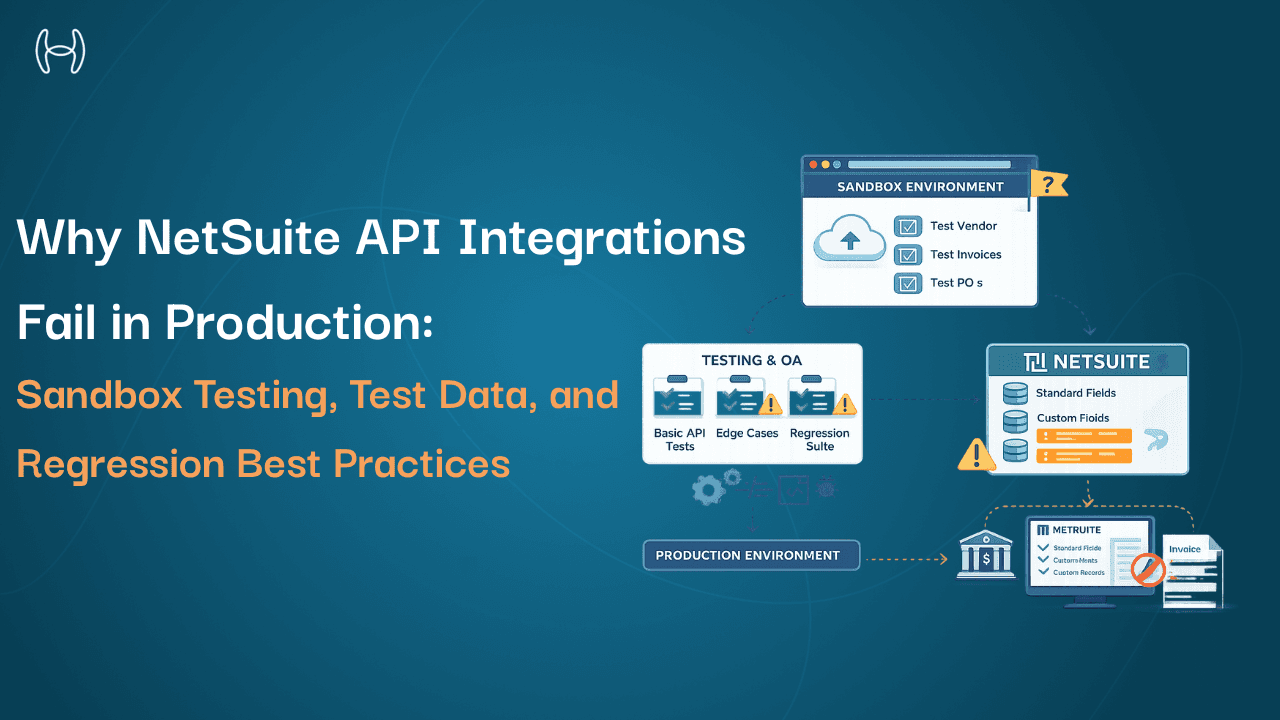
Hidden Costs of NetSuite Implementation: What Buyers Often Miss
A practical comparison of finance automation across ERP systems, and the factors that actually impact cost, complexity, and scalability
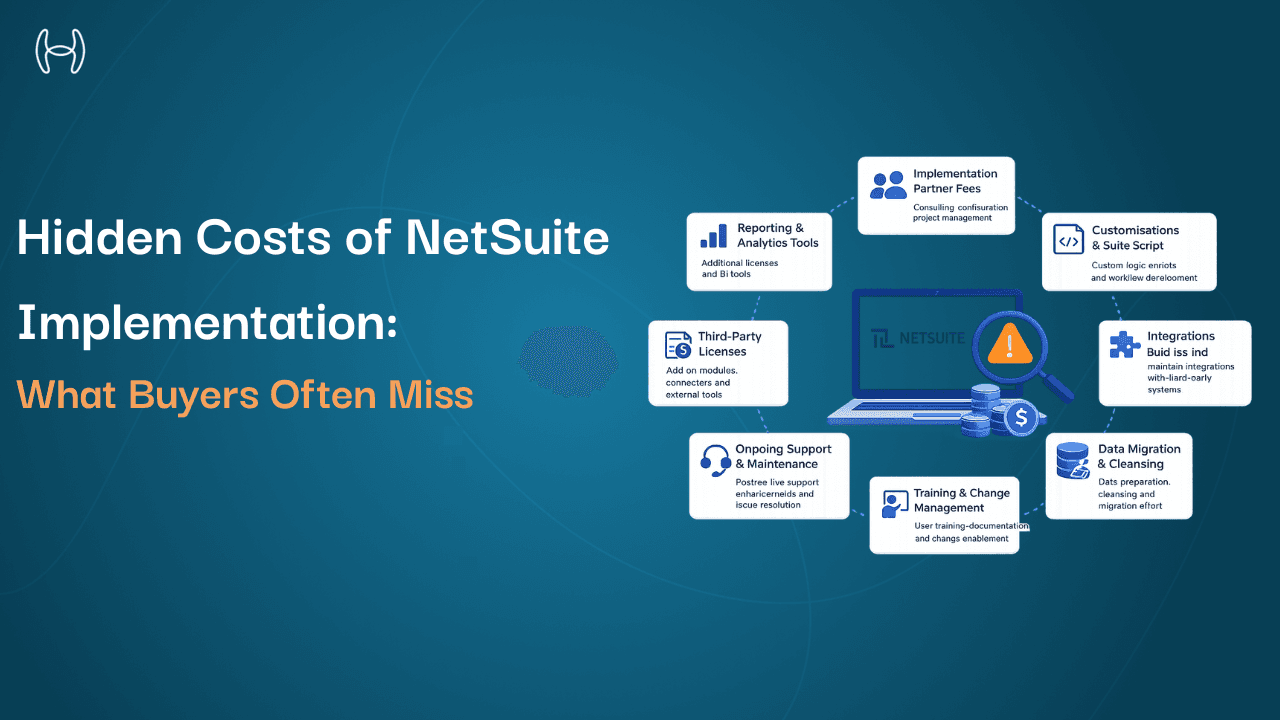
The NetSuite licensing fee is the number most buyers focus on during the evaluation process. It is clearly stated, easy to compare against other platforms, and gives the finance team a concrete figure to put in the business case. The problem is that licensing is often the smallest part of what a NetSuite implementation actually costs.
Industry benchmarks consistently show that implementation costs run between 1.5 and 3 times the annual licence fee, and that is before customisations, integrations, data migration complexity, and ongoing maintenance are factored in. Buyers who plan for the licence and underestimate everything else frequently find themselves mid-project with budget overruns and timelines that have slipped by months.
This guide is written for CFOs, finance directors, IT leaders, and operations managers who are evaluating NetSuite, mid-way through an implementation, or already live and wondering why costs are higher than expected. You do not need a technical background to follow it. What you do need is a clear picture of where implementation budgets actually go, so you can plan properly before the surprises arrive.
It covers every major cost category beyond licensing, what drives variance within each one, and where automation reduces the total cost of ownership without adding ERP complexity.
For buyers who also need to understand the partner side of the cost equation, the guide on NetSuite partners across the US covers partner selection criteria, regional expertise, and how to structure the engagement to protect your investment.
Why Hidden Costs Are So Consistently Underestimated
The gap between budgeted and actual NetSuite implementation costs is not usually the result of poor planning by the finance team. It is the result of costs that are genuinely difficult to see upfront because they depend on decisions that have not been made yet.
At the point a business signs a NetSuite contract, it has not yet determined how many integrations it needs, how much customisation its workflows require, how clean its existing data is, or how much resistance to change it will encounter during rollout. Each of these is a significant cost driver, and each one is typically estimated at a conservative figure in the initial business case. The real numbers emerge during the implementation itself, when the scope is clear and changing course is expensive.
Understanding the cost categories in advance does not eliminate this uncertainty, but it narrows the range and allows finance leaders to build contingency with a clearer view of what they are contingent on.
Cost 1: Implementation Partner Fees
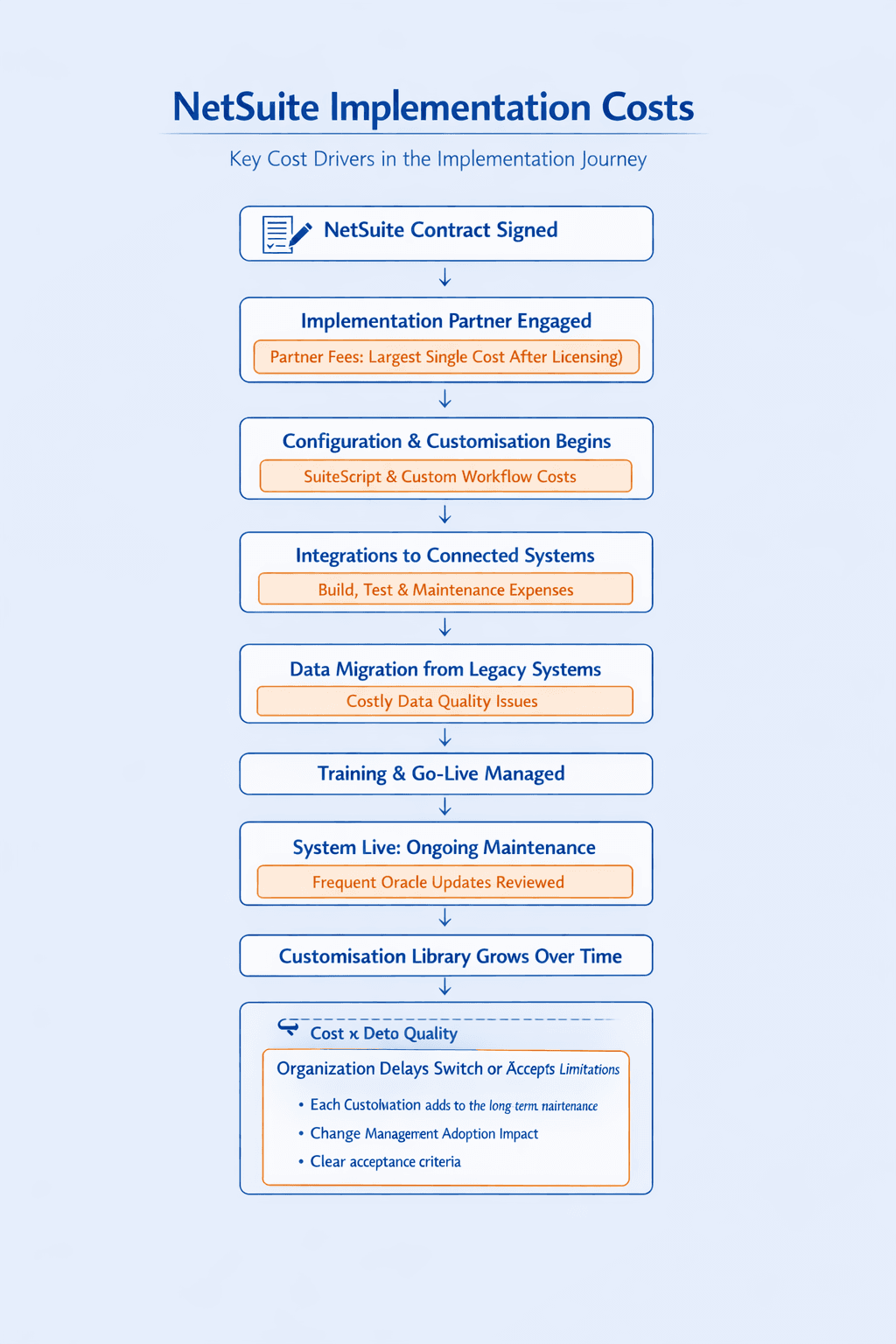
For most mid-market NetSuite deployments, the implementation partner fee is the largest single cost outside the licence. Partner fees typically cover project management, requirements gathering, system configuration, workflow setup, user acceptance testing, and go-live support.
The fee varies significantly based on the complexity of the deployment. A single-entity business with straightforward procurement and AP workflows might pay in the low six figures. A multi-entity business with complex intercompany transactions, multiple subsidiaries, and vertical-specific requirements can pay several times that figure for a full implementation.
What drives cost variation within this category is scope management. Partners price based on estimated hours, and scope changes during the project generate change orders. Every additional requirement, additional entity, additional integration, and additional reporting need adds hours. Organisations that go into an implementation without a clearly defined, agreed scope are particularly vulnerable to cost escalation in this category.
The detailed guide on NetSuite implementation strategy and delivery covers how to structure the implementation engagement to protect budget and control scope from the outset.
Cost 2: Customisation, SuiteScript, and Workflow Development
NetSuite's native configuration covers the majority of standard business processes. Where it does not cover a specific process, businesses typically have two options: adapt the process to fit NetSuite, or customise NetSuite to fit the process. Most businesses choose a combination of both, and the customisation side of that combination has a significant cost.
SuiteScript is NetSuite's JavaScript-based scripting platform that allows developers to build custom business logic, automate calculations, and extend native functionality. Workflow Automation, using NetSuite's SuiteFlow tool, allows non-developers to build conditional process logic without scripting, though complex workflows often still require developer involvement.
Customisation costs are driven by three factors. First, the volume of processes that cannot be handled natively. Second, the technical complexity of the custom logic required. Third, and most importantly, the long-term maintenance cost of keeping custom scripts working across NetSuite platform updates.
This last point is consistently underestimated. A SuiteScript developed for one version of NetSuite may need to be reviewed, tested, and updated when Oracle releases a platform update that changes the underlying behaviour it depends on. Businesses with a large library of custom scripts carry ongoing maintenance costs that scale with the number of customisations, not with their usage of the system.
Cost 3: Integration Costs
NetSuite rarely operates in isolation. Most organisations connect it to a payment processor, a banking platform, an HR system, an e-commerce platform, a CRM, or a finance automation tool. Each integration has a cost to build, a cost to test, and a cost to maintain.
Point-to-point custom integrations, where a developer builds a direct connection between NetSuite and another system using NetSuite's REST or SOAP APIs, are typically the most expensive to build and maintain. When either system updates its API, the integration needs to be reviewed and potentially rebuilt.
iPaaS platforms, which sit between NetSuite and connected systems and handle the data mapping and transformation, reduce some of this maintenance burden but introduce their own licensing and configuration costs. Pre-built connectors from integration specialists are typically the most cost-effective option when available, because they are maintained by the vendor rather than the finance team.
The integration cost category is particularly variable because it depends entirely on what systems a business needs to connect and how those systems change over time. Businesses that underestimate their integration requirements at the outset frequently encounter significant additional costs as they discover mid-project that more connections are needed than originally scoped.
Cost 4: Data Migration
Moving historical data from the previous system into NetSuite is one of the most technically complex parts of an implementation, and one of the most frequently underbudgeted.
The challenge is data quality. Historical data accumulated in a legacy system over years typically contains duplicates, inconsistencies, deprecated records, and format variations that do not map cleanly into NetSuite's data model. Cleaning this data before migration is time-consuming. Discovering the problems during migration is more expensive, because the implementation timeline is already running.
Data migration costs are driven by volume, complexity, and quality. A business with clean, well-structured historical data in a system with a simple data model can migrate relatively efficiently. A business with years of data across multiple systems, multiple entity structures, and inconsistent record formats will pay significantly more, both in partner hours and in timeline risk.
Common items that drive migration costs upward include open purchase orders that need to be migrated with their matching history, vendor records with multiple versions or legacy duplicates, and multi-currency historical transactions that need to be converted at correct historical rates.
Cost 5: Training and Change Management
NetSuite requires training for every team that will use it. AP teams, procurement teams, finance managers, department budget holders, and system administrators all interact with NetSuite differently and all need training appropriate to their role.
Partner-delivered training is typically included in the implementation fee but is often insufficient for full adoption. Standard training covers how to use the system. It does not cover how to use the system efficiently in the context of the specific organisation's processes and configuration. Supplementary training, developed internally or through a specialist, fills this gap but adds cost.
Change management is the broader effort to ensure that the organisation actually adopts the new system rather than reverting to previous habits. The most common form of reverting is the spreadsheet that reappears after go-live because the system does not yet feel as fast or familiar as what it replaced. Managing this requires active effort from finance leadership, which has a cost even when it does not appear as a line item.
The guide on NetSuite pricing, costs, and ROI provides a structured framework for modelling the total cost of ownership across all these categories, including training and change management, to build a complete picture of the investment.
Cost 6: Ongoing Maintenance and Support
Once NetSuite is live, the costs do not stop. They shift from implementation to maintenance.
Oracle releases two major NetSuite updates per year, each of which may affect custom scripts, workflows, and integrations. Reviewing, testing, and updating customisations following each update is a recurring cost that many businesses fail to budget for in their initial business case.
Support costs also continue post-implementation. Most organisations maintain either a retainer with their implementation partner for ongoing support and configuration changes, or an internal NetSuite administrator who manages the system. Both represent ongoing operating cost that should be included in the total cost of ownership calculation.
Cost Category | What Drives It Up | What Keeps It Manageable |
Implementation partner fees | Scope changes, multi-entity complexity | Clearly defined scope before project start |
Customisation | Volume of non-standard processes, script library size | Adapting processes to NetSuite where possible |
Integrations | Number of connected systems, custom vs pre-built | Using pre-built connectors where available |
Data migration | Data quality issues, volume, multi-system sources | Pre-migration data cleansing |
Training and change management | Resistance to adoption, insufficient role-based training | Active finance leadership involvement |
Ongoing maintenance | Large customisation library, frequent configuration changes | Minimising unnecessary customisation from the start |
Where Automation Reduces Total Cost of Ownership
A significant portion of NetSuite customisation and complexity exists to handle things the native ERP modules do not do automatically: reading invoices in diverse formats, matching them intelligently against purchase orders, automating approval routing, estimating accruals, and communicating with vendors at scale.
When these capabilities are delivered by a specialised automation layer sitting on top of NetSuite rather than by custom SuiteScript development, the implementation is simpler, the customisation library is smaller, and the ongoing maintenance burden is lower. The automation layer handles the processing complexity. NetSuite handles the system of record. Each does what it was built for.
How Hyperbots Reduces NetSuite Implementation Complexity
Hyperbots connects to NetSuite through pre-built native connectors that require no custom development. The integration is maintained by Hyperbots and updated as Oracle releases platform updates, removing the integration maintenance cost from the finance team entirely.
Rather than building custom workflows in NetSuite to handle invoice processing, procurement automation, or accrual estimation, organisations use Hyperbots co-pilots that are pre-configured for these tasks and connect directly to the NetSuite instance already in place.
The Invoice Processing Co-Pilot eliminates the need for custom scripts to handle invoice format diversity or matching logic. It processes invoices from any format with 99.8% accuracy, runs three-way matching automatically, and handles 80% of invoices straight through without human intervention. Invoice processing costs are reduced by 80%.
The Procurement Co-Pilot removes the need for custom approval workflow development in NetSuite. Purchase requisitions are created in under 5 minutes, budget checks run in real time against live NetSuite data, and PO creation and dispatch time is reduced by 80%.
The Accruals Co-Pilot removes the need for custom scripts to estimate month-end accruals. It reads open purchase orders, partial receipts, and vendor billing patterns continuously, keeping variance between accrued and actual costs below 5% without any manual estimation.
The pre-built integration layer covers Oracle NetSuite, SAP S/4HANA, SAP ECC, SAP B1, Microsoft Business Central, Sage Intacct, and Sage 300. There is no custom development, no integration maintenance, and no regression testing burden when NetSuite updates.
Go-live is within one month. ROI is typically reached within six months, driven by eliminated manual processing hours, reduced customisation overhead, and recovered early payment discounts. For a structured model of what this ROI looks like in practice, the guide on ROI from AI-led automation in finance covers the metrics, benchmarks, and calculation framework.
Conclusion
The licence fee is the starting point of a NetSuite investment, not the full picture. Buyers who plan for the visible costs and discover the hidden ones mid-project face difficult conversations about budget overruns, delayed timelines, and compromised scope. Buyers who understand the full cost structure upfront make better implementation decisions, negotiate better partner contracts, and build business cases that hold up through the project lifecycle.
The most effective way to manage total cost of ownership is to keep implementation complexity low. Use pre-built integrations where they exist. Adapt processes to NetSuite where reasonable. And choose automation tools that deliver the capabilities the ERP does not provide natively without adding to the customisation burden you will be maintaining for years.
See it in action with a demo or start your free trial today.