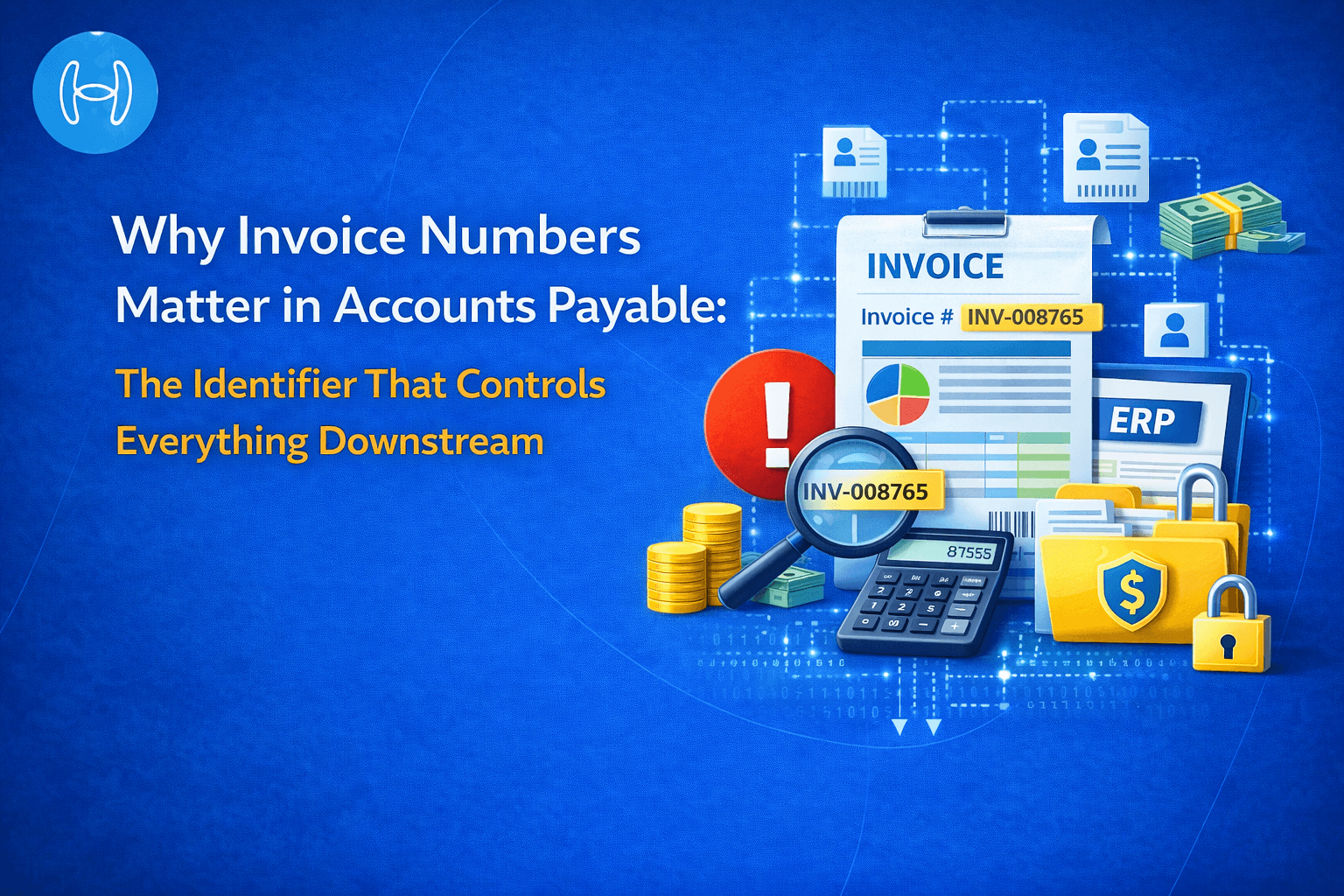
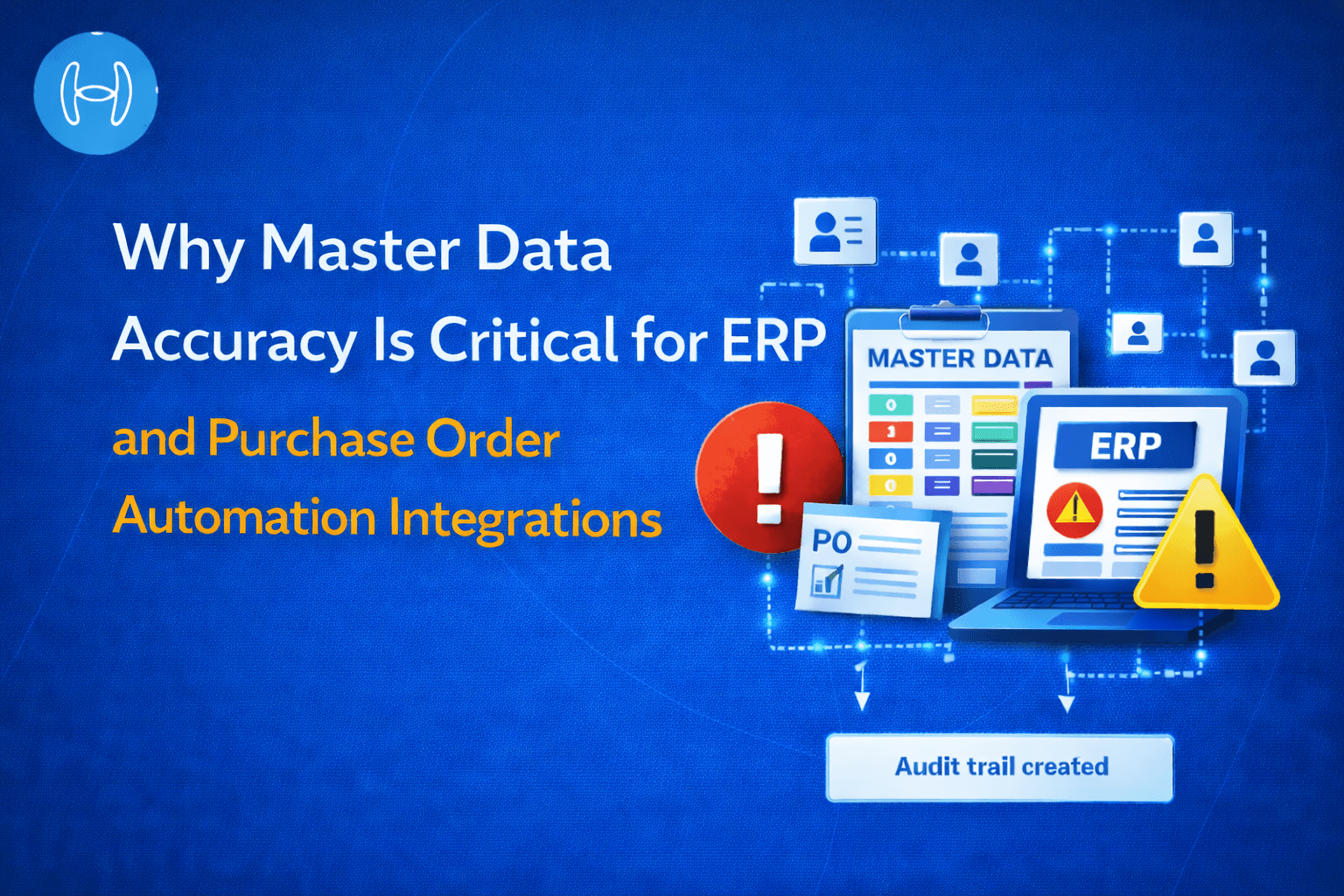
Why Master Data Accuracy Is Critical for ERP and Purchase Order Automation Integrations
Why master data accuracy is critical for ERP and procurement automation, and how real-time sync and AI validation prevent costly errors
There is a category of automation failure that does not look like a failure at first. The invoice gets processed. The purchase order gets raised. The transaction posts to the ERP. Everything moves through the workflow exactly as it should. And then, at reconciliation, during an audit, or when a supplier calls to say they have not been paid correctly, the problem surfaces.
The automation did not fail. It did exactly what it was configured to do. It just did it with the wrong data.
This is the master data problem. It is one of the most common and least discussed causes of errors in ERP and purchase order automation integrations. No amount of workflow sophistication, AI accuracy, or integration architecture compensates for a vendor master that carries duplicate records, a chart of accounts with stale GL codes, or an item master that has not been updated to reflect current pricing. When the reference data is wrong, the automation produces wrong outputs at scale and at speed.
This blog explains what master data is, why its accuracy is so consequential in an automated finance environment, where the most common failures occur, and how real-time sync and AI validation address them. It is written for finance leaders, procurement managers, and AP teams evaluating or operating a procurement automation platform connected to an ERP.
What Is Master Data?
Master data is the reference information that every financial transaction in a business draws on. It is not transactional data, which records what happened. It is the data that defines how transactions should be processed.
The distinction matters. A transaction record says: invoice number 10042 from Vendor A was processed on 14 April for $12,500. Master data says: who is Vendor A, what are their payment terms, which bank account do we pay them to, which GL code does this type of spend belong to, and which legal entity is responsible for this payment. Without accurate master data, the transaction record exists but cannot be acted on correctly.
In the context of ERP and purchase order automation, four categories of master data determine whether automation works correctly.
The vendor master is a record for every approved supplier in the organization. It contains the supplier's legal name, registered address, tax identification number, banking details, payment terms, currency, and approval status. When an invoice arrives or a purchase order is raised, the automation system looks up the vendor master to confirm the supplier is approved, apply the correct payment terms, and route the transaction to the correct entity for payment. If the vendor master is wrong, everything downstream from that lookup is wrong.
The chart of accounts (COA) is the complete list of general ledger codes the organization uses to categorize every financial transaction. Every invoice processed, every purchase order posted, every accrual booked must be assigned a GL code from the chart of accounts. If the code assigned does not exist in the current ERP, the posting fails. If the code exists but belongs to the wrong account type or the wrong department, the financial statements are misstated. The chart of accounts is also dynamic: codes are added, reorganized, and deactivated as the business changes, and the automation platform must reflect those changes in real time.
The item master is a record for every product or service the organization purchases. It contains the item code, description, unit of measure, standard cost, and applicable tax treatment. Three-way matching, the process of comparing a vendor invoice against the original purchase order and the confirmed goods receipt, depends entirely on the item master. All three documents must reference the same item in the same way. If the item master has a standard cost that was set last quarter and not updated, the price comparison generates a mismatch on every invoice processed against it, creating false exceptions that consume AP capacity without identifying a genuine discrepancy.
Entity and cost center data is the configuration that maps transactions to the correct legal entity and internal cost center in a multi-entity organization. A business running multiple subsidiaries, joint ventures, or geographic entities needs every transaction routed to the correct place. This mapping lives in the ERP's master data and is read by the automation system for every transaction it processes. Stale or incorrect entity mapping routes payments to the wrong place, which is one of the most time-consuming AP errors to identify and reverse.
None of these four categories are static. Vendors change their banking details. GL codes are restructured at year-end. Item prices change with market conditions. New entities are added through acquisitions and organic growth. The master data in the ERP is continuously evolving, and the automation platform must reflect that evolution in real time, not in the next nightly batch cycle.
Where Master Data Failures Cause the Most Damage
When the automation platform's view of master data does not match the current state of the ERP, the consequences are specific and predictable. Understanding them helps finance teams prioritize which master data problems to solve first.
Invoices post to wrong GL codes. If the automation platform assigns a GL code that has since been deactivated or restructured in the chart of accounts, one of two things happens. The posting fails with an error and joins a manual resolution queue. Or it posts to a code that still technically exists but is no longer the correct account for that transaction type, and the financial statements carry an error that is not discovered until close, sometimes weeks after the fact. Either outcome represents a failure of the automation to deliver the accuracy it was deployed to produce.
Duplicate vendor records generate duplicate payments. A supplier appears in the ERP as "Acme Corp" in the main entity and as "ACME Corporation" in a subsidiary. The automation platform treats them as separate, approved suppliers. Purchase orders are raised against both records. Invoices from the same supplier are paid twice. Recovering a duplicate payment is not just an accounting task. It is a supplier relationship conversation that damages trust and introduces administrative cost on both sides.
Three-way matching produces false exceptions on stale item data. If the item master holds a standard cost that has not been updated, every invoice that references that item generates a price mismatch exception, even when the invoice is entirely correct. Each false exception is a manual task. In a high-volume AP operation processing hundreds of invoices per day, false exceptions from stale item data can consume a significant portion of the AP team's capacity on work that should not exist. For a detailed view of how three-way matching works and where it breaks down, the consequences of stale item master data are one of the most consistent sources of matching failure.
Payments route to wrong entities or accounts. In multi-entity organizations, payments must be authorized and executed by the correct entity. Stale entity mapping in master data routes payments to the wrong subsidiary or the wrong bank account. Correcting a misdirected payment requires identifying the error, contacting the bank, potentially recalling the payment, and updating the master data to prevent recurrence. This is among the most avoidable AP errors and among the most operationally disruptive.
Vendor banking detail discrepancies create fraud exposure. Payment fraud frequently exploits the gap between the approved vendor master and what appears on a fraudulent invoice. A fraudulent invoice submitted with altered banking details passes an invoice processing check if the automation platform does not cross-reference the invoice banking details against the current vendor master at the point of payment authorization. Detecting and preventing fraud in finance requires this check to run automatically, not manually.
Approval routing fails on outdated hierarchy data. Approval hierarchies are part of the master data configuration. When a manager changes roles or has revised spending authority, that change needs to be reflected in the master data the automation platform reads. If it is not, purchase requests route to the wrong approver or to someone who no longer holds the authority to approve them. The approval appears to complete, but the authorization is not valid.
The Three Master Data Layers That Automation Reads
The relationship between master data layers and the automation platform can be visualized as follows:
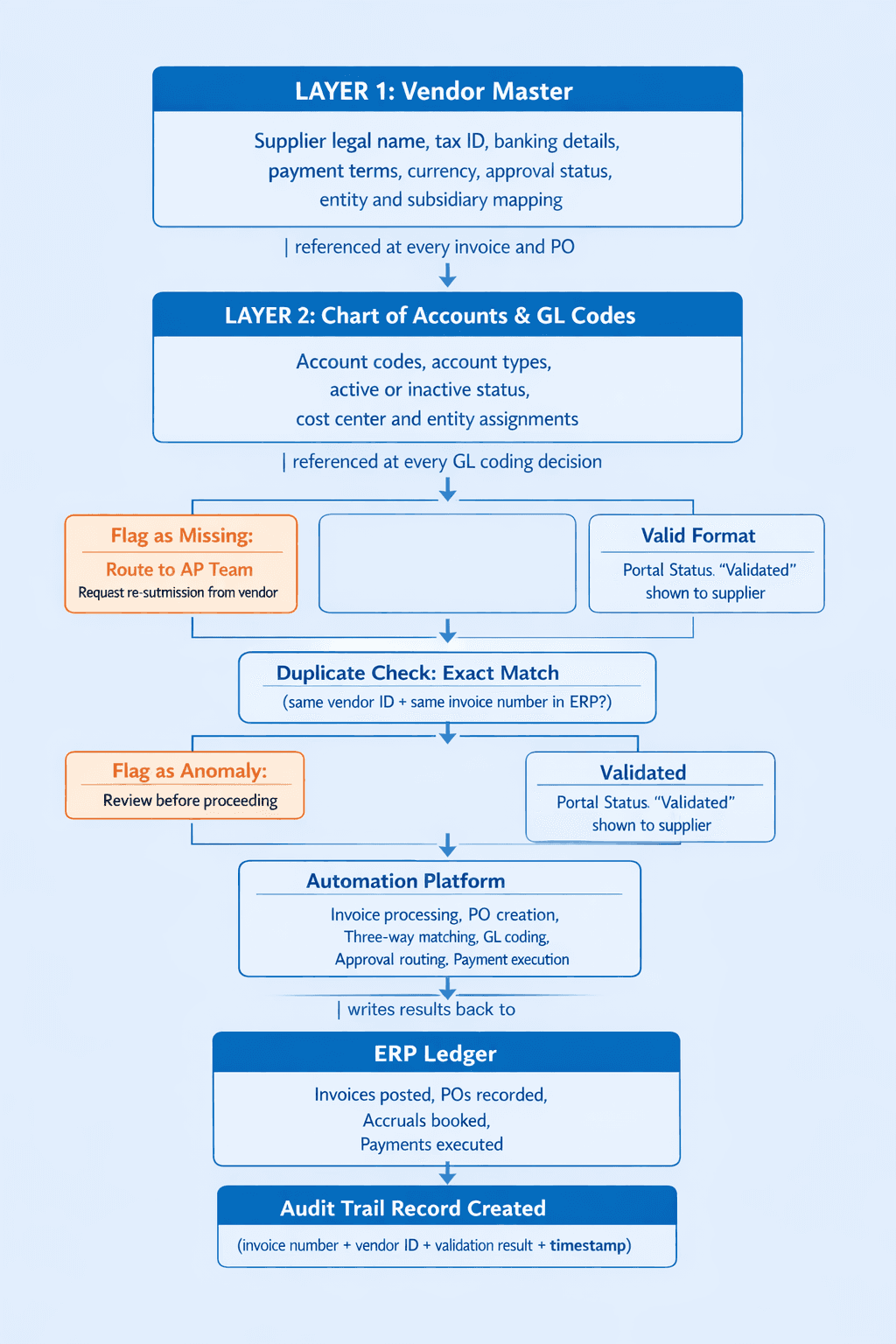
If any layer is out of date at the point the automation platform reads it, the transaction it processes based on that data is wrong. The error does not originate in the automation. It originates in the data the automation relied on, and it replicates at the speed and volume that automation operates.
Why Real-Time Sync Is the Foundation of Accurate Automation
Real-time sync is the continuous, immediate exchange of master data between the ERP and the automation platform, ensuring that every change made in the ERP is reflected in the automation platform before the next transaction is processed.
The traditional alternative is batch sync: the automation platform pulls a copy of the vendor master, chart of accounts, and item master at scheduled intervals, typically nightly, and operates from that copy until the next sync. Batch sync was designed for an era when master data changed infrequently and transaction volumes were low enough that a few hours of data lag was acceptable. Neither condition holds in modern finance operations.
A vendor that updates their banking details on a Monday morning will have their invoices processed against the old account details until the nightly sync runs. If a payment is executed in that window, it goes to the wrong account. A GL code deactivated on a Wednesday will continue to be assigned to invoices processed throughout that day. A new vendor onboarded at 10am will not be available to the automation platform until the following morning.
Real-time sync eliminates this gap entirely. When the vendor master changes in the ERP, the automation platform reads the updated record before processing the next transaction. When a GL code is deactivated, no further invoice is assigned to it. When a new vendor is created, they are immediately available for matching and routing.
Scenario | Batch Sync (Nightly) | Real-Time Sync |
Vendor updates banking details | Next payment uses old account until overnight sync runs | Updated details applied to the very next transaction |
GL code deactivated in ERP | Invoices continue posting to deactivated code until sync | No further invoices assigned to that code from that moment |
New vendor onboarded in ERP | Not available to automation until next morning | Available immediately for matching and routing |
Item price updated mid-period | False match exceptions generated until next sync | Correct price applied to the next invoice processed |
Duplicate vendor created | Both records treated as valid until manually discovered | Flagged at creation before the duplicate enters the ERP |
Entity mapping changed | Transactions route to old entity until sync | Routing updated for the next transaction |
How AI Validation Adds a Second Layer of Protection
Real-time sync ensures the automation platform reads current master data. AI validation ensures that the master data it reads is clean, and that the transactions it generates are consistent with it. These are two distinct controls that work together.
Sync addresses data freshness: is the platform working from the most current version of the master data? Validation addresses data integrity: is the master data itself accurate, and does each transaction correctly apply it?
Understanding how GL coding in the chart of accounts works makes clear why validation at the point of assignment is more effective than discovering miscoding after a transaction has posted to the wrong account.
The key validation checks that matter most for master data accuracy are:
Vendor duplicate detection. Before a new vendor record is created, AI checks the existing vendor master for records with matching or similar names, addresses, tax IDs, or banking details. This is where fuzzy matching matters. Fuzzy matching is a technique that identifies records that are similar but not identical, catching naming variations like "Acme Corp" and "ACME Corporation" or "J Smith Consulting" and "J. Smith Consulting Ltd" that exact-match rules would treat as separate entities. Fuzzy matching catches the duplicates that rule-based deduplication misses.
GL code validation on assignment. Before an invoice is coded to a GL account, the system confirms the code exists in the current chart of accounts, is marked as active, and is the appropriate account type for the transaction category. An invoice for office supplies assigned to a capital expenditure code is a data integrity failure that batch reporting will eventually surface. Validation catches it before it posts.
Banking detail verification on payment. When a vendor submits an invoice with banking details that differ from those recorded in the vendor master, the discrepancy is flagged for human review before payment is authorized. This is one of the most effective controls against payment fraud. The accounts payable document management process needs this check built into the payment authorization step, not retrospectively reviewed.
Price and quantity tolerance checking. AI applies configurable tolerance bands to price and quantity comparisons in three-way matching, distinguishing genuine exceptions from false positives caused by rounding differences, unit-of-measure conversions, or approved partial deliveries. The matching strategies applied to invoices, POs, and GRNs need to reflect item master data accurately to produce meaningful results rather than generating noise.
How Hyperbots Addresses Master Data Accuracy
The verified Hyperbots metrics relevant to master data-dependent processes are:
Invoice extraction accuracy: 99.8% (pre-trained on 35M+ invoice fields)
Invoice straight-through processing: up to 80% of invoices processed without human touchpoint
Invoice processing time: under 1 minute per invoice
PR creation time: under 5 minutes
PO creation and dispatch time reduction: 80%
Accruals variance: less than 5% between accrued and actual costs
Implementation: live within 1 month
ROI: within 6 months of go-live
These numbers are only achievable when the master data underpinning each transaction is accurate. A 99.8% extraction accuracy rate does not translate to 99.8% posting accuracy if the GL codes being applied are stale or the vendor records are duplicated. The extraction and the master data validation are both required.
Hyperbots addresses master data accuracy at three points in the process.
Vendor master integrity through the Vendor Management Co-Pilot. The co-pilot runs fuzzy-match duplicate detection across vendor name, address, tax ID, and banking details at the point of vendor creation, before any duplicate enters the ERP. It flags discrepancies between the banking details on an incoming invoice and the banking details in the current vendor master, triggering a human review before payment is authorized. Suppliers update their own information through a self-service portal, with every change subject to AI validation before it is written back to the ERP. This closes the gap that payment fraud exploits and keeps the vendor master clean without requiring manual deduplication exercises. For a broader view of how vendor master quality shapes supplier relationships, the commercial consequences of duplicate and inaccurate vendor records extend beyond AP processing into pricing, terms, and trust.
Validation at every ERP write. Before any transaction is written back to the ERP, the validation layer checks GL code assignments against the live chart of accounts, confirms purchase request fields against current budget balances and approval policies, and verifies that all mandatory fields are complete and consistent. Transactions that fail validation are raised as exceptions and routed for human review with the specific validation failure identified. Nothing incorrect posts to the ERP ledger without a human decision.
Real-time ERP integration for continuous master data sync. Hyperbots connects to the ERP through real-time bidirectional integration. Vendor master data, chart of accounts, item masters, and entity configurations are read from the live ERP at the moment each transaction is processed, not from a nightly export or a cached copy. A change to the chart of accounts made at 2pm is reflected in the invoice processed at 2:01pm. This is what enables the complete integration of purchase order automation with ERP systems to deliver consistent accuracy across high transaction volumes.
Implementation is live within one month. ROI is achieved within 6 months of go-live, driven in part by the elimination of false exceptions generated by stale master data and the reduction in manual reconciliation between the automation platform and the ERP.
Before and After: Master Data Accuracy in Automation
Dimension | Without Master Data Controls | With Real-Time Sync and AI Validation |
Vendor master freshness | Reflects ERP state from last nightly sync | Reflects ERP state at the moment each transaction is processed |
Duplicate vendor detection | Manual deduplication exercises, periodic | Fuzzy-match detection at point of vendor creation, before ERP entry |
GL code assignment accuracy | Stale codes assigned until next sync surfaces the error | Live COA validation at point of assignment, no invalid codes posted |
Three-way match false exceptions | Generated by stale item master standard costs | Tolerance-based matching against current item master data |
Banking detail fraud control | Discrepancy noticed at manual payment review if noticed at all | Automatic cross-reference at point of payment authorization |
Payment routing in multi-entity | Stale entity mapping routes to wrong subsidiary | Real-time entity configuration applied to every transaction |
Audit trail completeness | Fragmented between automation platform and ERP | Connected record from source document through ERP posting |
Invoice processing accuracy | Extraction accuracy undermined by master data errors | 99.8% extraction accuracy supported by validated master data |
Straight-through processing rate | Suppressed by false exceptions from master data gaps | Up to 80% STP when master data is clean and current |
Invoice processing time | Manual resolution of data-driven exceptions | Under 1 minute per invoice with master data validation built in |
FAQs
What is master data in the context of ERP and procurement automation?
Master data is the reference information that every financial transaction draws on. In ERP and procurement automation, this includes the vendor master, chart of accounts, item master, and entity configuration. Unlike transactional data, which records what happened, master data defines how transactions should be processed. Its accuracy determines whether automation produces correct outputs.
Why does master data accuracy matter more in an automated environment than a manual one?
In a manual process, an experienced AP processor can notice and correct a stale GL code or a suspicious vendor record before it causes an error. In an automated environment, the system applies whatever master data it has to every transaction at the speed and volume that automation operates. A single stale GL code generates incorrect postings on every transaction assigned to it until the error is corrected. The scale of the problem is proportional to the volume of automation.
What is fuzzy matching and why is it important for vendor deduplication?
Fuzzy matching is a technique that identifies records that are similar but not identical, using algorithms that measure how closely two strings resemble each other. In vendor deduplication, it catches naming variations like "Acme Corp" and "ACME Corporation" that exact-match rules treat as separate entities. This matters because duplicate vendor records are one of the most common causes of duplicate payments, and most duplicates arise from naming inconsistencies rather than identical entries.
What is the difference between batch sync and real-time sync for master data?
Batch sync pulls a copy of master data from the ERP at scheduled intervals, typically nightly, and the automation platform works from that copy until the next sync runs. Real-time sync reads master data from the ERP at the moment each transaction requires it. The difference is the lag between a master data change in the ERP and that change being reflected in automation processing. In a high-volume environment, batch sync creates windows during which master data-driven errors can propagate unchecked.
How does master data accuracy affect the straight-through processing rate for invoices?
Straight-through processing, the rate at which invoices complete without human intervention, is suppressed by master data problems. Every false exception generated by a stale item price, an invalid GL code, or a vendor master mismatch requires manual resolution and reduces the STP rate. Clean, current master data is a prerequisite for achieving the up to 80% STP rate that well-implemented automation delivers.
Does Hyperbots require the ERP master data to be cleaned before integration?
No. Hyperbots can connect to the ERP in its current state and begin processing from day one. The validation layer identifies and surfaces master data issues as they affect transactions, allowing the finance team to address them progressively rather than completing a full data cleanse before go-live. The fuzzy-match duplicate detection on vendor creation prevents new duplicates from entering the ERP from the point of deployment onward.
For the broader context of how the ERP integration layer connects master data from the ERP to the automation platform, including the technical architecture of real-time connectors and how they handle multi-entity environments, see the guide to the ERP integration layer and finance automation.
Hyperbots connects to your ERP in real time, validates every transaction against live master data, and flags discrepancies before they reach the ledger. 99.8% invoice extraction accuracy. Up to 80% straight-through processing. Live within one month.
Request a demo at hyperbots.com.