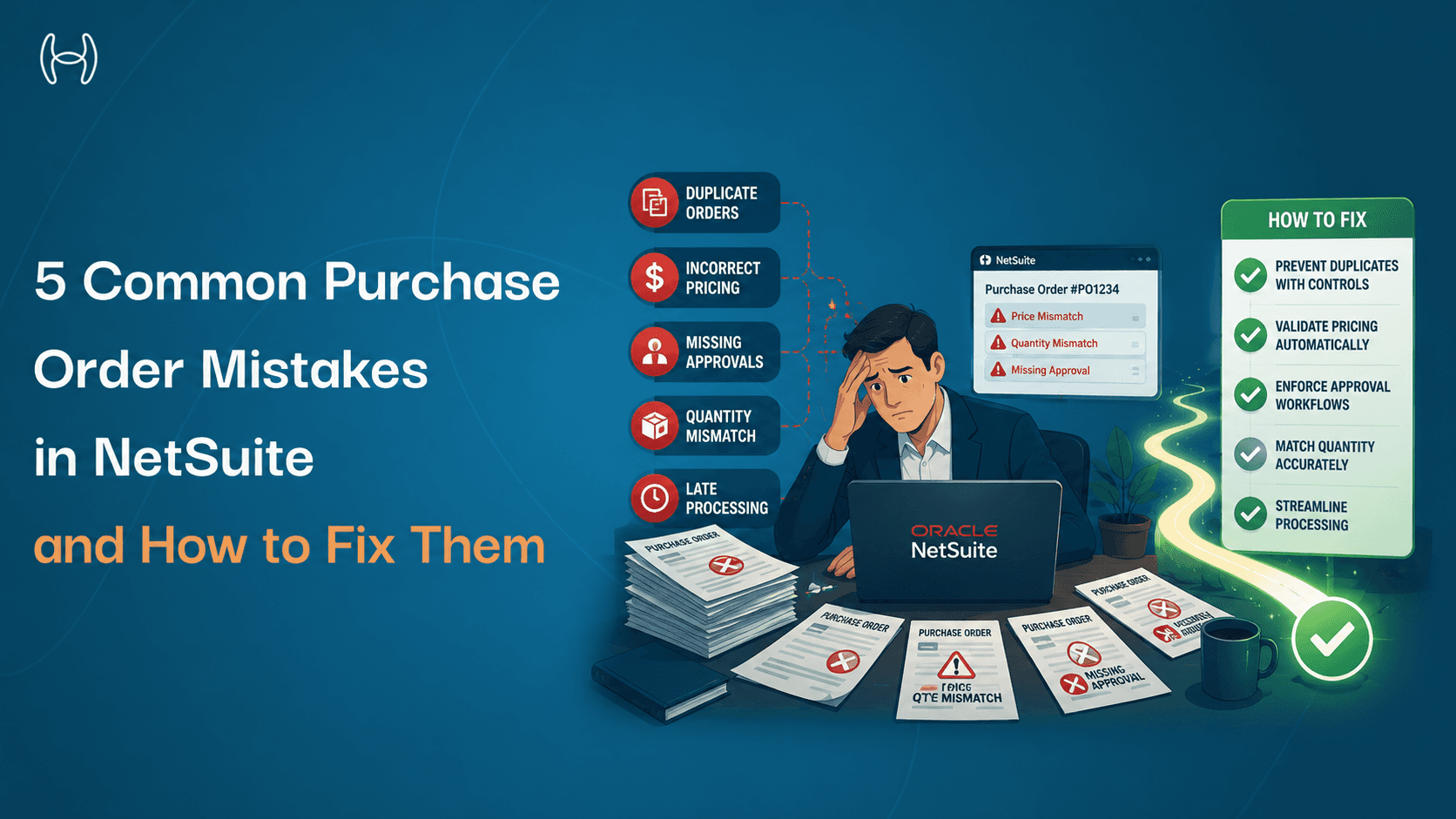
5 Common Purchase Order Mistakes in NetSuite and How to Fix Them
Purchase orders should be straightforward. A request is raised, a vendor is selected, the order is approved, and a payment follows. In practice, most finance and procurement teams will tell you the process is anything but. POs get stuck in approval queues. Invoices arrive that do not match what was ordered. The same vendor appears under three different names. A duplicate order goes to a supplier and nobody notices until the second payment has already been made.
These are not one-off failures. They are patterns. And they appear in almost every organisation that manages its procurement through NetSuite without the right controls and automation in place.
This blog is for finance managers, procurement teams, AP staff, and anyone who manages the purchase order process in NetSuite. It covers the five most common PO mistakes, why each one happens, what it costs when left uncorrected, and how to fix it. For a full guide to setting up and managing the NetSuite PO process from scratch, the NetSuite purchase order process guide covers configuration, approval workflows, and best practices in detail.
What a Purchase Order Is and Why It Matters
A purchase order, or PO, is a formal document that authorises a vendor to supply goods or services at an agreed price and quantity. Once the vendor accepts it, it becomes a binding commercial agreement.
For a finance team, the PO does three things. It creates a documented commitment before money is spent. It gives accounts payable a reference point to match against when the invoice arrives. And it gives the business a mechanism for controlling spend by requiring approval before a commitment is made.
When a PO contains errors, is missing information, gets stuck in approval, or is never raised in the first place, every downstream step breaks down. Invoices cannot be matched. Payments are delayed or made incorrectly. Auditors cannot verify what was authorised.
How NetSuite Handles Purchase Orders
NetSuite has the infrastructure for a well-run PO process. You can create purchase orders, assign vendors, set quantities and rates, attach GL codes, and configure approval workflows through SuiteFlow, NetSuite's built-in workflow engine. When set up and maintained correctly, the process works.
The problem is that most deployments are not maintained correctly over time. Approval workflows are configured once and not updated as the organisation grows. Vendor records are added at onboarding and rarely reviewed again. POs are created manually with no real-time validation against budgets or contracted pricing. And because NetSuite does not have native duplicate detection on POs, the same order can be submitted twice without the system raising a flag.
These are not NetSuite failures. They are process and configuration gaps that accumulate quietly and surface as expensive problems: invoice exceptions, duplicate payments, failed payments to outdated bank accounts, and period-end accruals built on incomplete data.
The five mistakes below are the ones that appear most consistently, in organisations of every size, running NetSuite at every configuration level.
The 5 Mistakes, Why They Happen, and How to Fix Them
Each mistake below follows the same structure: what it looks like, why it happens in a NetSuite environment specifically, what it costs when left uncorrected, and the practical fix. Some of these will be immediately recognisable. Others may be happening in your organisation right now without anyone having named them yet.
Mistake 1: Incorrect or Incomplete PO Data
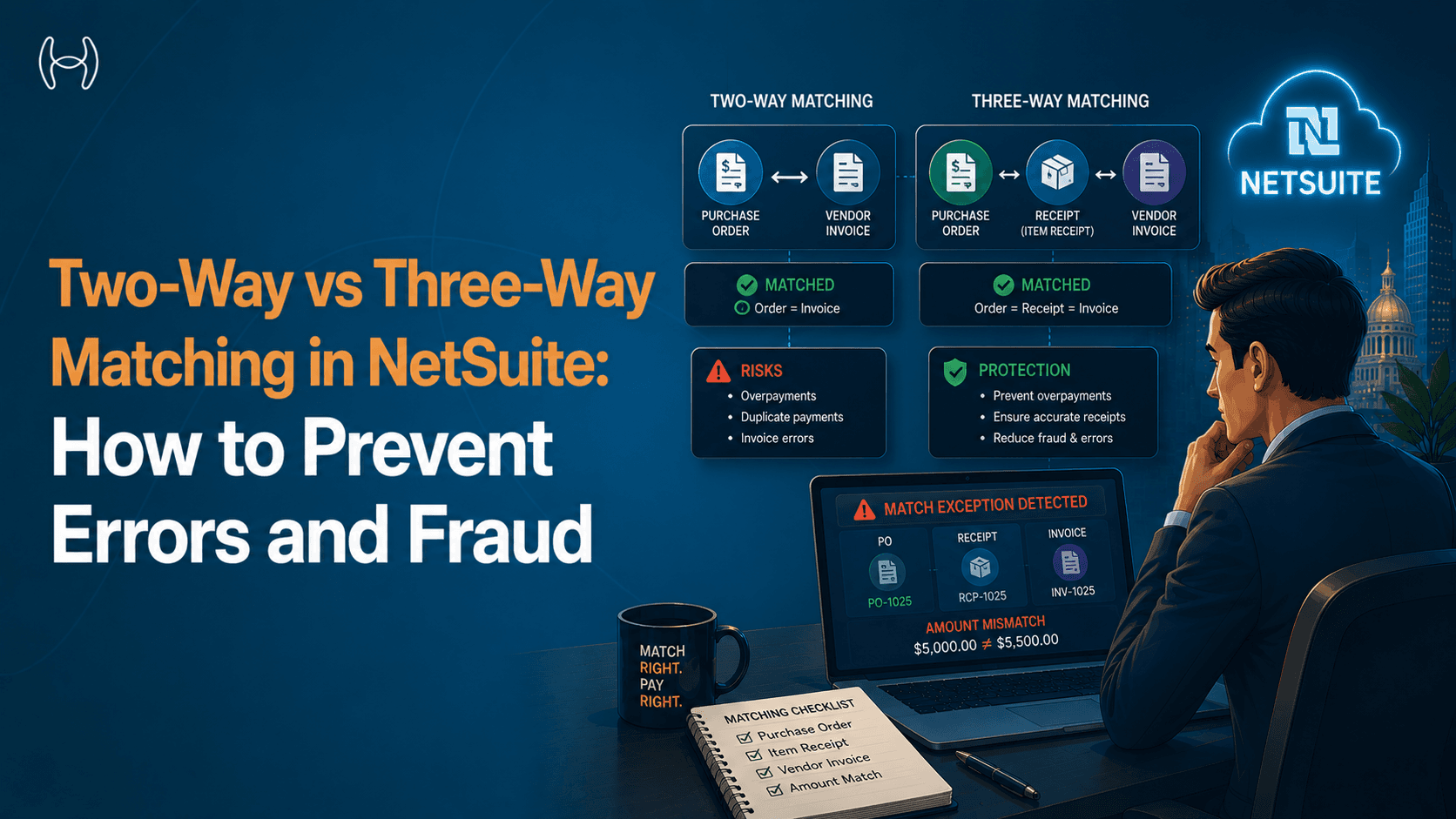
The most common PO mistake is also the most basic. A purchase order is created with incorrect information: the wrong vendor, the wrong quantity, the wrong unit price, a missing delivery address, or an incorrect GL code. The order is approved and dispatched. The problem surfaces when the invoice arrives and the numbers do not match.
Why it happens. In many organisations, POs are created manually by whoever needs to place an order. There is no validation at the point of creation, no lookup against approved vendor pricing, and no check against the budget. The person creating the PO enters what they believe to be correct. Errors are not caught until invoice matching, sometimes days or weeks later.
What it costs. Every PO error creates downstream work. The invoice matching step fails and generates an exception. Someone has to investigate, determine the cause, decide whether to amend the PO or dispute the invoice, and reprocess. In a high-volume AP operation, these exceptions accumulate into a significant share of the team's daily workload.
How to fix it. Validation at the point of PO creation eliminates most of these errors before they cause downstream problems. This means automatically checking vendor details against the approved vendor master, validating pricing against contracted rates, confirming budget availability before the PO is raised, and requiring mandatory fields to be complete before the PO can be saved and submitted. The guide to creating a purchase order step by step covers the required fields and common data entry errors in detail.
Mistake 2: Approval Delays That Stall the Procurement Cycle
A PO sits in an approval queue for three days because the approver is travelling. Or it was sent to the wrong approver because the delegation of authority matrix was not updated when someone changed roles. Or there is no approval workflow at all and POs are emailed to managers who may or may not respond promptly.
Why it happens. NetSuite's SuiteFlow allows organisations to configure approval workflows, but many deployments have workflows that are either too rigid, too simple, or not maintained as the organisation grows. A workflow configured for a company with two approval levels does not reflect the needs of a company with five departments and varying spending authorities. When the workflow does not match reality, approvers either receive requests that are not theirs to approve or do not receive requests that are.
What it costs. Every day a PO sits in an approval queue is a day the vendor has not been authorised to begin work or ship goods. Supply delays follow. In operations, it often leads to people placing orders verbally or by email and bypassing the PO process entirely, creating off-contract spend that is harder to control and audit.
How to fix it. The solution is not a more complex workflow. It is a smarter one. Approval routing should be dynamic, responding to who the approver is for this department, what their current spending authority is, and who the backup approver is if the primary is unavailable. Automated escalation when a PO has been waiting beyond a defined threshold ensures delays are surfaced rather than silently growing.
Mistake 3: Missing or Outdated Vendor Details
A purchase order is raised for an approved vendor. The vendor master record has not been updated since the supplier changed their banking details six months ago. The invoice arrives, is processed, and the payment is sent to an account that no longer exists. The payment fails. The vendor calls. The AP team has to investigate, reverse the payment, update the vendor record, and reprocess.
Why it happens. Vendor master management is often treated as a one-time activity at onboarding. New vendors are added when they are first needed and then rarely reviewed. Banking details change. Contacts change. Addresses change. Tax IDs are updated when companies reorganise. If there is no process for keeping vendor records current, the master data degrades over time without anyone noticing until a payment fails or an audit flags a discrepancy.
What it costs. Failed payments are the visible cost. The less visible cost is fraud exposure. One of the most common forms of payment fraud involves submitting a change of banking details for a legitimate vendor. If vendor master updates are not validated, a fraudulent record can receive payments intended for the real supplier without anyone noticing.
How to fix it. Vendor records need to be maintained actively, not just at onboarding. Any change to banking details should require validation before it is applied to the master record. Duplicate records should be detected and flagged automatically, not discovered when a duplicate payment has already been made. And the vendor master should be the single source of truth that every PO and invoice references, not a record that may or may not match what the AP team is working from.
Mistake 4: Duplicate Purchase Orders
Two people in the same department raise a PO for the same goods from the same vendor on the same day. Neither knows the other has done it. Both POs are approved. Two deliveries arrive. Two invoices are received. One payment is made correctly. The second payment is made before anyone realises the first covered the same order.
Why it happens. Duplicate POs occur when there is no visibility across the team about what has already been ordered. In organisations where different teams manage their own procurement independently, the same request can be submitted multiple times because the first submission was not visible to the person raising the second.
What it costs. Duplicate payments are the direct financial cost. Recovering a duplicate payment from a vendor takes time and depends on their cooperation. Some are never recovered. The indirect costs are inventory overstock, disputed invoices, and audit exposure.
How to fix it. Duplicate PO detection should run automatically at the point a PO is submitted, not after it has been approved and dispatched. The system should check for open POs from the same vendor for the same items within a defined time window and surface a warning before the duplicate is processed. Combined with a central, real-time view of all open POs across the organisation, this makes duplicate creation a visible problem rather than a silent one.
Mistake 5: No Visibility Into Open POs and Committed Spend
At any point in the month, the finance team should be able to answer: how much have we committed to spend that has not yet been invoiced? In most NetSuite deployments, the honest answer is that nobody knows exactly. Open POs are tracked in NetSuite, but not all spend is captured through POs, the data is not always current, and generating a meaningful committed spend report requires manual work.
Why it happens. Visibility is a symptom of the upstream problems. When POs are raised inconsistently, some spend is captured and some is not. When vendor data is unreliable, reports cannot be trusted. When approval workflows have gaps, some commitments are made outside the system entirely.
What it costs. Budget holders make decisions on incomplete information. Departments run out of budget unexpectedly. Period-end accruals are inaccurate because the finance team cannot identify all goods received but not yet invoiced. Cash flow forecasting is unreliable because a significant portion of near-term outflows is not captured in any report. The full comparison between manual and automated PO processes on financial visibility is covered in the manual vs automated purchase order process guide.
How the Mistakes Add Up
Mistake | Where It Breaks Down | Finance Team Impact |
Incorrect PO data | Invoice matching fails; exception queue grows | Hours spent resolving mismatches |
Approval delays | Procurement stalls; off-contract spend increases | Supply delays; uncontrolled spend |
Missing vendor details | Payments fail or go to wrong accounts | Payment recovery; fraud exposure |
Duplicate POs | Two payments made for one order | Financial loss; audit risk |
No visibility into open POs | Committed spend unknown | Inaccurate accruals; budget overruns |
Each mistake on its own is manageable. Together, they define a procurement process operating below where it should be, creating financial risk that is difficult to quantify until something goes wrong.
How Hyperbots Fixes Each of These Mistakes
The common thread across all five mistakes is that something which should happen automatically is handled manually or not at all. Validation is done by eye. Approvals are chased by email. Vendor updates are made when someone remembers. Duplicate checks require searching the system manually.
Automation does not just make these steps faster. It makes them happen by design, every time, without depending on a person to remember.
The Procurement Co-Pilot handles purchase requisition creation in under 5 minutes, with automatic validation against the approved vendor master, contracted pricing, budget availability, and mandatory field completion before any PO is raised. It checks existing open POs before a new one is created, surfacing potential duplicates at submission rather than after approval. Approval routing is dynamic, responding to the current delegation of authority and escalating automatically when a PO has been waiting too long. PO creation and dispatch time is reduced by 80%.
The Invoice Processing Co-Pilot cross-references every invoice against the corresponding PO and goods receipt at line level, with 99.8% extraction accuracy and up to 80% of invoices processed end to end without human involvement. When a mismatch is genuine, it surfaces as a structured exception with the specific discrepancy identified, rather than a failed match that the AP team has to investigate from scratch.
The Vendor Management Co-Pilot maintains vendor master data actively. Banking detail changes are validated before they are applied. Duplicate records are detected through fuzzy matching across name, address, tax ID, and banking details. The vendor master is always current, which means every PO and invoice that references it is working from reliable data.
Hyperbots' co-pilots address the manual process gaps directly, connecting to NetSuite through a pre-built integration and going live within one month.
See it in action with a demo or start your free trial today.
FAQs
What is the most common purchase order mistake in NetSuite? Incorrect or incomplete PO data at creation. When POs are created without validation against vendor master data, contracted pricing, and budget availability, errors enter the process at the start and cause problems at every downstream step.
How do duplicate purchase orders happen? When multiple people raise orders for the same goods without visibility into what has already been submitted. Without duplicate detection at the point of submission, both POs can be approved and paid before anyone notices.
Why do PO approval workflows fail in NetSuite? Most failures come from workflows configured once and not maintained as the organisation changed. When the workflow does not reflect current roles and spending authorities, POs route to the wrong people or sit unattended in queues.
How does automation prevent these mistakes? Automation enforces controls that manual processes rely on people to apply consistently. Validation runs at PO creation. Approval routing is dynamic and escalates automatically. Vendor data is maintained continuously. Duplicate detection runs before a PO is processed, not after a payment has been made.
How long does it take to go live with automated PO controls on NetSuite? With Hyperbots, deployment is completed within one month using a pre-built NetSuite integration that does not require custom SuiteScript development.