Can You Have More Than One Group Payment in Epicor?
How payment groups, check runs, and ACH payments work in Epicor Kinetic, and how to run several without duplicate payments or missed discounts.

Epicor Kinetic (and Epicor ERP 10) lets you create as many AP payment groups as your process needs: multiple groups per day, per bank account, or per payment method. There is no hard system limit on the number of payment groups or check runs; the real constraints are check number sequencing, bank account setup, and how your team manages timing so vendors don't get paid twice or paid late.
That answer covers the mechanics. But for most finance teams, payment runs are where the procure-to-pay gaps in Epicor Kinetic finally show up as cash, so the more useful question isn't whether you can run more than one group payment in Epicor, it's whether you should, and how you decide which invoices go into which run so you're not leaving early-payment discounts on the table or exposing the company to duplicate-payment risk. This guide covers both.
What a Payment Group Actually Is in Epicor Kinetic
In Epicor Kinetic, a payment group (the system table is APChkGrp) is a batch container you create in Payment Entry (Financial Management > Accounts Payable > General Operations > Payment Entry). A group holds one or more payments such as checks, ACH/EFT entries, wire references, or manual payments that get processed and posted together.
The standard flow looks like this:
Create a new group with a unique Group ID and select the bank account and payment method.
Select invoices (Actions > Select Invoices) using due date, supplier, terms, or other filters, or add payments manually one at a time.
Generate a payment edit list and review it for errors before committing.
Process Payments, which prints checks, produces the electronic payment file, or records the manual entries.
Post the group, which finalizes the transactions and moves the records out of the working
APChkGrptables intoAPTranhistory.
Because each group is a self-contained batch, there's nothing structurally stopping you from creating a second, third, or tenth group on the same day. Epicor doesn't enforce "one group payment per day" as a rule.
Can You Run More Than One Group Payment in Epicor?

Yes, and it's common practice for a few reasons:
Multiple bank accounts. If AP uses one bank account for checks and another for ACH or wires, each bank account typically runs its own group, since check number sequencing is tracked per bank account rather than globally.
Multiple payment methods. Kinetic supports distinct payment methods (Check, ACH, Wire Transfer, AP Debit Card, and so on) on the same bank account, and each payment method is usually run as its own group so the right output format such as printed check, EFT file, remittance, is generated correctly.
Split by entity, buyer, or priority. Multi-entity or multi-site organizations often separate groups by company or division to keep GL posting and approvals clean, and some teams run a smaller, ad hoc group mid-week for urgent or early-discount payments alongside the main weekly run.
Rework after an error. If a group fails to print correctly or a payment needs to be pulled before posting, teams often void the affected items and start a new group rather than trying to force a correction into the original one.
The practical limits aren't about "how many groups am I allowed," they're operational:
Check numbering is sequential per bank account. Epicor won't let you print a check with a number lower than one already used on that bank account, and mixing payment methods (like a wire transfer reference) on the same bank account can throw off the "next check number" logic. Many Epicor users resolve this by dedicating separate bank accounts to checks versus electronic payment methods.
A group can't be edited once payments are printed. Once a payment method uses check printing and the payment is processed, further edits to that group are blocked, which is why voiding and rebuilding a new group is the standard fix rather than patching the original.
Duplicate selection across groups. If two people build payment groups from the same open-invoice pool at the same time, the same invoice can end up selected into two groups if invoices aren't locked or refreshed between selections. This is the single most common cause of accidental duplicate vendor payments in Kinetic shops running multiple concurrent groups.
Can You Have More Than One Check Run in Epicor?
Yes, a "check run" is really just the Process Payments step for a given group, so every group you create can generate its own check run. Organizations running high invoice volumes, multiple facilities, or multiple currencies routinely execute several check runs a week rather than one.
A few things to plan for when running multiple check runs:
Consolidate invoices per check: Epicor's bank account setting to consolidate multiple invoices onto a single check remittance affects how many checks a supplier receives per run - worth checking before your second run of the week creates yet another check for a vendor who was just paid.
Approval controls: Because AP clerks can build a group while a controller needs to approve printing and posting, many Kinetic environments add a BPM-based approval step on the
APChkGrpandCheckHedtables so a second check run can't post without sign-off, a pattern documented in Epicor's own community forums for payment entry approval controls.Reprints, not double-runs: If checks jam in the printer or print on the wrong stock, the correct fix is reprinting the same unposted group rather than creating a duplicate check run, which is a common source of double payments when teams are moving quickly.
How to Set Up Multiple Payment Groups Without Creating Duplicate Payments
Assign bank accounts and payment methods deliberately. Decide upfront which bank account handles checks and which handles ACH/wire, so check numbering and payment method behavior don't collide across groups.
Stagger invoice selection. Have one owner per group, or build groups sequentially rather than simultaneously, so the same open invoice can't be pulled into two edit lists at once.
Review the payment edit list every time, not just on the first run of the week. This is the checkpoint where a duplicate or an incorrect amount is still cheap to fix.
Post promptly after printing or transmitting. An unposted group sitting open for days increases the odds that someone builds a second group against the same invoices before the first is finalized.
Reconcile against the bank statement after every run, not just monthly, so a duplicate or a misdirected ACH surfaces in days rather than at month-end close.
These are the same fundamentals behind best practices for closing purchase orders and best practices for approvals of PRs and POs: the control belongs at entry and selection, not at the moment money moves.
How to Process ACH Payments Through Epicor
Setting up ACH inside Epicor Kinetic or Epicor ERP 10 follows a fairly consistent pattern across versions:
Create an electronic payment interface under AP setup so Epicor knows the file format and output path for the ACH/NACHA file.
Create a bank branch code for the receiving bank.
Add the ACH payment method to the bank account you'll use for electronic disbursements.
Add banking details to each supplier record, including the supplier's bank, account, and the ACH payment method, which flags the supplier for electronic payment.
Build the payment group using that bank account and the ACH payment method, select or add invoices, and run Process Payments, this generates the remittance and the bank export file rather than a printed check.
Post the group, then transmit the export file to your bank through whatever channel your bank requires (portal upload, SFTP, or a banking integration).
This is functionally the same mechanism used for Deltek Costpoint AP automation with Hyperbots and other ERPs that generate NACHA-formatted files: the ERP builds the file, and a banking channel moves the money.
A note on Epicor Eclipse specifically
Epicor Eclipse is a distribution-focused ERP, distinct from Epicor Kinetic, built for wholesale distributors managing inventory-heavy purchasing. Eclipse supports electronic payment processing to suppliers in a similar spirit with payment methods tied to a bank account, supplier banking details on file, and an export file or direct bank connection for ACH transmission but the setup screens and menu paths differ from Kinetic because the two products run on different technology stacks. If your organization runs Eclipse rather than Kinetic, confirm the exact ACH configuration steps with your Epicor partner or the Eclipse documentation for your release, since payment method setup in Eclipse is managed through its own AP configuration rather than the APChkGrp structure described above for Kinetic.
Why "Can I Run Another Group Payment" Is the Wrong Question to Optimize For
Epicor will happily let you run five group payments a day if that's what your process requires. The real cost isn't in the mechanics of creating groups, it's in what determines which invoices land in which run, and when.
Most Kinetic teams build payment groups around due dates: whatever's coming due this week goes into Friday's run. That's operationally simple, but it ignores two things that materially affect cash:
Early payment discounts get missed by default. A supplier offering 2/10 net 30 terms is effectively offering an annualized return of roughly 36–37% for paying ten days early instead of thirty, a well-established procurement finance calculation. If your payment groups are built purely by due date, a discount-eligible invoice that happens to land in the wrong week's run pays full price for no reason. Leveraging AI to capture missed early payment discounts and optimizing the approval process for early payment discounts both cover why this leakage is so easy to miss in a due-date-driven process, it never shows up as a single line item, only as a slowly shrinking margin.
Payment method and timing decisions are made without a cash view. Deciding whether to pay early for a discount, pay exactly on term, or intentionally pay late and absorb a penalty is a genuine trade-off between the cost of capital and the value of the discount or the vendor relationship, a framework covered in deciding the timing of vendor payments and optimizing late payment decisions to incur penalties or not. Most AP teams building payment groups by hand don't have the bandwidth to run that calculation invoice by invoice, every run, across hundreds of open payables.
There's also a fraud dimension that's specific to how payment groups and check runs work. Checks remain the payment method most frequently targeted by fraud, cited by 63% of organizations in the Association for Financial Professionals' 2025 Payments Fraud and Control Survey, and ACH credits and wire transfers are now the leading targets for business email compromise scams that redirect a legitimate payment to a fraudulent account. A payment group built from a supplier master with unverified or recently changed banking details carries that risk forward into every check run, a problem identifying anomalies in payment terms for the vendors and making sense of variations in payment instructions both address at the vendor-data level, before the money ever moves.
How Hyperbots' Payments HyperAGENT Extends Epicor's Group Payments and Check Runs
Kinetic's APChkGrp and Payment Entry screens remain the system of record for how money actually leaves the business, that doesn't change. What changes is what decides which invoices land in a given group and when that group gets built. Hyperbots' Payments HyperAGENT sits on top of Epicor and handles that decision layer, then writes the finished payment batch back into Epicor's own payment group structure.
Specifically, it:
Weighs early-payment discounts against the cost of capital for every open invoice, using early-payment recommendations so discount-eligible invoices are flagged into the right run automatically instead of depending on someone remembering a supplier's terms.
Applies the same logic to late payments, using late-payment recommendations to identify where deliberately paying on the last allowable day, rather than early out of habit, preserves cash without damaging the vendor relationship.
Builds and routes payment approvals through payment approvals workflows before a group is finalized, keeping a controller in the loop the same way a BPM-based approval would inside Kinetic, but without custom code to maintain.
Generates ACH and check output through ACH payment processing and check payment processing, producing the NACHA or remittance files Epicor's own payment method setup expects.
Runs fraud checks before money moves, using fraud prevention to catch duplicate payments, recently changed banking details, and anomalous amounts, the exact gap that lets one invoice get pulled into two concurrent payment groups.
Handles partial payments and disputed invoices through partial payment processing so a short-paid or disputed line doesn't hold up the rest of a check run.
Reconciles against the bank statement automatically, through bank statement reconciliation and check reconciliation, so a duplicate or misdirected payment surfaces within a day of the run rather than at month-end.
Sends automated remittances and notifications to vendors and internal stakeholders through automated remittances and notifications, cutting down the "did my check post" inquiries that otherwise land back on AP.
Supports multi-entity payment runs through multi-entity support, which matters for organizations already splitting Epicor payment groups by company or division.
The result isn't a new system for AP to learn, it's the same payment group and check run mechanics Epicor already provides, fed by a decision layer that accounts for discount capture, fraud risk, and cash timing before a group is ever built.
How Persimmon Technology Runs Hyperbots HyperAGENTS on Epicor
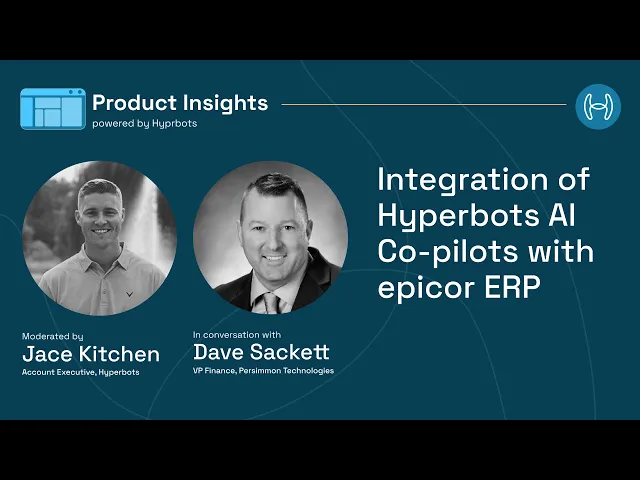
Persimmon Technology runs the on-premise version of Epicor. Its VP of Finance, Dave Sackett, walked through the full integration in a recorded interview with Hyperbots. His account is useful for any Epicor team weighing automation. It shows how an AI layer connects to Epicor without touching its role as the system of record, and what changes in AP once it's live.
Hyperbots Integration With Persimmon' Epicor ERP
Connecting to Epicor without opening the firewall. Hyperbots offers a plug-and-play connector for Epicor Kinetic in the cloud. Because Persimmon runs Epicor on-premise, the setup added one step: a lightweight agent installed on the Epicor application server. The agent opens a secure outbound HTTPS tunnel to Hyperbots, so Persimmon's IT team didn't need to make any inbound firewall changes. It talks to Epicor through Epicor's own REST v2 endpoints, or through Service Connect on older builds. That means data stays inside the network until it's encrypted, and access stays under IT's control.
Through that connection, the HyperAGENTs get secure read-write access to the records AP depends on:
companies and sites
suppliers and parts
receipts and AP invoices
payments
any user-defined fields
Epicor keeps its role as the system of record. Hyperbots sits on top of it and removes the manual keyboard work.
Onboarding in weeks, without custom code. Persimmon's rollout followed a clear sequence:
Week one: connect the HyperAGENTs to the Epicor company database, map fields, then replay a set of "golden" historical transactions to confirm Hyperbots' output matched what Epicor had actually posted.
Then: user acceptance testing, followed by the production cut-over.
No custom coding was needed at any stage. During onboarding, Hyperbots also pulled Epicor's metadata, so Persimmon's custom fields became mapping targets. The AI learned how to fill those fields by studying historical postings. Where Persimmon had business process workflows configured, the connector triggers them the same way a human user would, so existing custom logic kept working.
A sync cadence matched to how the data changes. Different data types sync at different speeds:
Data | Sync frequency |
|---|---|
Company-site structures, chart of accounts | Weekly |
Suppliers, parts, GL codes | Daily |
PO receipts, supplier invoices | Hourly |
Write operations (POs, invoices, journal entries, accruals) | Real time |
Finance can throttle these frequencies from the Hyperbots dashboard to suit data volume.
Every write is verified before it counts. After each invoice, PO, journal entry, or payment is posted, the connector immediately reads the record back from Epicor. It compares amount, currency, company, and posting date against what was intended, and only a perfect match is marked complete. Some errors trigger up to three automatic retries, such as a closed fiscal period or a duplicate document number. If a write still fails, it goes to an Integration Exceptions queue and finance gets a Microsoft Teams alert, so nothing fails silently. For new installations, a person still validates the bot's work before final submission.
For a payments process, that verification step matters a lot. It's the same discipline this guide recommends for payment groups: confirm the posted record before anyone assumes the money moved correctly.
Security and continuity. The platform is SOC 2 Type II compliant and ISO 27001 certified. Data is encrypted in transit and at rest. Access keys inherit Epicor's security groups on a least-privilege basis, and no passwords are stored. Multi-site and multi-currency ledgers are supported natively. Connectors are versioned, so during an Epicor upgrade or migration, a dual-write mode posts to both systems until cut-over and the HyperAGENTs keep running.
Results Achieved by Persimmon post Hyperbots Implementation
The headline result is a reduction of roughly 80% in AP data entry. The gains came from several workflows running on Epicor, not one.
Payments: The Payments HyperAGENT builds payment proposal batches that weigh early-payment discounts against the cost of capital. This is exactly the decision that due-date-driven payment groups tend to skip. It then:
generates the NACHA and SEPA files for electronic disbursement
posts the clearing entries
reconciles each batch against the bank statement automatically, instead of leaving it for manual matching at month-end
Invoice processing: Supplier invoice PDFs are read straight from Persimmon's Outlook mailbox and three-way matched against the PO and receipt. GL codes and tax are generated automatically, and the invoice is posted in Epicor. About 80% of invoices go through straight, with no manual touch.
Vendor master integrity: Tax IDs and bank details are validated during supplier onboarding, and EFT data is written to the supplier master. This is the control that keeps unverified banking details out of payment groups in the first place, which directly reduces the fraud exposure discussed earlier.
Accruals, procurement, and tax: Several other workflows now run with little manual effort:
Accruals: at month-end, the Accruals HyperAGENT finds PO receipts that don't have invoices yet, books the journal entries, and reverses them automatically once the invoice arrives.
Procurement: POs are created from contracts, checked against budgets and rules, and routed for approval in Teams.
Sales tax: tax groups and part tax categories are verified before an invoice posts, which eliminates tax mischarges.
Sackett drew the contrast with the invoice OCR tools he had used before. In his experience, OCR and basic RPA tools deliver productivity gains of maybe 30%. Hyperbots delivers agentic workflows, "AI that acts": it raises requisitions, posts journals, reverses accruals, reconciles payments, and closes POs, with gains closer to 80%. Every one of those actions is recorded in an immutable audit trail, which gives controllers the same traceability they'd expect from a manually posted payment group.
What Persimmon's Timeline Means for Other Epicor Teams
Persimmon's rollout took 3 to 5 weeks, which is faster than typical. For most Epicor environments, where Hyperbots already has a prebuilt API connector, integration and rollout usually take 6 to 8 weeks. That window covers connection setup, field mapping, matching-strategy and payment-policy configuration, testing, and go-live.
Making Payment Groups Work Harder, Not Just More Often
Epicor Kinetic gives finance teams everything they need to run as many group payments and check runs as their operation requires, there's no artificial ceiling to work around. The open question isn't whether you can run more than one group payment; it's whether the invoices in each group were selected on cash logic or convenience, whether the vendor banking details behind them were verified, and whether the resulting payment gets reconciled the same day it goes out.
Hyperbots' Payments Co-Pilot answers those questions on top of Epicor's existing payment group and check run structure, no new system for AP to learn, no change to how Kinetic posts to the general ledger, just a decision layer that captures the discounts, blocks the fraud, and reconciles the results automatically.
See how it works on your own Epicor payment runs. Book a personalized Hyperbots demo and we'll walk through how the Payments Co-Pilot builds discount-aware payment groups, generates your ACH files, and reconciles against your bank statement or model the numbers yourself first with the payments ROI calculator.
FAQs (Frequently Asked Questions)
Q2. Does Epicor apply the early-payment discount automatically if I pay within the discount window?
Epicor calculates the available discount from the invoice's terms and the payment date on the group. If the group's payment date falls outside the discount window, the discount won't be applied, even if the invoice was approved in time. That's why the payment date you set when creating a group matters. Review the discount column on the payment edit list before processing, especially for groups built late in the week.
Q3. How often should AP run payment groups?
Weekly runs are the most common baseline, but the right frequency depends on your discount terms and your invoice approval speed. With 10-day discount windows, a weekly run only captures the discount if invoices are approved within a few days of receipt. A slower approval cycle means some invoices will miss the window no matter how often you run payments. Many teams keep a main weekly run and add a small mid-week group for discount-eligible or urgent invoices. That captures most discounts without doubling the review workload.
Q4. What should I do if I find a duplicate payment after the group has been posted?
Act on two fronts: the ledger and the cash.
In Epicor: void the duplicate payment so the ledger reflects what actually happened.
If it was a check: place a stop payment with your bank if it hasn't cleared.
If it was ACH: ask your bank to initiate a reversal right away. NACHA rules only allow reversals of duplicate or erroneous entries within five banking days of settlement.
Once that window has passed: request a refund from the vendor, or record a debit memo to offset the amount against their next invoice.
Whichever route you take, document the recovery so it's clear at audit.
Q5. Can I change or cancel a payment group after I've started building it?
Yes, up to a point. Before you run Process Payments, you can remove individual payments or delete the whole group, and those invoices return to the open pool for the next run. Once checks have printed or the electronic file has been generated but the group isn't posted, the fix is to reprint or void and rebuild rather than edit. After posting, you'd void the specific payments. The earlier you catch a problem, the simpler the fix, which is why the edit list review matters so much.
Q6. What's the right process when a vendor asks to change their bank details?
Treat every bank detail change request as potentially fraudulent until verified:
Confirm the request by calling the vendor on a phone number already in your records, never one provided in the request itself.
Have a second person approve the change to the supplier record.
Hold payments to that vendor until the change is confirmed.
In Epicor, a BPM alert or change tracking on supplier banking fields gives you an audit trail. It also flags any change made shortly before a payment run, which is the pattern behind most business email compromise losses.
Q7. What segregation-of-duties controls should be in place around payment runs?
At a minimum, no single person should be able to do more than one of these:
maintain the vendor master (including bank details)
enter invoices
build payment groups
approve and post payments
reconcile the bank account
In Epicor, this is enforced through security groups on the relevant menu items, such as Supplier Maintenance, AP Invoice Entry, Payment Entry, and bank reconciliation. Smaller teams that can't fully separate these roles usually add a compensating control instead, such as a controller reviewing every posted payment register against the bank statement.
Q8. If the Payments HyperAGENT builds payment groups, does our team still review and approve them?
Yes. The Payments HyperAGENT routes each proposed batch through payment approval workflows before the group is finalized, so a controller still signs off just as they would with a BPM-based approval in Epicor. After posting, the connector reads each payment back from Epicor and checks the amount, currency, company, and posting date before marking it complete. During a new rollout, a person also validates the HyperAGENT's work before final submission. That's the process Persimmon Technology followed on its Epicor go-live.