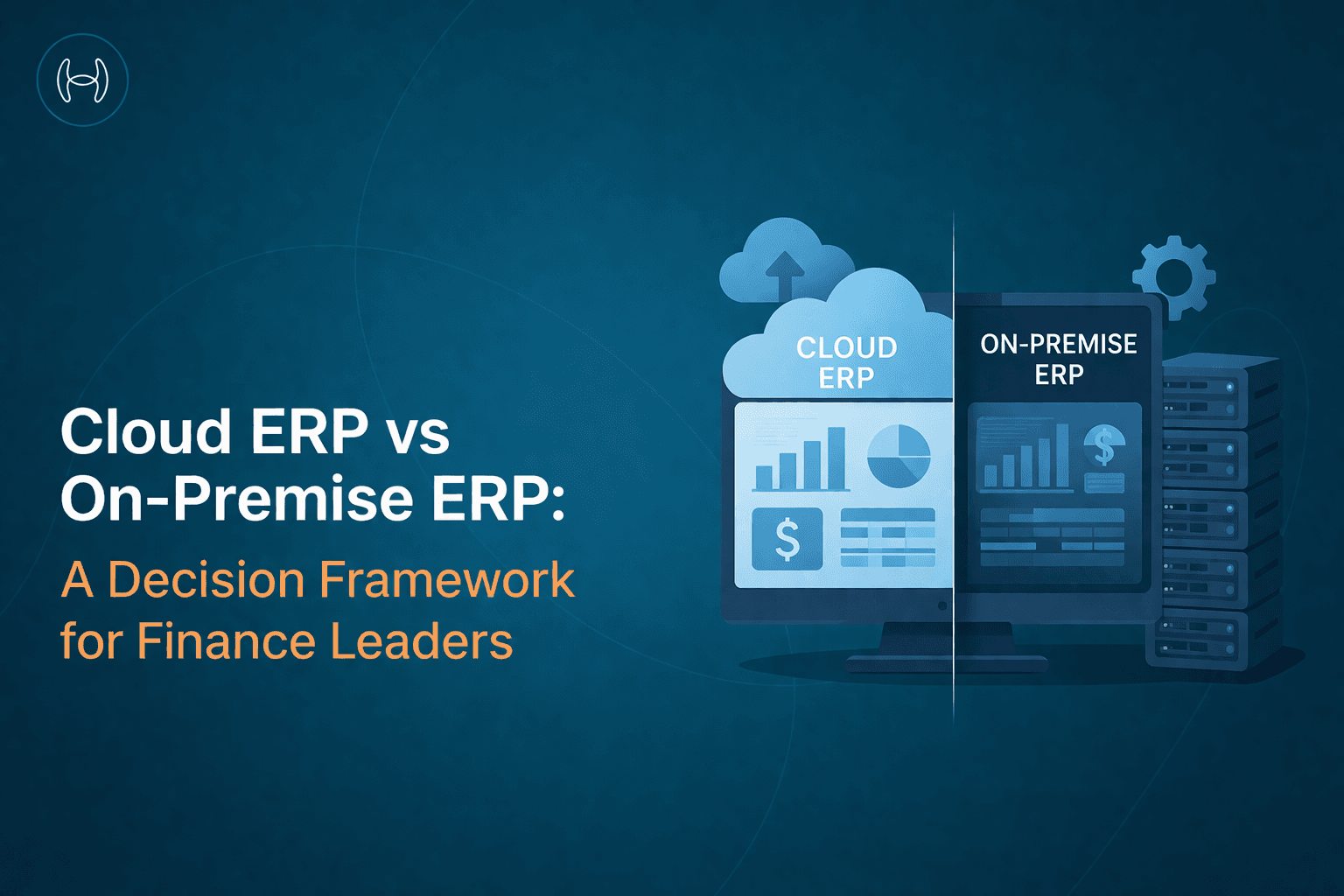
Cloud ERP vs On-Premise ERP: A Decision Framework for Finance Leaders
Stop debating deployment models on instinct. This guide gives CFOs and finance leaders the criteria to make a clear, data-backed choice between cloud ERP and on-premise ERP.
Executive Summary
The cloud ERP vs on-premise ERP debate has been running for over a decade, and for most organizations evaluating a new or replacement ERP today, it is largely settled. Cloud wins on total cost of ownership, implementation speed, and AI readiness for the majority of mid-market and growing businesses. But the answer is not universal, and making the wrong call creates costs that compound over years.
This guide explains what each deployment model actually means, shows the difference clearly, and walks through a six-factor framework to help you make the right call for your organization.
What Is Cloud ERP?
A Cloud ERP is an Enterprise Resource Planning system hosted on the vendor's servers and delivered to your team over the internet via a subscription. You do not buy hardware, manage servers, or run upgrade projects. You pay a monthly or annual fee, log in through a browser, and the vendor handles everything underneath.
Real-world example: A 300-person distribution company moves to NetSuite. Their finance team logs in from any device. Updates happen automatically. When they open a new warehouse, they add users in minutes. Their IT team is not involved in running the ERP at all.
What Is On-Premise ERP?
An on-premise ERP is software installed and run on servers that your organization owns or leases, typically housed in your own data center or server room. Your IT team manages the infrastructure, applies patches, and runs upgrade projects. You have full control over the system and your data.
Real-world example: A large aerospace manufacturer runs SAP on their own servers. Their IT team of twelve manages the infrastructure, runs the annual upgrade project, and maintains all integrations. They chose on-premise because their contracts contain classified data that cannot leave their own infrastructure.
The Difference Between Cloud ERP and On-Premise ERP
Cloud ERP | On-Premise ERP | |
Where it runs | Vendor's servers | Your own servers |
Who manages it | The vendor | Your IT team |
How you pay | Monthly or annual subscription | Large upfront license plus annual maintenance |
Time to get started | Weeks to a few months | Six months to three years |
Upgrades | Automatic, included in subscription | Major projects every 3 to 5 years |
Customization | Configuration-based, limited deep code changes | Deep customization possible |
Control over data | Hosted by vendor, you own the data | Full control, stays on your infrastructure |
Hidden costs | Subscription price increases over time | Hardware, IT staffing, upgrade projects |
AI and automation | Easy to connect, fast integration | Possible but more complex and maintenance-heavy |
Best suited for | Most mid-market and growing businesses | Businesses with unique compliance or deep customization needs |
Why This Decision Matters More Than It Used To
Five years ago, the choice between cloud and on-premise was mostly about cost and convenience. Today it also determines how easily you can add AI automation to your finance operations, how quickly you can respond to business changes, and how much of your IT team's time gets consumed by keeping the lights on rather than building something better.
Organizations that chose on-premise ERP a decade ago are now spending significant budget on migration projects because their systems cannot support the automation layers their finance teams need. That is a cost worth avoiding.
Six Factors to Weigh Before You Decide
1. What Will It Actually Cost Over Ten Years?
This is where the comparison becomes most concrete. On-premise ERP has costs that rarely appear in the initial vendor quote.
On-premise hidden costs include perpetual licenses of $1,200 to $5,000 per user, annual maintenance fees of 15 to 25% of the original license cost every single year, hardware refresh cycles every three to five years, a dedicated ERP administrator as an ongoing headcount cost, and major version upgrade projects that recur every few years at significant expense.
Cloud ERP runs on per-user subscriptions, typically $40 to $200 per user per month for mid-market platforms, with implementation as a one-time cost. The vendor absorbs infrastructure, patching, backups, and upgrades within the subscription fee. According to Forrester Research, cloud ERP reduces total cost of ownership by 30 to 50% over five years and 66 to 71% over ten years compared to on-premise.
Think about this: Build a ten-year cost model using real vendor quotes. Include on-premise hardware refresh, IT headcount, maintenance fees, and upgrade project costs. Compare it against cloud subscription plus implementation. The result will tell you more than any vendor presentation.
2. How Quickly Do You Need to Be Up and Running?
On-premise ERP implementations for mid-market organizations typically take six to eighteen months. Complex enterprise deployments can stretch to three years. The longer the project runs, the more the business changes during it and the more costly scope creep becomes.
Cloud ERP implementations complete in two to twelve weeks for standard configurations and three to nine months for complex multi-entity or highly integrated environments. No infrastructure to set up, pre-built connectors available, and configuration-led design all shorten the timeline considerably.
A faster ERP implementation means faster return on investment, less disruption to the business during the project, and lower project management costs. For organizations with a hard deadline, such as a fiscal year cutover or a post-acquisition integration, timeline is often the deciding factor.
Think about this: What happens to the business if go-live slips by six months? If the answer is significant disruption, cloud ERP's implementation advantage should weigh heavily.
3. How Much Do You Need to Customize the System?
This is the one area where on-premise ERP retains a genuine advantage for a specific type of organization. If your processes are so specialized that standard software genuinely cannot handle them, and you have the IT resources to maintain custom code through upgrade cycles, on-premise may be the right answer.
In practice, most mid-market businesses find that 70 to 85% of their requirements are met through native cloud ERP configuration, with targeted development for the rest. The businesses that genuinely need deep customization tend to be in highly regulated industries with unique compliance workflows, or organizations with proprietary processes that are a genuine competitive advantage.
For most others, the customization argument for on-premise is a preference for the familiar rather than a real functional need.
Think about this: List your top ten customization requirements. Can most of them be met through configuration in the cloud ERP platforms you are evaluating? If yes, the case for on-premise is weaker than it looks.
4. How Sensitive Is Your Data and Where Does It Need to Live?
Cloud ERP vendors invest in security infrastructure that most mid-market organizations cannot match independently. Major platforms maintain ISO 27001, SOC 1, and SOC 2 certifications, run dedicated security operations teams, and patch vulnerabilities faster than on-premise customers typically apply updates. For most organizations, cloud ERP is more secure than on-premise, not less.
The exceptions are organizations with strict data residency rules that cloud regions cannot satisfy, businesses in regulated industries where data must stay on infrastructure they control, and government entities with classification requirements that preclude cloud deployment entirely.
For a detailed breakdown of what ERP security looks like in practice, including what to check when adding automation tools, see our guide to ERP security best practices.
Think about this: Does your industry impose specific data residency or sovereignty requirements? If yes, can your preferred cloud ERP vendor meet them through a specific regional deployment?
5. Are You Planning to Add AI and Finance Automation?
If you are, this factor matters more than most people realize when choosing a deployment model.
Cloud ERP architectures are built for API-based integration. Adding an AI automation layer that handles invoice processing, procurement, payments, accruals, and vendor management is a configuration exercise that typically takes days to weeks. The integration points are stable, versioned, and vendor-supported.
On-premise ERP integration with AI tools is technically possible but meaningfully more complex. APIs may be limited, integrations break on upgrade cycles, and your IT team must maintain the connection alongside the ERP itself.
Finance automation on cloud ERP delivers ROI faster and at lower ongoing cost than the same automation on on-premise. If automation is on your three-year roadmap, and it should be, this factor deserves serious weight in the deployment decision.
Think about this: What is your finance automation roadmap for the next three years? Map the integration complexity of each deployment model before finalizing your ERP decision.
6. How Much IT Capacity Do You Have for Day-to-Day Maintenance?
On-premise ERP requires dedicated IT resources to manage infrastructure, apply patches, maintain integrations, and run upgrade projects. For large enterprises with substantial IT teams, this is manageable. For mid-market businesses where IT is already stretched, it becomes an ongoing drain that crowds out higher-value work.
Cloud ERP eliminates the infrastructure burden. IT resources shift from keeping systems running to driving adoption and building better workflows. Finance teams get new features automatically without waiting for upgrade cycles to catch up.
Think about this: How many IT resources does your organization currently dedicate to ERP maintenance? What would they do with that capacity if cloud ERP removed the infrastructure burden?
Which Option Is Right for You?
Your situation | Recommended path |
Mid-market business replacing an aging on-premise ERP | Cloud ERP |
Fast-growing company adding new entities or geographies | Cloud ERP |
Post-acquisition integration on a tight timeline | Cloud ERP |
Highly regulated business with classified or restricted data | On-premise or private cloud |
Organization with deep, proprietary customizations | Evaluate on-premise carefully |
Currently on-premise and migrating to cloud in stages | Hybrid as a transitional state |
A Note on Hybrid: When Running Both Makes Sense
Hybrid, meaning some modules on cloud and others on-premise, is rarely a permanent destination. It is most commonly a transitional state during a phased migration, where core financials move first and peripheral modules follow in later phases. This reduces cutover risk and lets teams stabilize on the new platform before expanding scope.
If you are considering hybrid as a long-term solution, examine honestly whether the on-premise portion genuinely cannot move to cloud, or whether it is simply the path of least resistance right now. Carrying the maintenance burden of two deployment models indefinitely is a cost that compounds quietly.
How AI Automation Fits Into Whichever ERP You Choose
Whichever deployment model you go with, the automation layer running on top of it will increasingly determine how much value you extract from the ERP investment. The ERP stores and records. The AI layer is where the actual work gets done: invoices processed, purchase orders raised, payments scheduled, accruals booked.
Why AI on Top of ERP Makes Sense
Modern ERP systems are excellent at storing financial data but were not designed to process it autonomously. Every invoice that arrives still needs someone to extract the data, validate it, match it to a PO, code it to a GL account, and route it for approval. Multiply that across hundreds of invoices a month and the manual effort is significant, error-prone, and difficult to scale.
AI automation changes this by sitting on top of the ERP and handling these repetitive tasks automatically. The benefits are consistent across organizations that deploy it well:
Invoice processing time drops from days to minutes, with most invoices handled without any human touchpoint
Procurement cycle times shorten as purchase requisitions are auto-filled and routed without manual data entry
Errors from miskeyed data, wrong GL codes, and missed duplicates reduce significantly because the AI validates before posting
Finance teams spend less time on transaction processing and more time on analysis and decision-making
Audit trails are created automatically for every AI action, making compliance reviews faster and less disruptive
Staying Safe When Adding AI to Your ERP
Adding an AI layer to your ERP is not without risk if done carelessly. The AI tool will have read and potentially write access to your financial data, which means the security standards you apply to human users should apply equally to the integration.
Before connecting any automation tool to your ERP, verify that it handles data redaction before processing, connects through scoped permissions rather than broad administrative access, maintains comprehensive logs of every action it takes, and holds independent security certifications such as ISO 27001, SOC 1 Type 2, and SOC 2 Type 2. A tool that cannot provide these should be treated with caution when it is being granted access to your core financial system. For a full checklist of what to verify, see our guide to ERP security best practices.
The timing also matters. Cloud ERP makes AI integration significantly easier than on-premise. If automation is part of your three-year roadmap, the deployment model decision and the automation decision should be made together rather than separately.
How Hyperbots Adds the AI Layer to Your ERP
Whichever model you are on, Hyperbots' AI co-pilots are built to work with your ERP as it exists today. Your deployment model does not limit your automation options.
If You Are on Cloud ERP
Hyperbots connects to your cloud ERP through pre-built API connectors that support real-time, bidirectional read and write access. There is no middleware to set up and no infrastructure to manage on your side. The connector reads financial data such as vendor master, chart of accounts, and open POs directly from your ERP, and writes back processed invoices, GL codes, accruals, and payment decisions in real time.
The full list of ready-made cloud ERP integrations includes Oracle NetSuite, Oracle Cloud, SAP S/4HANA, SAP B1, Microsoft Business Central, Sage Intacct, Sage 500, Sage 300, Sage 100, QuickBooks Online, Epicor, Coupa, and others. For cloud ERPs without a pre-built connector, Hyperbots builds the custom connector at no additional cost, typically within two to four weeks.
Data sync frequency is configurable per data type. Invoices and transactions sync in real time. Master data such as vendor records and chart of accounts can sync hourly, daily, or weekly depending on your requirements. Every write back into the ERP is validated by reading the posted data and comparing it with the intended input. Discrepancies trigger automatic retries or alerts before anything sits incorrectly in the system.
For organizations managing multiple cloud ERP instances post-acquisition or across entities, Hyperbots provides a unified view across all instances through a single sign-on, with separate configurations per entity to support both centralized and separate operating teams.
If You Are on On-Premise ERP
Hyperbots uses an agent-based integration model for on-premise environments. A lightweight agent is installed within your network and acts as the secure bridge between your ERP and the Hyperbots AI platform. No financial data leaves your firewall. The integration works in air-gapped and firewall-restricted environments, making it suitable for organizations in defense, healthcare, financial services, and other industries where data cannot leave internal infrastructure.
The integration architecture follows a zero-trust security model. Every connection is authenticated, scoped to the minimum required access, and logged. The agent supports real-time read and write for invoices, POs, vendor records, GL codes, and other financial data within your on-premise ERP.
Ready-made on-premise connectors cover SAP ECC, SAP S/4HANA, SAP B1, Oracle E-Business Suite, Microsoft Dynamics NAV, QuickBooks Desktop, Deltek Costpoint, Datacor, CGS BlueCherry, and others. For on-premise ERPs without a pre-built connector, Hyperbots builds the integration at no additional cost.
On-premise organizations do not need to wait for a cloud migration to start automating. Hyperbots works on your existing ERP today, and if you migrate to cloud ERP in the future, the integration migrates with you.
Across both deployment models, the platform is certified to ISO 27001, SOC 1 Type 2, and SOC 2 Type 2, uses intelligent data redaction before AI processing, and connects through customer-specific permission layers scoped to the minimum required access.
FAQs
Is cloud ERP always cheaper than on-premise?
For most mid-market organizations, yes, over a five to ten year horizon when all costs are included. The comparison shifts for organizations with very large user counts where subscription fees accumulate significantly, or for businesses with heavily customized on-premise systems where migration costs are high. Build your own model with real vendor numbers rather than relying on any vendor's calculator.
Can cloud ERP be customized as much as on-premise?
Not in the same way. Cloud ERP is designed around configuration rather than code-level changes, which keeps it upgradeable and vendor-supported. Most mid-market requirements are met through configuration. If your business genuinely needs deep code-level customization, evaluate whether cloud ERP can meet 85% or more of your needs before concluding that on-premise is necessary.
What happens to my data when I move to cloud ERP?
Your data is hosted on the vendor's infrastructure, encrypted at rest and in transit, backed up per their SLA, and accessible through the application and APIs. Confirm data residency, understand the export process if you ever switch vendors, and make sure data portability and exit rights are covered explicitly in the contract.
How does adding AI automation change the cloud vs on-premise decision?
It strengthens the case for cloud significantly. AI automation tools integrate with cloud ERP through stable, vendor-supported APIs in days to weeks. The same integration on on-premise requires more complex middleware, breaks on upgrade cycles, and demands ongoing IT maintenance. If automation is part of your three-year plan, this factor deserves real weight in the deployment decision.
What is the biggest mistake organizations make when choosing between cloud and on-premise?
Comparing only the upfront license cost. On-premise ERP's true cost over ten years, including hardware, IT headcount, maintenance fees, and upgrade projects, consistently surprises organizations that did not model it properly before committing. Build the full ten-year picture before making the call.
For a broader view of what a modern cloud ERP SaaS environment looks like, including TCO data, migration phases, and vendor comparisons, see our guide to cloud-based ERP SaaS solution systems.
Hyperbots AI co-pilots work on top of both cloud and on-premise ERP deployments through pre-built native connectors. Most teams go live within one month.
Request a demo.