Epicor Kinetic Pricing 2026: Per-User Costs & Licensing
What Epicor Kinetic really costs per user, per year and per invoice once licensing, implementation and renewals are added up.

Epicor does not publish a price list for Kinetic, so most buyers first see the number in a quote. Independent analysts put Epicor Kinetic pricing at roughly 100–200 per user per month on top of a 1,500–2,500 monthly platform fee. Implementation then adds half to the full value of the software spend.
That gap between the quoted subscription and the real cost of running the ERP is where budgets slip. It is also why finance leaders weighing Epicor Kinetic against its alternatives and competitors end up comparing five-year totals, not seat prices.
This guide covers Kinetic licensing, cloud versus on-premise, implementation fees and total cost of ownership. It also covers a number most Epicor pricing articles skip: what your Epicor environment costs per AP invoice, and how much of that an AI layer can remove.
Epicor Kinetic Pricing at a Glance
A 25-user manufacturer on Epicor's cloud should expect about 5,000–8,000 per month in subscription fees before implementation. All figures below are third-party estimates, because Epicor quotes each deal individually.
Cost component | Typical 2026 range |
Base platform fee (cloud) | |
Per-user subscription | |
Implementation | |
Data migration | |
Post-go-live hypercare | |
On-premise maintenance | |
Median reported annual spend |
Three things drive the spread: user count and license type, the modules you switch on, and where Kinetic runs.
Epicor Kinetic Pricing Per User: How Licensing Works
Epicor's bundle configurator builds a cloud quote in three steps: a platform core, a cloud package, then concurrent users. It lists no prices.
Platform core. Kinetic Operations Core or Financials Core is required before industry bundles such as production, multi-site/multi-currency or metal fabrication.
Concurrent users. Licenses are not tied to a named person or device; when one user logs out, another can log in.
License types. Data Collection, Mobile CRM, Time and Expense, Web and Office are separate types, so a shop-floor scanner and a controller need not carry the same seat.
Some benchmark firms, describe Epicor deals as priced per named user. Ask your account team to state in writing which model your quote uses, because the two produce very different seat counts for multi-shift plants. To compare quotes, divide the subscription by the users it covers.
One point finance teams miss: everyone who keys AP invoices into Kinetic consumes a seat, so manual entry inflates your user count as well as your labor bill.
Cloud vs On-Premise Epicor ERP Pricing
Cloud is now the default way to buy Kinetic, and on-premise has an end date.
Cloud (SaaS): You pay the platform fee and per-user subscription annually across three packages.
Package | What it adds | Support plan |
Select | 99.98% SLA, 30-day backups, 30-day upgrade test window | Essential |
Signature | 2 extra environments, read-only live database copy, up to 90 days to defer upgrades | Not stated |
Enterprise | Up to 10 environments, isolated Azure architecture, up to 18 months to defer upgrades | Pro |
Package choice also sets your tenancy model.
On-premise (perpetual): You buy the license upfront and pay about 20% of it yearly for maintenance, plus servers, SQL licensing and IT time.
The 2028 deadline: Release 2028.1, tentatively January 2028, is the final on-premise Kinetic release, with active support through December 31, 2029. New features after that ship only in the cloud. An on-premise buyer in 2026 should therefore price a cloud migration into any five-year model. A perpetual license that looks cheaper over ten years rarely survives a forced move in year three or four.
Epicor Implementation Cost and Other One-Time Fees
Plan on implementation costing 50–100% of your software spend, typically 50,000–120,000 for 10–25 users. Certified partners run most projects using the Epicor Signature Methodology. Expect these lines in the statement of work:
Data migration: 20,000–80,000.
Training and change management: often 10–15% of the project budget.
Customization: heavy custom work can double or triple total investment, CostBench notes.
Integrations: 5,000–50,000 each.
G2 reviewers report an average 8-month implementation, and partner fees accrue every month of it.
Epicor Kinetic Total Cost of Ownership: A 5-Year Model
A 25-user deployment quoted at $150 per user per month works out to about $371 per user per month over five years. Swap in your own quote's figures.
Assumptions: $2,000 monthly platform fee plus 25 users at $150, or $69,000 in year one. Renewals rise 7% a year, the escalator CostBench reports from one verified contract. One-time costs: $90,000 implementation, $25,000 integrations, $15,000 training, $30,000 hypercare.
Year | Subscription | One-time costs | Annual total |
1 | $69,000 | $160,000 | $229,000 |
2 | $73,830 | $0 | $73,830 |
3 | $78,998 | $0 | $78,998 |
4 | $84,528 | $0 | $84,528 |
5 | $90,445 | $0 | $90,445 |
5-year total | $396,801 | $160,000 | $556,801 |
About 41% of the five-year cost lands in year one, and the escalator alone adds about $52,000 versus a flat price.
What Your Epicor Environment Costs Per AP Invoice
Your Epicor license is well under a dollar of each AP invoice; the real cost is the labor of moving it through Kinetic.
Ardent Partners' 2026 AP benchmarks put the average cost to process one invoice at $9.90, against $2.67 for best-in-class teams. Exceptions drive much of that gap: the same research shows a 19.9% average exception rate versus 11.8% for best-in-class teams.
\text{Cost per invoice} = \frac{\text{AP labor} + \text{software} + \text{overhead}}{\text{invoices processed}}
For a manufacturer processing 30,000 invoices a year:
Total AP cost at the Ardent average: 30,000 × $9.90 = $297,000.
Epicor seats for the AP team: 4 × $150 × 12 = $7,200, or $0.24 per invoice, about 2.4% of AP cost.
Cutting the AP team's seat price by 20% saves about five cents per invoice. Removing a manual touch saves dollars. And as volume grows, a manual model adds clerks and Epicor seats, while Hyperbots' one-license, unlimited-user model ties cost to invoice volume, not headcount.
The ROI of Layering AP Automation on Epicor Kinetic
Adding AP automation to Kinetic changes the cost curve in two ways. You stop paying for seats just to handle invoices, and each extra invoice gets cheaper to process instead of more expensive.
No per-user seats. Epicor Kinetic charges for every user, as most ERPs do. Hyperbots does not. One license covers unlimited users, so AP clerks, approvers, buyers, controllers and auditors all work in Hyper Agents without a seat count to manage or negotiate. Adding a plant, an entity or a new approver adds nothing to the bill.
More volume, lower cost per invoice. Hyperbots prices by invoice volume, so cost follows the work, not headcount. In a manual model, more invoices mean more clerks and more Epicor seats, so AP cost rises in step with volume. With automation, setup, configuration and oversight stay largely fixed and spread across every new invoice, so the cost per invoice falls as volume grows.
Hyperbots reports about 80% straight-through processing, the same rate Persimmon Technology saw on Epicor. At that rate, growing from 30,000 to 60,000 invoices a year doubles a manual AP bill at Ardent's $9.90 average, from $297,000 to $594,000. With automation, most of those extra invoices flow through untouched. Early-payment discounts and duplicate-payment prevention add to the return, as our guide to AP automation benefits explains.
Every AP team's volume, labor rates and exception mix are different, so the most useful ROI figure is your own. Anyone can estimate it with the Hyperbots ROI calculators, which cover invoice processing, payments, procurement, accruals and more: enter your own numbers and see the projected savings before you speak to anyone.
How Hyperbots Works Inside Epicor Kinetic with Persimmon Technology
Hyperbots drives Kinetic the way an Epicor user does, through Epicor's own business objects. Every invoice it creates goes through the same grouping, receipt matching, validation and posting steps as one keyed by hand, so nothing reaches Epicor that Epicor itself would reject. There are no flat-file imports, no generic middleware, and nothing added to your Epicor customization budget.

What syncs between Epicor and Hyperbots, and how often
Epicor stays the system of record. Master data flows in automatically, so the AP team never uploads vendor lists or chart-of-accounts extracts.
Data | Direction | Default cadence |
Companies, sites, chart of accounts | Epicor → Hyperbots | Weekly |
Vendors, items, GL accounts | Epicor → Hyperbots | Daily |
PO receipts and supplier invoices | Epicor → Hyperbots | Hourly |
AP invoices, POs from requisitions, journal entries, accruals | Hyperbots → Epicor | Real time |
Cadences are adjustable from the Hyperbots dashboard. Reads use OData and follow Epicor's own row-revision cursor (SysRevID), so each run picks up only what changed. Reads are also paged and paced, so even a large first sync does not flood a live production system. Writes go through Epicor business-object methods using Kinetic's token authentication and API key.
How an invoice is written and posted in Kinetic
Pre-flight checks. The invoice must have a matched vendor, an invoice number and at least one line. Problems surface in Hyperbots as a readable message, not an obscure ERP error.
Its own invoice group. Each invoice gets an AP invoice group whose ID is derived from the vendor and invoice number, so the same invoice always maps to the same group.
Header and lines. These are created through
APInvoiceSvc, exactly as Epicor structures an invoice.PO and non-PO lines together. Receipted lines are matched by packing slip and pack line, with quantity, unit cost and amount. Non-PO lines get the GL account Hyperbots predicted. Matching runs against live invoiced quantities per PO line, so Hyperbots knows how much of each line is still open.
Source document attached. The original PDF is linked to the invoice header inside Kinetic, so an auditor sees it next to the entry.
Native posting. Epicor's own pre-post checks run: bank references, vendor tax ID, deferred-line schedules and the pre-post review. Posting is then submitted to the Epicor server agent, and Hyperbots reports "posted" only once Kinetic confirms it.
Safeguards finance and IT care about
No half-built documents. If any step fails, the connector deletes what it created, so Epicor holds either a complete invoice or nothing. A corrected invoice replaces the earlier entry and never duplicates it.
Read-back verification. After posting, the record is re-read and compared field by field, including amount, currency, company and posting date. Only an exact match passes.
Errors people can act on. Epicor's own error message is shown to users as written. Transient failures retry automatically, anything still stuck goes to an exceptions queue, and Ops gets a Slack or Teams alert.
Security. Hyperbots is SOC 2 Type II compliant and ISO 27001 certified. Data is encrypted in transit and at rest, and access keys inherit Epicor security groups with least privilege.
Your configuration, not custom code. User-defined fields are discovered automatically, multi-site and multi-currency ledgers are respected, and every field mapping lives in a template. A new company code or custom field is a settings change, not a release.
Beyond invoices. On the same connection, approved requisitions become Epicor POs with releases and GL overrides, requisition GL lines are validated live, and accrual journals are booked and reversed natively.
Integrations with ERPs Hyperbots already connects to, including Epicor, typically go live in 6–8 weeks.
Case study: what changed at Persimmon Technology after go-live
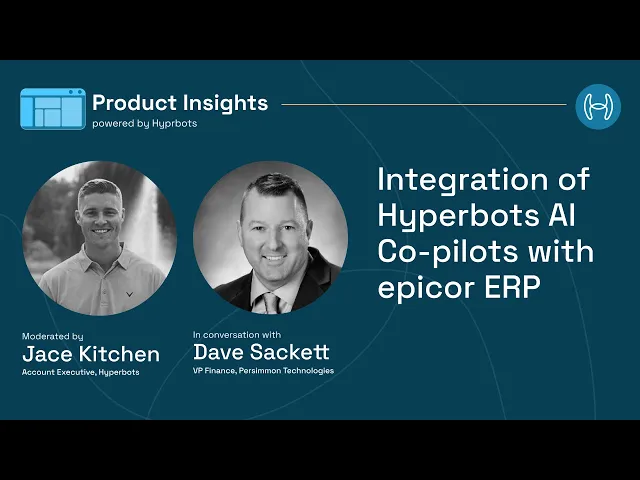
Persimmon Technology runs Epicor on-premise. In an interview with Hyperbots, VP of Finance Dave Sackett explained how the rollout worked and what it changed.
The rollout. A lightweight agent sits on Persimmon's Epicor app server and opens a secure outbound HTTPS tunnel to Hyperbots, so no inbound firewall changes were needed and data stays under IT's control. The rollout took 3–5 weeks, faster than the typical 6–8. Week one covered connecting to the company database, mapping fields and replaying test transactions to confirm matching results. User acceptance testing and production cut-over followed, with no custom code.
What Hyper Agents now handle in Epicor:
Invoice processing. Invoice PDFs are picked up from Persimmon's Outlook mailbox, three-way matched against PO and receipt, GL- and tax-coded, and posted. Persimmon cut AP data entry by 80%.
Accruals. Receipts without invoices are accrued at month-end and reversed automatically when the invoice arrives.
Purchase orders. Requisitions become POs after budget and policy checks, with approvals routed in Microsoft Teams.
Payments. Payment batches weigh early-pay discounts against the cost of capital, and payments are reconciled against bank statements.
Sales-tax verification. Ship-to and ship-from tax groups and part tax categories are checked before an invoice posts.
What it changed for control. In Sackett's words, "nothing fails silently." Every failed write lands in an exceptions queue with a Teams alert, and every agent action leaves an immutable audit trail.
The Epicor license stayed the same. What changed was how many invoices needed a person, and how much of month-end the team still did by hand.
Budgeting for Epicor ERP Pricing Beyond the Per-User Quote
Epicor Kinetic pricing starts around 100–200 per user per month plus a platform fee, but total cost of ownership is the number that matters: about $557,000 over five years in our 25-user model. On-premise buyers must also budget for the cloud move the 2028 sunset forces.
The largest controllable cost usually sits outside the Epicor contract. AP labor costs close to $10 per invoice while the Epicor seats behind it cost cents. Hyper Agents on Kinetic target that larger cost, and you can request a Hyperbots demo to see them run on your own Epicor data.
Frequently Asked Questions
Q1. How much does Epicor Kinetic cost per user?
Independent estimates put cloud subscriptions at about 100–200 per user per month, plus a 1,500–2,500 monthly platform fee. Your rate depends on license type, modules, term and discount. With implementation and support spread across users, the effective cost is often two to three times the headline rate.
Q2. Does Epicor publish a price list for Kinetic?
No. Epicor's configurator shows the components but routes pricing to sales. Treat every figure in this guide as a planning range from independent analysts and buyer reports, and confirm it against a written quote.
Q3. How much does Epicor cost for a small manufacturer?
A 25-user manufacturer typically pays 5,000–8,000 a month in cloud subscription fees, plus 50,000–120,000 for implementation. Our five-year model for that size totals about $557,000, with roughly 40% spent in year one.
Q4. Is Epicor Kinetic cheaper in the cloud or on-premise?
On-premise can look cheaper over a long horizon, at about 20% a year in maintenance, but you also carry servers, SQL licensing and IT time. With on-premise feature releases ending in 2028, the cloud usually wins once a forced migration is priced in.
Q5. What happens to on-premise Kinetic after 2028?
Release 2028.1, tentatively January 2028, is the last on-premise release with new features. Active support runs through December 31, 2029, then sustaining support begins. Epicor's Ascend program supports the move to cloud.
Q6. How long does an Epicor Kinetic implementation take?
Most implementations take 5–10 months, and G2 reviewers report an average of 8. Budget 50–100% of your software spend for partner services, and keep customization to a minimum, since heavy custom work is the most common reason projects run long and over budget.
Q7. Does Epicor Kinetic include AP automation?
Kinetic handles AP entry, matching and posting, and Epicor sells capture tools such as ECM AP Automation and AP Assist as adjacent products. Confirm whether your bundle includes them. Third-party AI layers like Hyperbots connect through Epicor's services and are priced by invoice volume, not users.
Q8. How do I calculate the ROI of adding AP automation to Epicor Kinetic?
Multiply annual invoices by your current cost per invoice ($9.90 is Ardent's average). Then price the exceptions left after automation at that rate, add oversight and the platform fee, and subtract from today's cost. The Hyperbots ROI calculator runs this with your inputs.

