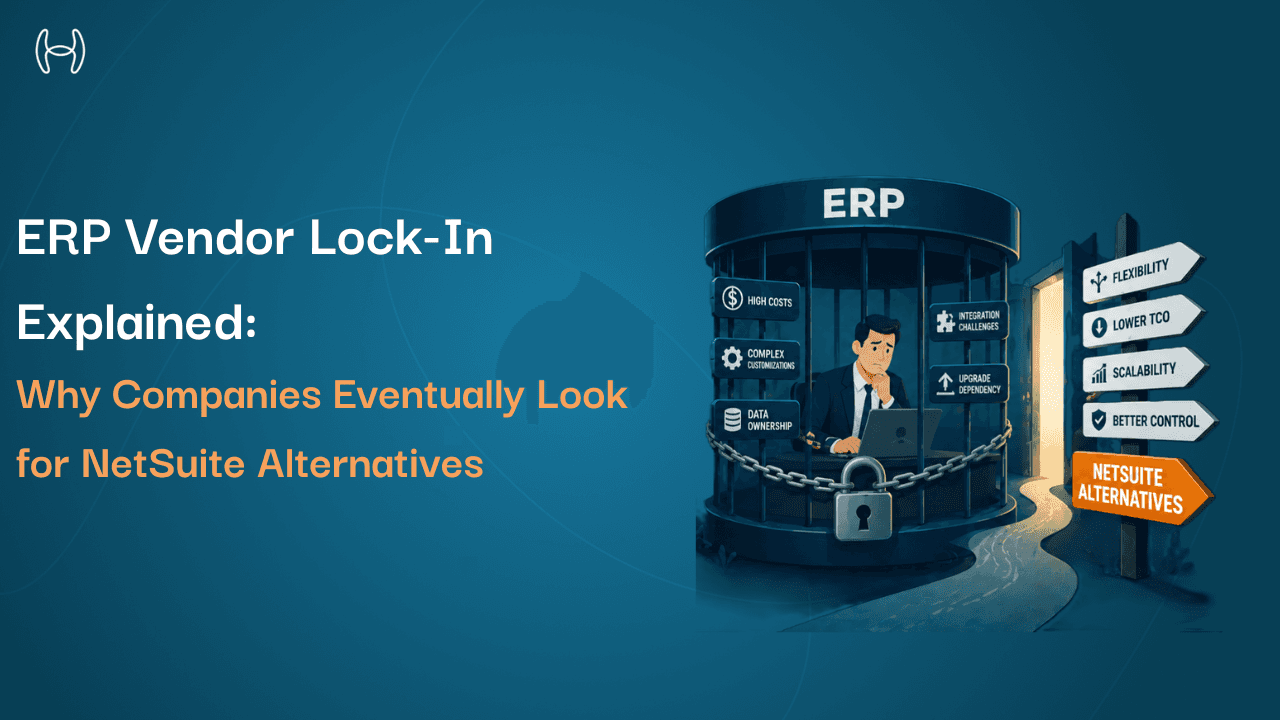
ERP Vendor Lock-In Explained: Why Companies Eventually Look for NetSuite Alternatives
A practical look at how ERP lock-in builds over time, why switching becomes difficult, and what it really takes to move away from NetSuite
Switching an ERP is supposed to be a business decision. The organisation has grown in a direction the current system cannot support. A new market, a new ownership structure, or a new operational model demands capabilities the platform does not have. The decision to move should be straightforward.
In practice, it rarely is. What looks like a simple software decision turns into a years-long project, a significant cost, and a complete rebuilding of the automation and integrations that were built on top of the original platform. The business is not just switching software. It is unwinding years of accumulated dependency, one piece at a time.
This is ERP vendor lock-in. It is one of the most underestimated risks in enterprise software selection, and it is worth understanding in detail before signing a long-term ERP contract, and before deciding how to build the automation and finance processes that sit on top of it.
This blog is for finance leaders, operations managers, CFOs, and anyone evaluating an ERP or planning a migration. It covers what vendor lock-in is, how it builds up, what a migration actually involves, and how building automation on an ERP-agnostic layer changes the picture entirely.
What Is ERP Vendor Lock-In?
ERP vendor lock-in is the condition where switching from one platform to another costs significantly more, in time, money, and risk, than the value of switching would justify.
It does not mean you cannot move. It means the barriers are high enough that you stay longer than is optimal, accept limitations you would not accept in a competitive market, and pay more than you should.
Think of it this way. You move into a rented flat and spend two years customising it: built-in shelving sized to the exact walls, furniture for the specific rooms, appliances wired into positions that would not work elsewhere. When the landlord raises the rent beyond what is reasonable, moving is the right decision. But the cost of undoing everything you built, and rebuilding it somewhere else, makes staying feel easier than it should. That is lock-in. Not a trap. Just a series of individually sensible decisions that, taken together, make change expensive.
In an ERP context, lock-in is never a single mechanism. It is a combination of several dependencies that accumulate over time. The longer the organisation has been on the platform, the more of these dependencies exist, and the more expensive any transition becomes.
The Four Ways Lock-In Builds Up
1. Licensing and Contract Dependencies
ERP licensing is not a simple monthly fee. It is a layered commercial structure with module pricing, per-user charges, annual price escalation clauses, and multi-year minimum commitments.
Most ERP contracts require a minimum number of user licences even if the organisation is not using all of them. Modules are often bundled, meaning the organisation pays for capabilities it does not need in order to access the ones it does. Annual escalation clauses increase costs each year without a renegotiation, and early termination typically carries financial penalties.
When an organisation decides to switch, it often discovers that its data export rights are more restricted than expected. Data portability refers to the organisation's right to take its own financial records out of the ERP when it leaves, in usable formats, without excessive cost or delay. Some contracts limit export formats, charge extraction fees, or require long advance notice periods. These terms are negotiable before contract signature. They are rarely negotiable at exit.
2. Customisation and Proprietary Tooling
Customisation means modifying or extending the ERP beyond its standard out-of-the-box behaviour. Proprietary tooling means using the ERP vendor's own programming environment to do that customisation, with code that only works inside that specific ERP.
NetSuite uses a proprietary scripting language called SuiteScript. SuiteScript is NetSuite's built-in programming language, used to build custom workflows, automated scripts, and modified processes inside NetSuite. Code written in SuiteScript only runs in NetSuite and cannot be moved to any other platform.
Other ERP platforms have their own equivalents. Code written in these environments exists only as long as the organisation stays on that platform.
Over time, finance and operations teams accumulate significant customisations: custom approval workflows, automated reporting scripts, modified invoice templates, rules that apply specific GL codes to specific vendor transactions. Each one made sense when it was built. Collectively, they represent a substantial body of operational logic that lives entirely inside the ERP and would need to be rebuilt from scratch on any replacement platform.
Most organisations do not understand how much custom code they have accumulated until they begin scoping a migration. The inventory is often much larger than expected, and the rebuild cost is one of the primary reasons ERP migrations exceed their initial budgets.
3. Data Architecture and Historical Records
An ERP stores data in a proprietary schema. A schema is the underlying structure that defines how data is organised inside the system: which fields exist, how records relate to each other, and how transactions are stored. Every ERP has a different schema, which means data from one ERP cannot simply be copied into another.
When an organisation migrates, it has to extract data from the old schema, transform it into a format the new system understands, and validate that the transformation was correct. This process is known as ETL, which stands for Extract, Transform, Load. It is time-consuming, technically complex, and rarely perfect on the first pass.
Historical transactional data, including years of invoices, purchase orders, payments, and journal entries, frequently does not migrate cleanly. Many organisations that switch ERPs keep the old system running in read-only mode for years after the switch, just to maintain access to historical records. This creates a practical form of lock-in: even after the transition is complete, the organisation is still paying for the old system.
Understanding how chart of accounts and GL structures differ across ERP platforms, and what that means when migrating data between them, is covered in the guide to COA differences across ERPs.
4. Integration and Ecosystem Dependencies
An integration is a connection between two software systems that allows them to share data automatically. ERP integrations are built using the ERP's API, which is a defined technical channel through which external tools can read data from and write data to the ERP. When the ERP changes, every integration that was built for its specific API breaks and has to be rebuilt.
Over time, organisations connect their ERP to many other systems: procurement automation tools, banking platforms, expense management, payroll, tax engines, and CRM. Each connection was built for the specific ERP's data model and authentication system.
When the ERP changes, every one of those connections needs to be assessed, redesigned, and rebuilt for the new platform. Organisations that have spent years building an integrated finance technology stack have locked themselves in at every connection point, not just inside the ERP itself. This is why switching is not just an ERP project. It is a full-stack technology project touching every system the ERP was connected to.
Understanding what makes ERP integrations portable or fragile is covered in the complete guide to integrating PO automation with ERP systems.
What the Lock-In Cycle Looks Like
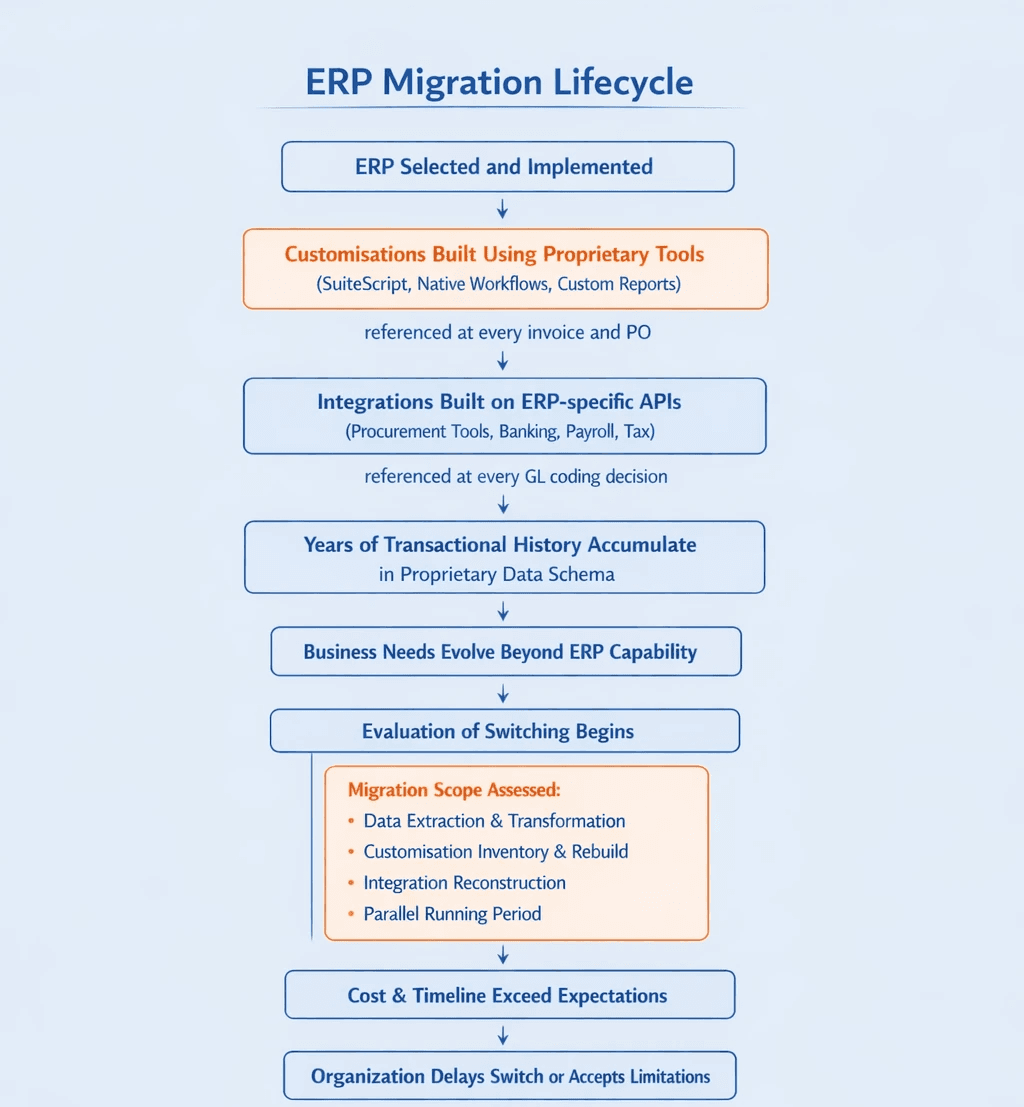
What a Real Migration Involves
The decision to switch ERPs is not the hard part. Execution is. The main cost components are:
Data migration. Extracting data from the old schema, cleaning and transforming it, mapping it to the new system's structure, and validating after import. For organisations with years of transactional history, this alone is a multi-month project.
Customisation rebuild. Every workflow, script, and modification built using the old platform's proprietary tools needs to be assessed: rebuild it, replace it with a third-party tool, or eliminate it. In large deployments this inventory can run to hundreds of items.
Integration reconstruction. Every connected system needs to be reconnected to the new ERP, typically requiring new development work and testing cycles across each system.
Training and change management. Finance and procurement teams who have worked in the same system for years need to relearn core workflows. Productivity typically drops during this period.
Parallel running. Most organisations run the old and new systems simultaneously before full cutover, paying for both at the same time.
For a complete picture of what an ERP implementation project involves, the 2025 ERP implementation guide covers planning, data migration, change management, and go-live preparation in detail.
Strategies to Reduce Lock-In Before It Becomes a Problem
Prefer standard configuration over proprietary customisation. Every piece of custom code written in the ERP's native environment is a lock-in investment. Where business requirements can be met through configuration options or third-party tools rather than proprietary scripts, the lower-lock-in choice preserves future flexibility.
Negotiate data portability at contract stage. Before signing, confirm in writing what data export rights exist, in what formats, and at what cost. These terms are negotiable before signature. After signing, they are not.
Build integrations on open standards. Integrations that use standard REST APIs and open data formats are more portable than those built on ERP-specific SDKs. When the ERP changes, open-standard integrations are easier and cheaper to reconnect.
Separate automation from the ERP. The most effective lock-in reduction strategy is to avoid building finance automation inside the ERP using proprietary tools. Automation built inside the ERP is non-portable. Automation built on a separate layer that connects through standard APIs is portable. Tools like a procurement co-pilot that sit above the ERP and connect through open APIs are a practical example of what this looks like in a finance context. The ERP can change; the automation does not have to.
Evaluate total cost of ownership over five or more years. Licensing escalation, support costs, customisation maintenance, and eventual migration costs should all factor into the comparison. A cheaper platform to implement can be significantly more expensive to own and exit.
For context on where the ERP market is heading and what buyers are prioritising today when evaluating platforms, the 2025 buyer's guide to ERP alternatives covers the competitive landscape and what to evaluate before committing.
How Hyperbots Changes the Lock-In Equation
The core lock-in problem in finance automation is straightforward. Every time an organisation builds AP automation, procurement automation, or accruals automation directly inside the ERP using proprietary tools, it ties that automation to the ERP. When the ERP changes, the automation has to be rebuilt.
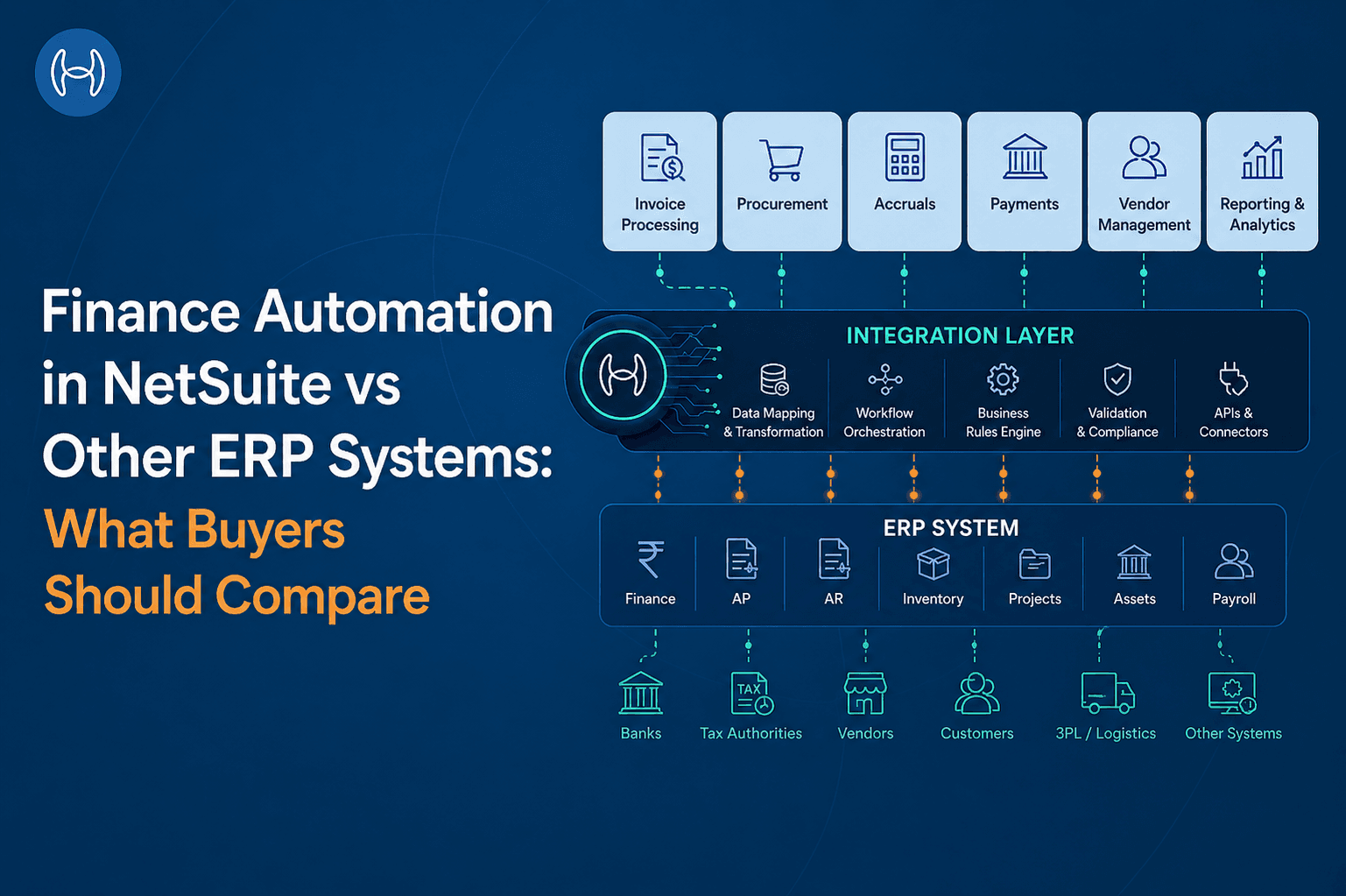
The Hyperbots platform is built this way. The co-pilots for invoice processing, procurement, accruals, payments, vendor management, and tax verification all run on top of the ERP rather than inside it, connecting through standard APIs and pre-built connectors rather than proprietary scripting tools.
If the organisation switches its ERP, the Hyperbots layer reconnects to the new platform through its own connector. The finance workflows, approval configurations, validation rules, and audit trail all persist across the transition. The automation investment carries forward regardless of which ERP sits underneath it.
The integrations are pre-built for a wide range of ERP platforms, with real-time bidirectional connectivity. Adding a new ERP instance or transitioning between platforms does not require rebuilding the automation from scratch.
This is a meaningful structural advantage for any organisation that anticipates its ERP needs may evolve. Rather than rebuilding automation every time the ERP changes, the automation is built once on an ERP-agnostic layer and remains in place regardless of what changes underneath.
The Bottom Line
ERP vendor lock-in is not a failure of planning. It is the predictable consequence of building deeply on a single platform over time. Customisations, integrations, historical data, and contract terms all accumulate, and each one makes the prospect of switching more complex and more expensive than the last.
The organisations that manage this best are not the ones that avoid ERPs. They are the ones that are deliberate about what they build inside the ERP and what they build above it. Keeping automation on an ERP-agnostic layer means that when the business needs to change its platform, the automation investment does not have to start over.
Hyperbots' co-pilots work across ERP platforms, connect through pre-built integrations, and go live within one month. The automation is portable. The ERP underneath it is not. Request a demo.
FAQs
What is ERP vendor lock-in? ERP vendor lock-in is the condition where switching to a different ERP costs significantly more in time, money, and risk than a fair cost-benefit analysis would justify. It builds up through proprietary customisations, data stored in proprietary schemas, integrations tied to ERP-specific APIs, and contract terms that make early exit expensive.
What is SuiteScript and why does it create lock-in? SuiteScript is NetSuite's proprietary programming language for building custom workflows, scripts, and automations inside NetSuite. Code written in SuiteScript only runs in NetSuite. Every SuiteScript customisation is an investment that has no value outside of NetSuite and would need to be rebuilt from scratch on any replacement platform.
What is a proprietary data schema? A proprietary schema is the underlying structure an ERP uses to store and organise data. Every ERP has its own unique schema, which means data cannot simply be moved from one ERP to another. It has to be extracted, transformed, and re-imported, a process that is technically complex and rarely perfect.
What is an ERP-agnostic automation layer? An ERP-agnostic automation layer is a platform that runs above the ERP and connects through standard APIs, rather than being built inside the ERP using proprietary tools. Because it is not tied to a specific ERP, it does not need to be rebuilt when the ERP changes. The automation investment carries forward regardless of which platform the organisation runs.
What is data portability in an ERP contract? Data portability is the organisation's right to export its own financial data from the ERP when it leaves, in usable formats, without excessive fees or restrictions. It is one of the most important and most commonly overlooked terms to negotiate before signing an ERP contract.