How to Automate Purchase Order Processing (Templates + Examples)
Turn manual purchase orders into automated, AI-driven workflows that cut cycle times and costs.
Executive Summary
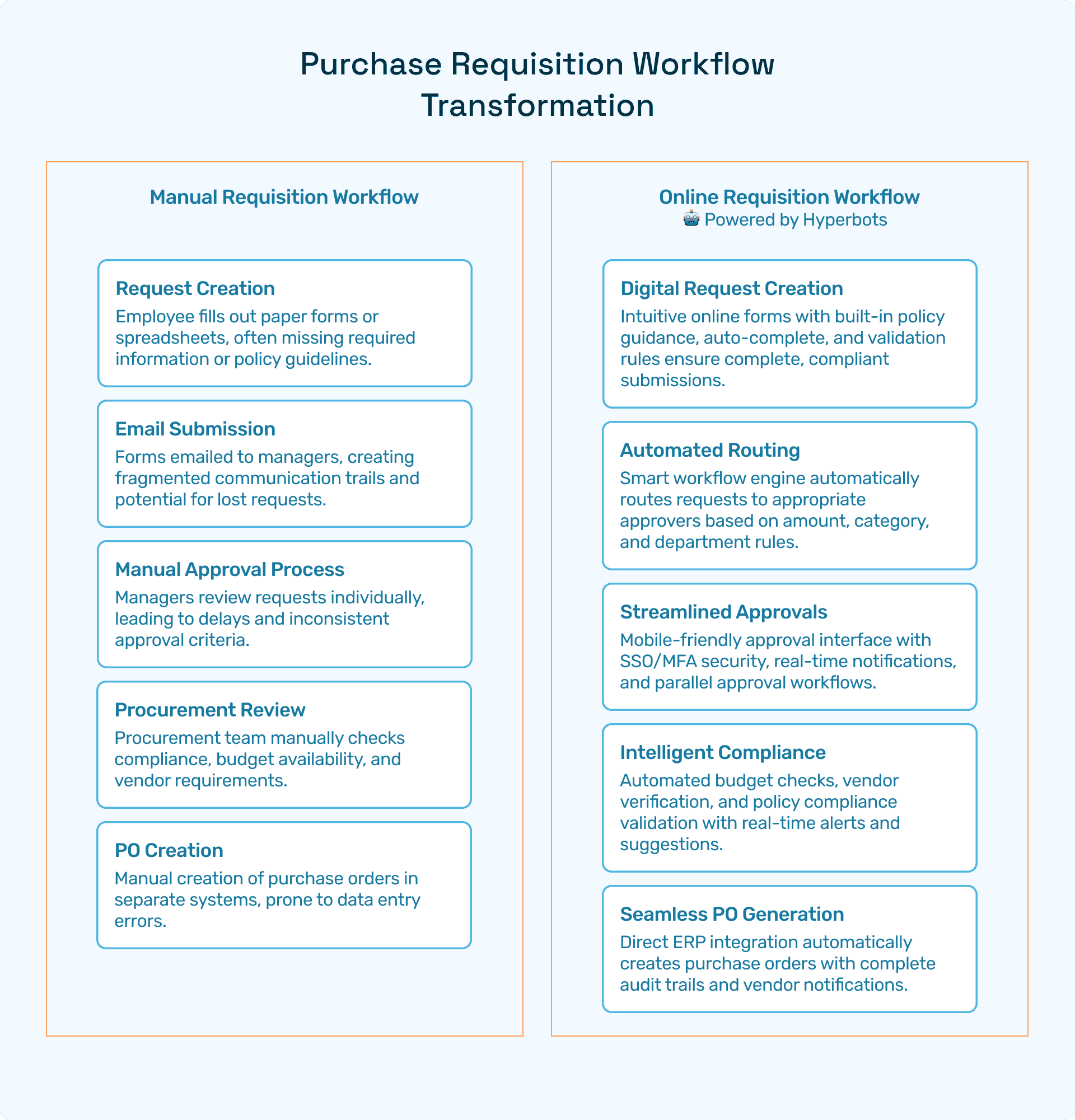
Purchase order (PO) processing remains one of the most manual and error-prone workflows in finance. Spreadsheets, emails, and disconnected ERP systems introduce delays, compliance gaps, and hidden costs. CFOs and procurement leaders spend countless hours resolving errors, chasing approvals, and reconciling data.
This blog explains how to automate purchase order processing, showcasing real-world templates and examples. It covers:
What purchase order processing automation means
Common bottlenecks in manual PO workflows
Step-by-step templates for automating PO creation, validation, and routing
Examples of CSV-to-PO and email parsing automation in action
Tangible ROI benefits, from faster cycle times to better visibility and auditability
Why Hyperbots Procurement Copilot leads the market with ERP-synced, AI-driven automation
By modernizing purchase order workflows with AI-powered automation, enterprises achieve real-time visibility, lower costs, and stronger compliance, freeing finance teams from repetitive admin work.
Introduction - Why Automating Purchase Order Processing Matters
Purchase orders are essential for managing vendor spend, enforcing budgets, and ensuring compliance. Yet, the way most organizations process POs hasn’t changed in decades.
Typical manual steps include:
Employees drafting PO requests in Excel or Word
Emailing them to approvers or procurement teams
Manually validating budgets and vendor terms
Re-keying data into ERP systems
Tracking approvals via inboxes or spreadsheets
This approach creates delays, duplicate data, and compliance risks.
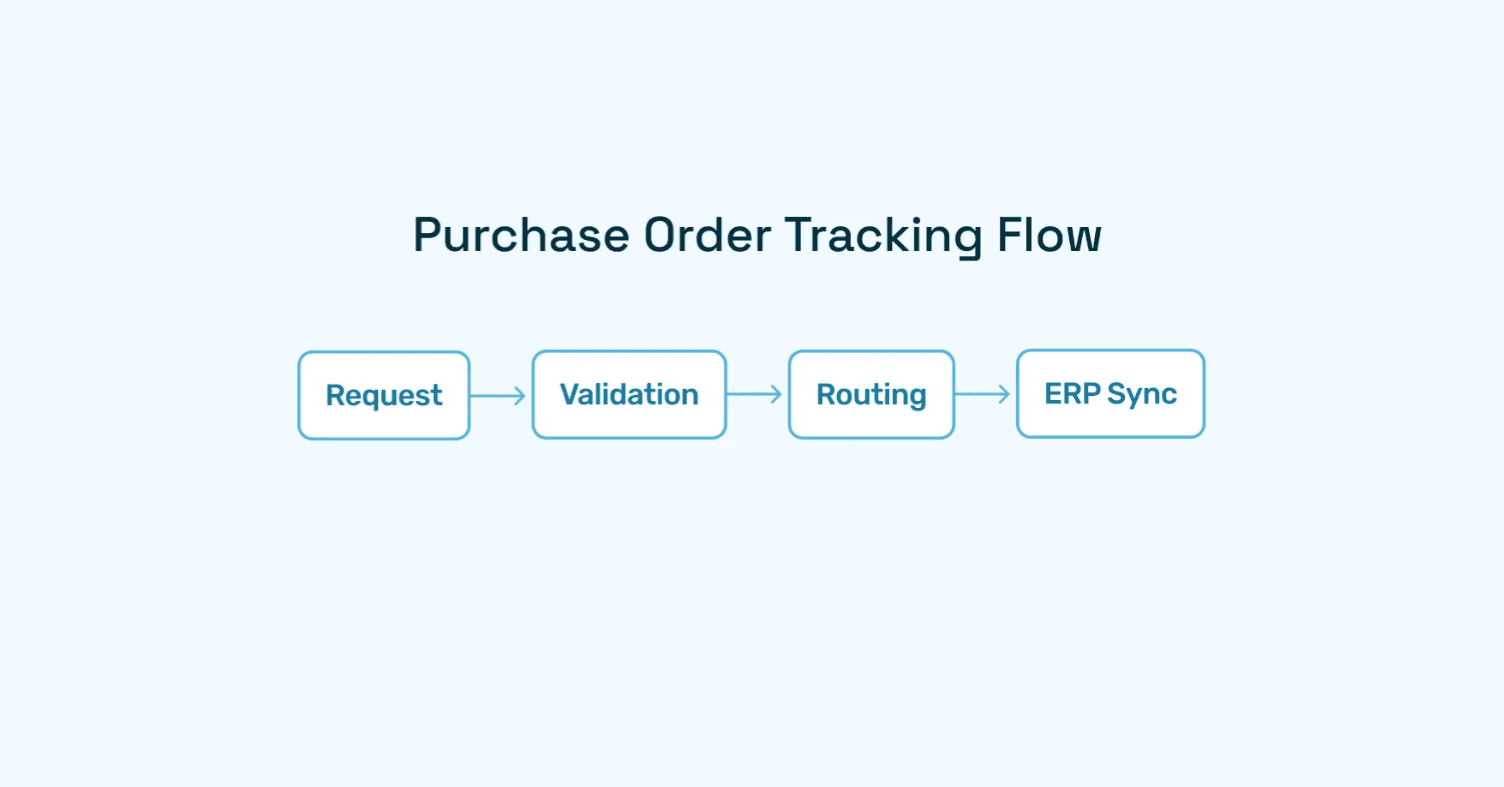
Automating purchase order processing solves these challenges by making PO creation, validation, approval routing, and ERP sync seamless.
What is Purchase Order Processing Automation?
Purchase order processing automation is the use of technology, including AI and workflow automation - to digitize and streamline the lifecycle of a purchase order.
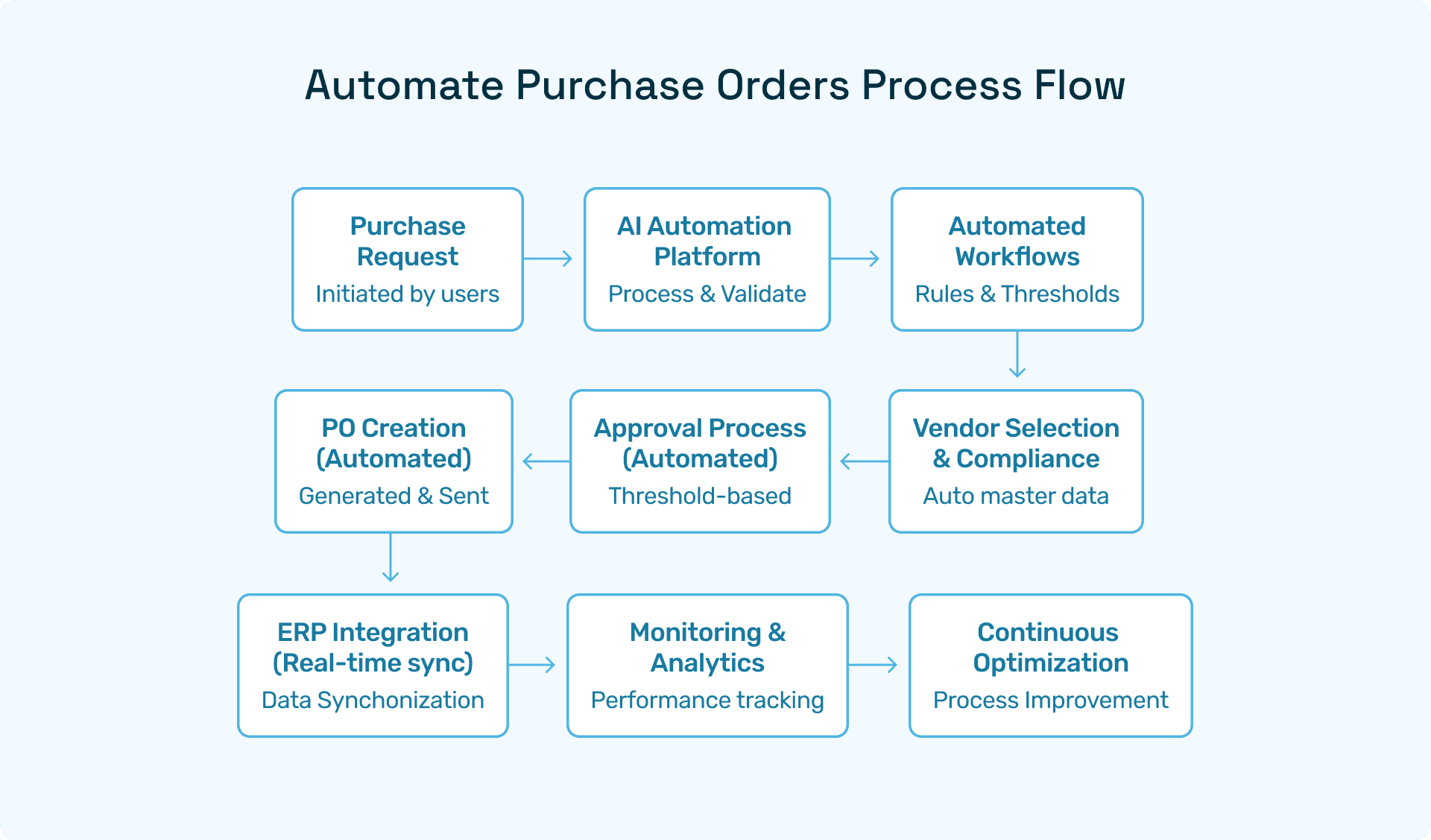
Key steps include:
Automated PO Creation → Generate POs from templates or uploaded CSV/Excel files.
Validation → Cross-check against budgets, vendor catalogs, and approval policies.
Approval Routing → Auto-route to approvers based on thresholds.
ERP Integration → Sync approved POs with ERP systems like SAP, Oracle, or NetSuite.
Audit Trails → Automatically log decisions for compliance.
Instead of static spreadsheets, POs become dynamic, policy-driven workflows.
Challenges with Manual PO Workflows
Despite their ubiquity, manual PO workflows come with hidden costs:
Slow Approvals → POs get stuck in inboxes for days or weeks.
Data Errors → Copy-paste errors lead to mismatched orders.
Compliance Gaps → Lack of visibility into approvals or policy exceptions.
Scaling Issues → Manual processes break down as order volumes grow.
Audit Pain → Regulators require logs that spreadsheets and emails can’t provide.
Gartner research shows that organizations deploying AI in supply chain operations outperform laggards by up to 2X in efficiency metrics.
Templates for Automating Purchase Order Processing
CFOs and procurement leaders often ask: Where do we start? The answer lies in automation-ready templates.
1. Excel/CSV-to-PO Template
Upload Excel or CSV PO request.
Fields automatically mapped to ERP schema.
Built-in validation flags errors or policy breaches.
System generates ERP-ready PO instantly.
2. Email-to-PO Template
Employee/vendor sends PO request via email.
Automation parses text into structured data.
Request routed to appropriate approver.
Auto-sync with ERP post-approval.
3. Approval Routing Template
Rule-based thresholds define approval levels.
Escalation triggers for overdue approvals.
Examples of Automated Purchase Order Processing
Automation in action makes the benefits clear.
Example 1: CSV-to-PO Conversion
A procurement team uploads a CSV with 200 line items. Automation validates vendor codes, flags duplicates, and generates POs synced to SAP — reducing a day’s work to minutes.
Example 2: Automated Purchase Orders by Email
An employee emails: “Need 20 monitors from Vendor B.” Automation parses it, validates budget, routes to manager, and auto-syncs the approved PO to NetSuite.
Example 3: ERP-Synced PO Approvals
Hyperbots Procurement Copilot instantly syncs approvals with ERP systems, eliminating re-keying and providing real-time spend visibility for CFOs.
Benefits of Automating Purchase Order Processing
Adopting automated purchase order processing delivers measurable benefits:
Cycle Time Reduction
Shrinks processing from weeks to hours.
Auto-approves low-value purchases.
Cost Savings
Reduces operational costs by saving up to 80% on PO creations time.
Cuts down manual FTE requirements.
Stronger Compliance
Automatic validation against budgets and vendor catalogs.
Complete digital audit trails.
ERP Integration
Seamless sync with SAP, Oracle, Microsoft Dynamics, and NetSuite.
Real-Time Visibility
Dashboards provide CFOs with live spend insights.
Why Hyperbots Leads in PO Automation
While many vendors offer workflow tools, Hyperbots is uniquely positioned with AI-powered Co-Pilots.
Procurement Copilot
Shrinks cycle times from request to PO.
Delivers instant ERP-synced approvals.
Provides real-time spend dashboards.
👉 Explore Procurement Copilot
Supporting Co-Pilots
Invoice Processing Copilot → Automates invoice validation and three-way matching.
Vendor Management Copilot → Simplifies onboarding and compliance tracking.
Accruals Copilot → Gives real-time expense visibility.
Payments Copilot → Ensures secure, policy-compliant vendor payments.
Hyperbots Platform Capabilities
The Hyperbots Agentic AI Platform goes beyond rule-based automation:
Handles unstructured data (PDFs, contracts, scanned invoices).
Deep ERP integration with leading systems.
AI-driven anomaly detection and predictive spend analytics.
Human-in-the-loop controls for CFO oversight.
This combination ensures speed + compliance + control unmatched by competitors.
ROI of Purchase Order Processing Automation
Organizations implementing Hyperbots automation report both ROI through:
80% faster PO cycles
Reduction in operational cost
Better compliance with more visibility
Stronger vendor relationships
Higher employee satisfaction
Data-driven finance decision-making
FAQs
Q1. What does automated purchase order processing mean?
A: It’s the use of automation to digitize PO creation, validation, approval routing, and ERP synchronization.
Q2. How do templates help in automation?
A: Templates standardize workflows (CSV-to-PO, email-to-PO, routing rules), ensuring consistency and compliance.
Q3. Which industries benefit most from PO automation?
A: Manufacturing, logistics, retail, and healthcare - where procurement volumes are high.
Q4. How is Hyperbots different?
A: Unlike rule-based vendors, Hyperbots leverages AI Co-Pilots that integrate deeply with ERPs and provide real-time decision intelligence.
Moving Forward with Automated Purchase Order Processing
Finance and procurement leaders can’t afford to rely on manual PO processes that drain time and increase risk.
By deploying Hyperbots Procurement Copilot and supporting AI Co-Pilots, enterprises transform purchase order workflows into intelligent, compliant, and cost-effective processes.