Understanding SAP S/4HANA Licensing: What Finance Teams Often Miss
A clear breakdown of SAP S/4HANA licensing models—and the hidden gaps finance teams often overlook.
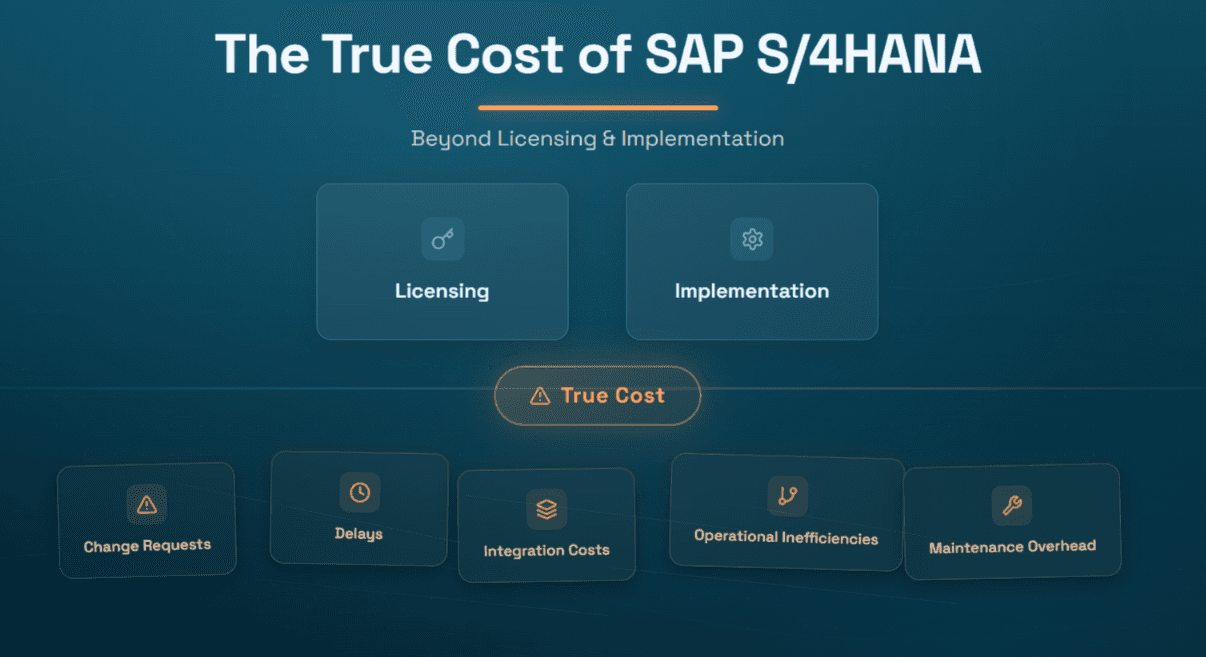
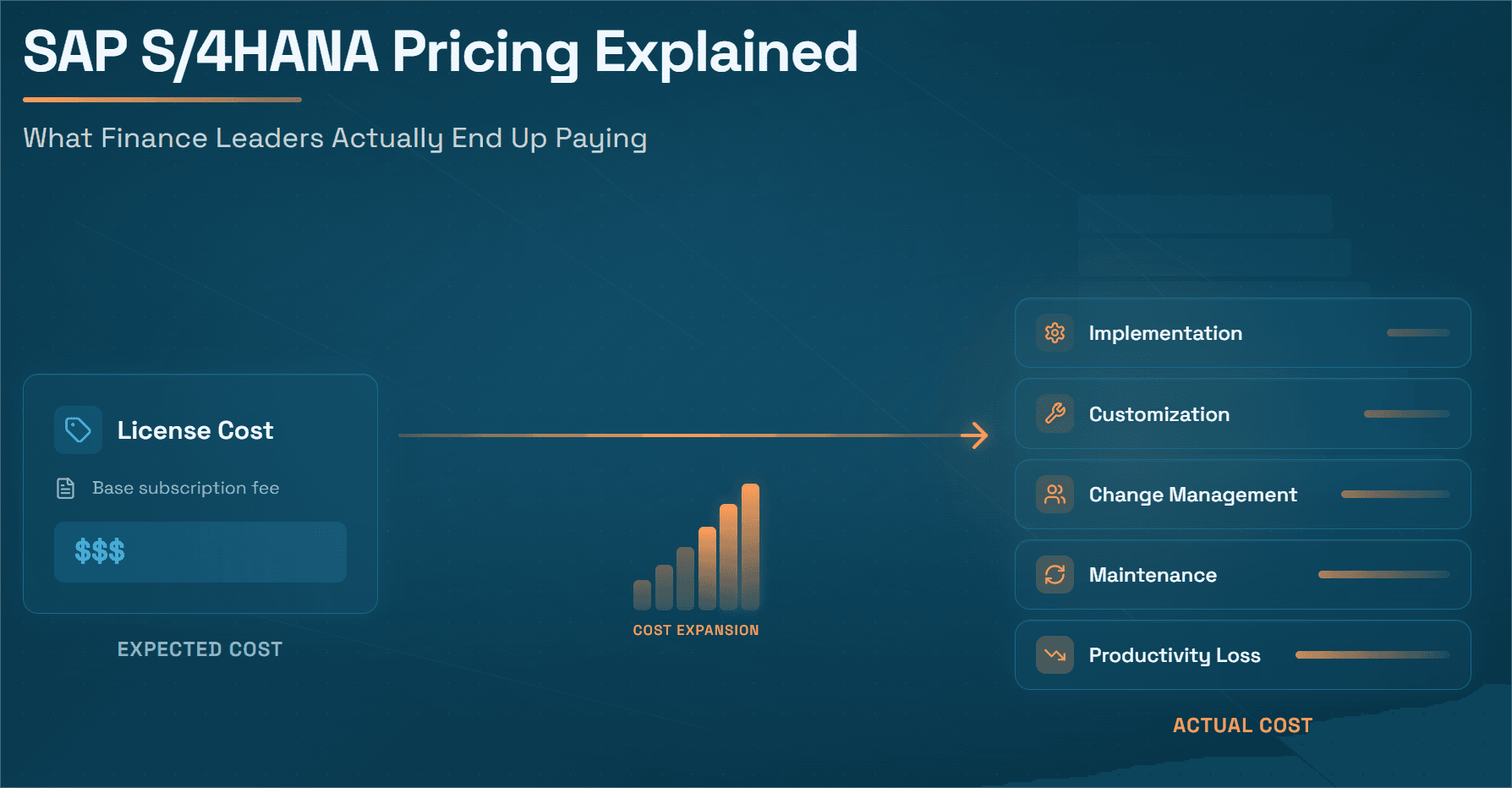
The SAP S/4HANA licensing conversation usually starts in IT and procurement. Finance leaders are handed the final contract, told what it costs, and asked to approve the budget. What they are rarely told is that many of the most consequential licensing decisions, the ones that will determine audit risk, automation cost, and true total cost of ownership for the next five to seven years, were made without their direct input or full understanding.
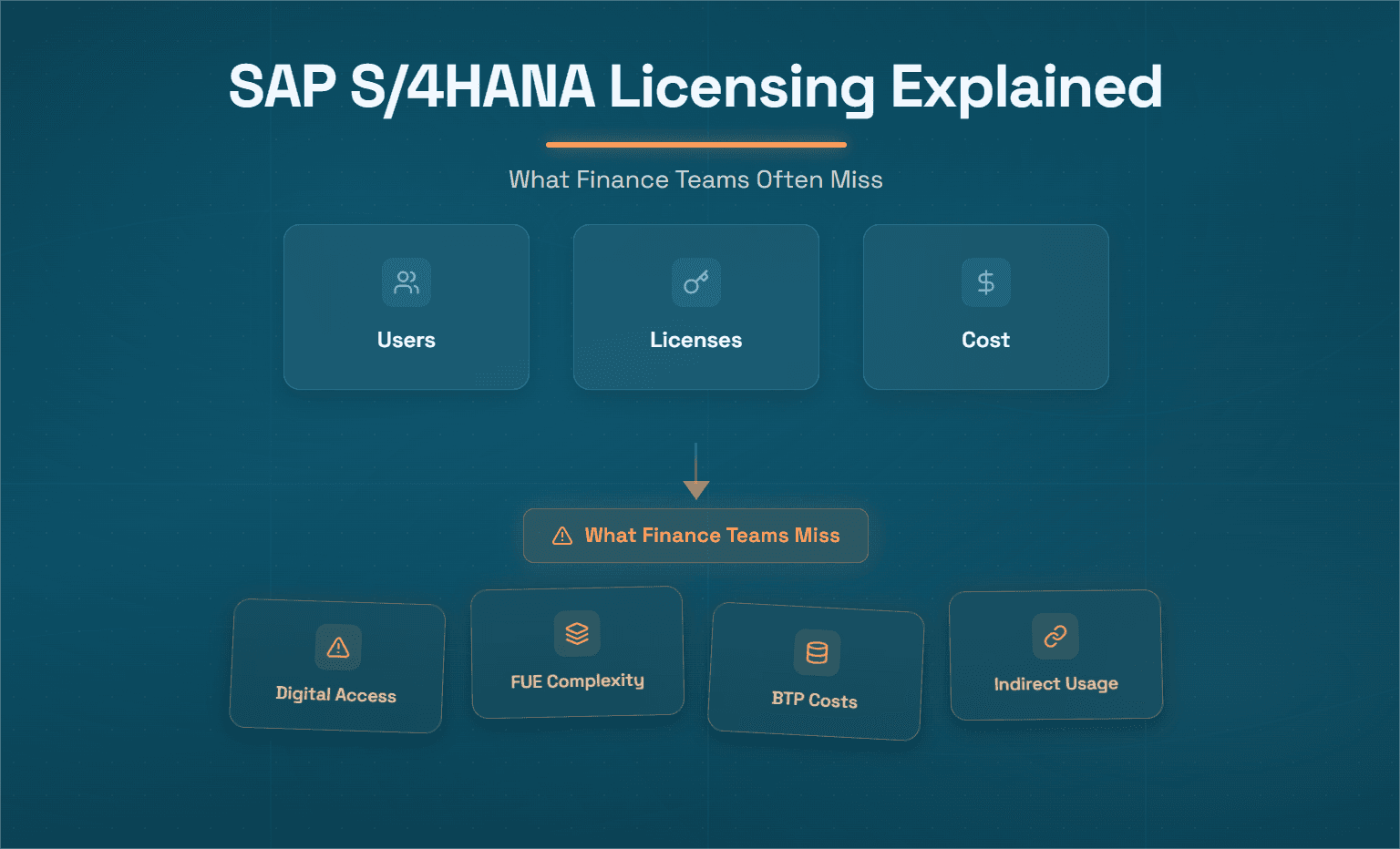
This matters enormously for finance teams, because finance is the function most directly affected by two of the most complex and most misunderstood elements of S/4HANA licensing: user licenses and digital access (the modern successor to indirect access). Every invoice your AP team processes, every payment run your treasury team executes, every accrual your controller books, and every third-party automation tool that writes data back to SAP, all of these touch the licensing model in ways that create compliance exposure if not addressed explicitly in the contract.
In 2025, SAP Digital Access has firmly emerged as either the silent killer of SAP budgets or a manageable cost, depending entirely on whether organizations proactively address it. Many executives are still waking up to the reality that licensing is not just about human users anymore, it is about documents: sales orders, invoices, API calls, the digital footprints of automated processes.
This guide gives finance leaders the complete picture of SAP S/4HANA user licensing, digital access, and the indirect access risk that sits beneath every automation investment and shows how Hyperbots AI Co-pilots provide the finance automation layer that delivers transformational ROI within a clearly understood licensing framework.
The Three Pillars of SAP S/4HANA Licensing Finance Teams Must Understand
Pillar 1 – Named User Licenses: The Basics Finance Gets Wrong
SAP S/4HANA's licensing model is tiered based on the extent to which a person uses the system. This tiered approach allows enterprises to mix and match user licenses rather than paying top dollar for every single user.
In S/4HANA, the user type landscape has been simplified from ECC's 100+ user type definitions down to three primary categories but "simplified" does not mean "simple." SAP's philosophy with S/4HANA is "clean core", the core license covers what most businesses need on a day-to-day basis, and extensions cover specialized needs. This modular approach allows a base license and optional add-ons, with the trade-off that you need to be aware of what is included and what is not.
Professional Users – the most expensive tier A Professional license is the "all-you-can-eat" option in S/4HANA. It enables full functionality across the ERP system, any module, any transaction, any report. Typically, only a minority of SAP users require this level of access: a finance director who generates company-wide financial reports, posts journal entries, and configures Controlling settings; an SAP BASIS administrator with broad system access; a supply chain manager overseeing end-to-end processes. Professional licenses are the most expensive, and this is where SAP generates a significant portion of its licensing revenue.
Limited Users – the mid-tier that finance teams over-provision Limited Users can access a narrower set of SAP functionality, typically a defined set of transactions within one or two process areas. The common mistake finance teams make here is over-provisioning. An accounts payable analyst who only needs to process invoices and run AP aging reports does not need a Professional license. But without explicit user classification governance, IT teams default to Professional licenses to avoid access complaints, paying two to three times the required rate for users who will never use the additional functionality.
Self-Service Users – the underutilized cost saver Self-Service licenses are designed for employees who interact with SAP in a limited, task-specific way: submitting purchase requisitions, approving workflows, entering time without navigating the full SAP transaction landscape. In most organizations, a significant proportion of nominal "SAP users", the budget holder who approves a purchase requisition, the manager who reviews a cost center report, could be licensed as Self-Service users at a fraction of Professional license cost.
The Full User Equivalent (FUE) model – the cloud licensing currency S/4HANA Cloud contracts categorize users into Advanced, Core, and Self-Service with different FUE weightings. The licensing logic has a new nuance, five Core users might equal one Full User Equivalent. Misunderstanding these metrics can lead to over-paying or compliance gaps.
Under FUE, heavy "Advanced" users are 1 FUE each, and light self-service users are 0.033 FUE each. A company with 50 heavy users and 300 light users has approximately 60 FUEs, not 350. The practical implication: finance teams that review their user roster carefully against the FUE weightings frequently find they are contracted for more FUEs than their actual usage requires and that a license optimization exercise recovers significant budget.
Pillar 2 – Digital Access: The Licensing Risk That Automation Creates
This is the licensing pillar most likely to catch finance teams completely off-guard and the one most directly relevant to anyone deploying finance automation software on top of SAP.
SAP Digital Access is a licensing model that charges based on business documents created by third-party systems rather than named users. It was introduced to address "indirect use" when external applications interact with SAP. The model is metered: you pay for each document created via third-party integration. For example, if a CRM system creates a Sales Order in S/4HANA, that's one digital document consumed.
SAP has defined nine specific document types that trigger Digital Access licensing when created by non-SAP systems:
Sales Orders
Deliveries
Goods Movements
Finance Documents (invoices, credit memos, payment documents)
Manufacturing Orders
Maintenance Notifications / Work Orders
Purchase Orders
Service Entry Sheets
Time Confirmations
For finance teams, the most directly relevant document types are Finance Documents and Purchase Orders because these are precisely the document types that AP automation tools, procurement automation platforms, and payment tools created in SAP on behalf of the finance process.
Importantly, SAP's policy only counts the creation of the initial document in a business process. If one external event triggers multiple downstream SAP documents, you generally only pay for the first document type in that chain. Also, read-only access is free, queries or data look-ups from SAP by external systems do not count as digital documents.
The compliance exposure that most finance leaders miss: Indirect access remains a top audit focus for SAP's License Compliance team. With better tools and the Digital Access model in place, SAP can more easily identify unlicensed document creation. SAP has "weaponized" its approach: hiding indirect usage under technical integrations is now harder. They expect customers to either license those scenarios via digital documents or ensure each external user has an appropriate license.
Finance's specific exposure: Every time an AP automation tool posts a vendor invoice to SAP FI-AP, a Finance Document, that is a Digital Access-triggering event if the tool is classified as a third-party non-SAP system. A finance function processing 5,000 invoices per month generates 60,000 Finance Document creation events per year. Without Digital Access licensing explicitly covering this volume, the organization has a material compliance exposure that an SAP audit will surface.
Pillar 3 – Indirect Access: The Legacy Risk That Has Not Disappeared
SAP introduced Digital Access in 2018 to address the long-standing confusion around SAP Indirect Access. Traditionally, SAP required a license for any user or system that accessed SAP data directly or indirectly. If a customer portal or third-party app touched your SAP system, SAP could argue you owed licenses for each user or even each order leading to hefty "indirect use" bills. The old approach was user-based and opaque, often relying on named user licenses or obscure engine metrics for external access.
Importantly, SAP has not mandated that all existing customers switch to Digital Access. Many ECC customers in 2025 will remain on named user licensing for indirect usage. SAP's messaging, however, heavily encourages moving to the new model, especially as part of S/4HANA deals. The compliance risk of staying on the old model is that you might be one audit away from a significant claim if any indirect usage was overlooked.
The indirect access risk for finance teams in 2026 manifests in four common scenarios:
Scenario 1: AP automation tools writing Finance Documents to SAP Any third-party AP automation solution, whether a traditional OCR tool, an RPA bot, or an agentic AI co-pilot, that posts invoices, payment documents, or credit memos to SAP is creating Finance Documents indirectly. Without explicit Digital Access coverage for these document types, the organization is non-compliant.
Scenario 2: Procurement portals creating Purchase Orders in SAP Supplier self-service portals that allow vendors to acknowledge POs, submit invoices, or confirm deliveries may be creating SAP document events that require Digital Access licensing. If thousands of external users or IoT devices interact with SAP, it may be more cost-effective to license by document instead of purchasing a large number of named users. Digital Access can be purchased as document packs or a percentage add-on to your contract.
Scenario 3: RPA bots creating SAP transactions If you plan to deploy an AI assistant that queries SAP data or automates decisions, this could be considered indirect usage or may require additional licenses. Licensing models can quickly turn your AI success into a cost overrun if every bot or algorithm-triggered transaction quietly eats into your license limits. RPA bots that create Finance Documents or Purchase Orders in SAP are classic Digital Access exposure scenarios and because RPA deployments are often managed by IT without finance's involvement, they frequently go unaddressed until an audit.
Scenario 4: Treasury and payment systems writing payment documents Treasury management systems and banking platforms that initiate payment runs or write clearing documents to SAP FI-AP create Finance Documents indirectly. Treasury leaders who assume their banking platform's SAP integration is "just an API" are assuming incorrectly from a licensing perspective.
The Nine Digital Access Document Types – A Finance Leader's Map
Understanding which of your finance processes touch the nine Digital Access document types is the foundation of any Digital Access risk assessment. Here is the finance-specific map:
SAP Document Type | Finance Process That Creates It | Who Creates It Indirectly |
Finance Documents | AP invoice posting, payment documents, credit memos, journal entries | AP automation tools, payment platforms, treasury systems |
Purchase Orders | Procurement automation, PR-to-PO conversion | Procurement co-pilots, supplier portals |
Service Entry Sheets | Service PO confirmation, SRNI accruals | Procurement tools, vendor portals |
Goods Movements | Goods receipt confirmation for 3-way match | WMS, ERP integrations |
Sales Orders | Customer order capture | CRM, e-commerce platforms |
Time Confirmations | Project billing, payroll | Time tracking tools, HR systems |
For finance leaders, the top three are Finance Documents, Purchase Orders, and Service Entry Sheets because these are the documents generated by P2P automation tools every day.
Not every interaction costs a license. Read-only access is free, queries or data look-ups from SAP by external systems do not count as digital documents. SAP's policy only counts the creation of the initial document in a business process. This means that a collections tool that only reads AR aging data from SAP, without creating new SAP documents, does not trigger Digital Access. A tool that reads open items AND posts clearing documents does.
How to Assess and Manage Your Digital Access Risk
SAP provides measurement tools that organizations should use proactively: an Estimation Tool (to count documents on ECC or S/4) and the SAP Passport tool (which, on newer systems, can distinguish SAP-internal versus external document creation). The estimation tool can overcount because it cannot always determine if a document was created by a human user already covered by a user license or by an interface which is truly indirect. The Passport tool is more precise but requires system updates to implement.
A practical Digital Access risk assessment for finance teams involves five steps:
Step 1 – Inventory all third-party systems that write to SAP Document every non-SAP tool that creates, updates, or deletes SAP records in the nine document categories. This includes AP automation tools, procurement platforms, treasury systems, banking integrations, EDI networks, and any RPA bots running in the finance space.
Step 2 – Classify each integration as read-only or write (document-creating) Read-only integrations (querying SAP data, running reports, extracting analytics) do not trigger Digital Access. Write integrations that create new SAP documents. For each write integration, identify which document type it creates and estimate annual volume.
Step 3 – Calculate your current annual document volume Use SAP's Estimation Tool on your current system to establish a baseline document count by type. Identify which volumes are generated by human users (covered by named user licenses) versus external systems (requiring Digital Access coverage).
Step 4 – Compare actual volume against contracted Digital Access If Digital Access is not currently in your S/4HANA contract, you have an exposure equal to the volume of documents created by external systems. If it is included, verify the contracted document volume is sufficient for your actual and projected usage.
Step 5 – Address the gap before your next SAP audit or contract renewal Customers can purchase document packs or an unlimited document license, often priced at around 10% of the software contract value annually. If you don't opt into digital access, indirect use will still need to be covered by named users or may trigger compliance issues during an audit.
The Finance Automation and Digital Access Intersection – What Hyperbots Means for Licensing
This is the practical question that every finance leader deploying or considering automation tools should ask: does this tool create SAP documents, and is that covered by our licensing?
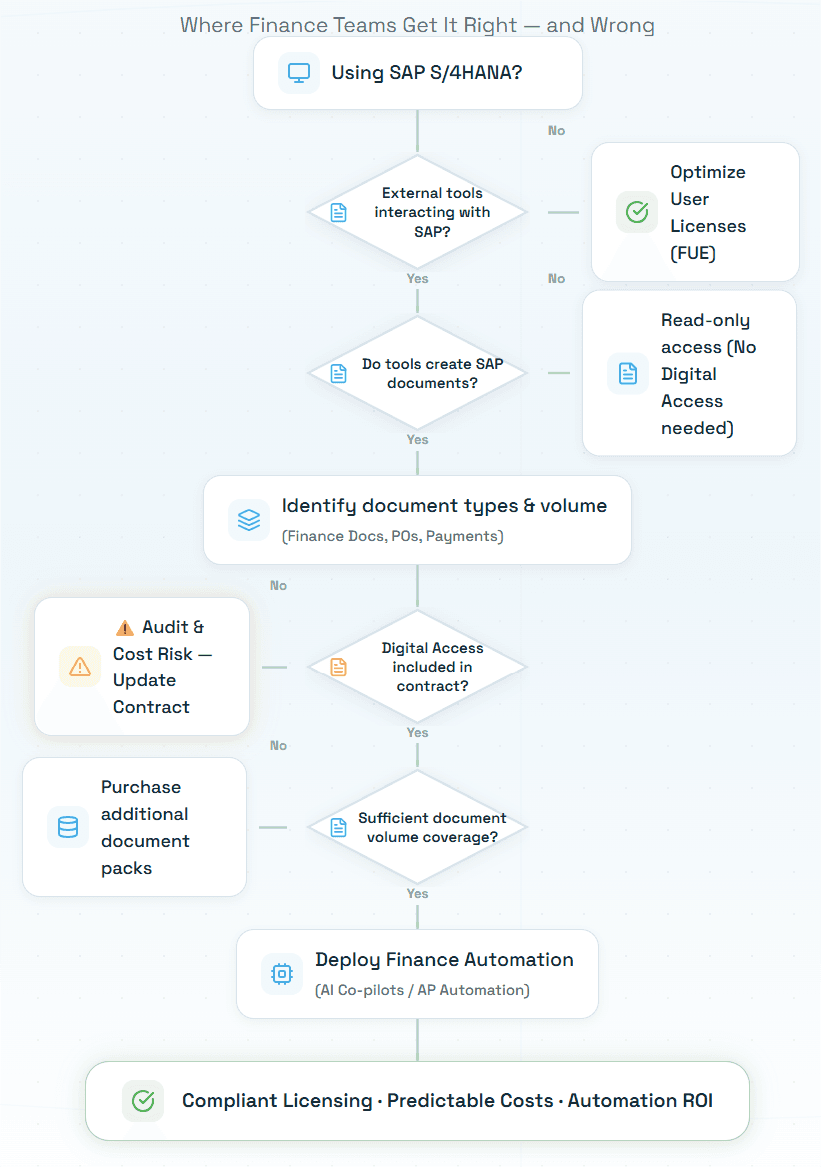
The answer determines whether your automation investment delivers clean ROI or carries a hidden licensing liability.
Hyperbots AI Co-pilots are designed with this question in mind. Here is the precise picture of how each Hyperbots co-pilot interacts with SAP document creation and therefore with Digital Access licensing:
Invoice Processing Co-pilot: Creates Finance Documents (FI-AP invoice postings) in SAP. This is a Digital Access-triggering activity and should be explicitly addressed in your SAP contract. The straight-through processing capability achieves 80% STP, meaning 80% of invoices are posted to SAP FI-AP autonomously. At 5,000 invoices per month, that is 4,000 Finance Documents per month created by the co-pilot. This volume needs Digital Access coverage.
Procurement Co-pilot: Creates Purchase Orders in SAP MM. This is a Digital Access-triggering activity (Purchase Orders are one of the nine document types). The PO creation and dispatch capability automates PO generation, each PO created requires Digital Access coverage if your S/4HANA contract does not include it.
Accruals Co-pilot: Posts journal entries to SAP GL (Finance Documents). The automated booking of accruals and automated reversals each create Finance Documents in SAP.
Payment Co-pilot: Creates payment documents in SAP FI-AP (Finance Documents). The payment approvals and GL posting capabilities write Finance Documents to SAP.
Collections Co-pilot: Primarily reads SAP FI-AR data for collections orchestration. Write-back of collection notes and promise-to-pay records to SAP FI-AR may create Finance Documents depending on configuration. Read-only data access does not trigger Digital Access.
Cash Application Co-pilot: Posts SAP AR clearing documents (Finance Documents) when matching payments to open items.
Vendor Management Co-pilot: Creates and updates SAP Business Partner records. Business Partner records are not among the nine Digital Access document types, so vendor master creation does not trigger Digital Access.
Sales Tax Verification Co-pilot: Validates tax on invoices before SAP posting. Tax validation is a read-and-verify activity; the Finance Document is created by the Invoice Processing Co-pilot, not separately by the tax co-pilot.
The practical guidance: Organizations deploying Hyperbots for AP automation, accruals, payments, and cash application should ensure their S/4HANA contract explicitly includes Digital Access coverage for Finance Documents at a volume sufficient for their monthly processed transactions. This is a straightforward licensing item to address but it must be addressed proactively, not discovered in an audit.
The good news: If you are on RISE with SAP (the subscription cloud edition of S/4HANA), digital access is handled differently. RISE bundles most indirect usage into the subscription. In practice, typical third-party integrations under RISE are already covered by your user subscription, a big change from on-premise. However, extremely high-volume scenarios might require additional capacity. The key is to confirm with SAP that your expected interfaces are within the "fair use" of your RISE contract.
Hyperbots AI Co-Pilots – Finance Automation That Delivers Real ROI
With the licensing picture clear, the ROI case for Hyperbots AI Co-pilots is unambiguous. Here is the complete suite across P2P and O2C.
Procure-to-Pay Co-Pilots
Invoice Processing Co-pilot Pre-trained on 35 million invoice fields with 99.8% extraction accuracy. Achieves 80% straight-through processing, cutting invoice cycle time from 11 days to under one minute. See how XR Extreme Reach achieved 80% STP with zero manual touch-ups in production. The 100% accurate extraction capability and 3-way matching across 140+ fields ensure that every SAP Finance Document created by the co-pilot is accurate, validated, and audit-ready.
Vendor Management Co-pilot Automates SAP Business Partner onboarding like document collection, W-9 verification, vendor identity verification, and clean ERP record creation. Onboarding time drops 8x, from nine days to under one day. The vendor onboarding challenges and advantages of AI blog explains why this matters for downstream licensing compliance, clean vendor master data reduces the exceptions that require additional human user intervention.
Procurement Co-pilot PR to PO in 4 hours versus the traditional three-day cycle. Automates the full PR-to-PO lifecycle with budget control, GL coding, and automated PO dispatch. A self-learning GL recommender continuously improves coding accuracy.
Accruals Co-pilot Automates GRNI accrual discovery, services received not invoiced, and recurring expense accruals without PO. Month-end close compresses from days to hours, variance to actual under 5%. The transforming accruals blog covers the full production impact.
Payment Co-pilot Manages the complete payment run with fraud prevention, early payment discount capture, and bank statement reconciliation. Optimizes payment timing for maximum cash flow benefit.
Sales Tax Verification Co-pilot Validates tax at line-item level before every SAP Finance Document is created. Prevents compliance implications of incorrect sales and use tax and a CFO used it to cut $200K in tax leakage. Explore tax category classification and tax mismatch identification.
Order-to-Cash Co-Pilots
Collections Co-pilot Reads live SAP FI-AR data autonomously, primarily a read operation, meaning it works within your existing licensing structure for the data access dimension. Delivers 40% DSO reduction, 70% reduction in cost to collect, and 80% productivity improvement. Calculate your collections ROI with the Hyperbots calculator.
Cash Application Co-pilot Posts SAP AR clearing documents, Finance Documents requiring Digital Access coverage. Achieves 80%+ STP, reducing unapplied cash to less than 10% and cutting reconciliation costs by up to 80%. Calculate your cash application ROI directly.
How Hyperbots Differentiates From Other SAP Finance Automation Tools
Dimension | RPA Tools | Traditional AP/AR Tools | SAP Native (BTP) | Hyperbots AI Co-pilots |
Digital Access risk | High; creates SAP docs via screen scraping, often unlicensed | Moderate; may or may not be addressed | Within SAP ecosystem; typically covered | Addressed proactively in deployment |
Named user licensing risk | Creates SAP transactions without user licenses | Varies | N/A; uses system users | API-based, uses documented integration approach |
Invoice STP rate | 20–40% | 60–70% | 40–60% | 80%+ |
Upgrade safe | Breaks 30–50% of time after SAP updates | Partial | Within BTP | Yes; no code changes |
Self-learning | No | No | No | Continuous |
Deployment timeline | 2–4 months | 2–3 months | 3–6 months | 3–4 weeks |
Requires ABAP | No but fragile | Sometimes | Yes, BTP dev | Never |
SOX audit trail | Minimal | Basic | Basic | Immutable, full-context |
Explicit DA licensing guidance | Rarely provided | Rarely provided | N/A | Provided during onboarding |
The critical licensing differentiator is transparency. Most AP automation vendors do not address Digital Access in their onboarding process, they leave it to the customer to figure out whether their tool triggers a licensing obligation. Hyperbots addresses this directly during implementation, ensuring that the deployment is structured within a clearly understood licensing framework.
Hyperbots Platform Capabilities –Transformational Impact
AI-Native Architecture Hyperbots is purpose-built for finance automation, not an RPA tool retrofitted with AI, not a rules engine with ML bolted on. This AI-native design means the co-pilots understand financial document structures, exception scenarios, and GL coding logic from day one, without requiring the manual configuration that creates indirect licensing exposure.
Self-Learning From Your Data Every transaction processed improves Hyperbots' models specifically for your organization, your supplier formats, your customers' payment behavior, your GL coding patterns. This continuous improvement means the system gets smarter without requiring additional human user interactions that would affect your named user count.
Unlimited User Access Hyperbots' unlimited-user licensing model means that deploying the co-pilots across your finance function like AP analysts, controllers, treasury, tax, adds no per-seat cost. This contrasts sharply with SAP's per-FUE model, where every additional finance user affects your subscription cost.
Human-in-the-Loop Design Above a confidence threshold, actions are autonomous. Below it, the co-pilot surfaces items for human review. This configurable design means finance teams can tune automation rates to their risk tolerance, relevant for organizations who want to manage the volume of SAP documents created autonomously versus with human initiation.
Ready-to-Deploy Pre-Trained Models Pre-trained on tens of millions of financial transactions, Hyperbots co-pilots deliver high accuracy from day one, no model training phase, no lengthy BTP configuration, no additional SAP-side development that would create new licensing exposure. The pre-trained AI co-pilots blog covers how quickly this translates to production ROI.
24/7 Continuous Operation Hyperbots co-pilots run around the clock, processing invoices overnight, applying cash on weekends. Because digital access is calculated on document creation volume rather than time, continuous operation does not increase licensing cost in a non-linear way, the volume you contract for covers 24/7 operation.
ROI – What Hyperbots Delivers on Your SAP Investment
Procure-to-Pay ROI
Tangible:
80% straight-through AP invoice processing – the majority of SAP Finance Documents posted autonomously
Invoice cycle time from 11 days to under one minute – immediate, measurable transformation
99.8% GL coding accuracy – clean Finance Documents from the start, no reclassification journals
Vendor onboarding 8x faster – clean Business Partner records that reduce downstream exceptions
Month-end close from days to hours – accruals ROI calculator models your specific savings
$200K+ tax leakage prevention – sales tax validated on every Finance Document before SAP posting
Deployment in 3–4 weeks – invoice processing ROI calculator for your scenario
Intangible:
Finance team freed from SAP transaction processing to focus on strategic analysis
Clear licensing posture from day one, no audit surprise from unaddressed Digital Access
SAP data quality improves with automated, validated postings produce cleaner records for analytics
ROI on AI-led automation in finance, compounding improvement as models self-learn
Order-to-Cash ROI
Tangible:
40% DSO reduction – collections ROI calculator for your specific portfolio
70% reduction in cost to collect – 70% of AR follow-up automated
80%+ STP on cash application – cash application ROI calculator for modeled savings
80% reduction in reconciliation costs – bank-to-SAP matching at 99.8% accuracy
Collections productivity up 80% – AI handles routine SAP AR follow-up
Intangible:
Real-time cash flow forecasting from live SAP AR data
Customer satisfaction improves, accurate collections communications, faster dispute resolution
Working capital optimization: faster collections + optimized payment timing = stronger cash position
Know Your License. Protect Your Automation Investment.
SAP S/4HANA licensing is not a topic that finance teams traditionally own but it is one that determines the cost and compliance profile of every automation investment the finance function makes. The user licenses that were right-sized in the procurement negotiation, the Digital Access coverage that was either included or omitted from the contract, the indirect access risk from third-party tools that nobody audited, all of these directly affect what the finance function can automate, at what cost, and with what compliance exposure.
In 2025, SAP Digital Access has firmly emerged as the silent killer of SAP budgets for organizations that have not proactively addressed it or a manageable cost for those that have. The strategy is twofold: choose license models that accommodate automation, and proactively negotiate or plan for add-on licenses for new technology before you deploy it.
The organizations that get this right deploy Hyperbots AI Co-pilots on a clearly understood licensing foundation, Finance Documents covered by Digital Access at the right volume, user types right-sized across the finance function, and an automation layer that delivers 80% invoice STP, 40% DSO reduction, and month-end close in hours rather than days.
The organizations that get it wrong discover their licensing exposure in an SAP audit at a fraction of the cost it would have taken to address it proactively.
Know your license. Deploy your automation. Protect your investment.
Frequently Asked Question (FAQs)
Q1: What user license types does SAP S/4HANA have, and which do most finance users need?
SAP S/4HANA has three primary license types: Professional (full enterprise access, most expensive), Limited (access to a defined scope of transactions and reports), and Self-Service (task-specific access for workflow approvals and basic queries, least expensive). Most finance personas like AP analysts, AR analysts, collections specialists, budget holders who approve purchase requisitions do not need Professional licenses. Over-provisioning finance users with Professional licenses when Limited or Self-Service would suffice is one of the most common sources of excess SAP licensing cost.
Q2: What is SAP Digital Access and does it affect finance automation deployments?
SAP Digital Access is a licensing model that charges based on business documents created by third-party systems rather than named users. It was introduced to address indirect use when external applications interact with SAP. The model is metered: you pay for each document created via third-party integration. It directly affects finance automation deployments, specifically any AP automation tool that posts invoices to SAP, any procurement tool that creates POs, and any payment tool that creates payment documents. Organizations deploying finance automation software on SAP must address Digital Access explicitly in their contract.
Q3: What is the difference between indirect access and Digital Access in SAP?
SAP introduced Digital Access in 2018 to address the long-standing confusion around indirect access. Indirect access was the traditional term for any situation where a non-SAP system accessed SAP data, which SAP previously addressed through named user licenses for external users which is an impractical and expensive approach. Digital Access replaced it with a document-based model: instead of paying per external user, organizations pay per document created by external systems. For practical purposes in 2026, Digital Access is the operative model for any new S/4HANA contract, while older ECC contracts may still operate under the legacy indirect access framework.
Q4: Does Hyperbots trigger Digital Access licensing when it posts to SAP?
Yes, Hyperbots co-pilots that create Finance Documents (AP invoices, accrual journal entries, payment documents, AR clearing documents) in SAP trigger Digital Access when running on an on-premise or Private Cloud S/4HANA environment. Organizations should address this explicitly in their SAP contract before deploying Hyperbots. For RISE/Public Cloud customers, digital access is bundled into the subscription, typical third-party integrations are already covered by the user subscription. On-premise customers should purchase document packs covering their expected Finance Document creation volume. Hyperbots addresses this during onboarding, ensuring the deployment is structured within a clear licensing framework.
Q5: How can finance teams reduce their SAP user license spend?
The primary lever is user type classification optimization. Audit your current user roster against the three license tiers, Professional, Limited, Self-Service and reclassify users whose actual usage does not require Professional access. In cloud contracts, five Core users might equal one Full User Equivalent. Misunderstanding these metrics can lead to over-paying. A user classification exercise frequently reduces the contracted FUE count by 20–30% for finance functions with a mix of power users and occasional approvers. Use the savings to fund the Digital Access licensing that your automation deployments actually require.
Q6: What happens during an SAP audit if we have unlicensed Digital Access usage?
Indirect access remains a top audit focus for SAP's License Compliance team. With better tools and the Digital Access model in place, SAP can more easily identify unlicensed document creation. Companies caught off-guard by audits can face large settlement demands. The standard outcome of an unlicensed Digital Access finding is a back-payment demand for the unlicensed document volume, plus potentially a prospective Digital Access license requirement. These settlements can run into hundreds of thousands or millions of dollars for high-volume AP functions. The cost of proactively addressing Digital Access in your contract is a fraction of the cost of an audit finding.
Q7: How does Hyperbots' unlimited user licensing contrast with SAP's FUE model?
SAP's FUE model means every finance user who accesses S/4HANA affects your subscription cost, adding five new AP analysts to the team has a direct licensing impact. Hyperbots' unlimited access model means you can deploy the co-pilots across your entire finance function without per-seat cost.
Q8: Can we deploy Hyperbots on SAP ECC before migrating to S/4HANA?
Yes. Hyperbots supports both SAP ECC and all S/4HANA editions. The indirect access / Digital Access licensing consideration applies to both, ECC customers on legacy indirect access licensing and S/4HANA customers on the Digital Access model both need to address third-party document creation in their contracts. The approach is consistent: identify the document types your automation creates, quantify the volume, and ensure your SAP contract covers it.