7 Signs Your ERP Has Outgrown Your Finance Team's Needs
7 signs your ERP can’t keep up with growth and how automation layers fix finance inefficiencies without replacing your system
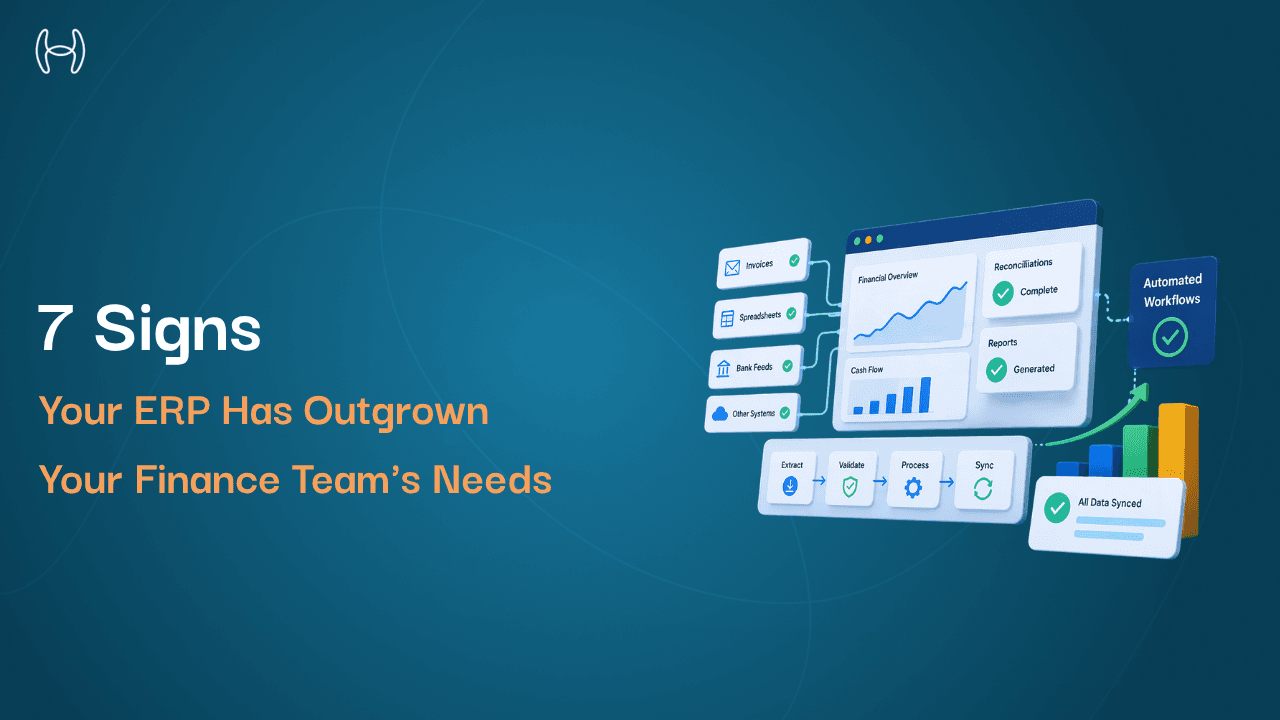
Your ERP was the right decision when you made it. It brought structure to purchasing, visibility to budgets, and order to the general ledger. For a business at that stage, it did exactly what it was supposed to do.
But ERPs do not grow automatically. The business grows, transaction volumes increase, the team expands across departments, compliance requirements tighten, and the ERP sits where it always has, doing what it was configured to do years ago. The gap between what the system was built for and what the finance team now needs widens gradually, one manual workaround at a time, until the friction becomes undeniable.
The signs are usually there long before anyone officially decides the ERP is the problem. This blog names seven of them: specific, operational signals that a finance team's ERP has stopped being an advantage and started being a constraint.
This is particularly relevant for mid-market organisations that have been on the same ERP for several years. If you want to understand why these signals map to specific architectural layers within your ERP, the guide on how many levels a typical ERP system includes explains the layered structure of ERP systems and why the gaps tend to appear at specific points rather than across the whole platform.
What It Means for an ERP to Be Outgrown
An outdated ERP and an outgrown ERP are two different things, and the distinction matters.
An outdated ERP is one where the software itself is behind: unsupported versions, deprecated modules, security vulnerabilities, no vendor roadmap. That is a technical problem with a technical solution.
An outgrown ERP is different. The software may be current. The vendor may be reputable. The platform may be entirely functional. The problem is that the business has grown beyond what the system's configuration, capacity, or native capabilities were designed to handle. The ERP records what the finance team does. But it does not help the finance team do it faster, more accurately, or with less manual effort as volume increases.
Most organisations experiencing ERP friction are dealing with the second problem, not the first. The signs below are specific to this situation.
Sign 1: Month-End Close Takes Longer Than It Should and Nobody Knows Why
A clean month-end close is the clearest measure of whether a finance system is working. When the ERP is functioning well for the organisation's scale, the close is a review process: checking automated entries, confirming accruals against live data, producing reports. It takes days.
When a business has outgrown its ERP, the close becomes a production. Accruals are estimated manually because the system has no visibility into open purchase orders or partial receipts. Reconciliations are run in spreadsheets because the ERP does not match transactions automatically across entities. Journal entries are entered by hand because the system cannot calculate them from available data.
The telling sign is not that the close is long. It is that the close is long for reasons nobody can cleanly articulate. The time disappears into a fog of manual steps that have become so embedded in the process that the team no longer questions them. They are just the way the close works.
Sign 2: AP Is Processing More Invoices but Not Getting Faster
Invoice volume is one of the clearest indicators of business growth. When a business expands its vendor base, increases purchasing activity, or adds new entities, invoice volumes grow proportionally.
In an ERP that is working at the right level for the organisation, AP throughput scales with the system rather than with headcount. Invoices are extracted automatically, matched against purchase orders and receipts, coded to the right GL accounts, and routed for approval without a person touching every step.
In an ERP that has been outgrown, none of that automation exists or it is partial. AP staff manually key invoice data, manually match against POs, manually chase approvals by email. The volume increases but the throughput per person stays flat. The team grows to compensate, but the underlying process never improves.
If the ratio of invoices processed per AP staff member per week has not improved over the past two years despite investing in the team, the ERP is the bottleneck. Understanding the full accounts payable workflow makes it clear which specific steps should be automated by the system and which ones your team is still handling manually.
Sign 3: Reporting Requires Spreadsheets to Be Useful
An ERP's reporting layer should give the CFO and finance leadership accurate, current financial data without requiring someone to extract, clean, and reformat it in Excel first.
When a business has outgrown its ERP, the reporting module produces output that is technically accurate but operationally insufficient. The data is there, but it is presented at the wrong level of granularity, across the wrong dimensions, or in a format that requires manual manipulation before anyone can act on it.
The spreadsheet model that develops around an outgrown ERP's reporting is often elaborate and carefully maintained. Someone owns it. Someone updates it every week. And the moment that person is away, the business loses its financial visibility. That dependency is the sign. If a CFO cannot get the numbers they need directly from the ERP without an intermediary spreadsheet, the system's reporting layer has stopped serving the business. The guide on how AI complements ERP systems explains where the intelligence gap between an ERP's core reporting and what a finance team actually needs tends to sit, and what fills it.
Sign 4: Integrations Break Regularly and IT Owns the Repair
Modern finance operations connect the ERP to a range of other systems: banking feeds, payment platforms, procurement tools, HR systems, expense management software, and increasingly AI automation tools. When these integrations work reliably, data flows and the finance team does not think about them.
When a business has outgrown its ERP, integrations become a source of ongoing maintenance burden. The ERP's API is inconsistently documented or poorly supported. Third-party tools that connected cleanly at implementation now break when either system updates. The finance team discovers the feed is broken at month-end when the numbers do not reconcile.
The critical version of this sign is when the ERP cannot support the integrations the business now needs at all. If the finance team wants to add AI-driven invoice processing and discovers that the ERP cannot provide a stable API connection for it, the system has become a ceiling rather than a foundation. The guide on ERP automation modules and playbooks covers what a well-functioning ERP automation layer looks like and where the typical gaps appear.
Sign 5: Approval Workflows Are Managed by Email
Purchase orders, invoices, expense reports, and journal entries all require approval before they are processed. In an ERP that is functioning well, approval workflows are built into the system: the item reaches the right approver automatically, the approver acts within the system, and the outcome is recorded with a timestamp.
When a business has outgrown its ERP, the approval process migrates to email. Someone raises a PO and emails the manager. The manager replies to approve. Finance chases the reply, updates the ERP manually, and moves on. There is no approval chain visible in the system. There is no timestamp on the decision. There is no record that can be produced for an auditor without searching inboxes.
This is one of the most common and most costly signs. It creates audit exposure, slows payment cycles, and makes it impossible to identify approval bottlenecks by looking at the system data. It means approvers are managing commitments through their inbox rather than a controlled workflow, which is exactly the environment where things get missed. The guide on the accounts payable approval process covers what a properly structured, system-driven approval workflow looks like and how it eliminates the email dependency.
Sign 6: The Finance Team Maintains Spreadsheets the ERP Should Own
This sign is closely related to reporting, but it is distinct. The spreadsheets in question here are not output reports. They are operational tools: vendor compliance trackers, budget utilisation monitors, open PO registers, accrual schedules, and reconciliation workbooks.
Each of these spreadsheets exists because the ERP does not maintain the information in a usable form. The vendor compliance tracker exists because the ERP does not flag certificate expiry. The open PO register exists because the ERP's commitment visibility is insufficient. The accrual schedule exists because the system cannot estimate unbilled liabilities from live data.
The number of operational spreadsheets a finance team maintains is one of the most reliable indicators of what the ERP is not doing. Each spreadsheet is a documented gap. When the total is high, the aggregate cost in maintenance hours, error risk, and knowledge dependency is significant.
Sign 7: Adding New Capabilities Requires a New Implementation Project
This is the sign that brings the others into focus. When a finance team wants to improve a process and the answer is always "we would need to implement a new module" or "that would require a significant configuration project," the ERP has become rigid in a way that does not serve the business.
Modern finance operations evolve quickly. New compliance requirements, new entity structures, new vendor categories, new automation tools: all of these require the finance system to be adaptable. When adaptability requires a consultant and a six-month project every time, the cost of staying current outweighs the cost of addressing the underlying problem.
The specific version of this sign that matters most in 2025 is AI and automation capability. A finance team that wants to add AI-driven invoice processing, automated accruals, or real-time procurement controls and discovers that the ERP cannot support those integrations without extensive custom work is facing a structural constraint, not a configuration question. Understanding what a well-functioning AI and ERP layer relationship looks like is essential context for evaluating this sign.
The Signs at a Glance
Sign | What It Looks Like | What It Actually Means |
1 | Month-end close is long for unclear reasons | Accruals and reconciliations are manual, not system-driven |
2 | AP team grows but throughput per person does not | Invoice processing is still largely manual |
3 | Reports need a spreadsheet to be useful | Reporting layer granularity and format are insufficient |
4 | Integrations break and IT fixes them regularly | ERP API is fragile or cannot support needed connections |
5 | Approvals happen over email | Workflow layer is not capturing decisions in the system |
6 | Finance maintains spreadsheets the ERP should own | Core data management gaps across compliance, commitments, accruals |
7 | New capabilities need a new implementation project | ERP cannot adapt without significant investment |
What These Signs Have in Common
Every sign above points to the same underlying dynamic. The ERP's core modules, its transaction recording, its general ledger, its purchase order management, are functional. The system is not broken. But the layer above those core modules, the automation, the workflow intelligence, the integration capacity, the real-time visibility, has not kept pace with what the finance team now needs to operate effectively.
This is important to understand because it changes the question. The question is rarely "do we need to replace the ERP?" Most of the time, the answer is no. The ERP's core is still doing its job. The question is: what sits on top of it?
Where Hyperbots Fits
The seven signs above share a common thread: the ERP records what happened, but it no longer helps your finance team manage what's happening. The gap isn't in the general ledger or the chart of accounts. It's in the operational layer i.e in the workflows, the matching logic, the approvals, the accruals, where manual effort has quietly filled the space the system was supposed to occupy.
Hyperbots closes that gap as an AI automation layer that sits above your existing ERP, across two core process areas:
Hyperbots Procure to Pay (p2p) Suite
The Procure-to-Pay process starts the moment someone needs to buy something and ends when the supplier is paid. In most mid-market organisations, almost every step in between involves a person doing something the system should be doing.
The Procurement Co-Pilot automates purchase requisition creation such auto-filling fields from contracts, running real-time budget checks, and converting approved PRs into purchase orders without manual effort. PR creation time drops to around five minutes. PO creation and dispatch time is reduced by 80%.
The Invoice Processing Co-Pilot picks up from there. It discovers invoices from email, drives, and portals; extracts data with 99.8% accuracy using pre-trained models; runs two-way and three-way matching across up to 140 fields; auto-codes to GL; and posts directly to the ERP. Up to 80% of invoices process straight through without a human touch, reducing processing time from an industry average of 11 days to under one minute. This is the direct resolution to Signs 2, 5, and 6, the AP throughput ceiling, the email approval dependency, and the operational spreadsheets your team maintains in place of system-driven matching.
The Accruals Co-Pilot runs continuously against open POs, partial receipts, and vendor billing patterns to detect what has been received but not yet invoiced - for goods, services, and recurring expenses alike. It books and reverses accruals automatically with full GL posting and audit trails, keeping variance between accrued and actual costs below 5%. Month-end manual accrual effort drops by 80%. Sign 1 - the close that is long for reasons nobody can cleanly explain, becomes a review rather than a production.
The Payments Co-Pilot closes out the P2P cycle by automating payment timing recommendations (balancing early payment discounts against cost of capital), routing approvals through structured workflows rather than email chains, supporting ACH, check, and wire transfer processing, and reconciling payments against bank statements automatically. Organizations typically achieve up to 10% savings on cash outflow through optimized payment timing alone.
Hyperbots Order-to-Cash (O2C) Suite
On the revenue side, the same pattern of accumulated manual effort appears - just in the opposite direction. Invoices go out, cash comes in slowly, and a team of people spend their days chasing, reconciling, and applying payments by hand.
The Cash Application Co-Pilot automates the matching of incoming payments to invoices using finance-trained AI agents that work across bank feeds, lockboxes, ACH, wires, checks, and email remittances, even when remittance data is incomplete or inconsistent. It achieves 80%+ straight-through processing, reduces unapplied cash to below 10% (compared to the 40%+ typical with rule-based tools), and cuts reconciliation costs by up to 80%. Every application, adjustment, and write-off posts back to the ERP automatically.
The Collections Co-Pilot addresses what happens before the cash arrives. It uses AI-driven dynamic prioritisation to continuously reprioritise collection actions based on payment behaviour, invoice risk, and customer value. Dunning, follow-up emails, promise-to-pay tracking, and dispute detection all run autonomously. More than 70% of collection tasks are automated, DSO is reduced by up to 40%, and the cost to collect drops by up to 70%.
One platform. Your existing ERP.
Hyperbots connects natively to any ERP. Some of them being Oracle NetSuite, SAP S/4HANA, SAP ECC, SAP B1, Microsoft Business Central, Sage Intacct, Sage 300, etc. Your ERP remains the system of record. Hyperbots handles the processing, matching, routing, and compliance work above it. Go-live is within one month.
Most organisations experiencing the signs in this blog do not need a new ERP. They need the automation layer across both P2P and O2C that should have been built above the one they already have.
Conclusion
An ERP that has been outgrown is not a failure. It is the natural consequence of a business growing faster than the system was configured to handle. The signs are predictable, the causes are well understood, and the path forward rarely requires starting over.
What it does require is an honest assessment of where the friction is, which layer it lives in, and what kind of capability closes it. For most mid-market organisations, the answer is not a new ERP. It is the automation layer that was never added on top of the one they already have.
Ready to turn your ERP from a constraint back into an advantage?
Book a Demo or Start Your Free Trial.