Government & Municipal ERP Software: Systems, Examples, and How to Choose
Government and municipal organizations need ERP systems that go beyond traditional accounting to support budgeting, procurement, grants, payroll, asset management, compliance, and citizen services. This guide explains the essential capabilities of public sector ERP software, showcases leading platforms, and provides a framework for selecting the right solution for your agency or municipality.
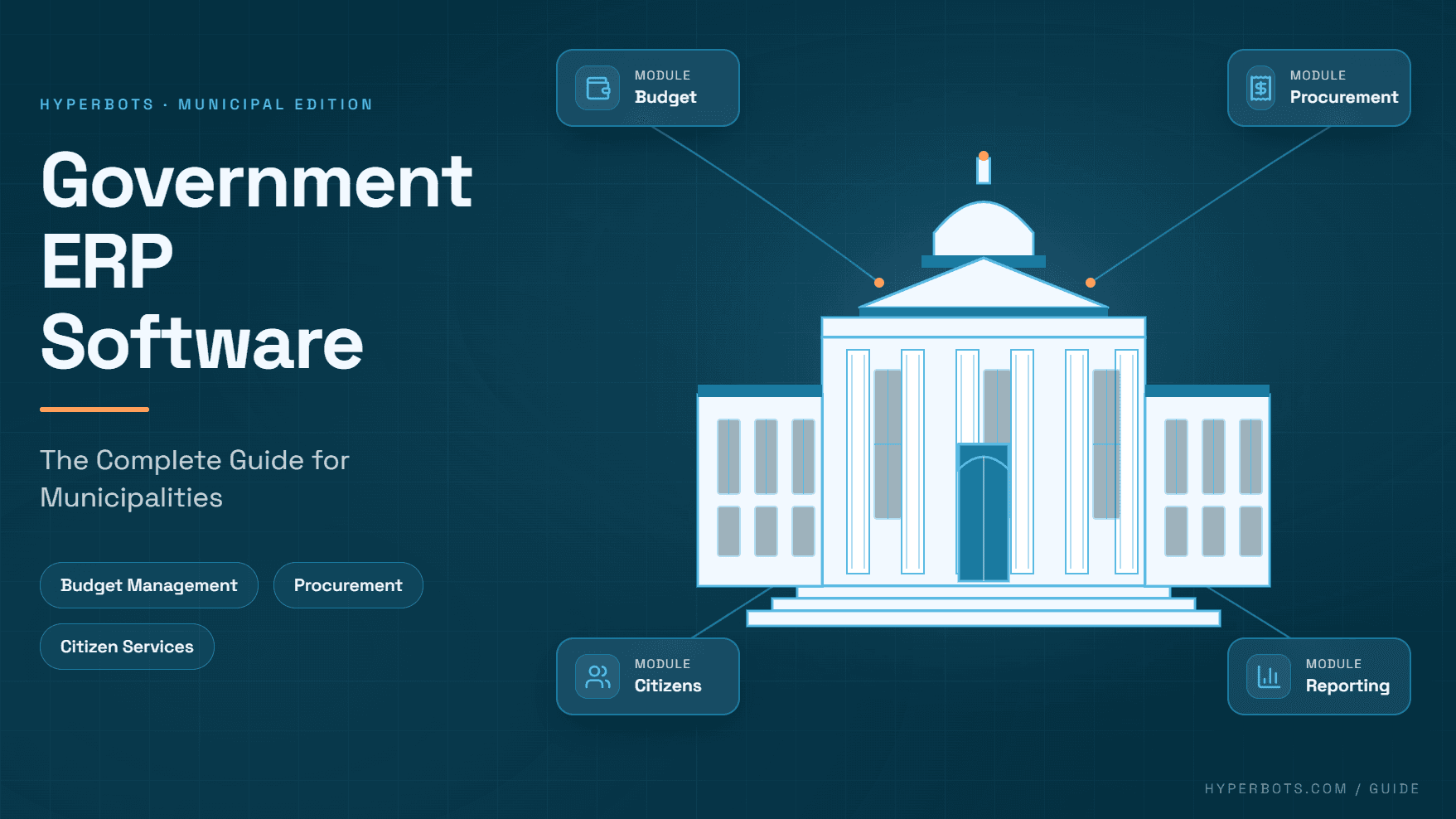
Local governments run on some of the oldest software in the enterprise technology world. It's not unusual to find a county finance department still keying transactions into a system installed before smartphones existed, held together by institutional memory and a finance director who knows exactly which report will break if a field gets renamed. According to the Government Finance Officers Association (GFOA),enterprise resource planning (ERP) replacement is one of the largest, most disruptive technology projects a local government will undertake, precisely because these systems touch nearly every department and rarely get replaced more than once every ten to fifteen years.
That infrequency is exactly why so many finance leaders are actively researching enterprise resource planning software municipalities examples right now. Whether you're a CFO trying to justify a system replacement to your council, a controller drowning in spreadsheet reconciliations, or a member of an ERP evaluation committee building your first RFP, this guide covers what government ERP actually is, how it differs from the commercial ERP world, which vendors dominate the public sector market, and how to evaluate them without getting lost in feature-list marketing.
What Is Government/Public Sector ERP?
Government ERP (also called public sector ERP, municipal ERP, or gov ERP) is a category of enterprise resource planning software purpose-built for the operational and regulatory realities of public agencies. At its core, it does what any ERP does such as unifying financials, procurement, human resources, and reporting into a single system of record but it's engineered around requirements that commercial ERP platforms were never designed to handle.
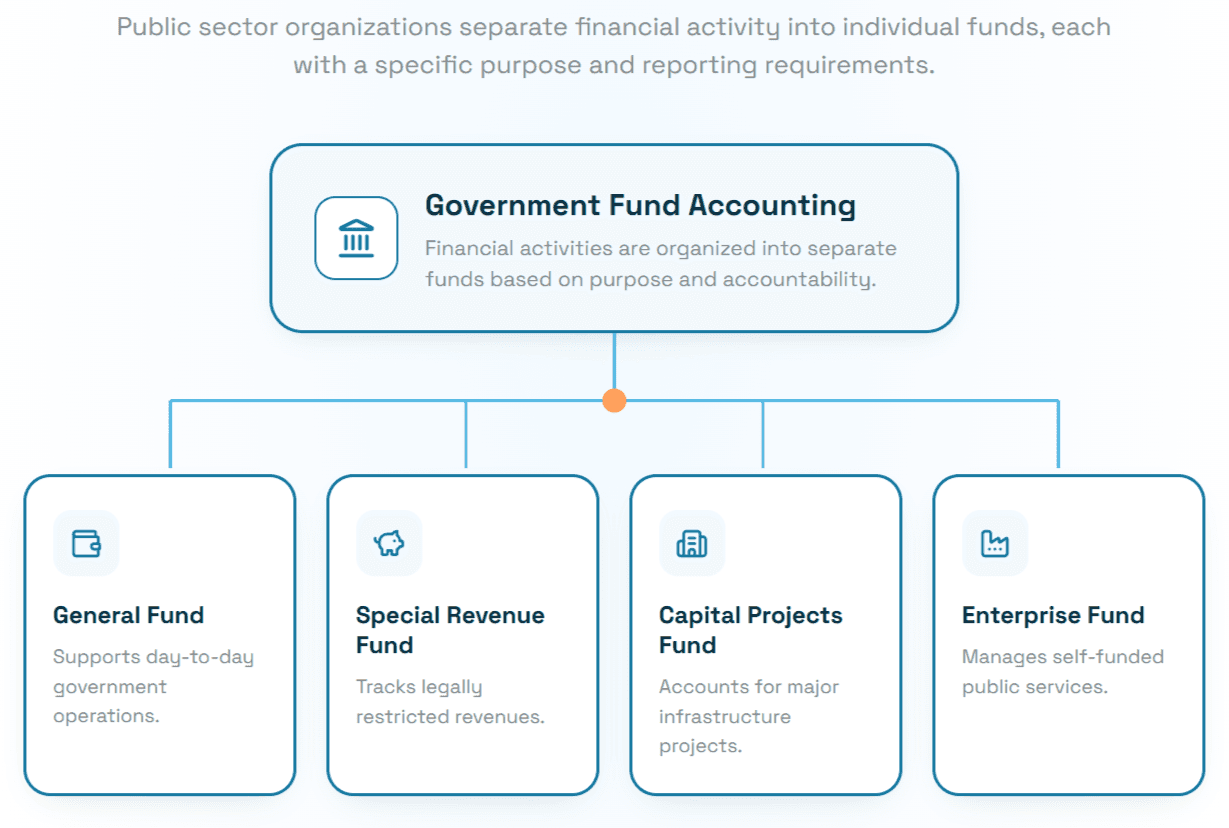
The defining difference is fund accounting. Private-sector ERP systems track profitability by legal entity; government ERP systems track resources by the purpose for which they were appropriated. A city doesn't have one general ledger, it has a general fund, special revenue funds, capital project funds, enterprise funds for utilities, and often dozens of grant-restricted funds, each with its own budget, reporting requirements, and legal restrictions on spending. Government ERP software has to model that structure natively, not bolt it on as a workaround.
On top of fund accounting, public sector ERP systems typically need to support:
GASB compliance: reporting that satisfies Governmental Accounting Standards Board requirements, including government-wide financial statements, fund-level statements, and the management discussion and analysis sections that make up an Annual Comprehensive Financial Report (ACFR).
Encumbrance accounting: reserving budget against a purchase order before the invoice ever arrives, so departments can't accidentally overspend an appropriation.
Budgetary control: hard stops or soft warnings when a transaction would exceed an approved budget line, tied directly to the legislative appropriation process.
Competitive procurement rules: formal bid thresholds, minority/women-owned business participation tracking, and sole-source justification documentation that state procurement codes require.
Citizen-facing transparency: public budget portals, open-data reporting, and self-service payment options for property tax, utility billing, and permitting fees.
Multi-department, multi-fund reporting: the ability to slice data by department, program, cost center, grant, and fund simultaneously for audit and state oversight purposes.
Industry researchers have noted that many local governments are still running decade-old financial software, and that lack of dedicated in-house IT staff is one of the most commonly cited barriers to modernization which is a large part of why cloud-based, vendor-managed government ERP has grown rapidly as a category over the past several years.
Examples of ERP Systems Municipalities Use
If you're building a shortlist, these are the vendors that consistently appear in local and state government RFPs. Each has a distinct approach to the public sector market.
Tyler Technologies
Tyler Technologies is the most entrenched name in public sector software, with tens of thousands of government installations across the U.S., primarily through its Enterprise ERP platform (formerly branded Munis) and its Incode line for smaller governments. Tyler's core differentiators are deep specialization in fund accounting, permitting and licensing, and property tax/utility revenue collection, functions that horizontal commercial ERP vendors often can't replicate without heavy customization. Tyler is frequently the default choice for mid-size to large counties, cities, and school districts that want a single vendor covering financials, courts, public safety, and land management under one roof.
OpenGov
OpenGov markets itself as the modern, cloud-native alternative to legacy government ERP, built exclusively for state and local government from the ground up rather than adapted from commercial software. Its ERP bundles general ledger, accounts payable, budgeting, procurement, and reporting into a single cloud platform, and the company has reported that customers see meaningful reductions in budget development time and reporting effort after moving off spreadsheet-based processes. OpenGov tends to resonate with mid-size municipalities that want a faster implementation timeline and a more modern user interface than legacy on-premise systems typically offer.
Workday
Workday entered the state and local government ERP market more recently but has grown quickly, particularly among counties and cities that also want unified HR and payroll on the same platform. Workday was named a Leader in the 2025 Gartner Magic Quadrant for Cloud-Based ERP for U.S. Local Government, and its public sector customers include counties reporting faster payroll cycles and reduced unapproved spend after consolidating finance and HR into one system. Workday's strength is a genuinely unified data model across HCM and financials, useful for governments tired of reconciling separate HR and finance systems that don't talk to each other.
Oracle
Oracle Fusion Cloud ERP serves the higher end of the public sector market, especially state agencies, larger counties, and federal agencies that need FedRAMP-authorized cloud infrastructure. Oracle Cloud Infrastructure holds FedRAMP Moderate and FedRAMP High authorizations, and Oracle has continued to expand its footprint in federal financial management. Its Oracle Cloud Federal Financials offering was added to the U.S. Treasury's FM QSMO Marketplace, a vetted list of financial systems that meet government-wide standards. For large, complex organizations that need deep project accounting, grants management, and multi-entity consolidation, Oracle is usually on the shortlist.
Sylogist
Sylogist takes a different architectural approach: SylogistGov ERP is built on top of Microsoft Dynamics 365 Business Central, with public-sector-specific functionality such as fund accounting, property tax, utility billing, grant tracking, layered on as an overlay. This makes it a common choice for smaller municipalities (often those under roughly 200,000 population) that want the familiarity and lower total cost of a Microsoft-native platform combined with the fund accounting depth that off-the-shelf Business Central lacks.
Infor
Infor CloudSuite Public Sector is a StateRAMP-authorized suite serving state, local, tribal, and federal governments, along with utilities and K-12 education. Infor has invested heavily in this vertical, and in Gartner's inaugural 2025 Critical Capabilities report for Cloud-Based ERP for U.S. Local Government, Infor's CloudSuite Public Sector was ranked highly for core financials functionality, alongside strong placement for utility billing administration and citizen portal capabilities. Infor tends to appeal to governments that also run utility operations and want asset management and supply chain functionality bundled with core financials.
Comparison Table: Government ERP Vendors at a Glance
Vendor | Best Fit | Deployment | Notable Strength |
Tyler Technologies | Mid-size to large counties, cities, school districts | Cloud & hybrid | Deepest public-sector-specific module breadth (courts, land, revenue) |
OpenGov | Small to mid-size cities and counties modernizing off legacy systems | Cloud-native | Fast implementation, modern UX, budgeting & transparency |
Workday | Counties/cities wanting unified HR + finance | Cloud | Single data model across HCM and financials |
Oracle | State agencies, large counties, federal | Cloud (FedRAMP) | Enterprise scale, grants/project accounting, federal compliance |
Sylogist | Small municipalities (under ~200K population) | Cloud (Microsoft-native) | Lower TCO via Dynamics 365 Business Central |
Infor | Governments with utility/asset-heavy operations | Cloud (StateRAMP) | Strong core financials + utility billing + asset management |
ERP for Local & Municipal Governments: How Requirements Differ from Commercial ERP
It's worth being explicit about why local government ERP software is its own category rather than a configuration of commercial ERP, because this is where a lot of RFPs go wrong.
1. The chart of accounts is legally structured, not just organizationally structured. In commercial ERP, a chart of accounts is largely a management choice. In government, fund, department, and object-code segments are often dictated by state statute and GASB reporting requirements. A municipal ERP system needs to support multi-segment, multi-dimensional coding natively throughout function, fund, department, program, and grant, often simultaneously for a single transaction.
2. Budget is law, not a forecast. In a commercial business, exceeding a budget is a management problem. In government, spending beyond an appropriation without council or board authorization can be a legal violation. This is why encumbrance accounting and budgetary control aren't "nice to have" features in local government ERP systems, they're compliance requirements.
3. Procurement is a public trust exercise. Competitive bid thresholds, sole-source documentation, cooperative purchasing agreements, and vendor debarment checks all need to be enforced systematically, because procurement irregularities are a top audit and public-records risk for municipalities.
4. Revenue functions look nothing like commercial billing. Property tax, special assessments, and utility billing all involve statutory rate structures, exemptions, delinquency and lien processes, and public notice requirements that don't map to a standard accounts-receivable module.
5. Everything must be auditable and, increasingly, public. State single audits, GASB-compliant ACFRs, and open-data/transparency portal expectations mean that reporting and audit-trail depth matter as much as transactional functionality.
6. Procurement and implementation timelines are different. Government ERP purchases usually go through formal RFP processes, cooperative purchasing vehicles, or state contracts rather than a sales-led buying motion, and implementations frequently run 12–24 months given the number of departments, funds, and legacy data sources involved.
GFOA's Research and Consulting Center, which has advised hundreds of local governments through ERP replacements, consistently emphasizes that ERP projects are as much about business process redesign and organizational change management as they are about software selection, the technology is necessary but not sufficient for a successful project.
How AI Reduces Administrative Work in Government Finance
Even a modern, well-implemented government ERP system is still, fundamentally, a system of record. It stores the chart of accounts, enforces budgetary control, and produces the reports auditors need. What it typically does not do particularly well is eliminate the manual, repetitive finance work that happens around it such as chasing down an invoice that doesn't match a purchase order, re-keying vendor data, manually coding expenses to the correct fund and object code, or reconciling AP subledgers before month-end close.
This is where AI is increasingly being layered on top of, rather than replacing, government ERP systems. A growing body of vendor and industry guidance, from Oracle's rollout of embedded AI in its federal financials product, to Workday's anomaly-detection and financial-close tooling for public sector finance, to Infor's AI agent tooling across its CloudSuites, reflects the same underlying pattern: agencies want their existing ERP to stay as the system of record, while AI absorbs the manual work sitting on top of it, such as:
Invoice capture and matching: extracting invoice data and automatically matching it against purchase orders and receiving records instead of manual line-by-line comparison.
GL/fund coding: using historical coding patterns to recommend the correct fund, department, and object code for a transaction, reducing miscoding that creates downstream reporting and audit headaches.
Exception and anomaly detection: flagging duplicate payments, unusual vendor activity, or transactions that don't fit expected patterns before they post.
Accruals and month-end close support: automating the discovery of unbilled liabilities (goods received but not invoiced) so close doesn't depend on someone remembering every open commitment.
Vendor management: automating onboarding, W-9 collection, and identity verification so procurement staff aren't manually chasing paperwork.
This is precisely the layer where Hyperbots operates. Hyperbots isn't an ERP and doesn't replace your government ERP system of record, it's an AI layer that connects to whatever ERP a public sector organization already runs and automates the finance workflows that sit around it: invoice processing, accounts payable automation, 3-way matching, GL coding, accruals, vendor management, and payments. For finance teams that have just invested in, or are still running, a fund-accounting-capable ERP, that kind of AI layer can meaningfully reduce the manual reconciliation and data-entry burden without requiring a second system-of-record migration.
Government ERP Selection Checklist
Before you issue an RFP, GFOA's guidance on ERP readiness and system selection recommends building a cross-functional evaluation team, finance, IT, HR, and representatives from major operating departments, and defining outcomes-focused requirements before you ever look at a vendor demo. Use the checklist below as a starting framework.
Fund Accounting & Compliance
Does the system natively support multi-fund, multi-dimensional chart of accounts (fund, department, program, grant, object)?
Can it produce GASB-compliant fund-level and government-wide financial statements?
Does it support encumbrance accounting and hard/soft budgetary controls?
Procurement & Revenue
Does it enforce competitive bid thresholds and sole-source documentation workflows?
Does it support property tax, special assessment, and utility billing, or will you need a bolt-on?
Can it handle cooperative purchasing agreements and state contract references?
Security & Hosting
Is the platform cloud-hosted, and if federal funding or data is involved, does it hold FedRAMP or StateRAMP authorization?
What are the vendor's data residency, backup, and disaster recovery commitments?
How are role-based access controls and segregation of duties enforced for finance staff?
Reporting & Transparency
Does it support ACFR production and state single-audit reporting requirements out of the box?
Is there a public-facing budget/transparency portal, or does that require separate integration?
Can non-finance staff self-serve reports without IT involvement?
Implementation & Total Cost of Ownership
What is the realistic implementation timeline given your number of funds, departments, and legacy data sources?
Is pricing subscription-based, perpetual-license, or usage-based, and what does year 3–5 total cost look like, not just year 1?
What ongoing support, training, and upgrade cadence does the vendor commit to?
Integration & Extensibility
Does it offer open APIs for integrating tax, utility billing, GIS, payroll, or third-party AI/automation tools?
How well does it integrate with your state's retirement, payroll, and reporting systems?
Can it accommodate future modules (grants management, asset management, citizen portals) without a full re-implementation?
Change Management
Does the vendor provide structured training and change management support, not just technical configuration?
Is there a clear governance structure defined for the project (executive sponsor, technical leads, department champions)?
Conclusion
Choosing a government ERP system is one of the highest-stakes technology decisions a public finance team will make, not because the software itself is exotic, but because fund accounting, budgetary law, and public accountability requirements leave very little room for a system that "mostly" fits. Vendors like Tyler Technologies, OpenGov, Workday, Oracle, Sylogist, and Infor each take a different approach to solving that problem, and the right fit depends heavily on your organization's size, existing technology footprint, and reporting complexity.
Whichever ERP you choose or already run, the manual finance work that piles up around it like invoice matching, GL coding, accruals, vendor onboarding doesn't magically disappear on its own. That's the layer where AI co-pilots like Hyperbots complement an existing government ERP rather than compete with it, automating the repetitive finance workflows so your team can spend more time on the strategic work only they can do.
If your finance team is evaluating how AI can reduce manual AP and finance workload alongside your current ERP, you can explore Hyperbots' AI co-pilots or request a demo to see how it fits into your existing systems.
Frequently Asked Questions
1. What is government ERP software?
Government ERP software is enterprise resource planning technology designed specifically for public sector organizations to manage financials, budgeting, procurement, payroll, and revenue collection while supporting fund accounting, GASB reporting, and public transparency requirements.
2. How is public sector ERP different from commercial ERP?
Public sector ERP is built around fund accounting rather than entity-based accounting, enforces legally binding budgetary controls, supports statutory procurement rules, and produces GASB-compliant financial statements, requirements that commercial ERP systems typically aren't designed to handle natively.
3. What are the most common ERP systems used by municipalities?
Tyler Technologies, OpenGov, Workday, Oracle, Sylogist, and Infor are among the most widely used government ERP vendors, each serving slightly different segments of the state and local government market by organization size and complexity.
4. Do small towns and small governments need a full ERP system?
Many small municipalities use scaled-down or Microsoft-native platforms (such as SylogistGov or Tyler's Incode line) rather than enterprise-scale systems, since full-scale ERP implementations can be costly and complex relative to a small government's staff and budget.
5. What is fund accounting, and why does it matter for government ERP?
Fund accounting segregates resources by their authorized purpose, general fund, special revenue, capital projects, enterprise funds, rather than by legal entity. It's central to government financial reporting because it demonstrates that restricted funds were spent only for their intended purpose.
6. How long does a government ERP implementation typically take?
Depending on the size of the organization and number of funds and departments involved, government ERP implementations commonly run from about 12 to 24 months, and GFOA recommends a formal readiness phase well before implementation begins.
7. Is cloud ERP secure enough for government use?
Cloud ERP vendors serving the government typically pursue FedRAMP (federal) or StateRAMP (state/local) authorization, which validates their security controls against recognized frameworks such as NIST SP 800-53. Agencies should confirm current authorization status directly with the vendor and relevant marketplace listings.
8. Can AI work alongside an existing government ERP system?
Yes. AI tools can connect to an existing ERP as a system of record and automate surrounding finance workflows such as invoice processing, GL coding, matching, and accruals without requiring a government to replace or migrate off its core ERP platform.
9. What should be in a government ERP RFP?
A strong RFP should define outcomes-focused requirements (not just a feature checklist), cover fund accounting and compliance needs, procurement rules, security/hosting requirements, reporting expectations, integration needs, and implementation timeline and total cost of ownership across at least a 5-year horizon.
10. How much does government ERP software cost?
Costs vary widely by government size and module scope, small governments may spend in the tens of thousands annually for standalone or bundled modules, while mid-size to large municipalities can see total implementation costs (software, services, and data migration) reach into the millions over a multi-year project. Exact figures should be validated through vendor quotes specific to your organization's requirements.