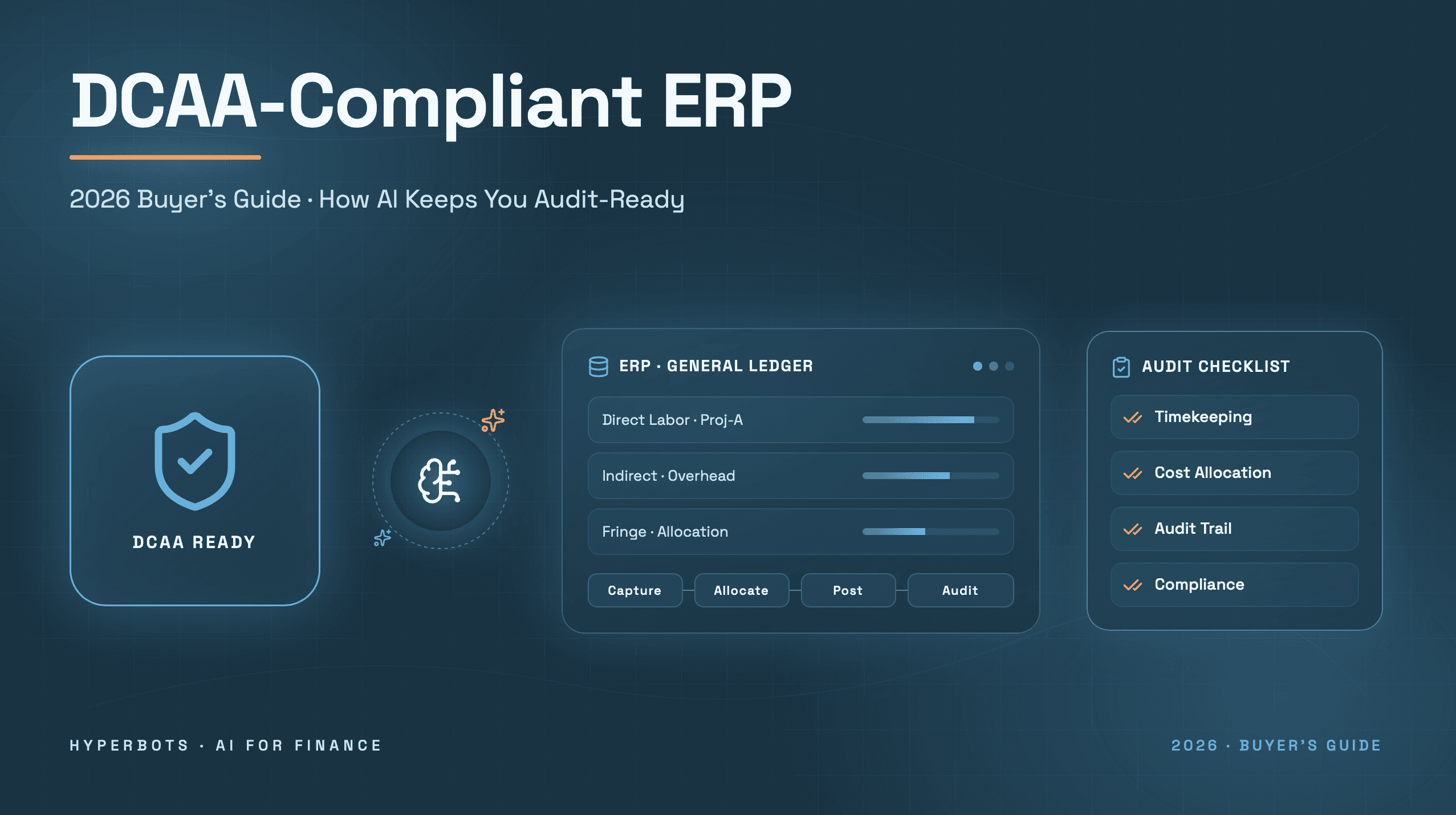
ERP for Government Contractors: The Complete Guide
Everything you need to know before investing in a GovCon ERP.
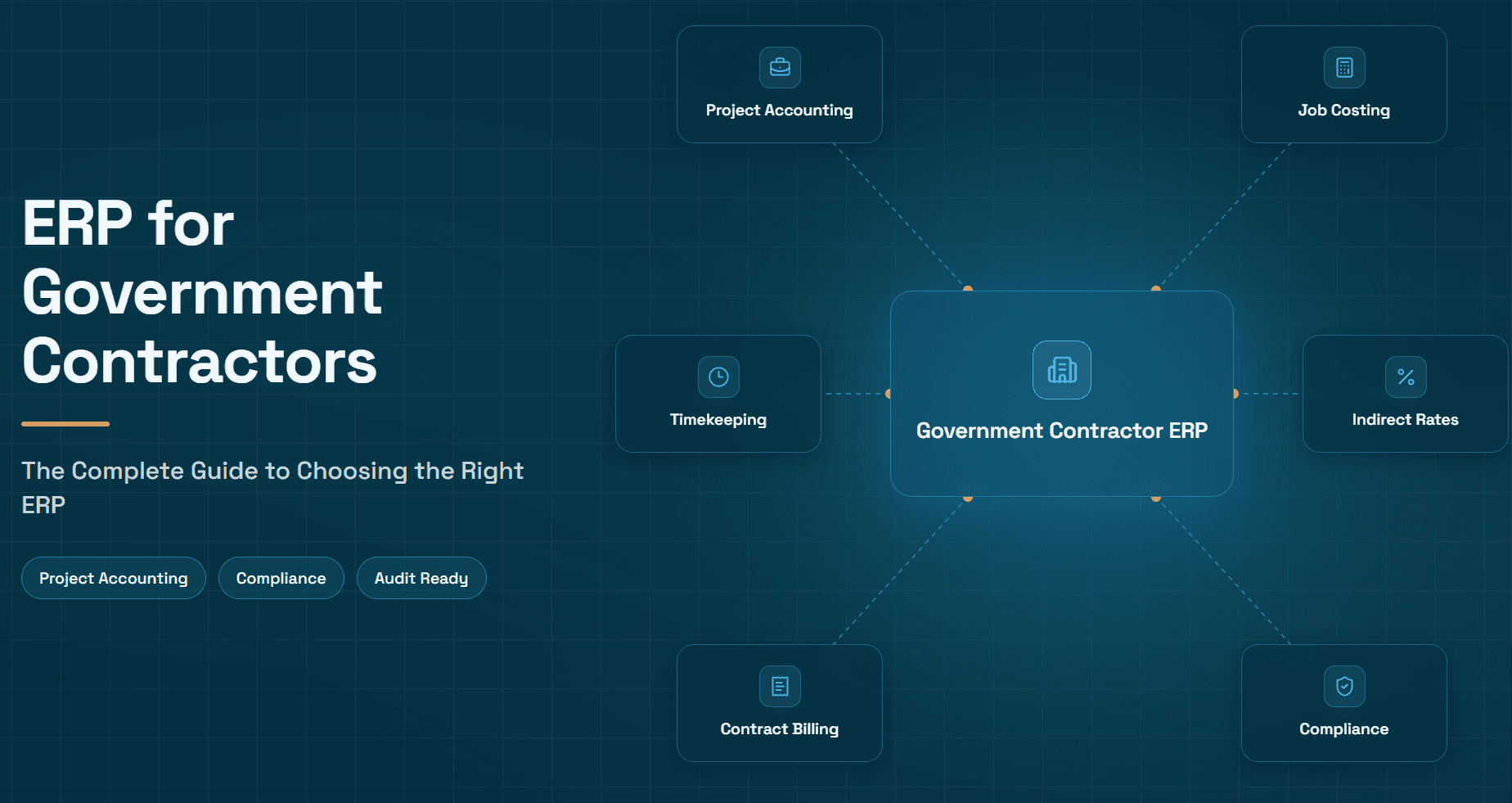
What Is a Government Contractor ERP?
A government contractor ERP is enterprise resource planning software configured to meet the accounting, timekeeping, and audit requirements that come with federal contracts. Finance and program teams use it to track costs by contract and by cost objective, separate direct labor from indirect overhead, and produce the documentation the government expects during a review.
Standard commercial accounting platforms are built for a different problem: recording revenue and expenses at the company level. A government contractor erp has to do that and prove, contract by contract, that every dollar billed to the federal government was reasonable, allocable, and allowable. That distinction is why so many contractors eventually outgrow tools like QuickBooks, and why choosing the right erp software for government contractors is one of the more consequential decisions a GovCon finance leader will make. This guide covers what makes GovCon accounting different, what to evaluate in an ERP, how to run the selection and implementation process, the leading vendors in the category, and how AI now sits on top of these systems to remove manual work.
Why Government Accounting Is Different
Commercial finance teams close the books and move on. Government contractors have to close the books in a way that a federal auditor could later reconstruct, line by line, without asking a single follow-up question.
That obligation flows from two sources:
The Federal Acquisition Regulation (FAR), Part 31, which sets the cost principles that determine whether an expense is allowable, reasonable, and allocable to a specific contract. Costs that fail this test like certain travel, entertainment, or interest expenses, for example cannot be billed to the government at all, regardless of how they're categorized internally (Acquisition.gov, FAR Part 31).
DCAA audit expectations, which apply mainly to contractors holding cost-reimbursable or time-and-materials contracts. Before award, a contracting officer may request a pre-award accounting system review using Standard Form 1408, which checks whether the contractor's system can segregate direct from indirect costs, track costs by contract, and support a functioning timekeeping and labor distribution process (DCAA, Pre-Award Accounting System Adequacy Checklist).
In practice, this means a GovCon accounting system has to handle several things that a typical commercial ERP treats as optional add-ons rather than core architecture:
Indirect cost pools and rates: Overhead, fringe, and G&A costs need to be pooled separately and allocated to contracts using a defensible, auditable methodology, not a flat percentage applied after the fact. In practice this means a contractor with, say, a fringe pool, an overhead pool, and a G&A pool needs the ERP to allocate every payroll run, every subcontractor invoice, and every indirect purchase to the right pool automatically, based on a consistent base (usually direct labor dollars or total cost input), not a spreadsheet formula someone rebuilds every month.
Project and contract accounting: Every transaction needs to tie back to a specific contract, task order, or CLIN, not just a department or GL account. On a multi-CLIN task order, a single invoice or timesheet entry often has to be split across two or three CLINs with different funding ceilings, which is where generic job-costing modules start to struggle.
Timekeeping and labor distribution: Employees typically need to record time daily against specific cost objectives, and that time has to flow automatically into labor costing and billing. DCAA reviewers routinely examine whether direct and indirect labor are charged to the correct objectives (DCAA, Overview of Cost Type Contract Requirements). This is also where DCAA labor "floor checks" come in: an auditor shows up unannounced, asks an employee what they're working on right now, and compares the answer to what's recorded on that day's timesheet. A system that allows late entries, bulk time changes, or unsupervised corrections after the fact is a recurring audit finding, not a minor process gap.
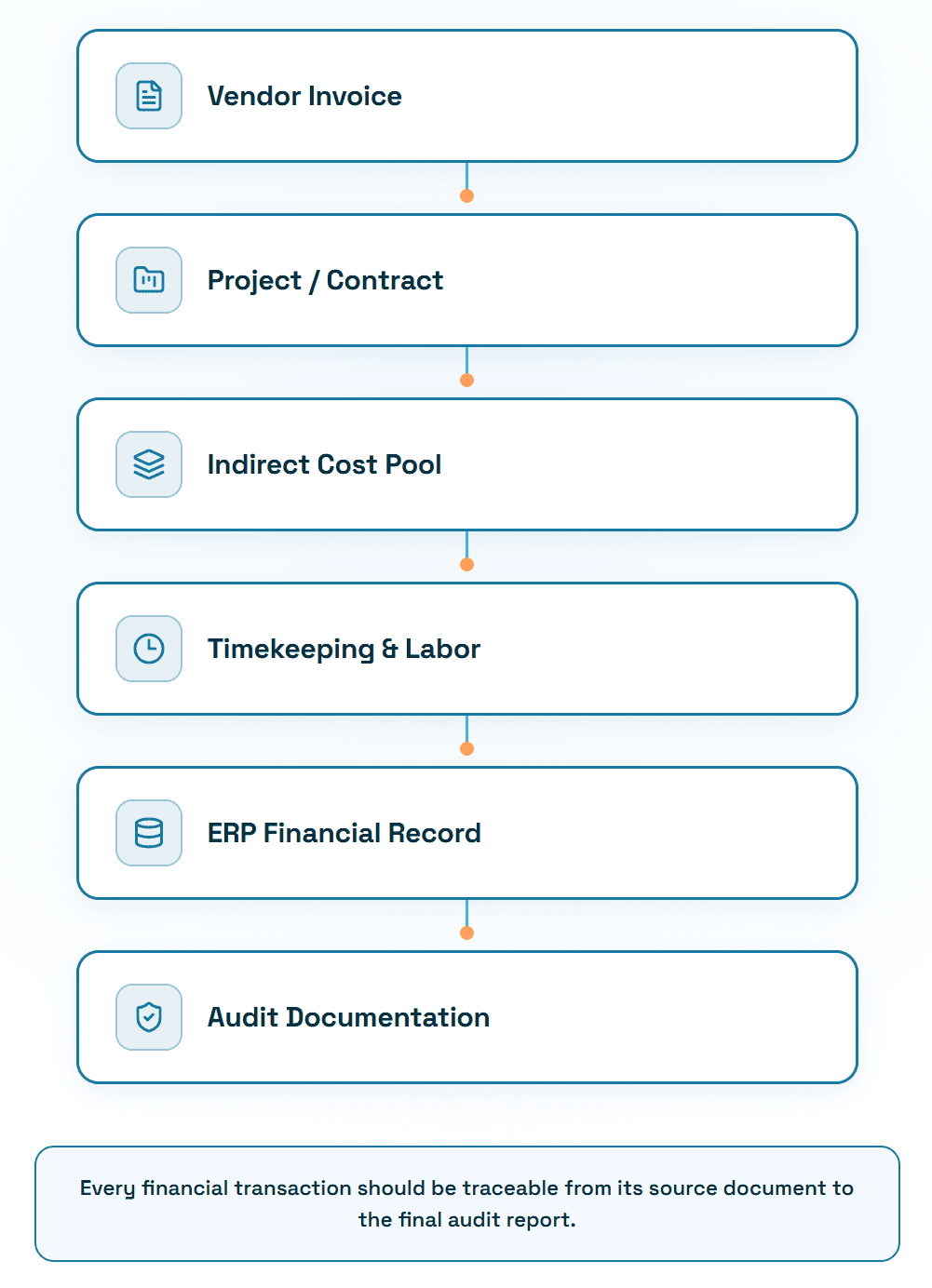
Audit trail: Every posting needs supporting documentation that can be pulled on demand such as trial balances, aging reports, timesheets, and labor distribution reports that tie back to source records. In an adequate system, an auditor can start from a number on the incurred cost proposal and walk backward to the original invoice or timesheet without anyone reconstructing anything from memory or a side spreadsheet.
Contract type support: Firm-fixed-price, cost-plus, and time-and-materials contracts each carry different billing, revenue recognition, and compliance rules, sometimes within the same contract vehicle.
Notably, no accounting system is DCAA-compliant purely by virtue of its brand name. Adequacy is a function of how the system is configured and operated, not a checkbox any vendor can claim on your behalf. In practice, this is the single most common misunderstanding among first-time cost-reimbursable contractors: buying an ERP with a strong GovCon reputation doesn't pass a pre-award review by itself. The chart of accounts, pool structures, timekeeping policy, and approval workflow still have to be built and documented correctly, and someone still has to operate them consistently month after month.
GovCon Compliance Beyond FAR and DCAA
FAR and DCAA set the baseline, but contractors that grow past a certain size or contract mix run into a second layer of compliance that has direct implications for how the ERP needs to be configured.
Cost Accounting Standards (CAS): Contractors that receive CAS-covered contracts above certain dollar thresholds have to consistently apply a defined set of cost accounting practices, and disclose those practices in a CAS Disclosure Statement. The practical impact on an ERP is that cost allocation methods can't be changed opportunistically from one year to the next; the system needs to support a stable, documented allocation methodology that matches what's on file with the government.
DFARS: The Defense Federal Acquisition Regulation Supplement layers additional requirements on top of the FAR for Department of Defense contracts, including business systems reviews that specifically evaluate the accounting system, estimating system, and purchasing system. An ERP that can't produce clean, contract-level cost and billing data on demand makes these reviews significantly harder to pass.
Incurred Cost Proposals (ICP) and the ICE model: Contractors with cost-reimbursable contracts have to submit an annual Incurred Cost Proposal, typically built using DCAA's ICE (Incurred Cost Electronically) model, which reconciles actual indirect rates to what was billed throughout the year. This is where a poorly configured ERP creates real pain: if indirect costs weren't pooled consistently all year, the ICP becomes a months-long reconciliation project instead of a report the ERP can largely generate.
Provisional vs. final indirect rates: Contractors bill throughout the year using provisional (estimated) indirect rates, then true up to final rates once actual costs are known, usually through the ICP process. An ERP that can track both provisional and final rates, and show the variance between them, makes it possible to see rate creep early rather than discovering a large under- or over-billing at year-end.
Forward pricing rates: For proposals and pricing actions, contractors often need to project future indirect rates based on historical trends and anticipated changes in cost structure. This depends on having clean historical rate data in the ERP; contractors that have been reconstructing rates from spreadsheets every year usually don't have enough of a reliable trendline to defend a forward pricing rate proposal.
None of this needs to be a legal deep-dive for finance leaders selecting a system. The practical takeaway is that an ERP's reporting has to support this reconciliation and rate-tracking work natively, not as a once-a-year manual exercise built outside the system.
Why QuickBooks and Generic ERPs Often Fall Short
QuickBooks and similar small-business tools were not designed with indirect rate pools, CLIN-level billing, or DCAA-ready labor distribution in mind. Contractors can sometimes make them work for early-stage, fixed-price-only work, but the moment a cost-reimbursable contract or a DCAA pre-award review enters the picture, most run into structural limits: no native indirect rate calculation, weak project-level cost segregation, and audit trails that require manual reconstruction.
In practice, the breaking point is usually predictable. A contractor wins its first cost-plus or T&M task order, and finance discovers that QuickBooks has no concept of an indirect cost pool at all, overhead and G&A end up allocated through a workaround, often a spreadsheet that recalculates rates outside the general ledger and gets reconciled back in manually. That workaround holds up fine until the contract count grows past two or three, timekeeping data has to be pulled from a separate system, and someone has to manually verify that labor postings match timesheets before every invoice goes out. At that point, the accounting system itself becomes the bottleneck on billing speed and the biggest source of audit risk, not because QuickBooks is a bad product, but because it was never built to prove cost allocability at the contract level.
NetSuite and other mid-market commercial ERPs fare better but usually require significant configuration, add-on modules, or third-party government contracting accelerators to meet FAR and DCAA expectations at scale.
How to Choose the Right Government Contractor ERP
There's no universal "best" ERP for government contractors as the right fit depends on a handful of factors that are worth working through explicitly before evaluating vendors.
Company size and contract volume: A contractor with a handful of contracts and under $10M in revenue has very different implementation and staffing needs than a $150M prime managing dozens of task orders across multiple contract vehicles. Larger, more complex platforms like Costpoint typically make more sense once contract volume and compliance complexity justify the implementation investment.
Contract type mix. A contractor that is entirely firm-fixed-price has more flexibility than one actively pursuing cost-reimbursable or T&M work. The heavier the cost-reimbursable mix, the less room there is to compromise on indirect rate management, timekeeping rigor, and audit trail depth.
Growth plans. An ERP selected for today's contract mix can become a constraint in two years if the contractor is actively pursuing larger prime contracts, new CAS-covered work, or M&A. It's worth choosing a platform that can support the compliance requirements of where the business is heading, not just where it is now.
Existing Microsoft ecosystem. Contractors already standardized on Microsoft 365, Power BI, or Azure often get faster user adoption and lower total cost of ownership from Dynamics 365, since the interface and integration patterns are already familiar to staff.
Implementation budget. GovCon-specific ERP implementations are rarely simple software installs; they involve configuring indirect pool structures, project hierarchies, and compliance reporting, which takes real consulting hours. Underestimating this budget is one of the most common reasons implementations stall midway through.
Internal IT and finance resources. A contractor without a dedicated systems administrator or controller experienced in GovCon accounting will need more from an implementation partner and from ongoing vendor support. Platforms with strong partner ecosystems and established GovCon consulting networks reduce this risk.
A practical rule of thumb: match the platform's complexity to the complexity of your contract portfolio and compliance obligations, not to what a peer company uses. A firm-fixed-price-only contractor over-invests by implementing a full Costpoint deployment; a contractor with several CAS-covered cost-plus contracts under-invests by trying to stretch a lighter-weight platform past what it was designed to prove to an auditor.
Leading ERP Vendors for Government Contractors
No single ERP is the right fit for every contractor, the decision depends on contract mix, company size, and existing IT investment. The table below compares the platforms that come up most consistently in GovCon finance conversations.
ERP | Best For | Strengths | Trade-offs |
Deltek Costpoint | Larger and more complex GovCon organizations, including CAS-covered contractors | Project accounting, indirect rate management, and DCAA-oriented reporting built into its core design; deep GovCon-specific functionality | Higher cost and longer implementation timeline; can be more system than smaller contractors need |
Unanet ERP | Small and mid-sized contractors and AE (architecture/engineering) firms | Strong project accounting without the implementation overhead of larger platforms; faster time to value | Less depth for very large, multi-entity, or highly complex CAS environments compared to Costpoint |
Microsoft Dynamics 365 | Contractors already standardized on the Microsoft stack | Familiar interface, strong Power BI/Azure integration, flexible configuration with government-focused add-ons | GovCon functionality depends heavily on the add-on or ISV solution chosen; requires careful partner selection |
Oracle Fusion Cloud | Larger enterprise contractors and primes with complex, multi-entity operations | Broad ERP functionality beyond finance, strong scalability, enterprise-grade reporting | Implementation complexity and cost are significant; GovCon-specific configuration still required |
NetSuite | Growing mid-market contractors, often multi-entity or with international operations | Cloud-native, relatively fast to deploy, strong general ledger and multi-subsidiary support | Typically needs third-party GovCon accelerators or add-on modules to meet FAR/DCAA expectations at scale |
SAP | Large defense primes and diversified enterprises | Deep enterprise functionality across finance, supply chain, and manufacturing alongside GovCon accounting | Significant implementation investment; often more platform than mid-sized contractors require |
If you're earlier in the selection process, Hyperbots' step-by-step guide to navigating the ERP maze and ERP vendor scorecard walk through evaluation criteria in more depth. For contractors specifically weighing project-heavy, services-based accounting needs, the guide to ERP for professional services firms is also relevant, since GovCon accounting shares many of the same project-costing demands.
Questions to Ask Every ERP Vendor
A demo will always show the platform at its best. These questions are meant to surface how the system actually behaves in the situations that matter most during an audit:
How does the system allocate indirect costs across multiple pools, and can we see a sample allocation run rather than just the configuration screen?
What does the audit trail look like for a single transaction, from source document to GL posting to contract billing? Can it be exported in the format DCAA typically requests?
How does the system handle a CLIN-level split on a single invoice or timesheet entry?
What controls exist around late timesheet entries or corrections, and who can override them?
How does the platform support the annual Incurred Cost Proposal, and does it generate ICE-model-compatible reports natively or through a third-party add-on?
What's a realistic implementation timeline and cost for a contractor at our size and contract complexity, including data migration and training?
Which GovCon-specific accelerators, templates, or partner firms do you recommend for implementation, and can we speak with a reference contractor of similar size?
How does the system handle provisional-to-final indirect rate true-ups, and can it show rate variance over time?
What's included in ongoing support versus what requires a paid change order?
What ERP Software for Government Contractors Must Do
Below is a working checklist for evaluating erp software for government contractors. For each capability, the finance impact and audit impact matter more than the feature name on a vendor's data sheet.
Capability | Why It Matters | Audit Impact |
Project accounting | Costs and revenue need to be tracked at the contract, task order, or CLIN level, not just by department | Auditors expect to trace every dollar to a specific cost objective |
Job costing | Labor, materials, and overhead need to roll up accurately to determine true contract profitability | Supports indirect rate calculations and cost pool defensibility |
Indirect cost pools | Overhead, fringe, and G&A must be pooled and allocated using a consistent, documented methodology | A core SF-1408 evaluation criterion; inconsistent allocation is a common audit finding |
Timekeeping | Employees need to record time daily against direct and indirect cost objectives | DCAA reviewers frequently conduct unannounced labor "floor checks" against timesheet records |
Labor distribution | Time entries must flow automatically into labor costs and billing without manual re-keying | Reduces mischarging risk and manual reconciliation between timekeeping and the GL |
DCAA-ready audit trail | Every transaction needs supporting documentation that can be produced on demand | Missing documentation is one of the most common reasons a pre-award review stalls |
Billing | Contract types (FFP, cost-plus, T&M) require different billing logic, often within the same contract | Billing errors on cost-type contracts can trigger disallowed costs |
Contract management | Modifications, funding ceilings, and option periods need to be tracked against the base contract | Overbilling against an unfunded ceiling is a compliance and cash-flow risk |
Purchasing | Procurement needs to tie back to funded contracts and approved budgets | Supports FAR-compliant subcontractor flow-down and cost allocability |
AP automation | Vendor invoices need accurate GL and project coding before posting | Miscoded AP costs distort indirect rates and contract cost reporting |
AR automation | Government billing cycles and payment terms differ from commercial AR | Slow or inaccurate billing delays cash and increases DSO on government receivables |
Revenue recognition | Contract types like percentage-of-completion, milestone, or cost-based dictate recognition timing | Misapplied revenue recognition affects both GAAP reporting and contract profitability analysis |
Cash flow visibility | Government payment cycles can lag commercial terms significantly | Poor visibility increases reliance on financing and complicates forecasting |
Financial reporting | Management and government reporting (such as incurred cost submissions) both draw from the same data | Report accuracy underpins annual incurred cost proposals and indirect rate true-ups |
Multi-entity support | Contractors with multiple business units or subsidiaries need consolidated and segregated reporting | Segregation must hold up even when data is consolidated for enterprise reporting |
Security and approvals | Role-based access and segregation of duties limit who can post, approve, and close | A weak control environment is a red flag independent of system functionality |
Getting 3-way matching, indirect rate allocation, and audit trail documentation right in the ERP itself is foundational (see Hyperbots' breakdown of AI-assisted 3-way matching for how this specific control typically works in practice).
What ERP Implementation Looks Like
A GovCon ERP implementation is closer to a compliance project than a software rollout. A realistic sequence looks like this:
Planning and requirements: Document the current contract mix, indirect pool structure, and every compliance gap the current system can't close. This is also where the implementation team should map who (controller, program managers, IT) owns each decision since GovCon implementations touch all three.
Chart of accounts design: The chart of accounts has to be built to support indirect pool segregation from day one; retrofitting pool structure after go-live is far more disruptive than getting it right in design.
Indirect cost pool setup: Define pools (fringe, overhead, G&A, and any others specific to the business), the allocation base for each, and how the system will calculate and apply rates during the year.
Project structure: Build out the contract, task order, and CLIN hierarchy that every transaction will roll up to, including how modifications and funding ceilings will be tracked.
Historical data migration: Decide how much history needs to move into the new system versus staying accessible in the legacy system for reference; open contracts generally need at least the current fiscal year's cost history migrated cleanly.
Testing: Run parallel processing where possible, closing a month in both the old and new system, to confirm indirect rates, billing, and labor distribution match before cutting over.
User training: Timekeeping training matters most here, since every employee touches it daily and errors at the individual level are what surface in a DCAA floor check.
Go-live: Cut over on a period boundary where possible, and keep the legacy system accessible read-only for a transition period rather than decommissioning it immediately.
First month-end close: The first close in a new system is where configuration gaps such as mis-mapped indirect pools, missing project codes, or rate calculations surface, that don't match what was validated in testing. Budgeting extra time and a rollback plan for this first close is standard practice, not a sign the implementation went poorly.
Common Implementation Mistakes
Dirty data migration: Moving incomplete or inconsistent project and cost data into the new system without cleanup carries every legacy problem forward, just in a new, harder-to-diagnose place.
Poor training, especially on timekeeping: If employees don't understand daily entry requirements and cost objective selection, mischarging issues start immediately and compound before anyone notices.
Spreadsheet dependence carried forward: Teams that keep reconciling indirect rates or contract costs in parallel spreadsheets "just to be safe" often never fully adopt the new system's reporting, which undermines the audit trail the ERP was supposed to provide.
Over-customization: Heavily customizing the system to replicate old processes instead of adopting standard GovCon configuration increases both implementation cost and long-term maintenance burden, and can compromise the very compliance logic the platform was chosen for.
Weak approval workflows: Skipping proper segregation of duties and approval routing during setup, often to speed up go-live, creates control gaps that show up later as audit findings.
Why AI Is Becoming the Next Layer of Government Contractor ERP
An ERP is a system of record. It stores transactions, applies posting rules, and generates reports. What it generally does not do, regardless of the vendor, is execute the repetitive finance work that produces those transactions in the first place: reading an invoice, matching it to a purchase order, flagging a duplicate, chasing an approval, or reconciling a bank statement.
That gap is where AI has started to layer on top of GovCon ERPs, not as a replacement for the system of record, but as an execution layer that acts on top of it. The distinction matters: the ERP still owns the chart of accounts, the indirect rate structure, the contract hierarchy, and the compliance logic that determines whether a cost is allocable to a given contract. The AI layer doesn't make those determinations; it does the surrounding work faster and more consistently, then hands clean, coded, documented transactions back to the ERP for posting. Common use cases include:
AP invoice processing: extracting invoice data and routing it for coding and approval without manual entry, as described in Hyperbots' guide to AI invoice processing
Coding recommendations: suggesting GL and project codes based on historical patterns, reducing miscoding that distorts indirect rates
Duplicate detection: flagging invoices that resemble prior payments before they're approved
PO matching: reconciling purchase orders, goods receipts, and invoices, including partial deliveries and blanket POs
Payment approvals: routing payment recommendations through existing approval hierarchies
Cash application: matching incoming payments to open invoices and remittance data
Collections: automating overdue invoice follow-up and dispute tracking
Reconciliations: comparing bank statements, subledgers, and GL balances for discrepancies
Month-end close assistance: supporting accrual discovery, booking, and reversal on a consistent schedule
Anomaly detection: surfacing unusual vendor activity, payment term changes, or spend patterns that warrant review, as covered in Hyperbots' overview of fraud and anomaly detection
Finance copilots: giving finance teams a conversational way to query contract costs, aging, or exceptions without building a custom report
Hyperbots operates in this layer. It connects to existing GovCon ERPs including Deltek Costpoint, Unanet, Microsoft Dynamics, Oracle, and SAP and automates the AP, procurement, accruals, and collections work that would otherwise sit with a finance team. The ERP remains the system of record and the source of truth for every audit; Hyperbots sits on top of it as the execution layer, moving transactions through extraction, coding, matching, and approval faster than a manual process, while still posting everything back into the ERP's existing chart of accounts, project structure, and control framework.
This matters more in GovCon than in most industries, because the volume of documentation required to stay audit-ready is genuinely higher. A finance team that has to code, match, and file supporting documentation for every transaction across multiple cost objectives, with a strict audit trail requirement, has more manual work to automate, not less. See how AI complements rather than replaces ERP systems for a broader look at where this division of labor tends to land.
That said, AI adoption in a GovCon finance function has to be held to a higher standard of control and auditability than it might be elsewhere. Every AI-assisted coding decision, matching result, or anomaly flag needs to be traceable back to the data that produced it, because an auditor examining a contract cost doesn't distinguish between "a person coded this" and "a model coded this," the documentation requirement is the same either way. That's why the AI layer needs to log its recommendations and the humans who approved them, not just execute silently in the background.
None of this changes the underlying compliance requirements. The ERP still owns the system of record, the chart of accounts, and the indirect rate structure. AI reduces the manual effort of keeping the data flowing into that structure accurately and on time which, in an audit-heavy environment, is itself a meaningful reduction in operational risk.
Conclusion
Choosing the right ERP is only part of the equation. Deltek Costpoint, Unanet, Dynamics, Oracle, and SAP each solve the compliance and system-of-record problem in different ways, and the right choice depends on contract mix, company size, and existing infrastructure. Getting the implementation right the first time, with clean data, proper training, and disciplined approval workflows, matters just as much as the platform selection itself.
But the ERP alone doesn't eliminate the manual finance work that surrounds it: coding invoices, matching purchase orders, chasing approvals, and reconciling accounts still consume significant finance team time even in a well-configured system.
The contractors operating most efficiently tend to combine a strong GovCon ERP with an AI layer that automates that repetitive work, freeing finance and compliance teams to focus on judgment calls rather than data entry.
See how Hyperbots automates finance work on top of your existing government contractor ERP - Book a demo.
Frequently Asked Questions (FAQ)
Q1. What is a government contractor ERP?
It's ERP software configured to meet FAR and DCAA requirements for government contracts including indirect cost pools, project-level cost tracking, timekeeping, labor distribution, and an auditable trail for every transaction. Commercial ERPs often need significant customization to meet these standards.
Q2. Does QuickBooks work for government contractors?
QuickBooks can work for very early-stage, fixed-price-only contractors, but it generally lacks native indirect rate calculation, CLIN-level billing, and the audit trail depth expected in a DCAA pre-award accounting system review. Most contractors outgrow it once cost-reimbursable work enters the mix.
Q3. What ERP does the federal government use?
There is no single ERP mandated across the federal government; individual agencies use different systems for their own internal financial management. Contractors selling to the government choose their own ERP, which must independently meet FAR and DCAA accounting system requirements.
Q4. Is Deltek Costpoint DCAA compliant?
No system is DCAA-compliant purely by default, DCAA does not certify or endorse specific software. Costpoint is built with GovCon accounting requirements in mind and is widely used by contractors that pass DCAA reviews, but adequacy still depends on how the system is configured, implemented, and operated.
Q5. What ERP features are required for government contractors?
At minimum: project and contract accounting, indirect cost pool management, timekeeping with daily entry, labor distribution, a detailed audit trail, and billing logic that supports multiple contract types (FFP, cost-plus, T&M).
Q6. Can AI work with an existing government contractor ERP?
Yes. AI tools like Hyperbots connect to existing ERPs including Costpoint, Unanet, Dynamics, Oracle, and SAP to automate AP processing, PO matching, accruals, and collections without replacing the ERP's system of record or compliance logic.
Q7. What's the difference between FAR and DCAA requirements?
FAR Part 31 sets the cost principles that determine which costs are allowable, reasonable, and allocable to a government contract. DCAA is the agency that audits whether a contractor's accounting system and practices actually comply with those principles and related DFARS clauses.
Q8. How long does it take to become DCAA compliant?
There's no fixed timeline, it depends on the contractor's starting accounting infrastructure, contract types pursued, and whether a pre-award (SF-1408) or post-award system review is required. Contractors pursuing cost-reimbursable work for the first time should expect the process to take several months, including system configuration, policy documentation, and a functioning track record before a review.