Deltek Costpoint Alternatives, Competitors & Comparisons
Compare the top alternatives to Deltek Costpoint.
Every year, a familiar search brings a familiar type of buyer to Google: a controller staring down a painful month-end close, a CFO comparing renewal quotes, an operations director tired of explaining why the "modern ERP" still requires three spreadsheets to close the books. They type some version of Deltek Costpoint alternatives and hope the tenth tab they open will finally give them a straight answer.
This is that straight answer.
Replacing a government contractor ERP is one of the most expensive, disruptive decisions a finance organization can make. Industry research from Gartner and Panorama Consulting Group puts ERP implementation failure rates – projects that miss their budget, timeline, or original objectives – at 55% to 75%, with cost overruns that regularly exceed the original budget by 40% or more. For a mid-sized government contractor already managing DCAA audits, CAS compliance, and multi-year contract accounting, that is not a risk to take lightly.
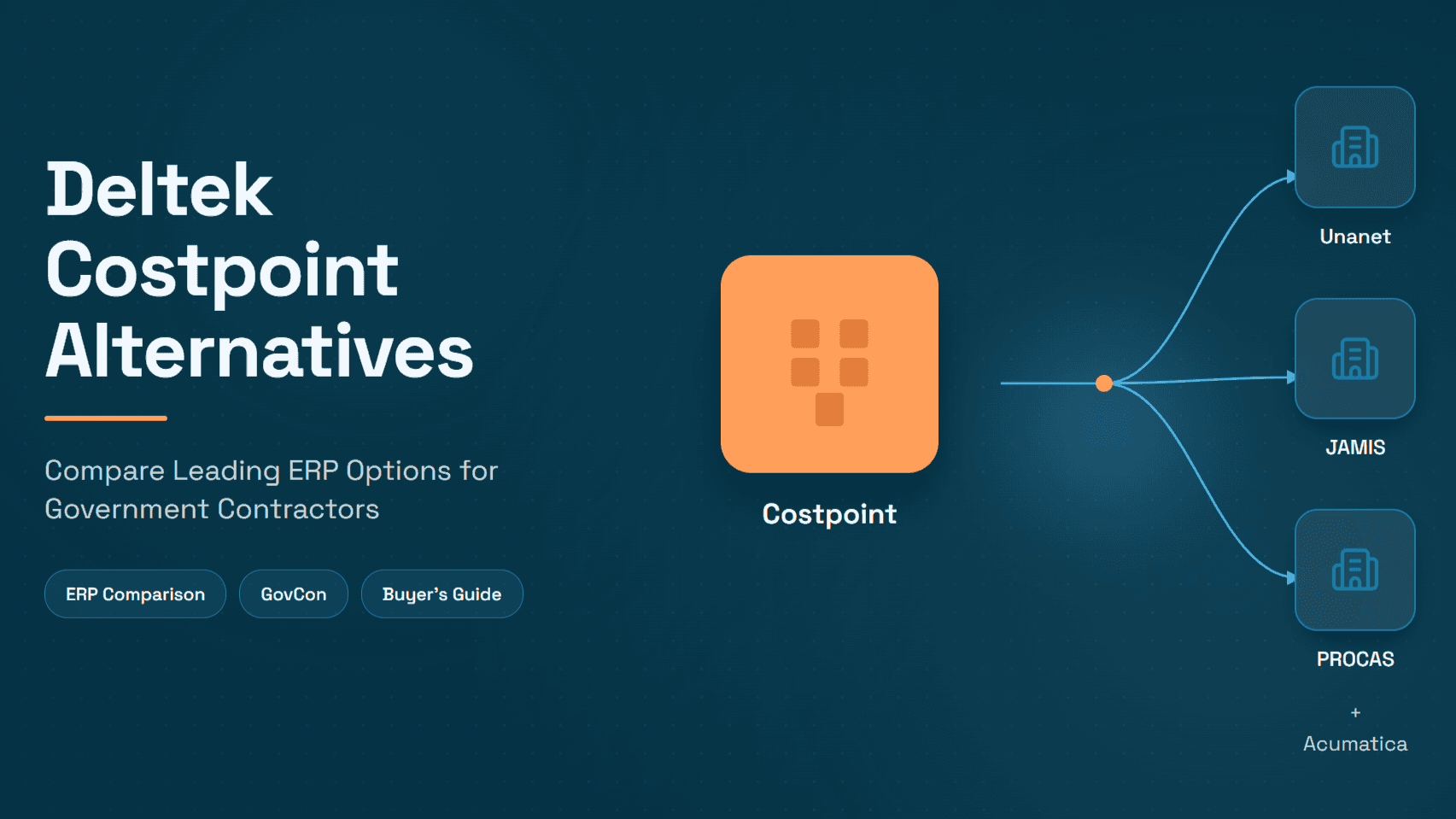
So before you assume the answer is "rip out Costpoint," it's worth asking a more useful question: is Costpoint actually the problem, or is the pain coming from something else like the manual invoice matching, the procurement bottlenecks, the reconciliation work nobody automated? This guide walks through the real Costpoint competitors: Unanet, JAMIS Prime, PROCAS, and Acumatica, compares them head-to-head, and then introduces a third path that most comparison articles ignore entirely: keeping Costpoint and eliminating the manual finance work that surrounds it with AI.
When Contractors Start Looking for a Costpoint Alternative
Costpoint has been the dominant system of record for government contractors for decades, and Deltek reports that a large share of the top federal prime contractors run on it. But dominance doesn't mean universal satisfaction. Buyers typically start evaluating Costpoint competitors for a mix of the following reasons.
Licensing and total cost of ownership: Costpoint's pricing starts around $85 per user/month, with typical implementation projects running $80,000–$400,000 depending on scope, and five-year total cost of ownership that independent analysts estimate can run $40,000–$50,000 higher than comparable platforms like Unanet or NetSuite once maintenance, upgrades, and support are factored in.
Implementation complexity: Costpoint is a deep, highly configurable system, and that depth comes with a real implementation curve with multi-month rollouts, specialized consultants, and change management that many mid-market contractors underestimate going in.
Difficult reporting: Getting real-time, cross-project visibility often requires add-on business intelligence tools or heavily customized report writers, which adds cost and IT dependency.
Manual AP, AR, and procurement bottlenecks: This is the pain point most often mislabeled as an "ERP problem." Invoice matching, PO approvals, accruals, and reconciliation in Costpoint (like in almost every ERP) are frequently still manual, spreadsheet-supported processes, not because Costpoint can't handle the data, but because the ERP was never designed to be a workflow automation engine.
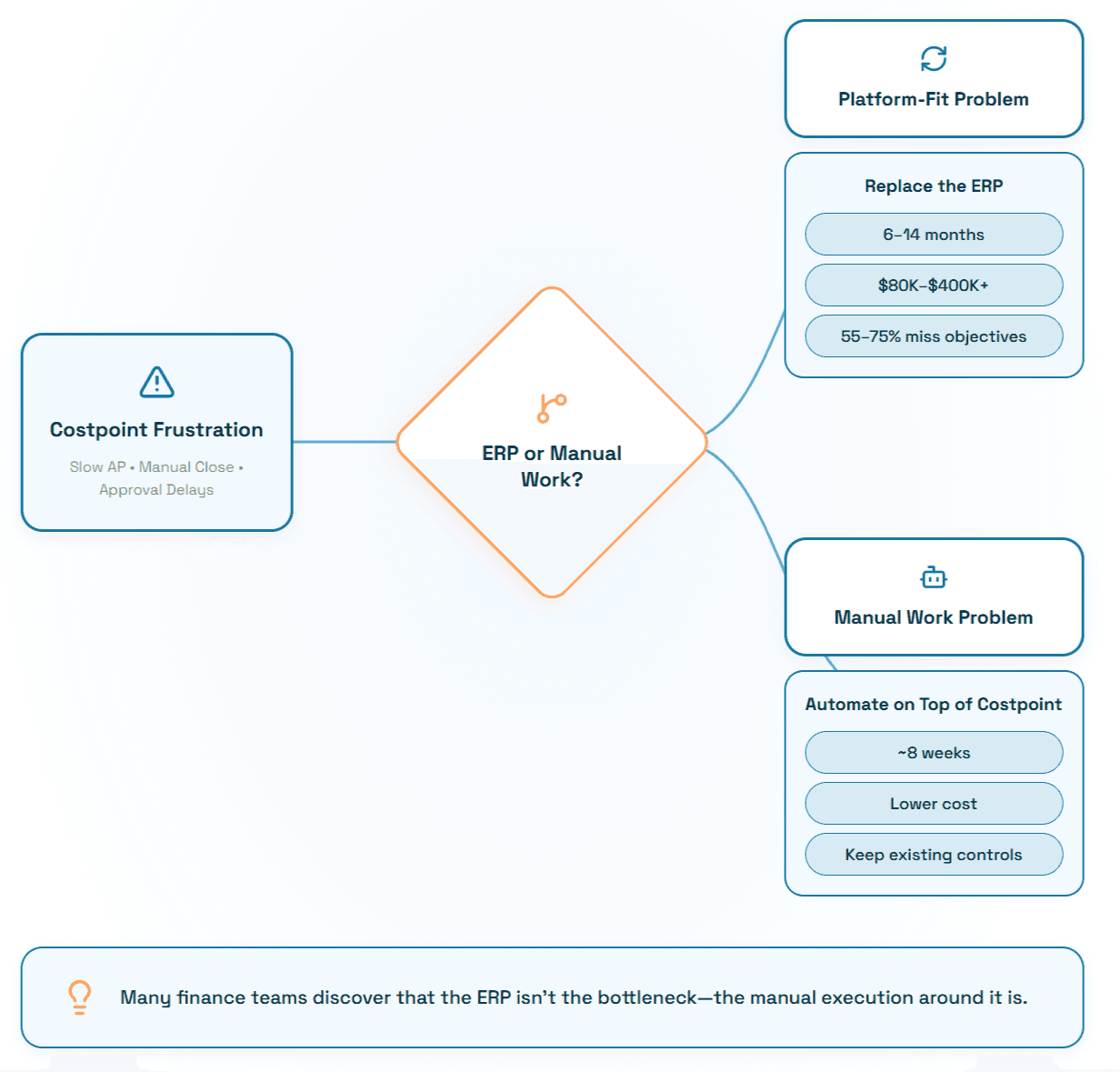
It's worth being precise here: ERP limitations and operational process issues are not the same problem, and they don't have the same solution. A licensing cost problem is solved by switching ERPs. A "someone has to manually three-way match 400 invoices a month" problem is usually solved by automation layered on top of the ERP you already have, a distinction we'll return to later in this guide.
Deltek Costpoint Alternatives Compared
The table below compares the five platforms most commonly shortlisted against Costpoint: Costpoint itself, Unanet, JAMIS Prime, PROCAS, and Acumatica.
Deltek Costpoint | Unanet | JAMIS Prime | PROCAS | Acumatica | |
Target company size | Mid-market to large ($50M+ revenue; enterprise/defense primes) | Small to mid-market GovCon | Mid-size contractors (100–500 employees) | Small to mid-size (10–250 employees, $1M–$100M revenue) | Broad mid-market, not GovCon-exclusive |
GovCon focus | Purpose-built, deepest DFARS/EVM coverage | Purpose-built GovCon ERP | Purpose-built exclusively for GovCon and nonprofits | Purpose-built exclusively for GovCon accounting | General ERP; GovCon via ISVs like JAMIS |
DCAA compliance | Yes, extensive, audit-tested at scale | Yes, widely used and DCAA-audited | Yes, includes SCA/Davis-Bacon fringe calc tools | Yes, core design focus | Via add-on modules/partners |
Project accounting | Very deep, six system-defined indirect cost pool types | Strong, cost-structure objects with provisional/target/actual rates | Strong, integrated with business planning suite | Solid, full-disclosure GL with labor distribution | Configurable but not GovCon-native |
Manufacturing | Supported, more common in defense/A&E context | Limited | Limited | Not a core focus | Strong, well-regarded manufacturing edition |
Payroll | Native, deeply integrated | Integrates with third-party payroll | Integrates with third-party payroll | Integrated timekeeping, third-party payroll | Third-party integrations |
Reporting | Deep but often needs BI add-ons for real-time views | Real-time dashboards, generally praised for usability | Customizable dashboards, business intelligence suite | Real-time dashboards, PowerBI API connectivity | Strong native reporting (Acumatica BI) |
Implementation effort | High; 6–14+ months typical for mid-size to large firms | Moderate; faster time-to-value reported by customers | Moderate | Low to moderate; "streamlined setup" is a stated differentiator | Moderate |
Customization | Extensive, but adds complexity and upgrade risk | Moderate | Moderate | Limited by design (keeps compliance simple) | High (built on a flexible xRP platform) |
Strengths | Compliance depth, brand trust, DCAA track record at scale, FedRAMP Moderate Equivalency for GCCM | Usability, faster adoption, strong GovCon workflow depth without Costpoint's overhead | Compliance-first design, 30+ years GovCon focus, strong for firms outgrowing PROCAS | Affordability, DCAA-first architecture, integrated time/expense | Flexibility, strong UX, lower TCO, good for hybrid commercial/GovCon firms |
Weaknesses | Cost, learning curve, heavier implementation footprint | Reporting/BD depth criticized by some larger firms as they scale | Smaller ecosystem, fewer third-party integrations | Limited customization, dated interface reported by some users | Not purpose-built for FAR/CAS/DCAA out of the box |
Best fit | Large, complex, or defense-focused primes with heavy compliance requirements | Growing mid-market GovCons that want compliance without Costpoint's complexity | Mid-size contractors that have outgrown PROCAS but find Costpoint overkill | Small GovCon primes and subs needing lean, compliant accounting | Contractors that need broad ERP flexibility and only partial GovCon depth |
Costpoint vs Unanet
This is the single most searched Costpoint comparison, and for good reason: Unanet is the most direct like-for-like competitor in the mid-market GovCon segment.
The short answer: Unanet generally wins on usability and speed to value; Costpoint generally wins on depth, configurability, and support for the most complex contract structures at scale. As one analysis puts it plainly, the main difference between Unanet and Deltek Costpoint is that Unanet prioritizes usability, unified GovCon workflows, and faster adoption, while Costpoint prioritizes deep configurability for large and highly complex defense contractors.
Usability: This is where Unanet consistently scores better in independent reviews. Costpoint's power comes at the cost of a steeper learning curve; one verified TrustRadius reviewer at a large R&D firm described it as effective for project cost accounting but noted it "needs some learning" and can be "quite buggy" and "non-intuitive in certain parts." Unanet's interface is generally described as more modern and easier for non-finance staff (project managers, PMs approving timesheets) to use without extensive training.
Implementation: Unanet customers frequently report faster go-lives and lower disruption. Deltek, unsurprisingly, argues the opposite in its own comparison content but the independent, non-vendor reviews tend to side with Unanet on ease of rollout for organizations under roughly $250M in revenue.
Reporting: Both platforms offer real-time dashboards. Unanet is often praised for out-of-the-box reporting; Costpoint's reporting is powerful but can require more configuration or third-party BI tools to get the same self-service experience.
Project accounting and government contracting: This is closer than marketing pages suggest. Deltek Costpoint uses six system-defined indirect cost pool types with separate allocation accounts per labor category, while Unanet uses Cost Structure objects defining labor, ODC, and indirect pool cost elements with provisional, target, and actual rate maintenance, both satisfy the DCAA's four-step cost allocation process, just through different underlying architectures.
Finance workflows, AP, and procurement: Neither platform was built primarily as a workflow automation engine as both are systems of record. AP processing, three-way matching, and payment approvals in both Costpoint and Unanet are frequently still manual or semi-manual unless the organization has invested in add-on automation (a point we'll come back to).
Pros of Costpoint: deeper indirect cost pool modeling, stronger track record with large/complex prime contractors, FedRAMP Moderate Equivalency and CMMC Level 2 support for organizations with heavy cybersecurity compliance needs, extensive partner ecosystem.
Cons of Costpoint: higher cost, longer implementation, steeper learning curve reported by users managing day-to-day transactions.
Pros of Unanet: faster adoption, strong purpose-built GovCon functionality without Costpoint's overhead, generally lower total cost of ownership for firms under enterprise scale.
Cons of Unanet: some larger contractors report it lacks the reporting depth and business-development tooling they need as they scale past the mid-market.
Who should choose which: Large, highly complex prime contractors with sophisticated multi-entity, multi-pool cost structures and heavy FedRAMP/CMMC requirements tend to be better served by Costpoint. Growing mid-market GovCons that want strong compliance without Costpoint's implementation burden tend to be better served by Unanet.
Costpoint vs JAMIS
JAMIS Prime ERP is a narrower but deeper competitor. It doesn't chase the broad mid-market the way Unanet does; instead, it focuses almost exclusively on the government contracting and nonprofit niche, and has for more than 30 years.
Usability: JAMIS is generally regarded as more approachable than Costpoint for firms that have outgrown entry-level DCAA tools like PROCAS but find Costpoint's scale unnecessary. JAMIS positions itself as the modern cloud alternative for mid-market government contractors who need compliance depth without Costpoint's complexity, and describes itself as the only U.S.-based private ERP solution provider exclusively focused on government contractors and nonprofit organizations, with a 30+ year track record.
Implementation: JAMIS implementations are typically less involved than Costpoint's, though not as fast as PROCAS. One competitive review sums up the trade-off well: JAMIS works well for mid-size contractors (100–500 employees) who want an ERP but find Costpoint too expensive, and for companies that need contracts management integrated with accounting but the same source cautions that JAMIS has a smaller market share than Deltek or Unanet, which can mean fewer resources for troubleshooting, less community support, and fewer third-party integrations.
Reporting: JAMIS includes a dedicated business planning suite for budgeting, forecasting, and rate scenario modeling, a genuine differentiator for contractors that need to model future indirect rates and win-probability-weighted revenue forecasts. It also offers a notable compliance detail: JAMIS includes a dedicated SCA/Davis-Bacon fringe calculation form, a capability not explicitly documented for Costpoint or Unanet, making it attractive for contractors with significant Service Contract Act labor.
Project accounting and government contracting: Both are purpose-built for DCAA/FAR/CAS compliance. Costpoint's advantage is scale and depth for the most complex prime contract structures; JAMIS's advantage is a tighter, more contractor-specific product without Costpoint's broader (and sometimes unnecessary) enterprise footprint.
Finance workflows, AP, and procurement: As with Unanet, JAMIS is fundamentally a system of record for project and contract accounting, not a workflow automation platform. AP processing and procurement inside JAMIS still typically rely on manual matching and approval routing unless supplemented by automation tools.
Pros of JAMIS: deep GovCon-only focus, strong business planning/forecasting tools, potentially lower cost than Costpoint for mid-size firms, SCA/Davis-Bacon support.
Cons of JAMIS: smaller ecosystem and partner network, fewer integrations than Costpoint or Unanet, less brand recognition with some auditors and lenders.
Who should choose which: Contractors under roughly 500 employees who have outgrown a bookkeeping-level DCAA tool but don't need Costpoint's enterprise scale are the classic JAMIS fit. Large primes with complex multi-division cost structures, heavy EVM requirements, or FedRAMP/CMMC obligations tend to still land on Costpoint.
ERP Isn't Always the Real Problem
Here's the pattern that shows up again and again in ERP selection projects: an organization builds a business case to replace its ERP, spends 6–14 months and hundreds of thousands of dollars on the switch, and six months after go-live, the same complaints resurface, invoices still take too long to process, approvals still bottleneck in someone's inbox, month-end close is still a fire drill. That's because the original complaint was never really about the ERP. It was about the manual work sitting on top of it.
Common examples that get mislabeled as "ERP problems":
Invoice processing: manually keying vendor invoices, chasing down PO numbers, and re-entering data that already exists somewhere in the system
PO approvals: routing purchase orders through email or spreadsheets because the ERP's native approval workflow is too rigid or too hard to configure
Vendor onboarding: collecting W-9s, banking details, and compliance documents through email threads instead of a structured intake process
Expense reviews and reconciliation: manually matching bank statements, credit card feeds, and GL entries at month-end
Three-way matching: comparing POs, receiving reports, and invoices line by line because the ERP's native matching tolerances don't handle real-world exceptions
Accruals: manually identifying unbilled liabilities and calculating period-end estimates in a spreadsheet, then keying journal entries by hand
None of these are Costpoint's fault, specifically. They are also not Unanet's fault, or JAMIS's fault, or Acumatica's fault. Every ERP, including the ones on this page, was designed primarily as a system of record, not a workflow automation engine. Replacing the system of record doesn't eliminate manual work; it just moves the same manual work into a new interface.
This is the question worth asking before signing a multi-year ERP contract: if the manual work moved with you to a new ERP, would you actually be better off? For a meaningful share of contractors, the honest answer is no and that opens up a third option.
Third Option: Keep Costpoint and Eliminate Manual Finance Work
If your Costpoint frustrations trace back to slow invoice processing, procurement bottlenecks, vendor management overhead, or manual reconciliation rather than the ERP's core project accounting or compliance engine, there's a lower-risk path than a full ERP migration: layer AI automation on top of the system you already have.
This is where Hyperbots fits. Hyperbots is not an ERP and is not positioned as a Costpoint replacement, it's a set of AI co-pilots that connect directly to Costpoint and take over the manual finance and procurement work that ERPs were never designed to automate.
Hyperbots ships with a plug-and-play connector for both Costpoint Cloud and on-premises deployments, reading and writing across companies, projects, vendors, parts lists, POs, receiving reports, and AP vouchers. Hyperbots Invoice to Cash co-pilot has gone production-ready on Costpoint in under eight weeks which is a fraction of the timeline typically associated with a full ERP replacement, following a phased rollout of field mapping, transaction replay, user validation, and go-live.
A few of the specific capabilities Hyperbots documents for Costpoint environments:
Invoice Processing Co-Pilot: reads invoice PDFs, matches them to POs and receiving reports, auto-codes projects and GL accounts, and posts AP vouchers directly into Costpoint, with 80% straight-through processing.
Procurement Co-Pilot: automates PR creation, validation, PO generation, and approval routing, compressing a traditional 3-day PR-to-PO cycle down to roughly 4 hours.
Payments Co-Pilot: balances early payment discounts against cost of capital, builds check and ACH payment batches, and reconciles disbursements to bank statements.
Sales Tax Verification Co-Pilot: validates tax jurisdictions and item categories on vendor invoices before posting, which helped one CFO eliminate roughly $200,000 in tax leakage.
Accruals Co-Pilot: automates discovery of unbilled liabilities, calculates accrual amounts, and posts and reverses journal entries on a configurable cut-off schedule, directly addressing the month-end close pain that often gets blamed on the ERP itself.
Vendor Management Co-Pilot: structures vendor onboarding, identity verification, and communication instead of relying on email threads.
Because these co-pilots read from and write back to Costpoint rather than replacing it, the compliance architecture contractors have already built, DCAA-ready cost pools, CAS-compliant labor distribution, and existing audit history, stays intact. Hyperbots states its integration includes read-back verification after every posted transaction, automatic retry logic for errors like closed periods or missing accounts, and an immutable audit trail, along with SOC 2 Type II and ISO 27001 certification, details that matter to any GovCon finance leader whose systems face regular DCAA and CMMC scrutiny.
It's also worth being clear-eyed about scope: this approach solves operational inefficiency, not fundamental platform-fit problems. If your organization has genuinely outgrown Costpoint's cost pool architecture, or needs functionality Costpoint structurally doesn't offer, automation on top of the existing ERP won't fix that, a platform change may still be the right call. But for the far more common scenario which is a capable ERP surrounded by manual AP, procurement, and reconciliation work, adding AI co-pilots is a materially faster, lower-risk way to get the operational relief that often motivates the ERP search in the first place.
If manual finance work, not Costpoint itself, is what's driving your search for alternatives, it's worth comparing the cost and timeline of an ERP replacement against the cost and timeline of automating what's already slowing you down before committing to either path.
Frequently Asked Questions
Q1. What are the best Deltek Costpoint alternatives?
The leading purpose-built GovCon alternatives are Unanet, JAMIS Prime, and PROCAS, each serving different company sizes and compliance depth requirements. Acumatica is a common choice for organizations that need broader ERP flexibility and only partial government contracting functionality. The right alternative depends heavily on company size, contract complexity, and budget.
Q2. Who competes with Deltek Costpoint?
Direct GovCon-focused competitors include Unanet, JAMIS Prime, and PROCAS. Broader ERP competitors that serve some GovCon use cases include Oracle NetSuite, Microsoft Dynamics 365, Sage Intacct, and Acumatica, typically through add-on modules or implementation partners rather than native DCAA compliance.
Q3. Is Unanet better than Costpoint?
"Better" depends on the buyer. Unanet is generally rated higher on usability and speed to value, particularly for mid-market GovCons. Costpoint generally wins for large, complex contractors with heavy indirect cost pool structures, EVM requirements, or FedRAMP/CMMC obligations. Neither is objectively superior across all use cases.
Q4. Is JAMIS better than Costpoint?
JAMIS tends to be a better fit for mid-size contractors (roughly 100–500 employees) that find Costpoint's cost and complexity excessive but have outgrown entry-level tools like PROCAS. Costpoint remains the stronger choice for large, highly complex prime contractors.
Q5. Can AI automate Deltek Costpoint?
Yes. AI co-pilot platforms like Hyperbots connect directly to Costpoint to automate invoice processing, procurement, accruals, payments, and vendor management without replacing the underlying ERP or its compliance architecture.
Q6. Should I replace Costpoint?
Only if the root cause of your frustration is a genuine platform-fit issue — cost structure, missing functionality, or a fundamental mismatch with how your organization operates. If the pain is manual AP, procurement, or reconciliation work, automating those processes on top of Costpoint is typically faster, cheaper, and lower-risk than a full ERP replacement.
Q7. Why do companies leave Costpoint?
The most commonly cited reasons are licensing and total cost of ownership, implementation complexity, a steep learning curve for new users, and reporting that often requires add-on BI tools. Fewer companies leave because Costpoint structurally cannot support their compliance or project accounting needs.
Q8. Can Hyperbots work with Costpoint?
Yes. Hyperbots offers a documented plug-and-play connector for both Costpoint Cloud and on-premises deployments, supporting bi-directional data sync for companies, projects, vendors, purchase orders, receiving reports, and AP vouchers.
Q9. How much does it cost to replace an ERP versus automating the one I have?
Full ERP replacements for mid-sized organizations commonly run from the low hundreds of thousands of dollars into seven figures once implementation, data migration, training, and disruption are factored in, with Gartner and Panorama Consulting both estimating that more than half of ERP projects fail to meet their original objectives. AI automation layered onto an existing ERP is typically deployed in weeks, not months, at a fraction of the cost and risk.
Q10. Does switching from Costpoint put DCAA compliance at risk?
Any ERP transition carries compliance risk during the migration window; historical audit trails, cost pool structures, and approved accounting system status all have to be re-validated. This is one of the strongest arguments for evaluating process automation before a full platform switch: it improves operational efficiency without disrupting an already-approved accounting system.