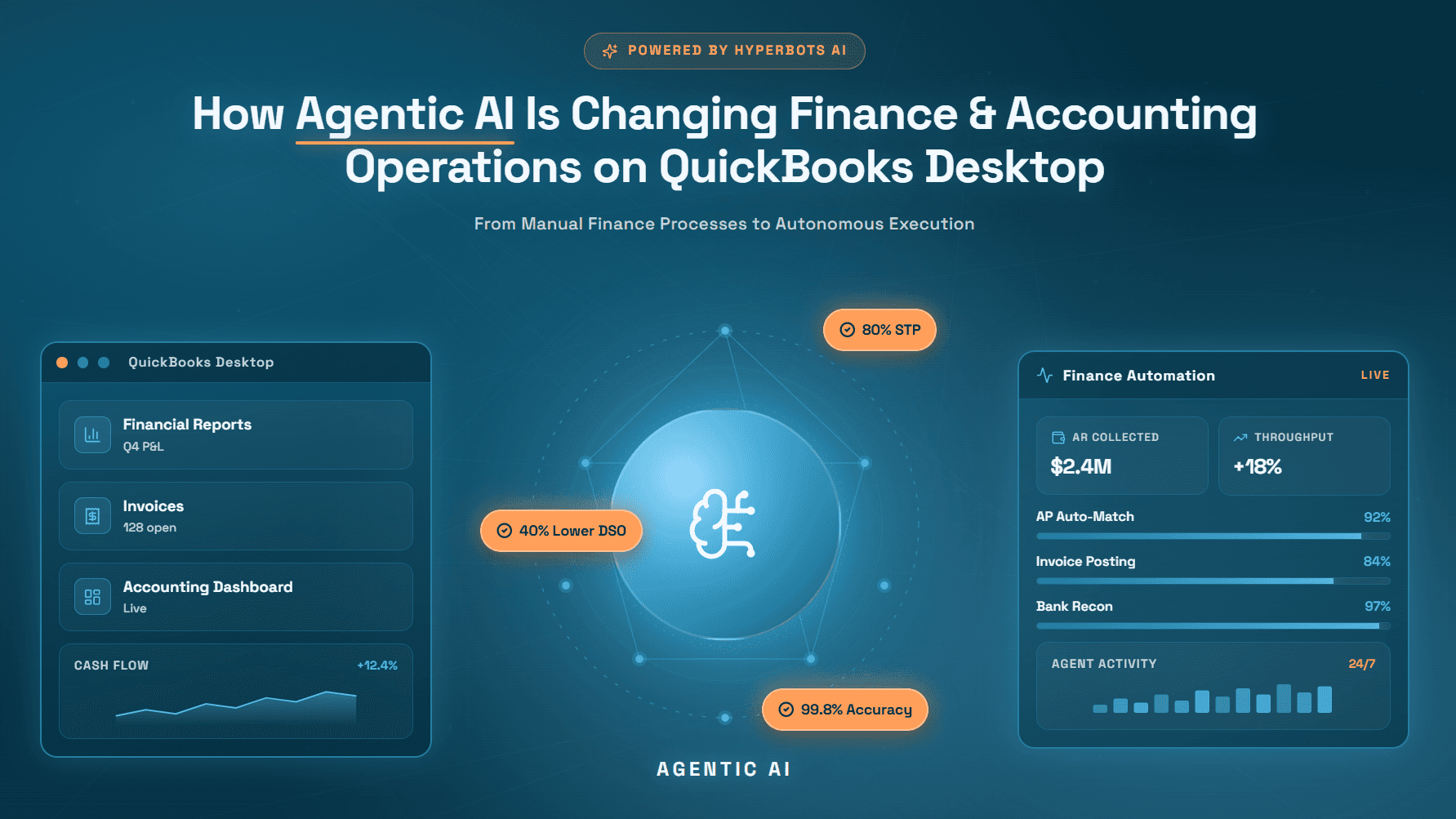
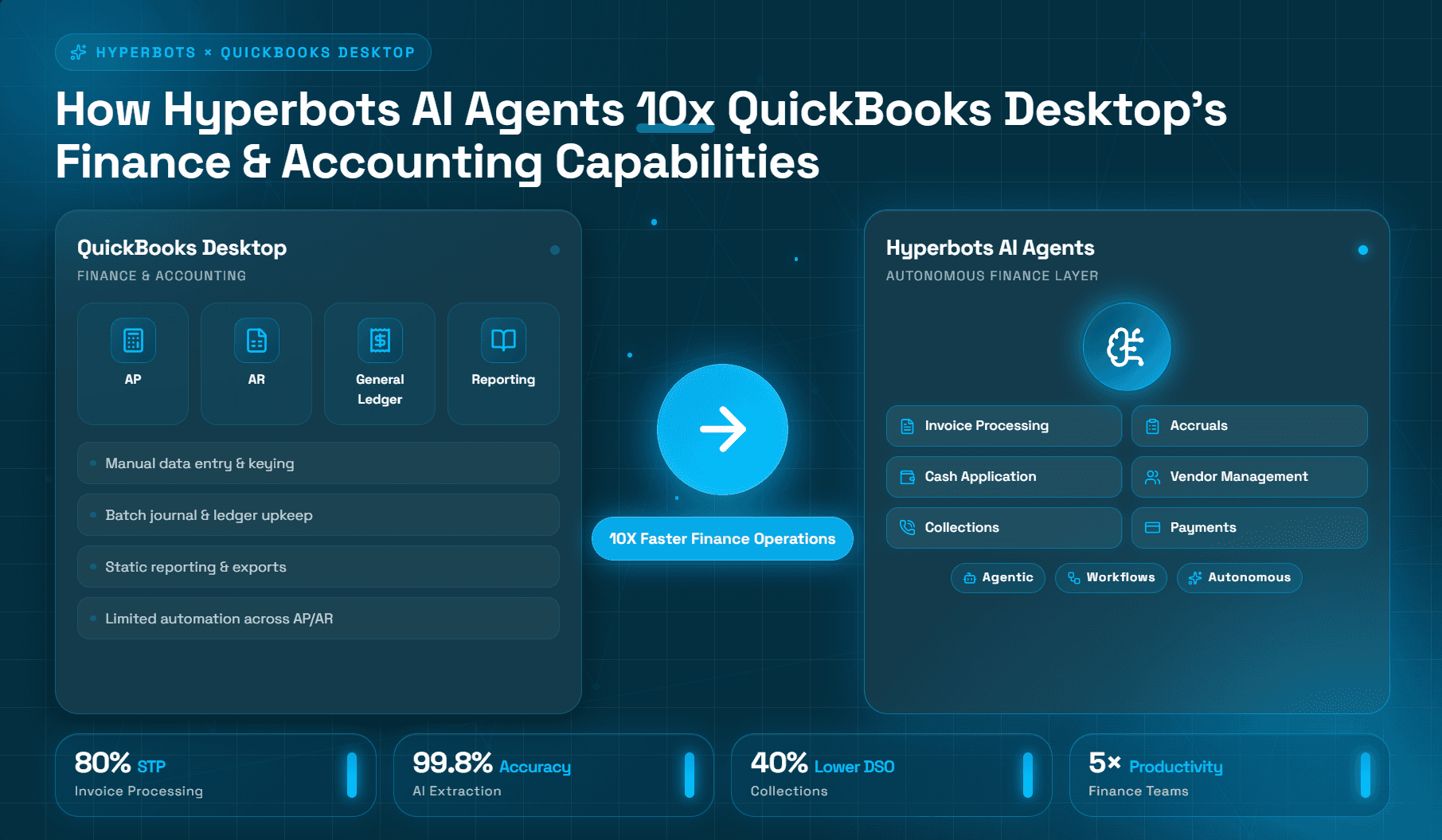
How Hyperbots AI Agents 10x QuickBooks Desktop's Finance & Accounting Capabilities
Turning QuickBooks Desktop into an AI-powered finance operation.
Conventional wisdom says that growing companies eventually outgrow QuickBooks. Yet thousands of small and mid-market organizations, many with annual revenues between $5 million and $100 million, continue to run their core accounting operations on QuickBooks Desktop accounting software, and for good reason. The platform offers a mature, feature-rich environment that handles the full financial lifecycle without the six-figure implementation costs and multi-year timelines associated with enterprise ERP systems.
The real challenge facing finance teams today is not the accounting system itself. It is the volume and complexity of manual work that surrounds it. According to the American Productivity & Quality Center (APQC), finance functions that have not yet adopted automation spend a median of 10.3 days closing the books each month and process invoices at a median cost of $10.18 per invoice. Those figures have a compounding effect on staffing costs, working capital, and management bandwidth.
This article examines why QuickBooks Desktop remains a credible accounting foundation for many organizations, identifies where manual effort concentrates in traditional finance workflows, and explains how AI agents purpose-built for finance can extend, not replace, that foundation to deliver measurable efficiency gains.
Why QuickBooks Desktop Remains a Powerful Accounting Platform
QuickBooks Desktop has been in continuous development for more than three decades. The result is a platform whose depth often surprises organizations that have only experienced cloud-based alternatives. Below is a review of the core functional areas that make QuickBooks Desktop accounting software a serious contender for mid-market finance operations.
General Ledger
The QuickBooks Desktop chart of accounts supports a multi-level account numbering structure, enabling finance teams to mirror their organizational hierarchy directly in the ledger. Journal entries, recurring transactions, and memorized transaction groups give controllers granular control over period-end postings without requiring customization fees. Understanding best practices for GL posting and GL coding in the chart of accounts is essential for teams looking to maximize the accuracy of their QuickBooks Desktop ledger from day one.
Accounts Payable
QuickBooks Desktop accounts payable functionality includes full vendor master management, purchase order matching, multi-currency support in the Enterprise edition, and a bill payment workflow that integrates directly with the check register. Finance teams can track aging by vendor, set payment terms, and manage 1099 obligations within the same environment. For teams looking to benchmark their current AP performance, the accounts payable automation benefits guide provides a useful framework.
Accounts Receivable
On the revenue side, QuickBooks Desktop accounts receivable handles customer invoicing, statement generation, payment application, and aging analysis. The platform supports progress invoicing for project-based businesses and retainage tracking for contractors, capabilities that many cloud alternatives still handle clumsily.
Bank Reconciliation
QuickBooks Desktop's reconciliation module allows finance staff to match transactions against bank statements, flag discrepancies, and produce reconciliation reports that satisfy audit requirements. The reconciliation history is permanently stored, providing a clear evidentiary trail.
Financial Reporting
The QuickBooks Desktop financial reporting engine is one of the platform's most underappreciated strengths. The report center includes more than 100 pre-built reports, and the custom report builder allows finance teams to filter, group, and summarize data without requiring IT involvement. Memorized reports can be scheduled for automatic delivery, reducing the manual assembly burden at period-end.
Job Costing
For construction, professional services, and project-based manufacturers, QuickBooks Desktop's job costing module tracks revenue, costs, and profitability at the job level. The Job Profitability Summary and Work in Progress (WIP) schedules are particularly valuable for project-centric CFOs who need real-time margin visibility.
Class Tracking
Class tracking allows a single QuickBooks Desktop company file to segment financial data by department, location, product line, or any other dimension the business requires. Combined with location tracking (available in Enterprise), finance teams can produce multi-dimensional P&L statements without maintaining separate ledgers. Finance leaders building out their reporting structure will find value in reviewing best practices for structuring a Chart of Accounts to ensure QuickBooks classes map cleanly to management reporting needs.
Inventory Accounting
QuickBooks Desktop Enterprise supports advanced inventory features including FIFO costing, serial and lot number tracking, bin location management, and assembly builds. These capabilities are sufficient for many light manufacturers and distributors who would otherwise face a significant ERP investment.
Audit Trail
Every transaction entered, modified, or deleted in QuickBooks Desktop is recorded in the audit trail with a timestamp and user identification. This immutable log is essential for SOX-adjacent controls, external audits, and internal investigations, a feature that reinforces compliance without additional configuration. Finance leaders can explore how AI automation strengthens audit readiness as a complement to QuickBooks Desktop's native trail.
Budgeting
The budgeting module allows finance teams to create annual or monthly budgets by account, class, or customer/job. Budget vs. actual reports can be generated at any point in the year, supporting the variance analysis process that most monthly close routines require. For a deeper look at connecting budgets to GL structures, integrating budgets with the chart of accounts offers practical guidance.
Unique Finance & Accounting Strengths of QuickBooks Desktop
Several characteristics distinguish QuickBooks Desktop accounting workflows from both cloud-only alternatives and full-scale ERP systems.
Data ownership and control. Unlike subscription-based cloud platforms, QuickBooks Desktop stores data locally or on a company-managed server. For organizations in regulated industries or those with data residency requirements, this architecture is not a limitation, it is a strategic advantage.
Performance at scale. QuickBooks Desktop Enterprise supports up to 1 million list items and 30 simultaneous users. For organizations with large item lists, complex reporting structures, or high transaction volumes, this can outperform lighter cloud tools that degrade as data grows.
Customization without professional services. Custom fields, custom invoice templates, memorized reports, and user-defined price levels can all be configured by a knowledgeable controller or accounting manager without engaging a consultant. This keeps the total cost of ownership predictable.
Integration ecosystem. QuickBooks Desktop has an established third-party integration ecosystem covering payroll, CRM, e-commerce, and industry-specific add-ons. A useful reference for understanding how QuickBooks handles PO and AR processes versus peer platforms illustrates why its integration breadth remains a differentiator. The broader question of how AI complements ERP systems rather than replacing them is also worth reviewing for any finance leader evaluating the platform's long-term roadmap.
These strengths explain why, according to Intuit's own reporting, QuickBooks products collectively serve over 7 million customers globally, with a substantial portion of enterprise-grade users remaining on Desktop due to the feature depth described above.
Operational Processes That Still Require Significant Manual Effort
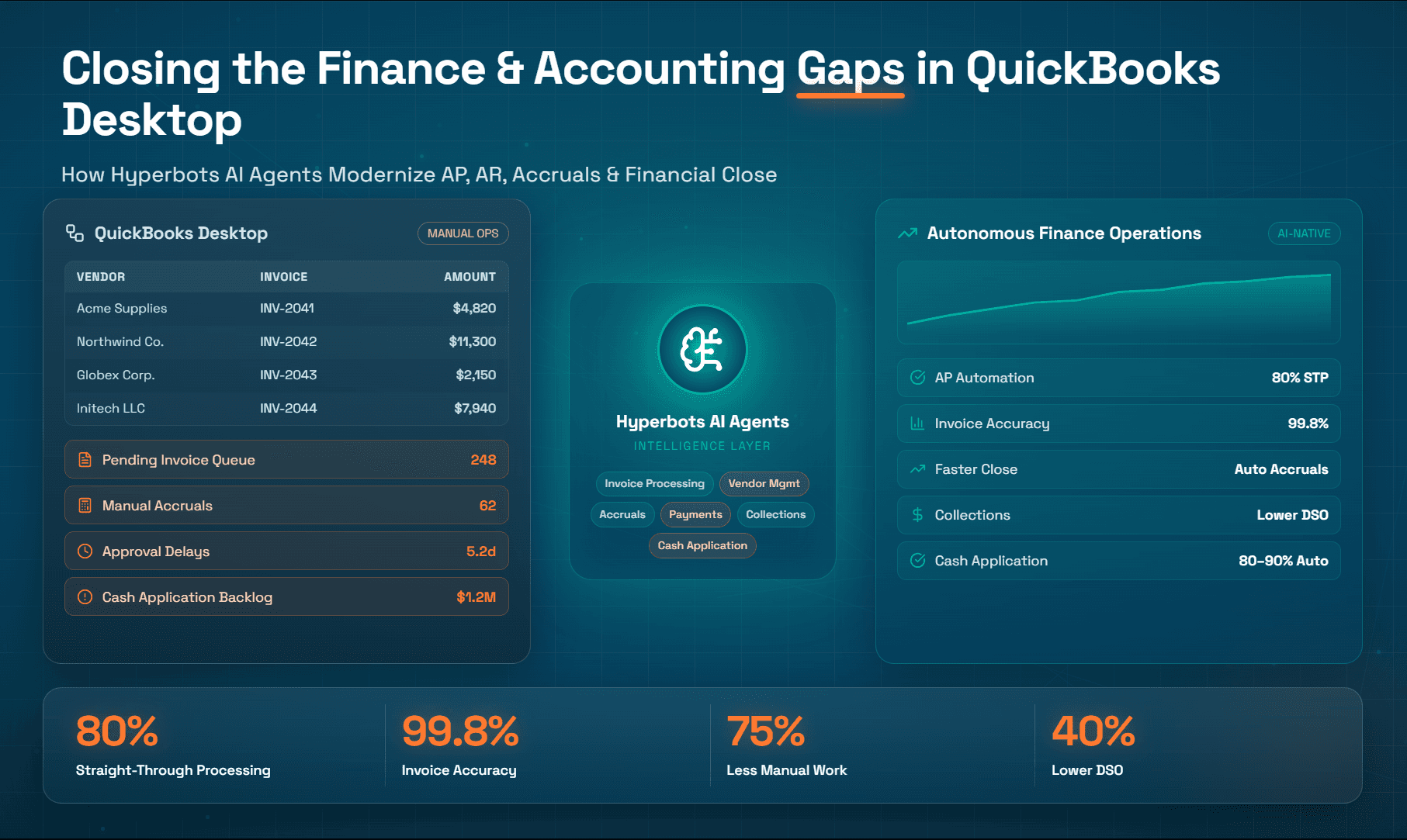
Even the most capable accounting platform has boundaries. QuickBooks Desktop finance automation has historically been limited to transaction recording and reporting—it does not, by design, automate the operational workflows that feed data into the ledger. This is a natural limitation of traditional accounting systems, not a product shortcoming.
The processes below consistently represent the highest concentration of manual labor in finance operations:
Invoice processing. Receiving, coding, and entering vendor invoices remains a document-intensive, judgment-dependent process. APQC data indicates that top-quartile organizations process an invoice for $2.94, while bottom-quartile organizations spend $26.54, a nine-fold spread that is almost entirely explained by automation adoption. Understanding what makes straight-through invoice processing difficult is an important context for any finance team evaluating where QuickBooks Desktop ends and automation must begin.
Vendor communications. Responding to vendor payment inquiries, managing remittance confirmations, and resolving short-pays and disputes generate a significant volume of low-complexity but time-consuming interactions that AP staff handle manually. Research on vendor visibility in the invoice processing workflow shows how lack of structured communication creates friction across the AP cycle.
Approval workflows. Routing invoices or purchase orders through a defined approval hierarchy via email is error-prone and creates audit gaps. Finance teams often maintain separate spreadsheets to track approval status work that is entirely redundant if a structured workflow exists. Best practices for AP approval processes offer a clear picture of what a well-designed workflow looks like.
Collections. AR staff in organizations without a collections automation tool typically work from aged receivables reports, manually drafting follow-up emails and logging call notes. The Hackett Group estimates that companies using best-in-class AR automation reduce their Days Sales Outstanding (DSO) by 20–30% relative to peers.
Cash application. Matching incoming payments to open invoices, particularly when remittance advice is incomplete or formatted inconsistently, can consume a disproportionate share of AR staff time. Unapplied cash creates both reporting distortions and customer service issues.
Reconciliations. Beyond bank reconciliation, finance teams routinely reconcile subledgers to the general ledger, intercompany accounts, credit card statements, and accrual schedules. Each reconciliation is a structured but repetitive analytical task.
Journal entries. Month-end close requires a defined set of recurring, reversing, and adjusting entries. Preparing, reviewing, and posting these entries manually even with memorized transaction lists, introduces timing risk and human error into every close cycle. The challenges involved in navigating accruals in accounts payable illustrate why this area remains one of the most labor-intensive components of the close.
Month-end close. Taken together, these manual tasks are why the average mid-market close takes 6–10 business days. Organizations in the top quartile close in 4.8 days or fewer, a gap that correlates directly with process automation maturity.
How Hyperbots AI Agents Extend QuickBooks Desktop
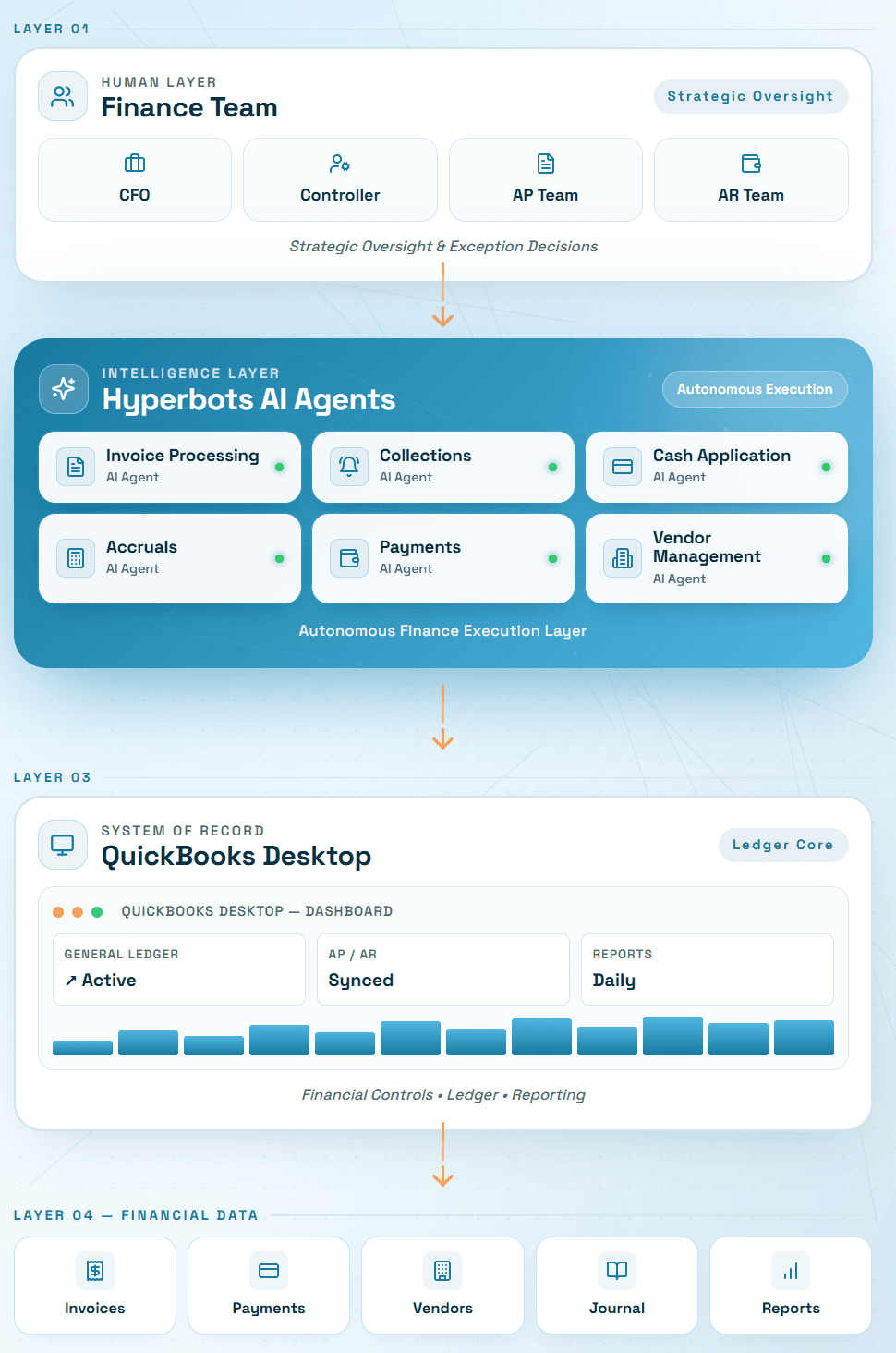
Hyperbots is an AI co-pilot platform designed to operate alongside existing accounting systems. Its agents connect to QuickBooks Desktop via API and file-based integration, reading and writing transactions without requiring organizations to migrate off a platform that is working for them. A dedicated post on what makes Hyperbots AI co-pilots a natural fit for QuickBooks covers the data model compatibility and GL coding alignment in detail. The value proposition is additive: finance teams retain the ledger control, reporting depth, and audit trail of QuickBooks Desktop while delegating high-volume, rules-based operational work to AI agents. Hyperbots' ready-to-deploy, pre-trained models mean implementation is measured in days, not months as explored in the case study on how pre-trained AI co-pilots transformed finance in days.
Procure-to-Pay
Hyperbots' Procure-to-Pay automation addresses the manual work between purchase intent and ledger posting.
Invoice capture. The Invoice Processing Co-Pilot extracts structured data from invoices in any format PDF, email attachment, EDI, or scanned image with near-perfect extraction accuracy that consistently outperforms manual keying. Extracted data is validated against purchase orders and vendor master records before being staged for QuickBooks Desktop entry. Real-world results from Extreme Reach's 80% straight-through processing deployment demonstrate what this looks like in practice.
Coding assistance. For invoices without a purchase order, AI-driven GL coding suggests account codes and cost center allocations based on historical coding patterns and vendor category rules. Finance teams review exceptions rather than coding every line from scratch, directly reducing the risk of the GL coding accuracy issues that distort financial reporting.
Approval orchestration. Automated AP approval workflows route invoices to the correct approver based on dollar thresholds, vendor type, and department, eliminating the email chain and providing a documented audit trail that feeds back into QuickBooks Desktop. The Payment Co-Pilot further extends this by automating early payment discount recommendations and payment approvals, capturing discount opportunities that are routinely missed in manual AP environments. For a financial model of the upside, computing cash saved with early payment discounts provides a practical framework.
Vendor communication. The Vendor Management Co-Pilot handles routine vendor inquiries, payment status, remittance confirmation, dispute acknowledgment, through automated remittance communication and a self-service vendor portal, reducing inquiry handling time and improving vendor relationships without involving AP staff.
Hyperbots' close automation targets the month-end bottleneck directly.
Reconciliations. AI agents execute subledger-to-GL reconciliations and balance sheet account reconciliations automatically, surfacing only items that fall outside tolerance thresholds. The Accruals Co-Pilot handles accrual discovery for goods received but not invoiced, services received but not billed, and recurring expenses without a PO, covering the full spectrum of period-end estimates that would otherwise require manual review. Finance teams can estimate close acceleration benefits using the Month-End Automation ROI Calculator.
Journal preparation. Recurring and reversing journal entries are prepared and staged for controller review via automated booking and reversal workflows. AI agents flag entries that deviate from prior-period patterns, adding an analytical check to the review process, an approach detailed further in transforming accruals with Hyperbots' agentic AI co-pilot.
Variance analysis. Budget vs. actual and period-over-period variance reports are generated with AI-drafted commentary, giving controllers a first-pass narrative that can be refined rather than written from scratch. The broader framework for measuring ROI on AI-led automation in finance provides CFOs with a structured approach to quantifying these close-cycle gains.
Order-to-Cash
Hyperbots' AR automation targets the full receivables cycle from invoice delivery through cash receipt.
Collections automation. The Collections Co-Pilot executes a structured collections cadence, initial reminder, escalation, final notice, calibrated by customer segment, invoice age, and payment history. Every communication is logged and reflected in QuickBooks Desktop customer notes. Finance leaders can estimate potential DSO reduction using the Collections AI ROI Calculator.
Cash application. The Cash Application Co-Pilot matches incoming payments to open invoices using remittance data, payment amounts, and historical matching patterns. Unmatched payments are flagged for human review rather than left in an unapplied cash queue. Teams can model the potential impact using the Cash Application AI ROI Calculator.
Customer follow-ups. AI agents personalize follow-up communications based on customer payment history and relationship tier, escalating to human AR staff only when judgment is required, reflecting the role of AI in cash flow optimization that goes beyond simple reminder sequences.
Dispute management. When a customer disputes an invoice, AI agents triage the dispute, gather supporting documentation, and route it to the appropriate internal owner, compressing resolution timelines and protecting DSO.
Quantifying the Business Impact of AI-Powered Finance Automation
Finance leaders evaluating the business case for extending QuickBooks Desktop with AI agents can use the tables below as a starting benchmark. Hyperbots also provides dedicated ROI calculators for each process area to model organization-specific scenarios.
Procure-to-Pay ROI
Metrics | Quickbooks Desktop alone | With Hyperbots | Operational Impact |
Invoice processing time | 8–12 day invoice cycle times are common in manual AP environments such as Quickbooks Desktop | Hyperbots processes invoices in <1 minute | 99%+ reduction in invoice processing time |
Straight-through invoice processing | Typical ERP-centric AP teams achieve ~15–25% touchless processing | Hyperbots achieves 80% STP | 3.2×–5.3× higher touchless processing rate |
Invoice extraction accuracy | Traditional OCR systems typically achieve only 85–90% accuracy | Hyperbots delivers 99.8% extraction accuracy | 50×–75× reduction in manual correction requirements |
AP manual workload | AP teams often spend 60–70% of capacity on manual entry and exception handling | Hyperbots automates matching, validation, and GL coding | 4×–5× reduction in manual AP workload |
Early payment discount capture | Most organizations capture <40% of available discounts | Hyperbots captures 100% of all early payment discounts automatically | 2.5×+ improvement in discount capture potential |
Order-to-Cash ROI
Metric | Quickbooks Desktop Alone / ERP-Centric Reality | With Hyperbots | Operational Impact |
Cash application automation | Manual and ERP-centric AR environments don’t automate cash application, with payment matching and reconciliation heavily dependent on human intervention. | Hyperbots achieves 80–90% straight-through cash application using AI-driven remittance extraction, intelligent matching, and autonomous ERP posting | 4×–9× higher cash application automation, enabling faster reconciliation and reduced AR processing costs |
Days Sales Outstanding (DSO) | ERP-centric collections workflows rely on static aging buckets, manual follow-ups, and delayed dispute identification, contributing to elevated DSO | Hyperbots delivers ~40% DSO reduction through AI-driven prioritization and autonomous follow-ups | Up to 1.6× faster cash-conversion cycle |
Cost-to-collect | Traditional collections environments require large amounts of manual outreach, dispute handling, and tracking effort | Hyperbots uses AI-driven prioritization of accounts, automated tailored follow-ups minimizing human intervention | 70% reduction in cost-to-collect |
Reconciliation cost | ERP-centric reconciliation workflows remain labor-intensive due to manual extraction and matching of remittance | Hyperbots delivers 99.8% remittance extraction accuracy with AI-driven autonomous matching and reconciliation workflows | 80% reduction in reconciliation cost |
Unapplied cash levels | Traditional AR environments often maintain unapplied cash balances near 40% due to delayed matching and exception handling | Hyperbots reduces unapplied cash to <10% through AI-driven matching and exception resolution | 75% reduction in unapplied cash |
Modernizing Finance Without Replacing QuickBooks Desktop
QuickBooks Desktop remains a capable, cost-effective accounting foundation for SMB and mid-market organizations. Its general ledger depth, financial reporting flexibility, job costing functionality, audit trail rigor, and total cost of ownership make it a rational choice for finance teams that need ERP-grade capabilities without ERP-grade complexity or cost. The platform's limitations are not architectural failures, they are the natural boundaries of any system designed to record and report financial activity rather than automate the operational workflows that generate it.
The gap between what QuickBooks Desktop records and what finance teams do manually is where AI co-pilot platforms like Hyperbots create compounding value. By automating invoice capture and GL coding, approval routing and payment optimization, collections and cash application, and accruals and journal preparation as a layer on top of an existing system, organizations can compress close cycles, reduce per-transaction costs, and redeploy accounting staff toward higher-value analytical work without a disruptive ERP migration or a multi-year implementation project.
The multi-agent AI architecture underlying Hyperbots means that each co-pilot is purpose-built for its specific finance process, learns from your organization's own transaction history, and operates within a human-in-the-loop governance model that keeps controllers in control of every material decision. For CFOs and Controllers evaluating how to extract more capacity from their current technology stack, the combination of QuickBooks Desktop finance automation extended by AI agents represents a pragmatic path to finance transformation: keep the accounting system that works, and intelligently automate the work around it.
To explore what this could mean for your organization specifically, Hyperbots offers an interactive ROI calculator suite and a live platform demo designed for finance leaders who want to evaluate capabilities against their own workflows before committing.
Frequently Asked Questions
1. Is QuickBooks Desktop still a good accounting solution for growing businesses?
Yes. QuickBooks Desktop remains a powerful accounting platform for many SMB and mid-market organizations. Its strengths include robust general ledger functionality, highly customizable financial reporting, job costing, inventory management, audit trails, and budgeting capabilities. For companies that need strong accounting controls without the complexity and cost of a full ERP implementation, QuickBooks Desktop continues to be a practical and cost-effective choice.
2. What are the biggest finance and accounting challenges organizations face with QuickBooks Desktop?
Most challenges stem not from QuickBooks Desktop's accounting capabilities but from the manual workflows surrounding them. Finance teams often spend significant time processing invoices, routing approvals, responding to vendor inquiries, following up on overdue receivables, applying cash receipts, preparing journal entries, and completing month-end reconciliations. These operational processes typically require additional automation beyond what traditional accounting systems are designed to provide.
3. Does Hyperbots replace QuickBooks Desktop?
No. Hyperbots is designed to work alongside QuickBooks Desktop, not replace it. The platform connects to QuickBooks Desktop and automates finance workflows such as invoice processing, approval routing, collections, cash application, vendor communications, reconciliations, and journal preparation. Organizations continue using QuickBooks Desktop as their system of record while Hyperbots automates repetitive finance tasks around it.
4. How can AI agents improve accounts payable and accounts receivable processes?
AI agents can automate many of the high-volume, repetitive activities that consume AP and AR teams' time. In accounts payable, this includes invoice capture, data extraction, GL coding suggestions, approval routing, and vendor communications. In accounts receivable, AI agents can automate collections follow-ups, cash application, dispute management, and payment prioritization. The result is faster processing, improved accuracy, lower operating costs, and better cash flow visibility.
5. How can finance leaders evaluate whether Hyperbots is a good fit for their organization?
The best approach is to assess current AP, AR, and financial close processes and identify areas where manual effort, delays, or exceptions consume significant staff time. Hyperbots provides process-specific ROI calculators and personalized demonstrations that allow finance leaders to model potential savings, efficiency improvements, and cash flow impact using their own transaction volumes and workflows before making an investment decision.