Closing the Finance & Accounting Gaps in QuickBooks Desktop with Hyperbots AI Agents
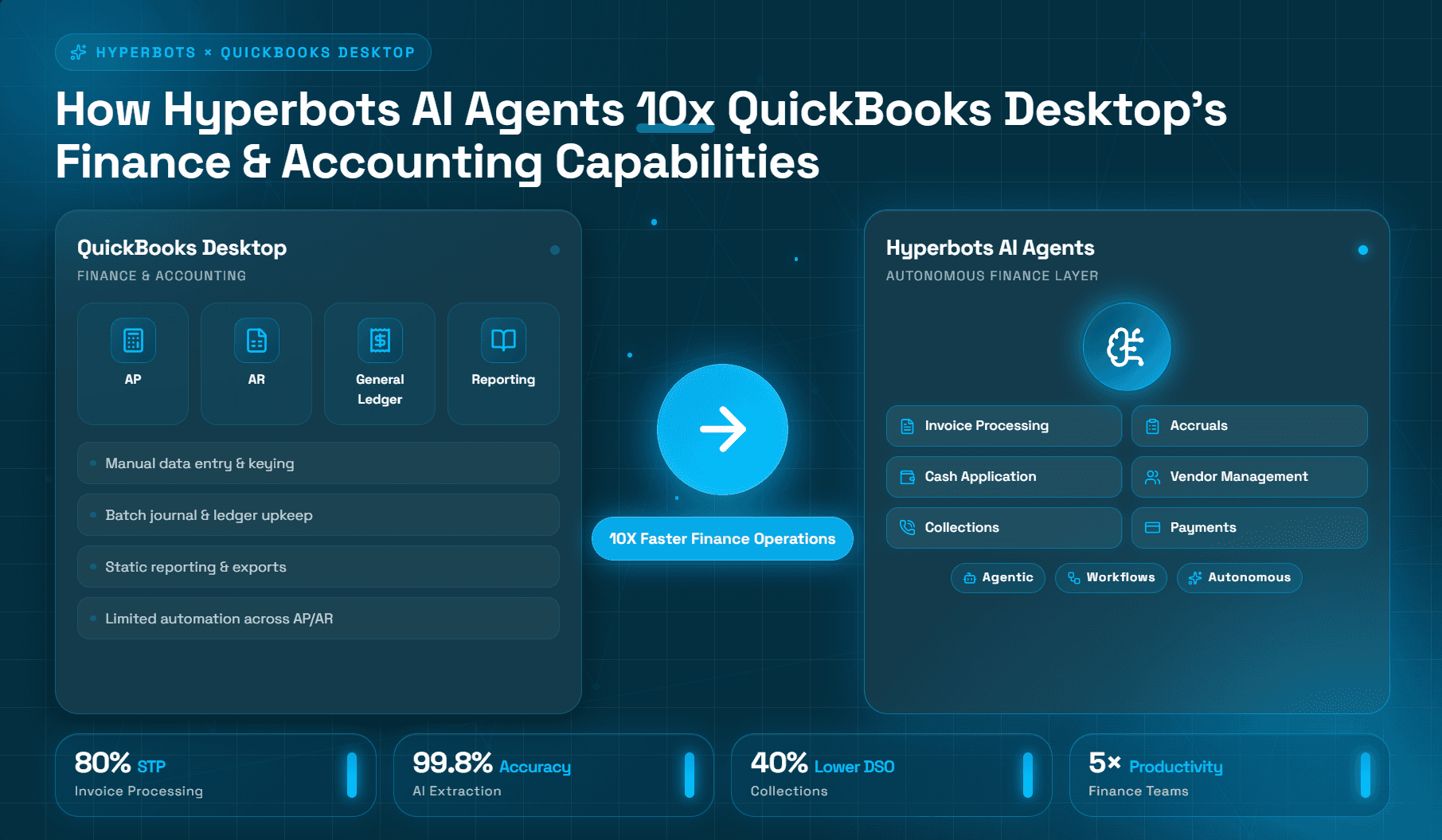
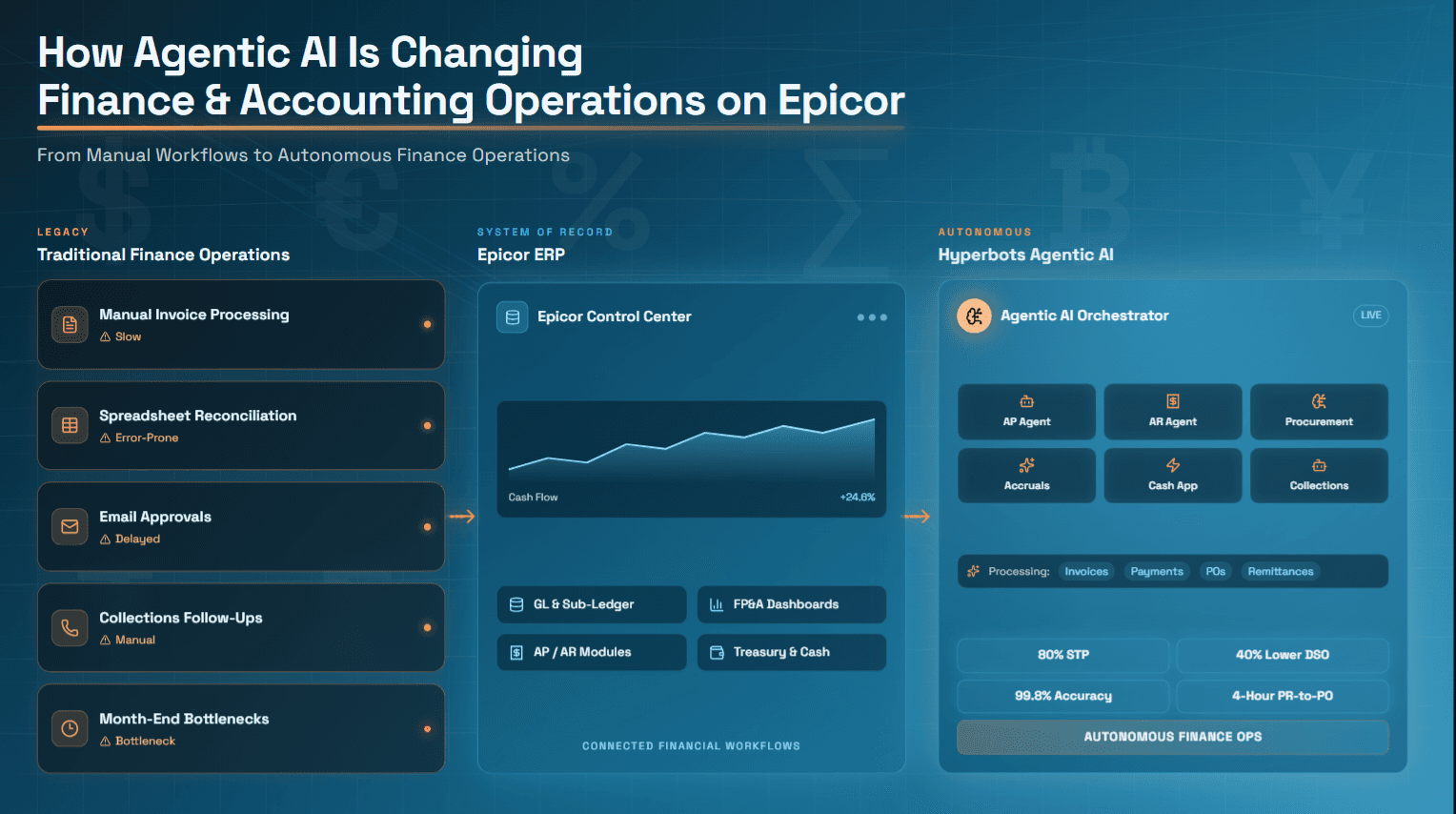
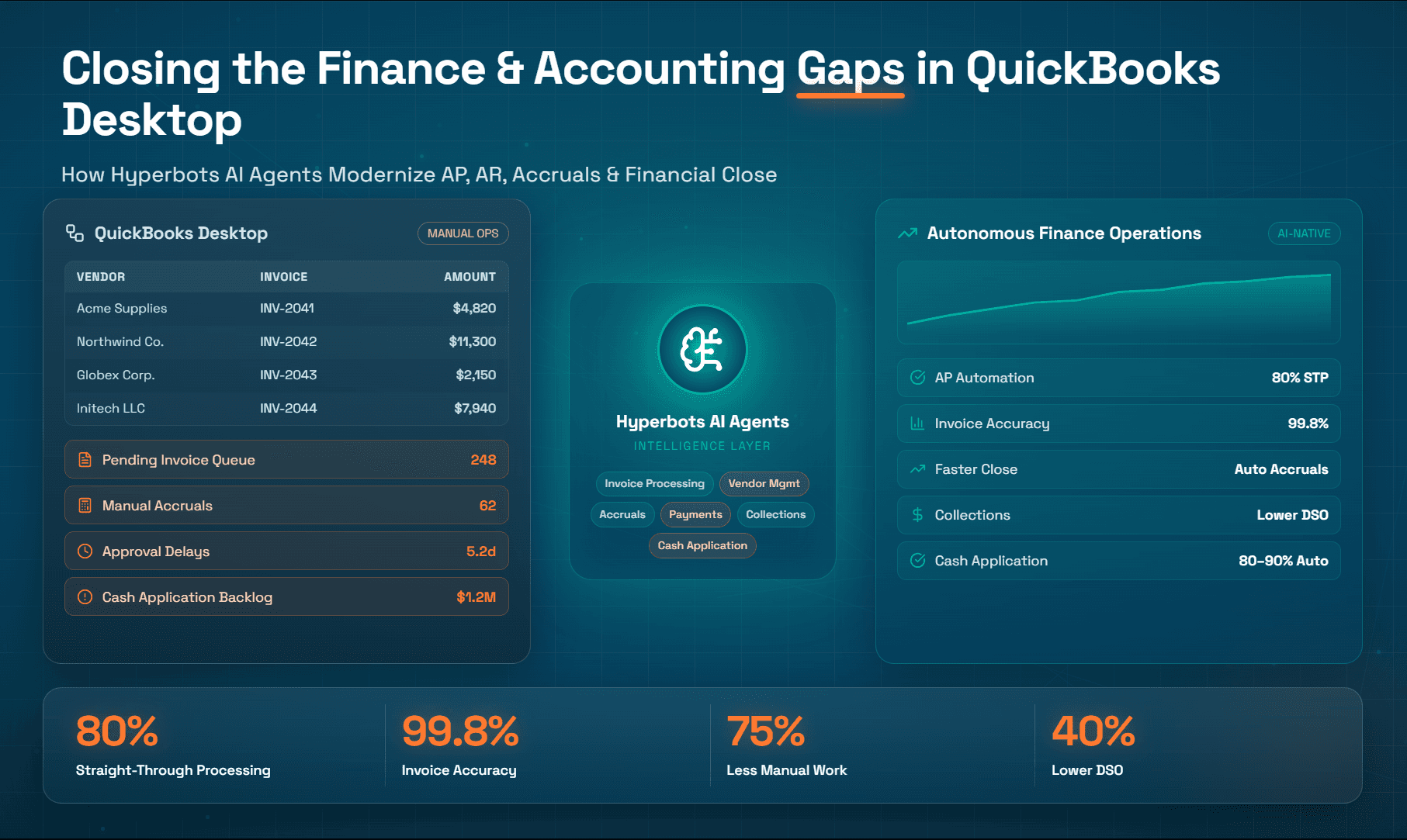
From accounts payable and accounts receivable to cash application, collections, reconciliations, and financial close, Hyperbots transforms QuickBooks Desktop into an AI-powered finance platform that reduces manual effort, improves accuracy, accelerates cash flow, and enables finance teams to scale operations without increasing headcount.
QuickBooks Desktop has served as a foundational accounting platform for millions of businesses over the past three decades. Its robust general ledger, reliable reporting, and familiar interface have made it the system of record for small and mid-market companies alike. For organizations processing a manageable volume of transactions with stable team structures, it continues to do its job well.
But finance teams don't stay the same. As transaction volumes grow, vendor bases expand, and close cycles tighten, the limitations of QuickBooks Desktop become increasingly visible, not in its accounting logic, but in the operational workflows surrounding it. Manual invoice entry, spreadsheet-dependent close processes, and reactive collections management are not QuickBooks failures; they are workflow gaps that the platform was never designed to fill.
This blog examines those gaps in detail, drawing on user reviews, industry benchmarks, and accounting research, and explores where AI agents can step in to close them without replacing the system your team already relies on.
Why These Finance Gaps Exist in QuickBooks Desktop
Understanding why these limitations exist helps frame them accurately as design boundaries rather than product failures. QuickBooks Desktop was designed primarily as a system of record for financial transactions. Its core competency is capturing, organizing, and reporting on accounting data with accuracy and auditability. It was not originally designed as a workflow automation platform, an AI-powered process engine, or an operational orchestration layer.
The gaps described in this blog from invoice capture, approval routing, collections automation to cash application matching, are fundamentally workflow execution challenges. They require the kind of conditional logic, real-time communication, pattern recognition, and exception handling that purpose-built automation platforms are designed to perform.
This distinction matters because it clarifies the appropriate solution. Organizations experiencing these gaps do not necessarily need to replace QuickBooks Desktop. They need to augment it with tools designed for the workflow layer that accounting systems were never built to manage. This is consistent with how enterprise finance operations have evolved broadly: ERP platforms handle the record; automation layers handle the process.
Key Finance & Accounting Gaps in QuickBooks Desktop
Accounts Payable: Manual Invoice Entry
Current process: AP staff receive invoices by email, mail, or vendor portal, then manually key line-item data, vendor name, invoice number, amounts, GL codes, due dates, into QuickBooks Desktop.
The limitation: QuickBooks Desktop provides no native invoice capture, OCR extraction, or AI-assisted invoice ingestion, leaving finance teams dependent on manual data entry or third-party tools. Industry benchmarks from Ardent Partners have found that organizations without AP automation often require more than two weeks to process an invoice from receipt to payment. In addition, APQC benchmarking data shows that accounts payable processing remains a meaningful operational cost center, with median processing costs around $6 per invoice, while highly automated organizations typically achieve substantially lower processing costs and cycle times.
Business Impact: At 200 invoices per month, a finance team operating primarily through manual data entry could spend tens of thousands of dollars annually on invoice processing labor alone. Industry benchmarks place manual invoice processing costs between roughly $10 and $40 per invoice, depending on workflow complexity and exception rates. Manual processing also introduces measurable accuracy risks. Studies cited by Resolve estimate invoice-processing error rates of approximately 1.6%, while AP research indicates manual GL coding errors can range from 5–10%. The downstream consequences often include duplicate payments, miscoded expenses, payment delays, and increased reconciliation effort.
Accounts Payable: Approval Bottlenecks
Current Process: QuickBooks Desktop's approval capabilities are limited and largely restricted to certain Enterprise editions. Organizations using Pro, Premier, and many Desktop deployments often rely on emails, spreadsheets, or other manual processes to route invoices for approval. Even in Enterprise, approval workflows require configuration and separate approval requests rather than seamless routing.
The limitation: Approval workflows are not universally available across QuickBooks Desktop editions, and users frequently report additional steps to initiate approvals. Intuit's own support documentation notes that approval workflows are available only in Enterprise Platinum and Diamond subscriptions, while QuickBooks Community discussions show users must save a bill and then separately submit it for approval rather than routing it automatically through a workflow.
Business Impact: When invoice approvals depend on manual notifications and human follow-up, invoices can remain unreviewed for days. Finance teams often create parallel processes using email reminders, spreadsheets, or shared trackers to ensure approvals are completed. As invoice volume grows, these workarounds become increasingly difficult to manage, creating payment delays, missed early-payment discounts, and additional administrative overhead.
Accounts Payable: Duplicate Payment Risk
Current Process: Duplicate detection in QuickBooks Desktop is limited to warning prompts when a user enters an invoice with a number already on file for the same vendor. It does not detect duplicates across vendor aliases, slight invoice number variations, or invoices submitted through multiple channels.
Business Impact: Duplicate payments are among the most common and costly AP errors. According to DocuClipper's analysis of AP research, organizations without robust duplicate detection regularly experience payment errors that require vendor credits, reconciliation effort, and in some cases, write-offs.
Accounts Payable: Month-End Close
Current Process: Finance teams using QuickBooks Desktop often maintain accrual schedules, account reconciliations, and period-end adjustment calculations in spreadsheets before manually posting adjusting journal entries into the system. While QuickBooks Desktop supports memorized and scheduled transactions, most close-related activities including reconciliations, accrual calculations, and supporting workpapers, are typically managed outside the ERP and then entered manually into QuickBooks. (Intuit QuickBooks Desktop Documentation)
The limitation: QuickBooks Desktop records and reports financial transactions effectively, but it does not automatically identify unbilled liabilities, generate accrual estimates for services received but not yet invoiced, or automate complex month-end close workflows. Its memorized transaction functionality can automate recurring entries, but it cannot perform the analysis, reconciliation, and exception handling required for a modern financial close. As a result, finance teams frequently depend on spreadsheets to bridge gaps between transaction processing and financial reporting.
Business Impact: Spreadsheet-dependent close processes require accountants and controllers to spend substantial time gathering data, preparing reconciliations, validating balances, and posting journal entries rather than analyzing financial performance. Manual movement of data between spreadsheets and QuickBooks also introduces risks related to data-entry errors, version control issues, and reconciliation discrepancies. According to APQC benchmarking, lower-performing finance organizations can require more than 10 business days to complete the monthly close, while organizations with more mature automation capabilities typically achieve significantly faster close cycles. This operational burden can delay reporting, reduce finance team productivity, and limit the time available for strategic decision-making.
Accounts Receivable: Manual Collections and Follow-Up
Current Process: AR staff pull aging reports from QuickBooks Desktop and manually identify overdue invoices. Follow-up is typically handled by phone or individual email.
The limitation: QuickBooks Desktop offers aging reports and statement generation, but no automated collections sequences, no contact prioritization based on balance or risk, and no tracking of follow-up history within the platform itself. According to Upflow's State of B2B Payments 2024 report, the overall median DSO across B2B industries is 56 days, a figure that is significantly compressed at organizations using automated AR collections. Research further indicates that companies using automated payment reminders collect receivables 12 to 18 days faster than those relying on manual follow-up.
Business Impact: For a company with $5 million in annual revenue, a 15-day reduction in DSO could free over $200,000 in working capital. Manual QuickBooks Desktop AR workflows leave that opportunity largely unrealized.
Accounts Receivable: Lack of Prioritization
The limitation: QuickBooks Desktop does not segment customers by payment behavior, credit risk, or strategic relationship value. Every overdue invoice looks the same in an aging report. AR staff have no data-driven basis for deciding which accounts to prioritize.
Business Impact: Collections effort gets misallocated. High-value, recoverable accounts may receive the same attention as smaller balances with low recovery probability, reducing overall collections efficiency.
Cash Application: Remittance Processing and Payment Matching
Current Process: When customers pay, AR staff manually match incoming payments, often from remittance advice documents, wire transfers, or check stubs, to open invoices in QuickBooks Desktop.
The limitation: QuickBooks Desktop has no automated cash application module. Partial payments, lump-sum remittances covering multiple invoices, and unstructured remittance formats all require manual interpretation and matching. For companies receiving hundreds of payments monthly, this is a significant labor cost.
Business Impact: Delays in cash application distort AR aging reports, misrepresent cash positions, and create reconciliation backlogs at month-end. Finance teams end up spending time correcting misapplied payments rather than closing the books.
Reporting & Analytics: Historical Focus, No Predictive Insight
The limitation: QuickBooks Desktop's reporting engine is backward-looking. It accurately summarizes what happened; it does not forecast what is likely to happen, flag anomalies in real time, or detect patterns that might indicate duplicate payments, vendor fraud, or cash flow risk.
Business Impact: CFOs and controllers are increasingly expected to provide forward-looking analysis and proactive risk identification. When the finance system can only answer historical questions, strategic decisions rely on manual data exports and analyst-built models, a model that is slow, expensive, and prone to inconsistency.
Workflow Automation and AI: Structural Absence
The limitation: QuickBooks Desktop was not designed for an AI-augmented workflow environment. It has no native ability to learn from transaction patterns, apply policy rules autonomously, escalate exceptions intelligently, or communicate with vendors and customers without human intervention.
Business Impact: Finance teams using QuickBooks Desktop as their sole operational layer remain entirely dependent on human labor for every non-accounting task: chasing approvals, following up on payments, reconciling remittances, building accrual schedules. As transaction volumes grow, headcount grows proportionally, the opposite of a scalable finance function.
The Hidden Cost of Manual Finance Operations
The benchmarks above suggest a consistent pattern: organizations that rely on manual AP, AR, and close processes pay a measurable premium in time, money, and error risk.
Cost per invoice: APQC benchmarks put the median manual invoice processing cost at $22.75 per invoice (Gennai, citing APQC), versus $2.36 for organizations using AI-driven automation. At 500 invoices per month, that gap represents over $120,000 annually.
Invoice cycle time: Ardent Partners' 2024 State of ePayables report found that organizations without automation average 17.4 days to process a single invoice. Top-performing organizations with automation close the same workflow in under 4 days.
DSO and working capital: With a median B2B DSO of 56 days, finance teams using manual AR processes leave significant working capital tied up in receivables. Automated collections consistently reduce DSO by 12 to 18 days, a material cash flow improvement.
Close cycles: Manual month-end close processes, dependent on spreadsheets and manual journal entries, consistently extend close cycles. Every additional close day represents delayed reporting, reduced management visibility, and compounded reconciliation risk.
Error rates: Manual invoice processing generates errors in 5–10% of transactions (Resolve, 2026). At scale, these errors produce vendor disputes, duplicate payments, and audit findings, all of which consume finance team capacity that could be directed toward higher-value work.
Critically, these are not QuickBooks Desktop accounting failures. They are workflow execution gaps, areas where the platform provides the accounting record but not the operational automation needed to feed and maintain it efficiently.
When QuickBooks Desktop Is Still the Right Choice
Despite the workflow limitations described above, QuickBooks Desktop remains a strong fit for many organizations. Finance teams should assess their specific circumstances before assuming they need additional automation layers.
QuickBooks Desktop is likely still the right primary tool when:
Transaction volumes are manageable, typically fewer than 100–200 invoices per month and manual processing does not create meaningful operational bottlenecks.
Approval structures are simple, with one or two approvers and no need for conditional routing or multi-tier escalation.
The AR portfolio is concentrated among a small number of customers with predictable payment behavior, reducing the need for automated prioritization and collections sequencing.
The finance team is small and generalist, handling a broad range of tasks where deep workflow specialization would not provide a proportionate return.
Month-end close is straightforward, with few complex accruals, limited inter-company activity, and manageable reconciliation volume.
For organizations that fit this profile, the operational overhead of additional automation tooling may exceed the efficiency gain. The productivity and cost benchmarks cited in this blog are most relevant at higher transaction volumes and greater organizational complexity.
The Finance Automation Maturity Curve
Organizations using QuickBooks Desktop typically evolve through a predictable finance automation journey. As transaction volumes grow and manual workloads increase, finance teams often progress through four stages of operational maturity.
Stage | Description | Typical Characteristics |
Stage 1 | QuickBooks Desktop + Manual Processes | AP, AR, cash application, and close activities are handled manually within QuickBooks Desktop. Heavy dependence on human effort and email-based coordination. |
Stage 2 | QuickBooks Desktop + Spreadsheets | Finance teams supplement QuickBooks Desktop with Excel workbooks for reconciliations, accrual schedules, collections tracking, approval monitoring, and reporting. |
Stage 3 | QuickBooks Desktop + Workflow Automation | Organizations introduce automation tools for specific workflows such as invoice processing, collections management, cash application, or financial close activities. |
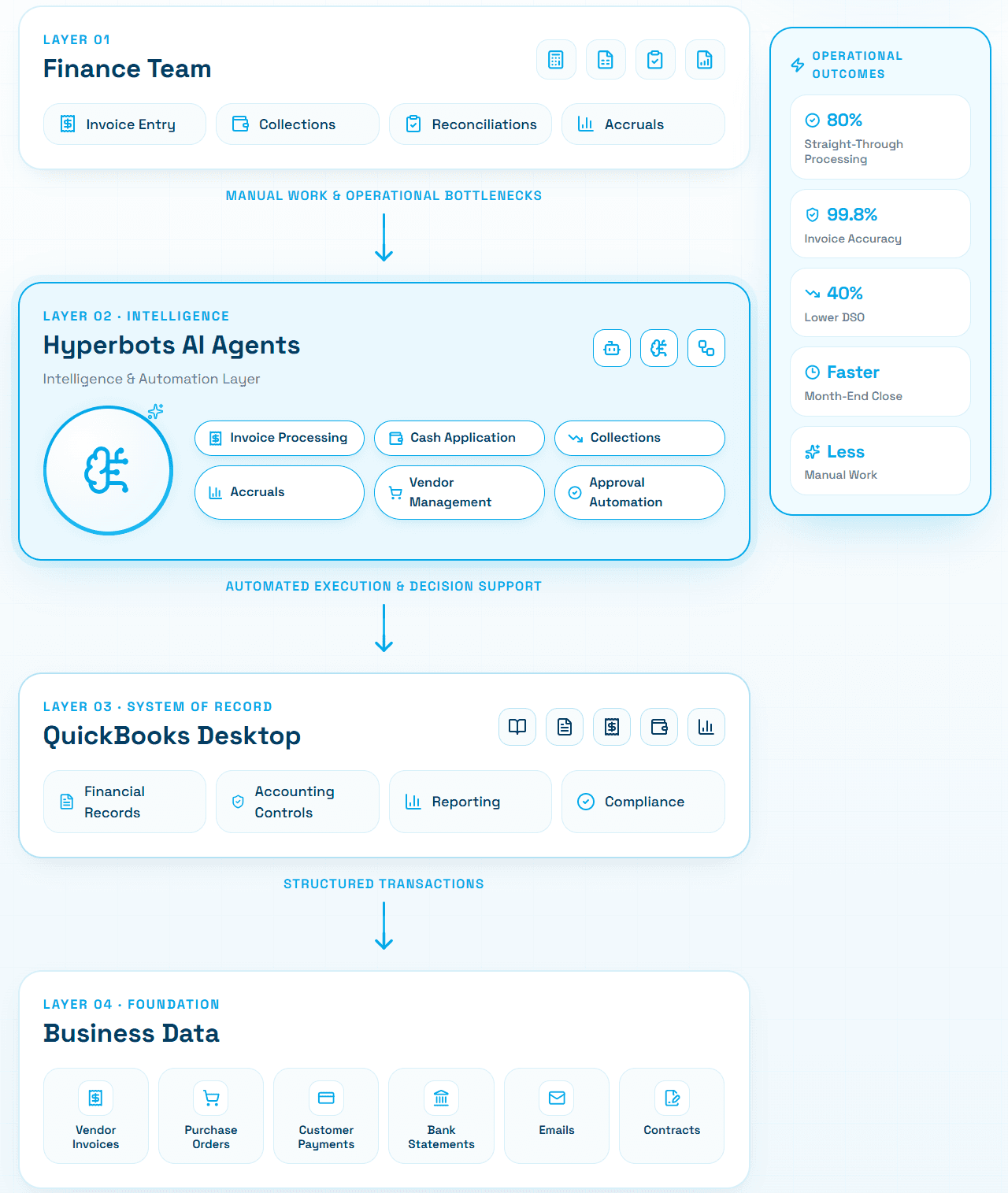
Stage 4 | AI-Augmented Finance Operations | AI agents continuously assist with transaction processing, exception handling, anomaly detection, prioritization, and workflow execution while QuickBooks Desktop remains the system of record. |
Stage 1: Manual Finance Operations
Most organizations begin at Stage 1, where finance processes are largely executed through manual effort. Invoice entry, collections follow-up, cash application, reconciliations, and period-end close activities depend heavily on individual users. While this approach can work at lower transaction volumes, it becomes increasingly difficult to scale as the business grows.
Stage 2: Spreadsheet-Driven Operations
As operational complexity increases, finance teams often turn to spreadsheets to compensate for workflow limitations. Excel becomes the control center for accrual schedules, reconciliation workpapers, approval tracking, collections management, and reporting.
Although spreadsheets can improve flexibility, they also introduce version-control challenges, formula errors, duplicated effort, and additional reconciliation work.
Stage 3: Workflow Automation
At this stage, organizations begin deploying purpose-built automation solutions to streamline specific finance processes. Common areas include accounts payable, collections, cash application, and financial close management.
This is typically where finance teams start seeing measurable improvements in productivity, processing speed, and operational consistency.
Stage 4: AI-Augmented Finance Operations
The most mature organizations move beyond task automation and introduce AI-driven workflow execution. AI agents can assist with prioritization, exception handling, anomaly detection, communication, and transaction processing while allowing finance professionals to focus on analysis and decision-making.
Key Takeaway
Progression through these stages is rarely linear or all-or-nothing. Many organizations operate at different maturity levels across different finance functions. For example, a company may have automated invoice processing while still relying on spreadsheets for month-end close activities.
The maturity model serves as a useful framework for identifying where manual effort is creating the greatest operational friction and where automation investments are likely to deliver the highest return.
Why Traditional Workarounds Often Fall Short
Before evaluating purpose-built automation solutions, many finance teams attempt to address QuickBooks Desktop workflow gaps through internal workarounds. These approaches are understandable, they require no new vendor relationships and can be implemented quickly but they rarely scale.
More spreadsheets: Spreadsheets are the default workaround for process gaps QuickBooks Desktop cannot fill: accrual schedules, approval trackers, collections logs. Over time, these grow into complex, interconnected workbooks that require dedicated maintenance, introduce version control risks, and create single points of failure when key staff are unavailable.
Shared inboxes: Invoice approval and vendor communication managed through shared email inboxes lacks auditability, creates ambiguity around ownership, and makes it difficult to track SLAs. As volume grows, inboxes become backlogs.
Additional headcount: Hiring more AP or AR staff proportional to transaction growth is the most expensive workaround and does nothing to reduce the per-transaction error rate. It also creates organizational fragility: process knowledge concentrates in individuals rather than systems.
Point solutions: Individual tools for specific problems, a standalone approval tool here, a collections email tool there, can introduce integration complexity and workflow fragmentation. When data must flow between QuickBooks Desktop and multiple disconnected tools, reconciliation overhead often increases rather than decreases.
These workarounds share a common failure mode: they address the symptom (a specific manual task) without addressing the underlying structural gap (the absence of an integrated workflow automation layer). As transaction volumes grow and organizational requirements become more complex, the patchwork of manual compensating controls becomes progressively harder to manage, audit, and maintain.
How Hyperbots Helps Address QuickBooks Desktop Workflow Gaps
As discussed throughout this article, the primary challenges finance teams encounter with QuickBooks Desktop are typically not accounting issues. The platform provides a reliable system of record for financial transactions, but many operational workflows, including invoice processing, approvals, collections, cash application, and month-end close activities still depend heavily on manual effort.
Rather than replacing QuickBooks Desktop, many organizations choose to add an automation layer around it. This allows finance teams to retain their existing accounting infrastructure while addressing process bottlenecks that emerge as transaction volumes grow.
Hyperbots is designed around this approach. It focuses on automating workflow execution while allowing QuickBooks Desktop to remain the system of record.
Mapping QuickBooks Desktop Gaps to Automation Opportunities
The table below illustrates how common workflow limitations in QuickBooks Desktop translate into operational challenges and how AI-driven automation can help address them.
QuickBooks Desktop Gap | Business Impact | Hyperbots AI Agent Approach |
Manual invoice entry, no OCR | $12–$40 per invoice; lengthy processing cycles | Invoice Processing Co-Pilot extracts, validates, and codes invoices |
No approval workflow automation | Approval delays and missed discounts | Automated approval routing and escalations |
Duplicate payment risk | Financial leakage and reconciliation effort | Duplicate invoice detection and prevention |
Manual AR collections | Higher DSO and slower cash conversion | AI-driven collections prioritization and follow-up |
Manual cash application | Reconciliation bottlenecks | Automated remittance extraction and payment matching |
Spreadsheet-dependent close | Longer close cycles and journal-entry effort | Automated accrual discovery and close support |
No anomaly detection | Fraud and compliance risk | Continuous transaction monitoring |
Manual vendor management | Administrative burden and compliance challenges | Automated onboarding and vendor communications |
The common theme is that automation focuses on the workflow surrounding the accounting record rather than replacing the accounting record itself.
Impact on Procure-to-Pay Operations
AI-driven workflow automation can help reduce these manual touchpoints by automating document capture, validation, coding recommendations, approval routing, and exception management.
The table below summarizes the operational differences between a typical QuickBooks Desktop-centric AP process and an AI-augmented workflow.
Procure-to-Pay ROI
Metrics | Quickbooks Desktop alone | With Hyperbots | Operational Impact |
Invoice processing time | 8–12 day invoice cycle times are common in manual AP environments such as Quickbooks Desktop | Hyperbots processes invoices in <1 minute | 99%+ reduction in invoice processing time |
Straight-through invoice processing | Typical ERP-centric AP teams achieve ~15–25% touchless processing | Hyperbots achieves 80% STP | 3.2×–5.3× higher touchless processing rate |
Invoice extraction accuracy | Traditional OCR systems typically achieve only 85–90% accuracy | Hyperbots delivers 99.8% extraction accuracy | 50×–75× reduction in manual correction requirements |
AP manual workload | AP teams often spend 60–70% of capacity on manual entry and exception handling | Hyperbots automates matching, validation, and GL coding | 4×–5× reduction in manual AP workload |
Early payment discount capture | Most organizations capture <40% of available discounts | Hyperbots captures 100% of all early payment discounts automatically | 2.5×+ improvement in discount capture potential |
While actual results vary by organization, the broader takeaway is that AP automation addresses many of the same workflow gaps discussed earlier in this article, particularly invoice entry, approval routing, exception handling, and duplicate-payment prevention.
Impact on Order-to-Cash Operations
Accounts receivable teams face a similar challenge. While QuickBooks Desktop maintains customer balances and aging reports effectively, collections prioritization, remittance interpretation, payment matching, and dispute follow-up often remain manual processes.
As customer volumes increase, these activities can become significant constraints on working-capital performance.
The following comparison illustrates the potential impact of applying AI-driven automation to the order-to-cash cycle.
Order-to-Cash ROI
Metric | Quickbooks Desktop Alone / ERP-Centric Reality | With Hyperbots | Operational Impact |
Manual and ERP-centric AR environments don’t automate cash application, with payment matching and reconciliation heavily dependent on human intervention. | Hyperbots achieves 80–90% straight-through cash application using AI-driven remittance extraction, intelligent matching, and autonomous ERP posting | 4×–9× higher cash application automation, enabling faster reconciliation and reduced AR processing costs | |
Days Sales Outstanding (DSO) | ERP-centric collections workflows rely on static aging buckets, manual follow-ups, and delayed dispute identification, contributing to elevated DSO | Hyperbots delivers ~40% DSO reduction through AI-driven prioritization and autonomous follow-ups | Up to 1.6× faster cash-conversion cycle |
Cost-to-collect | Traditional collections environments require large amounts of manual outreach, dispute handling, and tracking effort | Hyperbots uses AI-driven prioritization of accounts, automated tailored follow-ups minimizing human intervention | 70% reduction in cost-to-collect |
Reconciliation cost | ERP-centric reconciliation workflows remain labor-intensive due to manual extraction and matching of remittance | Hyperbots delivers 99.8% remittance extraction accuracy with AI-driven autonomous matching and reconciliation workflows | 80% reduction in reconciliation cost |
Unapplied cash levels | Traditional AR environments often maintain unapplied cash balances near 40% due to delayed matching and exception handling | Hyperbots reduces unapplied cash to <10% through AI-driven matching and exception resolution | 75% reduction in unapplied cash |
These improvements are particularly relevant for organizations experiencing rising DSO, growing reconciliation workloads, or increasing pressure to improve cash-flow performance without adding headcount.
Extending QuickBooks Desktop Rather Than Replacing It
One of the key themes throughout this article is that most QuickBooks Desktop challenges originate in workflow execution rather than accounting functionality. AP, AR, cash application, and financial close processes often become increasingly manual as organizations scale.
AI-driven workflow automation offers a way to address these operational bottlenecks while preserving the accounting foundation already in place. Rather than requiring a disruptive ERP migration, organizations can target specific process gaps and automate them incrementally based on business priorities.
Hyperbots' published case study shows how Extreme Reach achieved 80% straight-through processing with 99.8% accuracy, a result achieved without replacing the underlying ERP infrastructure.
This approach allows QuickBooks Desktop to continue serving as the system of record while reducing the manual effort required to keep finance operations running efficiently.
Conclusion
QuickBooks Desktop remains a reliable accounting system of record for many small and mid-sized businesses. Its general ledger, financial reporting, and core AP and AR capabilities continue to provide a strong foundation for managing financial operations. The challenges discussed throughout this blog are not accounting limitations as much as they are workflow execution gaps that emerge as transaction volumes, organizational complexity, and finance workloads increase.
Manual invoice processing, approval bottlenecks, collections follow-up, cash application, and spreadsheet-driven close activities are all symptoms of a broader issue: finance teams are often forced to manage critical workflows outside the accounting system itself. As businesses grow, these manual processes can create inefficiencies that affect productivity, working capital, visibility, and scalability.
AI-powered finance automation offers a practical way to address these challenges without requiring organizations to replace the systems they already rely on. By automating repetitive workflows, reducing manual effort, and helping finance teams focus on higher-value activities, AI agents can extend the capabilities of QuickBooks Desktop while preserving its role as the system of record.
If you're evaluating ways to improve AP, AR, cash application, or financial close processes in QuickBooks Desktop, Hyperbots offers an opportunity to see what AI-driven finance operations can look like in practice. You can start with a free trial or request a personalized demo to explore how AI agents can help streamline your finance workflows and reduce manual effort across your accounting operations.
Frequently Asked Questions
Q1. Does QuickBooks Desktop have any AP automation built in?
QuickBooks Desktop includes basic bill entry and payment scheduling, but it does not offer native invoice capture (OCR or AI extraction), automated approval routing, duplicate detection across invoice variants, or 3-way PO matching. These capabilities require third-party tools.
What is the biggest accounts receivable limitation in QuickBooks Desktop?
The absence of automated collections workflows is the most operationally costly AR gap. QuickBooks Desktop generates aging reports and statements, but does not automate follow-up sequences, prioritize accounts by payment risk, or track collections communication history. The result is manual, inconsistent collections that extend DSO and tie up working capital.
Q2. How does manual cash application in QuickBooks Desktop affect close cycles?
When cash application is manual, remittances received late in the period, or misapplied during the period, must be corrected before accounts can be reconciled. This directly extends month-end close timelines and can delay financial reporting.
Q3. Can AI agents improve month-end close for QuickBooks Desktop users?
Yes. AI agents focused on accrual discovery, automated journal entry creation, and reconciliation can materially reduce close cycle time for QuickBooks Desktop users. The most impactful areas are accruals for goods received but not invoiced, recurring expense accruals without POs, and services accruals, all areas where QuickBooks Desktop requires manual estimation and entry.
Q4. Is it possible to add AP automation to QuickBooks Desktop without migrating to a new system?
Yes. Solutions like Hyperbots are specifically designed to operate as an AI layer above existing accounting platforms, including QuickBooks Desktop. Invoice data is extracted and validated by the Invoice Processing Co-Pilot, then posted directly to QuickBooks Desktop upon approval, preserving the existing accounting record without requiring migration.
Q5. How common are duplicate payment errors in manual AP environments?
Industry research consistently identifies duplicate payment rates of 0.1% to 0.5% of total payment volume in organizations without automated duplicate check automation. At $1 million in monthly AP spend, that represents $1,000–$5,000 in erroneous payments per month, not including the labor cost to identify and recover them.
Q6. What is a realistic DSO improvement from AR automation layered on QuickBooks Desktop?
Companies using automated payment reminders collect receivables 12 to 18 days faster than those relying on manual follow-up. The Collections Co-Pilot is designed to help organizations close this gap. For mid-market companies with meaningful AR balances, this translates directly to improved cash flow and reduced reliance on short-term credit.