Real-Time Budget Validation in Procurement: How AI Connects Requisitions to ERP Budget Data
How AI connects requisitions to live ERP budgets and prevents overspend before approvals
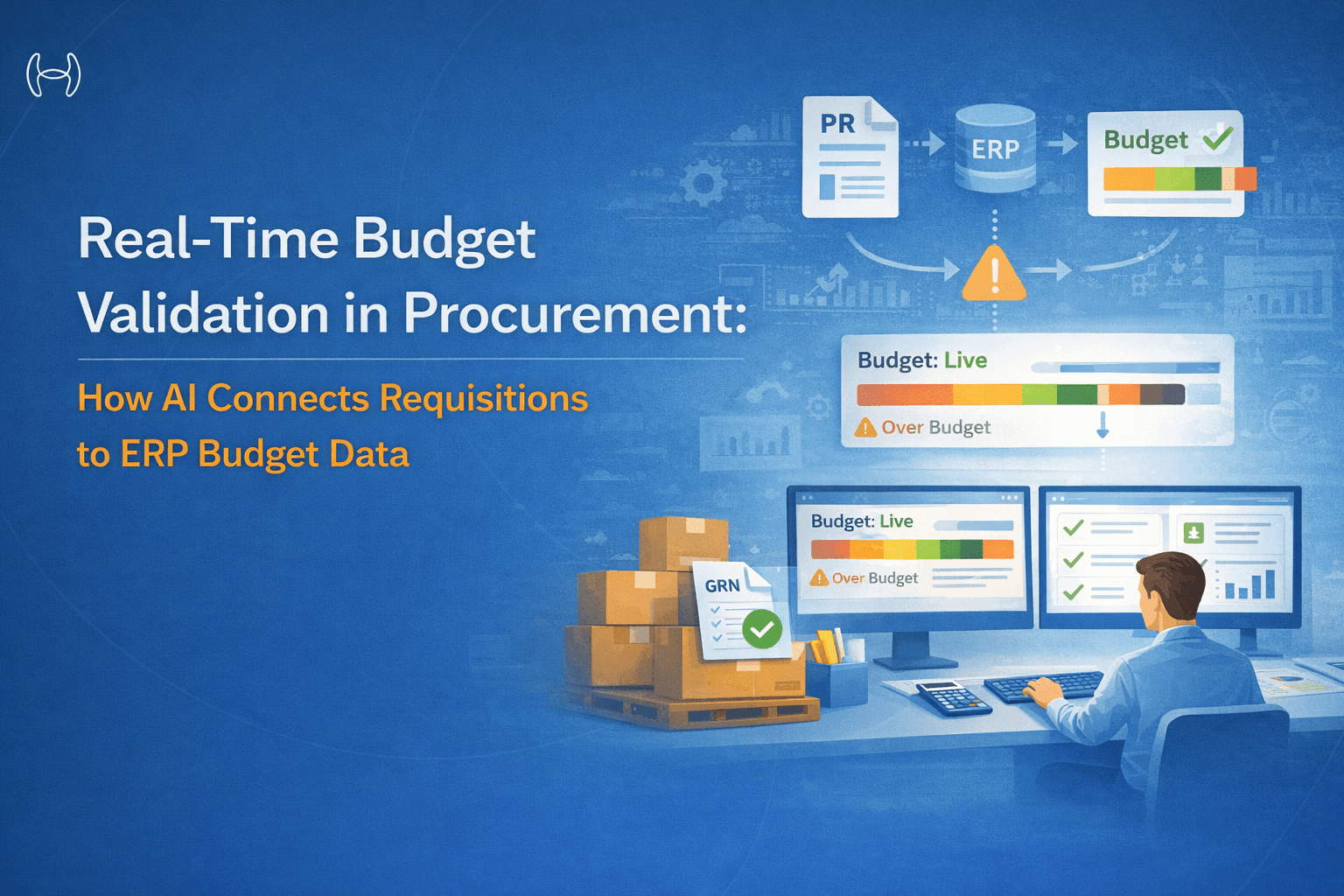
Budget overruns in procurement rarely happen because someone decided to ignore the budget. They happen because the validation came too late, was too manual, or was not connected to live data. This guide covers how real-time AI budget validation works, what it needs to do across multi-dimensional budget structures, and why it is the layer that makes everything else in procurement automation actually work.
Executive Summary
Procurement budget validation is one of those controls that every organization claims to have and almost none have working properly. The approval form has a budget field. The requester fills it in. An approver reviews it. The PO goes through. And three weeks later the controller discovers the department was already 80% committed before the requisition was raised.
The gap is not a policy problem. It is a data problem. Budget validation that relies on requesters knowing their own budget position, or approvers checking a spreadsheet that was last updated at month-end, is not validation. It is a formality.
Real-time budget validation connects the requisition to live ERP budget data at the moment the request is created, not after it has already moved through the approval chain. This guide explains how that connection works, what it needs to handle across complex budget structures, where existing tools fall short, and what AI-powered validation looks like in practice.
What Budget Validation in Procurement Actually Means
Budget validation in the procurement context is the process of checking whether a purchase requisition is within the available budget for the relevant cost center, department, project code, or GL account before the requisition is approved and converted into a purchase order.
At its simplest, it answers one question: does the budget exist to cover this purchase? In practice, it needs to answer several more complex questions simultaneously.
Has the available budget already been partially consumed by approved but unfulfilled requisitions? Is this requisition part of a project with its own budget that is separate from the departmental budget? Does the purchase cross multiple GL accounts that each have their own limits? Is the requester authorized to spend up to this amount, or does this value require a higher-level approval?
Manual budget validation cannot answer these questions reliably at the point of requisition. A purchase requisition that passes a manual budget check on Monday may breach the budget by Friday if three other requisitions from the same cost center are approved in between. Without a live connection to ERP commitment accounting, the check is always out of date.
Why Existing Procurement Tools Get Budget Validation Wrong
Most procurement systems include some form of budget checking. Almost all of them have the same structural weakness: they check against budget balances that are not current.
Batch-Updated Budget Data
The most common failure mode is budget data that updates on a schedule rather than in real time. Nightly batch updates, weekly refreshes, or month-end synchronizations mean the budget balance shown to a requester or approver reflects the position as of the last update, not the position right now. If four requisitions totaling $80,000 were approved this morning and the batch has not run, the system shows $80,000 more available budget than actually exists.
No Commitment Accounting
A budget system that only tracks actuals, paid invoices and posted journal entries, misses the most important number for procurement: commitments. An approved purchase requisition that has not yet become a PO, and a dispatched PO that has not yet been invoiced, both represent real budget consumption that does not appear in actuals. Budget validation that ignores open PRs and open POs consistently overstates available budget.
Single-Dimension Checking
Many systems check budget against a single dimension, typically the cost center or department code on the requisition. Real procurement budgets are multi-dimensional. A single purchase may need to validate against the departmental budget, the project budget, the GL account limit, and potentially a category-level spend cap simultaneously. A system that checks only one dimension can pass a requisition that breaches a limit the requester and approver never saw.
No Threshold Alerting
Budget validation in most systems is binary: approved or rejected. There is no mechanism for flagging requisitions that are within the technical limit but are consuming a disproportionate share of remaining budget, or for alerting finance teams when a cost center is approaching its limit before a breach occurs. By the time a requisition is blocked, the damage is often already done through commitments already made.
Disconnected Approval Workflows
When a requisition does exceed budget, most systems simply block it or return it to the requester with an error message. There is no automatic escalation to the right approver with the context needed to make a decision. The requester has to find out who can authorize the exception, explain the situation, and wait for a manual response. This creates delays and, frequently, workarounds that bypass the control entirely.
What Real-Time Budget Validation Needs to Do
Effective real-time budget validation for procurement has five requirements that together make it genuinely useful rather than a compliance checkbox.
1. Live Connection to ERP Budget and Commitment Data
The validation must query current budget data from the ERP at the moment the requisition is created, not from a cached or batch-updated copy. This means a real-time read of the ERP's budget tables, including both the original budget allocation and all existing commitments: approved PRs, open POs, and any other encumbrances that reduce available budget.
The available budget figure the system presents to the requester is calculated as: original budget minus actuals minus open commitments. This is the only number that means anything for procurement decisions.
2. Multi-Dimensional Budget Hierarchy Validation
A single requisition typically needs to be validated against multiple budget dimensions simultaneously. The most common structure involves cost center or department, project code or work order, GL account or spend category, and in some cases a vendor or contract-level spend cap.
The validation engine needs to check all relevant dimensions in a single pass and surface which dimension is the binding constraint if the requisition is at risk of exceeding a limit. A requester who is told "budget exceeded" without knowing which budget and by how much cannot take any useful action.
3. Partial Budget Consumption Tracking
Budget consumption in procurement does not happen all at once. A $500,000 annual budget for office supplies gets consumed through hundreds of individual requisitions over the year. The validation system needs to track cumulative consumption across all requisitions and commitments, not just check each requisition in isolation.
This is particularly important for ERP integration because it requires the system to maintain a running commitment ledger that is updated every time a new requisition is created, approved, converted to a PO, or closed. Partial consumption tracking is what makes the available budget figure accurate in between ERP posting cycles.
4. Configurable Threshold Alerting and Escalation
Effective budget validation does not wait for a breach. It monitors consumption against configurable thresholds and alerts the relevant people as those thresholds are approached.
A typical configuration might alert the cost center owner when 75% of the budget is consumed, alert the finance controller at 90%, and trigger a specific approval workflow for any requisition that would take consumption above 95%. These thresholds and the corresponding actions should be configurable by budget dimension, business unit, and spend category rather than fixed system-wide.
When a requisition does exceed budget or cross a threshold, the escalation should be automatic and context-rich. The approver receives the requisition alongside the current budget position, the remaining balance, and the percentage consumed, not just a notification that something requires their attention.
5. Configurable Policy: Block, Warn, or Escalate
Different organizations have different policies for over-budget requisitions, and different policies may apply to different cost centers, categories, or value ranges within the same organization. A robust budget validation system needs to support at minimum three policy modes:
Hard block: the requisition cannot be submitted if it would exceed the budget. Used for categories where no exceptions are permitted.
Warn and proceed: the requester is shown the budget position and the potential overage, but can submit with an acknowledgement. The approval workflow then routes to a higher-level approver automatically.
Escalate: the requisition is automatically routed to a defined exception approver with the budget context pre-assembled. The requester does not need to identify or contact the approver manually.
The policy that applies to any given requisition should be determined by rules configured in the system, not by a human deciding on the fly.
The Multi-Dimensional Budget Hierarchy: How It Works in Practice
To make this concrete, here is how a mid-market manufacturing company might structure their budget hierarchy and what the validation engine needs to check for a single requisition.
A department manager in the operations division raises a requisition for $45,000 of industrial safety equipment on a specific capital project.
The validation engine checks simultaneously:
Operations division budget: Total divisional allocation for the year, minus actuals, minus all open commitments across all cost centers in the division. Available: $320,000. This requisition: $45,000. Result: within limit.
Operations cost center budget: The specific cost center for this manager's team. Available: $62,000 after existing commitments. Result: within limit.
Capital project budget: The specific project code on the requisition. Project budget: $200,000. Committed to date: $168,000. This requisition: $45,000. Total would be $213,000 against a $200,000 project budget. Result: over limit by $13,000.
GL account limit: Capital equipment purchases are tracked against a specific GL account with its own annual limit. Available in GL account: $90,000. Result: within limit.
The binding constraint is the project budget. The validation engine surfaces this specifically: "Project budget exceeded by $13,000. Project code XYZ has $32,000 remaining. This requisition is $45,000." The requisition is automatically routed to the project owner for exception approval, with the full budget context attached.
Without multi-dimensional validation, this requisition would have passed the cost center check and proceeded to a standard approver who had no visibility into the project budget position.
The Budget Validation Checklist for Procurement Teams
Validation Layer | What to Check | Common Gap in Manual Process |
Budget existence | Is there an active budget for this cost center and period? | Budget periods not properly closed in ERP |
Real-time availability | Available budget after actuals and all open commitments | Batch-updated data overstates available budget |
Multi-dimension check | Cost center, project code, GL account, category cap | Only one dimension checked, others missed |
Commitment accounting | Open PRs and POs already consuming this budget | Actuals-only systems ignore commitments |
Threshold position | How close is this requisition to the budget limit? | No visibility until limit is breached |
Requester authorization | Is this requester authorized to spend up to this amount? | Authorization limits not enforced at requisition stage |
Escalation routing | Who approves if this requisition is over budget? | Requester has to find the right approver manually |
Audit trail | Is this budget check logged with the requisition? | No record of what budget data was shown at the time |
Manual Budget Validation vs AI-Powered Budget Validation
The problem with manual budget validation is not that people do not try. It is that the process is structurally unable to deliver what procurement decisions actually need: accurate, current, multi-dimensional budget data at the exact moment a requisition is created.
Here is what that gap looks like in practice, and what AI changes about each failure point.
Problem With Manual | Why It Fails | What AI Does Instead |
Budget data is stale | Checked against last night's batch or last week's spreadsheet, commitments made today are invisible | Queries live ERP budget and commitment ledger at the moment the PR is created |
Commitments are ignored | Only posted invoices and actuals are counted. Open PRs and POs consuming the same budget are missed | Tracks all commitments including approved PRs, open POs, encumbrances, in the available balance calculation |
Only one budget dimension checked | Most manual checks look at the cost center only. Project budgets, GL account limits, and category caps are not validated | Checks all relevant dimensions simultaneously in a single pass and identifies the binding constraint |
No alert before breach | Finance teams find out about budget problems after a requisition is blocked or at month-end review | Sends automated alerts at configurable thresholds of 75%, 90%, and 95% before a breach occurs |
Over-budget PRs stall | Requester gets a generic error, has to identify the right exception approver, explain the situation, and wait | Automatically routes the PR to the correct approver with current budget position, remaining balance, and overage amount pre-assembled |
Policy applied inconsistently | Approvers decide on the fly whether to block, warn, or escalate. Different decisions for similar situations | Configurable policy applied consistently by business unit, cost center, and spend category: block, warn, or escalate based on rules |
No audit record of budget check | What budget data was shown to the requester at the time of the check is not recorded | Every check is logged with the exact ERP figures queried, the dimensions validated, the result, and the action taken |
Simultaneous PRs cause cumulative breach | Three PRs from the same cost center checked against the same stale balance all pass, with total overspend only visible later | Real-time commitment tracking updates the available balance after each PR, preventing cumulative breach |
Requester does not know their budget position | Has to ask finance or check a separate spreadsheet before raising the PR | Live budget position shown during PR creation, including consumed and available amounts by dimension |
Authorization limits not enforced | Requesters can submit any amount, and approval catches it if the approver knows the limit | Requester-level spend authorization limits enforced at the point of PR creation, before the approval stage |
The core advantage of AI is not speed, though speed improves significantly. It is that AI removes the dependency on human knowledge of budget rules, human memory of what was committed this week, and human judgment about which approver to route an exception to. The rules are configured once, applied consistently, and updated in real time from ERP data. The result is a budget validation process that actually works as a control rather than as a formality.
The limitations of existing tools are structural. They are not solved by better spreadsheets or more frequent batch updates. They require a different architectural approach to how budget data flows into the procurement process.
AI-powered budget validation changes three things that manual and legacy systems cannot address.
Real-time ERP querying at the point of requisition. Rather than validating against a static snapshot, AI-powered validation queries the ERP budget and commitment ledger in real time as the requisition is being created. The available budget figure reflects the position at that exact moment, including all commitments created in the last minute.
Intelligent multi-dimension resolution. AI validation applies the full budget hierarchy relevant to each requisition based on the cost center, project code, GL account, and category involved, without requiring the requester to know which dimensions apply. The system determines the relevant dimensions from the requisition data and checks all of them simultaneously, surfacing the binding constraint clearly.
Predictive threshold management. AI-powered systems do not only respond to individual requisitions. They monitor cumulative consumption patterns across the budget period and identify cost centers or projects that are tracking toward a breach before any individual requisition triggers it. This gives finance teams the ability to intervene proactively rather than reactively.
The audit trail generated by AI budget validation is also qualitatively different from manual records. Every budget check is logged with the exact figures queried from the ERP at the time of the check, the dimensions validated, the result, and the action taken. This means auditors and controllers can reconstruct the budget position that existed at the moment any requisition was approved, not just the position at period end.
How Hyperbots Handles Real-Time Budget Validation
The Hyperbots Procurement Co-Pilot includes a dedicated budget control capability that addresses each of the requirements described above, verified directly from the product page.
Real-time ERP budget retrieval. The co-pilot connects directly to the ERP and finance system to retrieve budget data in real time during PR creation. Budget balances shown to requesters and approvers reflect the live ERP position, including all existing commitments, not a cached copy.
Real-time spend checks with automated alerts. The system tracks available budgets in real time as purchase requests are raised. When a requisition approaches or exceeds predefined thresholds, automated alerts go to the relevant stakeholders immediately, enabling action before the breach occurs rather than after.
Configurable policy for over-budget requisitions. The co-pilot supports configurable responses to budget exceedances. Organizations can define whether an over-budget PR is automatically blocked, requires mandatory approval from a defined escalation path, or proceeds with a warning and acknowledgement. Different policies can apply to different business units, cost centers, or spend categories.
Automatic routing for budget exceedances. When a PR exceeds the budget limit, the co-pilot automatically routes the requisition to the appropriate approver based on preconfigured escalation rules. The approver receives the requisition with the full budget context already assembled: current budget, committed spend, available balance, and the amount of the overage. No manual chasing of the right approver is required.
Specialized alerts for out-of-budget PRs. The system sends specific alerts to relevant stakeholders when a PR exceeds budget, separate from standard approval notifications. Finance and procurement teams are immediately informed, enabling prompt review and decision-making.
Flexible approval workflows by business unit, category, and cost center. Budget-related approval routing is configurable at the dimension level. A requisition that exceeds a project budget routes differently from one that exceeds a departmental cap, reflecting the different authorization structures that apply to each.
GL coding integrated with budget validation. The co-pilot recommends accurate GL codes during PR creation based on past data and human feedback. Because GL codes determine which budget dimensions apply to the requisition, accurate GL coding at the point of requisition creation is a prerequisite for accurate multi-dimensional budget validation. In Hyperbots, both happen simultaneously as part of the PR creation workflow.
Comprehensive audit trails. Every action taken by the AI and by human approvers during the PR workflow is logged with a timestamp, the relevant data, and the action performed. For budget validation specifically, this means the exact budget figures queried at the time of each check are part of the permanent record, providing auditors and controllers with a complete picture of what was known at every decision point.
PR creation is reduced to under 5 minutes through auto-fill from contracts and ERP data. PO creation and dispatch is reduced by 80%. Implementation goes live within one month with no custom model training required.
Before and After: Budget Validation in Practice
Scenario | Without Real-Time Validation | With Hyperbots Budget Control |
Requester raises a PR | Checks their own records or asks finance for budget position | Live budget position shown during PR creation from ERP |
Budget 80% consumed | No alert until limit is breached | Automated alert to cost center owner at configured threshold |
PR would exceed project budget but not departmental budget | Passes departmental check, project budget breach missed | Both dimensions checked simultaneously, binding constraint surfaced |
PR exceeds budget limit | Blocked with generic error, requester chases approver manually | Automatically routed to configured exception approver with full context |
Three PRs from same cost center raised simultaneously | Each checks against same stale balance, all may pass | Real-time commitment tracking prevents cumulative breach |
Auditor requests budget position at time of approval | Reconstructed from emails and spreadsheets, unreliable | Exact ERP figures at time of check logged in audit trail |
Different policy for capex vs opex PRs | Manual routing decision by approver | Configurable policy applied automatically by spend category |
FAQs
What is the difference between budget validation and budget checking?
Budget checking is the act of comparing a requisition value against an available balance. Budget validation is the broader process that includes verifying which budget dimensions apply, querying live ERP data including commitments, applying configurable policy based on the result, routing exceptions appropriately, and logging the outcome in an audit trail. Checking is a single step. Validation is the full workflow.
Why does commitment accounting matter for budget validation?
Commitment accounting tracks budget consumption from the point a purchase requisition is approved, not from the point an invoice is paid. Without it, the available budget figure includes amounts that are already spoken for by open PRs and POs. This consistently overstates available budget and allows cumulative overspending that only becomes visible at month-end.
What is a multi-dimensional budget hierarchy and why does it matter?
A multi-dimensional budget hierarchy means that available budget is defined along multiple axes simultaneously, for example cost center, project code, GL account, and spend category. A single requisition may need to validate against all of these dimensions because each represents a real budget constraint. Systems that check only one dimension miss breaches that occur on other dimensions.
Can budget validation stop a requisition from being created at all?
Yes, if the policy for that cost center or category is configured as a hard block. Alternatively, the policy can allow creation with a warning, or allow creation with automatic escalation to an exception approver. Which policy applies is configurable by business unit, category, or cost center.
How does real-time budget validation differ from month-end budget reporting?
Month-end budget reporting shows the budget position after a period closes. Real-time budget validation shows the live position, including all open commitments, at the moment a procurement decision is being made. The two serve entirely different purposes. Reporting tells you what happened. Validation prevents the wrong thing from happening in the first place.
How quickly can Hyperbots budget validation be configured and deployed?
Hyperbots Procurement Co-Pilot goes live within one month. Budget control policies, threshold levels, escalation paths, and approval workflows are all configurable through a no-code configuration framework, meaning finance and procurement teams can define and adjust rules without IT development work or custom coding.
To see how budget validation fits into the broader GPT-powered requisition workflow, including prompt templates, vendor suggestions, and adaptive approval routing, see our guide to designing GPT workflows for requisition drafting and validation.
Hyperbots Procurement Co-Pilot delivers real-time budget validation connected to live ERP data, with configurable thresholds, automatic escalation, and comprehensive audit trails. PR creation in under 5 minutes. Go live in one month. Request a demo at hyperbots.com.