Best Free ERP Software for Small Business (2026 Guide)
A practical guide to choosing the best free and open source ERP software for small businesses, with comparisons, limitations, and real-world use cases.
If you've been searching for free ERP software, you've probably run into one of two problems: either the "free" tool turns out to have a catch, or the list you found was written three years ago and half the tools have changed.
This guide covers what's actually worth your time in 2026. We'll walk through the best free and open source ERP platforms available today, compare them against paid options, and give you a clear framework for deciding what fits your business. Whether you're a 5-person startup or a 100-person company trying to consolidate your operations, this is written for you.
What you'll find here:
What ERP software is and when you actually need it
Why free ERP has gotten serious traction with small businesses
The best free ERP tools right now, with honest assessments of each
A straight free vs. paid comparison
The real limitations of free ERP (and how to work around them)
How AI automation is changing what ERP can do
A practical checklist for choosing the right system
What Is ERP Software and How Does It Work?
ERP stands for Enterprise Resource Planning. At its core, it's software that connects your business functions into a single system rather than running separate tools for accounting, inventory, procurement, and HR that never quite talk to each other. To understand how many levels a typical ERP system includes and how they interconnect, it helps to break down what each layer actually handles.
A typical ERP handles:
Finance and accounting - general ledger, accounts payable/receivable, financial reporting
Procurement - purchase requisitions, purchase orders, vendor management, approvals
Inventory - stock tracking, warehousing, batch management
Sales and CRM - lead tracking, quotes, order management
HR - employee records, payroll, attendance
Manufacturing - bills of materials, production scheduling, quality control
The point isn't to have more software. It's to have one source of truth. When your purchasing team creates a PO, it flows into accounting automatically. When inventory drops below threshold, procurement is triggered. That kind of cross-functional visibility is what ERP is actually about.
Cloud ERP delivers all of this through a browser with no local servers required. That shift is a big reason why free ERP has become viable for smaller businesses: hosting costs have dropped, and open source projects have matured enough to run reliably in the cloud.
Why Free ERP Software Has Become Serious for Small Businesses
Five years ago, "free ERP" mostly meant a stripped-down trial of something you'd have to pay for eventually. That's changed. There are now genuinely functional open source platforms that thousands of real businesses use in production.
Here's why small businesses in particular are drawn to them:
Licensing fees aren't trivial. Enterprise ERP platforms typically run anywhere from $150 to $350 per user per month. For a 20-person team, that's $36,000 to $84,000 per year before you've customized anything. Our ERP pricing comparison guide breaks down exactly what you can expect to pay across the major platforms. Free and open source platforms eliminate that line item entirely.
You own your data and code. With proprietary SaaS ERP, you're locked into the vendor's roadmap, their pricing changes, and their data formats. Open source gives you the source code. If the vendor closes down or triples their price, you're not stranded.
Community development has accelerated. Platforms like Odoo Community and ERPNext have tens of thousands of developers contributing to them. The pace of feature development is fast, and the documentation has improved significantly.
Common use cases where free ERP makes sense:
Startups that need real accounting and inventory but can't justify enterprise software costs
SMBs outgrowing spreadsheets and disconnected SaaS tools
Nonprofits and NGOs needing project and donor management without large IT budgets
Manufacturing businesses at the 20-50 employee stage that need production tracking
Global teams needing multi-currency and multi-language support without per-user pricing
That said, free isn't the same as no-cost. There are implementation, hosting, and support expenses to account for. We'll cover the honest picture in the limitations section.
Types of Free ERP Software: Open Source vs. Free Cloud Tiers
Not all free ERP is the same model. Before comparing specific tools, it helps to understand the two main categories.
Open Source ERP
The software's code is publicly available. You can download it, host it yourself, and modify it freely. You pay nothing for the license. What you do pay for: your own hosting infrastructure, any customization work, and support if you can't solve issues through the community.
Best for: Teams with some technical capability, businesses that want full control, and companies that want to avoid vendor lock-in.
Free Cloud Tiers (Freemium SaaS)
Some ERP vendors offer a free tier of their cloud product, usually capped by user count, module access, or transaction volume. You get started without paying, but you'll typically hit the ceiling as you scale.
Best for: Non-technical teams that want to evaluate the software quickly or very small businesses with limited needs.
The tools below span both models.
Best Free ERP Software in 2026
1. Odoo Community Edition
Type: Open source ERP
Best for: Businesses that want modular flexibility across multiple departments
Ideal company size: 5-100 employees
Odoo is the most widely deployed open source ERP in the world, and the Community Edition is genuinely free. It covers CRM, accounting, inventory, manufacturing, project management, e-commerce, and more - all through a modular architecture where you activate only what you need. The developer community has over 100,000 contributors and more than 40,000 community apps available.
The interface is clean and relatively modern. Getting a basic setup running doesn't require deep technical expertise, which sets it apart from some of the more developer-oriented options.
Key features: CRM, invoicing, inventory, purchase management, project tracking, manufacturing, website builder
Limitations: The Community Edition excludes several modules that exist only in the paid Enterprise version (like advanced reporting and some HR features). Paid Odoo Enterprise starts at around $31.10 per user per month. Some features you'd expect - like custom reporting - require Enterprise or community plugins of varying quality.
Hosting: Self-hosted (free) or Odoo.sh cloud starting around $31.10/month
2. ERPNext
Type: Open source, cloud-ready
Best for: SMEs and manufacturers needing a full-featured, truly unlimited platform
Ideal company size: 5-200 employees
ERPNext is built on the Frappe framework and covers essentially every business function: accounting, manufacturing, inventory, HR, payroll, CRM, project management, helpdesk, and a built-in website CMS. One thing that genuinely differentiates it: no user limits. Most "free" software charges by user. ERPNext doesn't.
It's US GAAP compliant, which matters if you're scaling toward external audits or investors. The interface is functional and improving with each release, though it's not as polished as Odoo.
Key features: Financial accounting, manufacturing/BOM, HR and payroll, project management, CRM, asset management, multi-currency support
Limitations: Self-hosting requires technical setup. The UI is functional but not as intuitive as some paid alternatives. Community support is good but not instant. For managed hosting, Frappe Cloud starts at around $5/month for small businesses and $200/month for larger deployments.
Integrations: Google Calendar, Slack, Shopify, WooCommerce, Stripe, Amazon, QuickBooks, Outlook
3. Dolibarr
Type: Lightweight open source ERP and CRM
Best for: Freelancers, micro businesses, and nonprofits
Ideal company size: 1-20 employees
Dolibarr has been active since 2002 and has grown into a genuinely capable platform for small operations. It's simpler than Odoo or ERPNext - which is the point. If you don't need manufacturing modules or complex multi-entity accounting, Dolibarr does the basics well without overwhelming you. It covers invoicing, contracts, inventory, order management, HR, and CRM.
It runs as a PHP-based web application and can be deployed on Windows, Mac, Linux, or in the cloud. Auto-installers mean no technical knowledge is required to get started.
Key features: Invoicing, CRM, project management, inventory, HR, contract management, point-of-sale
Limitations: Not well-suited for manufacturing businesses. Plugins vary in quality. Some reported UI inconsistencies between modules. Limited scalability past 50 users.
Hosting: Self-hosted or cloud plans available through DoliCloud
4. Metasfresh
Type: Open source, manufacturing focus
Best for: Mid-size production and distribution companies
Ideal company size: 20-200 employees
Metasfresh is less well-known than Odoo or ERPNext but is genuinely strong for companies with manufacturing and logistics needs. It handles batch processing, bills of materials, warehouse management, and production orders well. The web client is modern and usable.
Key features: Manufacturing, warehouse/distribution, procurement, accounting, CRM, batch processing
Limitations: Smaller community than Odoo or ERPNext. Limited third-party integrations. Implementation typically requires developer involvement.
Hosting: Self-hosted (open source) or metasfresh cloud
5. iDempiere
Type: Java-based open source ERP
Best for: Technical teams needing enterprise-grade customization
Ideal company size: 50+ employees
iDempiere is built on OSGi architecture, which makes it highly modular and extensible. It has roots going back to Compiere (one of the original open source ERP projects) and is genuinely enterprise-capable. But it's not for non-technical teams. Setup, customization, and maintenance require developer resources.
Key features: Full accounting suite, SCM, CRM, inventory, manufacturing, multi-currency and multi-language
Limitations: Steep learning curve. Older UI. Requires significant technical expertise. Smaller community relative to Odoo.
6. BlueSeer
Type: Free open source ERP (manufacturing and distribution)
Best for: Small manufacturers who want a genuinely free, no-registration-required tool
Ideal company size: 5-50 employees
BlueSeer is one of the few ERP platforms that is completely free with no licensing, no registration, and no paywall on features. It's designed specifically for manufacturing, distribution, and warehousing. You download it and use it. That's it.
Key features: Manufacturing, inventory control, EDI/API, accounting, purchasing, sales, HR, payroll, barcode scanning, MRP
Limitations: Smaller community. Less polished UI. Less suited for service businesses.
Free ERP Software Comparison (2026)
Tool | Type | User Limit | Best For | Self-Hosted | Cloud Option | Manufacturing |
Odoo Community | Open source | Unlimited | General business | Yes | Paid (Odoo.sh) | Yes |
ERPNext | Open source | Unlimited | SME / manufacturing | Yes | $5+/month | Yes |
Dolibarr | Open source | Unlimited | Micro business / freelancers | Yes | Paid (DoliCloud) | Limited |
Metasfresh | Open source | Unlimited | Mid-size production | Yes | Yes | Yes |
iDempiere | Open source | Unlimited | Technical/ | Yes | Limited | Yes |
BlueSeer | Open source | Unlimited | Small manufacturers | Yes | No | Yes |
Free ERP vs. Paid ERP: An Honest Comparison
If you're specifically evaluating accounts payable automation alongside your ERP choice, it's also worth reviewing how Tipalti alternatives stack up on accuracy.
Factor | Free / Open Source ERP | Paid ERP (e.g., NetSuite, SAP) |
Licensing cost | $0 | $150-$350+ per user/month |
Implementation cost | Medium (self-managed) | High (partner required) |
Support | Community forums | Dedicated support SLA |
Customization | High (source code access) | Medium (vendor-controlled) |
Security/compliance | Your responsibility | Vendor-managed |
Scalability | Good for SMBs | Built for enterprise |
Vendor lock-in | None | Significant |
Time to deploy | Weeks to months | Months |
AI/automation features | Limited out of the box | Often built in |
Ongoing maintenance | Your team or a partner | Included in subscription |
The gap between free and paid ERP is closing, but it hasn't disappeared. Paid platforms offer managed security, dedicated support, and often more mature AI features. The question is whether your business needs those things badly enough to justify the cost.
Limitations of Free ERP Software (What You Should Know Before Committing)
Free ERP is worth considering seriously - but going in with eyes open matters. Here are the real limitations:
1. Implementation takes time and expertise. Self-hosted open source tools don't set themselves up. A typical small business deployment of ERPNext or Odoo Community takes 4 to 8 weeks for standard modules. Manufacturing or multi-entity setups can take 3 to 6 months.
2. Support is community-dependent. If you hit a critical bug or a data migration issue at 2am on a Friday, the forum might not respond quickly. Some companies pay for commercial support contracts with certified implementation partners, which adds cost.
3. "Free" doesn't mean zero cost. Hosting (even modest cloud VMs), any customization work, and internal time spent on implementation and training are all real costs. A realistic total cost of ownership for a small deployment is usually $5,000-$20,000 in the first year when you factor in setup and integration.
4. AI and automation are thin. Most free ERP tools handle data entry and workflow routing. They're not doing intelligent invoice processing, automated accruals, or anomaly detection out of the box. For finance teams expecting serious automation, there's a clear gap.
5. Scalability has a ceiling. Open source ERP works well for SMBs. As you approach 200+ users, multi-entity operations, or complex regulatory requirements, you'll likely feel pressure to move to a commercial platform or invest heavily in customization.
6. "Project sunset" risk is real. Smaller open source projects sometimes lose momentum. To mitigate this, choose platforms with commercial backers (Frappe backs ERPNext; Odoo SA backs Odoo Community) and large GitHub communities.
How to Choose the Right ERP System: A Decision Framework
Before you install anything, answer these questions:
1. What's your primary pain point?
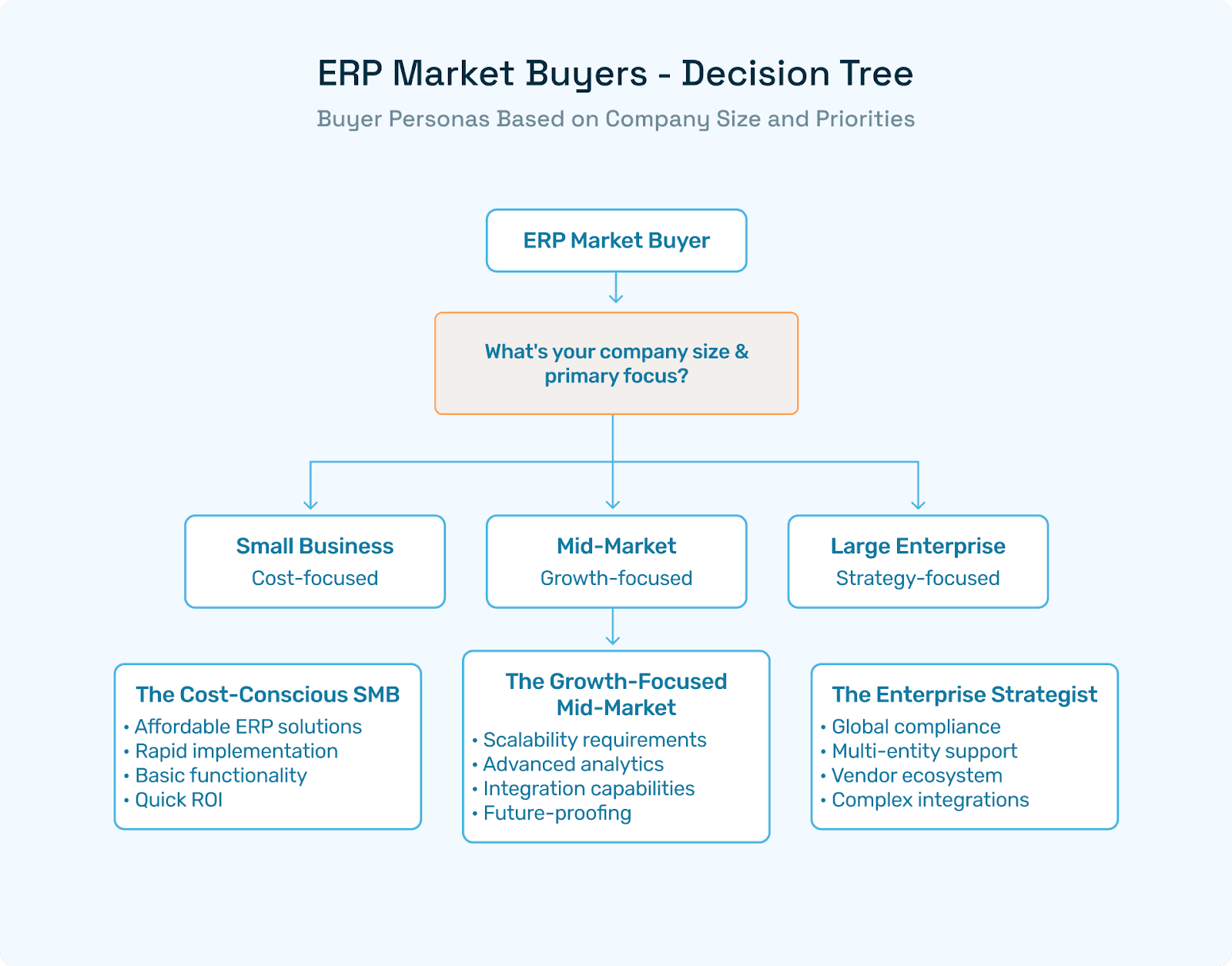
If it's accounting, start with a lighter tool like Dolibarr or even a dedicated accounting SaaS. If it's cross-department coordination, you need a full ERP like Odoo or ERPNext.
2. Do you have manufacturing workflows?
If yes, prioritize ERPNext, Odoo, Metasfresh, or BlueSeer. If not, manufacturing modules add complexity you don't need. It's also worth thinking about whether your team handles goods versus services purchases differently, as this shapes which procurement modules matter most to you.
3. Do you have internal technical resources?
Self-hosted open source requires someone comfortable with Linux/servers or a budget to hire an implementation partner. If you don't have either, a managed cloud option is safer.
4. How many users will need access?
If it's under 10 users, almost any free tier works. If you're at 50-100 users, make sure the platform you choose has been tested at that scale in similar business contexts.
5. What integrations do you need?
List the tools you're already using: payment processors, e-commerce platforms, logistics systems, payroll. Check what native integrations exist and what requires custom API work. If NetSuite is already in the picture or on your shortlist, our guides to the best NetSuite partners for mid-market teams and the 50-state NetSuite buyer's guide are worth reviewing.
6. Where do you expect to be in 3 years?
If you're growing fast, pick something that can scale or that won't be a painful migration later. ERPNext and Odoo both have commercial tiers you can grow into without changing platforms.
Decision checklist:
[ ] Identified the 3-5 core business functions that need integration
[ ] Assessed internal technical capability for self-hosted setup
[ ] Confirmed key integrations are supported
[ ] Tested with a demo environment before committing
[ ] Budgeted for hosting, setup, and training costs even if the software is free
[ ] Chosen a platform with a large, active community and a commercial backer
Cloud ERP vs. On-Premise ERP
Most free ERP software gives you a choice. You can self-host it on your own server or cloud VPS, or use a managed cloud offering. Here's the practical tradeoff:
Self-hosted / on-premise:
Lower ongoing cost if you have IT capacity. Full control over your data and environment. But you handle backups, security patches, uptime, and updates. For teams without dedicated IT, this can become a significant burden.
Cloud (managed hosting):
You pay a hosting fee, but the vendor manages infrastructure. Faster to set up, easier to maintain. ERPNext's Frappe Cloud starts around $5-10/month for small instances. Dolibarr has DoliCloud. These are affordable for most businesses and remove most of the infrastructure headache.
The trend is clearly toward cloud. Most new deployments of even open source ERP now use managed cloud hosting rather than on-premise servers.
AI in ERP: How Automation Is Changing What ERP Systems Can Do
ERP platforms do a good job of organizing and storing business data. What they've traditionally done less well is acting on it automatically, especially in finance-heavy workflows like invoice processing, accruals, and vendor management.
That's where AI automation layers are increasingly being added on top of ERP systems.
Traditional robotic process automation in accounts payable was a first step, but newer AI-native approaches go much further. On the procurement side, generative AI agents for requisition intake and approvals are eliminating manual bottlenecks that ERP alone doesn't address. Paired with real-time purchase order tracking and SLA alerting, teams get end-to-end visibility that most ERP systems only partially deliver.
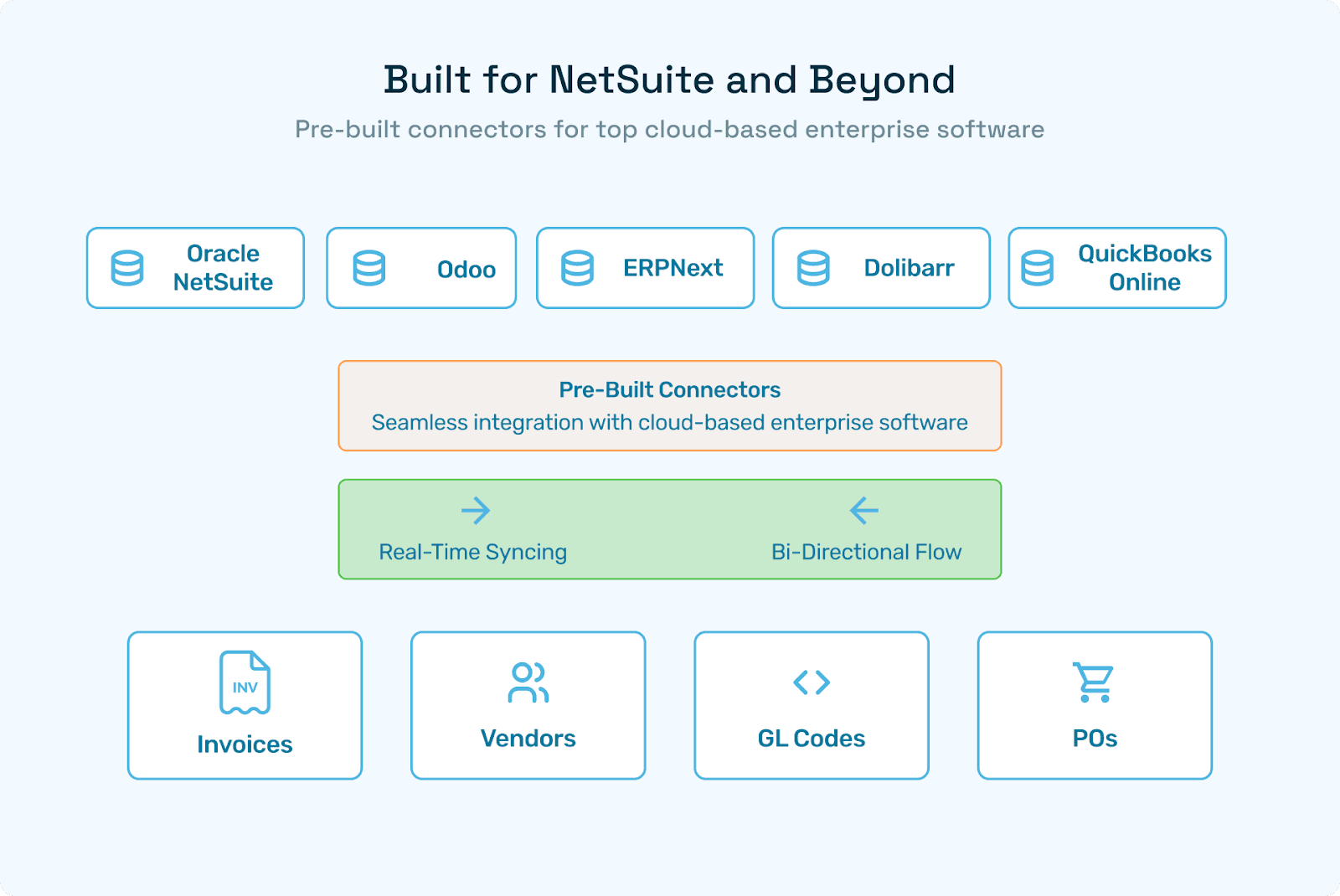
A platform like Hyperbots is built specifically for this use case: it works as an AI automation layer on top of ERP systems like Odoo, ERPNext, NetSuite, and SAP, handling the workflows that ERP tracks but doesn't fully automate. For finance and AP teams, this means things like automated invoice processing with 99%+ accuracy, intelligent GL coding, automated accrual identification, and vendor validation - all running within the ERP environment you already have, rather than replacing it.
The practical result for businesses using free ERP: you can preserve the cost advantage of open source while adding enterprise-grade automation to the specific workflows that matter most to your finance team. To understand the ROI potential, our guide on measuring ROI in procurement automation covers the key metrics and KPIs finance leaders should track.
ERP Implementation Tips
A few things that make a real difference in whether an ERP rollout succeeds:
Start narrow. Don't try to implement 12 modules at once. Pick the 2-3 workflows with the most pain, get them working well, then expand.
Migrate your data carefully. Data migration is where most ERP projects go wrong. Spend time cleaning and validating your data before import, not after.
Train before you go live. Documentation is helpful; hands-on practice before go-live is better. Give your team enough time with a staging environment.
Choose an implementation partner if you lack internal resources. Both Odoo and ERPNext have networks of certified partners. The cost is real, but so is the time you save.
Plan for adoption friction. People resist new systems. Getting buy-in early - especially from the team leads who'll use it daily - reduces the chance of the system being ignored post-launch.
Once your ERP is live, consider where procurement automation can extend its value. Our guide to automated purchase order systems walks through how teams move from manual PO workflows to fully digital procurement, and our piece on maximizing purchase order automation ROI covers proven cost savings strategies for finance leaders.
Frequently Asked Questions
What is the best free ERP software in 2026?
Odoo Community and ERPNext are the most capable and widely used free ERP platforms. Odoo is stronger for businesses that want a polished interface and broad module coverage. ERPNext is better for businesses that want no user limits and strong manufacturing or HR capabilities. For very small operations, Dolibarr is simpler to get started with.
Is free ERP software really free?
The software license is free, but total cost includes hosting, implementation, customization, and training. A realistic first-year budget for a small business is $5,000-$20,000 depending on complexity and whether you use an implementation partner.
What are the main limitations of free ERP?
Limited built-in AI and automation, self-managed security and infrastructure, community-based support (no SLA), and scalability ceiling for larger enterprises. See the limitations section above for a full breakdown.
Can small businesses rely on open source ERP long-term?
Yes, with caveats. Choose platforms with commercial backers and large communities (Odoo, ERPNext) to reduce abandonment risk. Make sure your implementation is well-documented so you're not dependent on one developer.
What's the difference between ERP and accounting software?
Accounting software handles financial transactions: invoices, payments, expenses, and reporting. ERP includes accounting but also integrates procurement, inventory, manufacturing, HR, and sales into a single connected system. If you only need accounting, tools like QuickBooks or Xero may be simpler. If you need cross-department coordination, you need ERP.
How long does it take to implement a free ERP?
For a small business using standard modules, typically 4 to 8 weeks. Manufacturing modules or complex customizations can extend this to 3 to 6 months. The most time-consuming phases are usually data migration and user training.
What's the difference between open source ERP and cloud ERP?
These aren't mutually exclusive. Open source refers to the licensing model (code is publicly available). Cloud refers to the deployment model (hosted on the internet rather than a local server). Many open source ERP platforms now offer managed cloud hosting.
Looking to get more from your existing ERP? Hyperbots builds AI co-pilots for ERP systems including Odoo, ERPNext, NetSuite, and SAP, automating finance workflows like invoice processing, accruals, and vendor management that most ERP systems leave manual.