

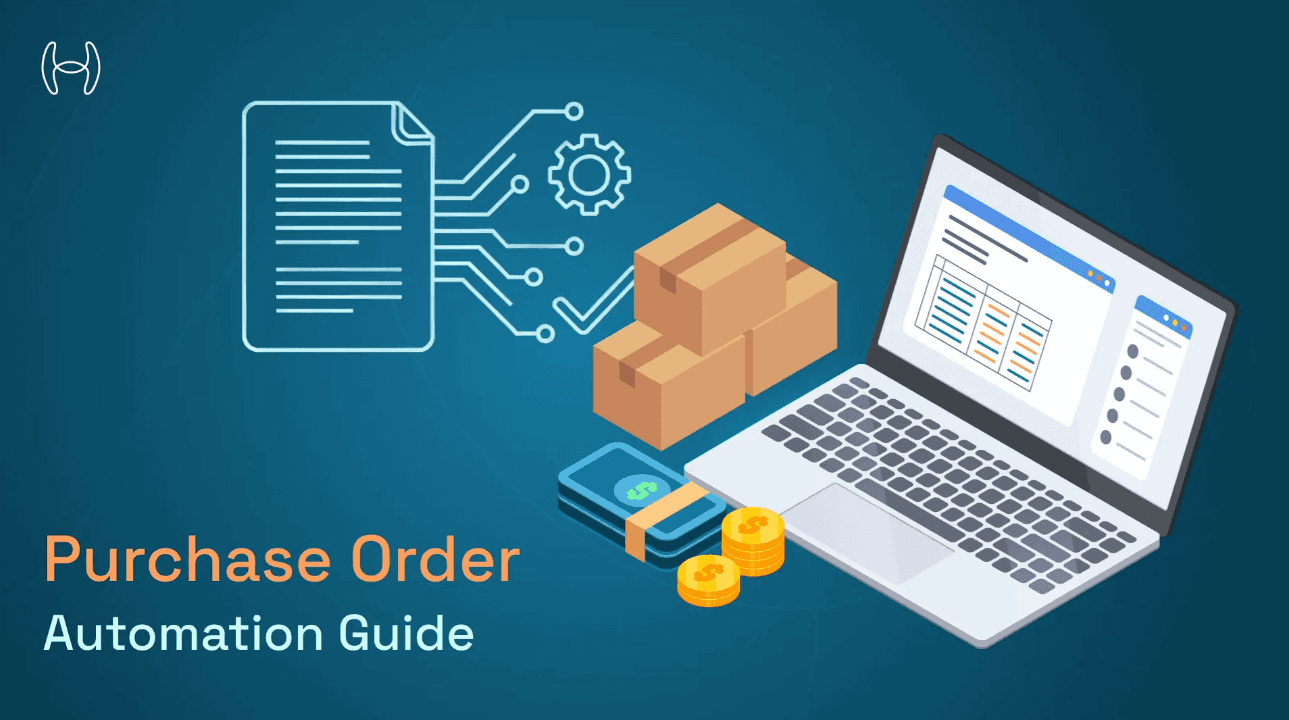
Purchase Order Automation: The Complete Guide to Transforming Your Procurement Process
From Manual Mayhem to Optimized Efficiency: Your Step-by-Step Blueprint for Digitally Transforming the Purchase Order Lifecycle, Cutting Costs, and Boosting Compliance.
Introduction
In today's fast-paced business environment, organizations are under constant pressure to do more with less. Procurement teams face mounting challenges: managing increasing volumes of purchase orders, ensuring compliance, reducing costs, and maintaining strong supplier relationships. Manual purchase order processes, once the standard, have become a significant bottleneck that hinders growth and operational efficiency.
Purchase order automation represents a transformative solution to these challenges. By leveraging modern technologies like artificial intelligence, robotic process automation, and intelligent workflows, businesses can revolutionize how they create, approve, and manage purchase orders. This comprehensive guide explores everything you need to know about purchase order automation—from fundamental concepts to advanced implementation strategies.
The Evolution of Purchase Order Management
Traditional purchase order management relied heavily on manual processes: paper forms, email chains, spreadsheets, and phone calls. Procurement teams spent countless hours on repetitive tasks like data entry, chasing approvals, and reconciling documents. This approach not only consumed valuable time but also introduced errors, delayed procurement cycles, and created compliance risks.
The digital transformation wave has fundamentally changed what's possible. Modern businesses now have access to sophisticated automation technologies that can handle routine tasks with unprecedented speed and accuracy. Organizations that embrace purchase order automation gain significant competitive advantages: faster processing times, reduced costs, improved accuracy, and better strategic insights.
What is Purchase Order Automation?
Purchase order automation refers to the use of technology to streamline and execute purchase order processes with minimal human intervention. It encompasses the entire procurement lifecycle—from requisition creation through approval workflows, order generation, supplier communication, goods receipt, invoice matching, and payment processing.
Understanding the fundamentals, benefits, and implementation steps is crucial for any organization considering this transformation. A detailed exploration of what purchase order automation entails, including its core steps, benefits, and ROI calculations, provides essential context for decision-makers evaluating this technology.
At its core, purchase order automation leverages several key technologies working in concert:
Artificial Intelligence and Machine Learning analyze historical data to predict needs, identify anomalies, and optimize procurement decisions. These systems learn from past patterns to become increasingly effective over time.
Robotic Process Automation (RPA) handles repetitive, rule-based tasks like data entry, document routing, and system updates. RPA bots work 24/7 without errors, freeing human workers for strategic activities.
Workflow Engines orchestrate complex approval processes, routing purchase orders to the right approvers based on configurable rules. They ensure compliance with procurement policies while accelerating decision-making.
Integration Platforms connect disparate systems—ERP, accounting software, supplier portals, and communication tools—creating a seamless flow of information across the procurement ecosystem.
The Business Impact of Purchase Order Automation
The benefits of purchase order automation extend far beyond simple efficiency gains. Organizations implementing comprehensive automation solutions typically experience:
Dramatic Cost Reductions: Automation eliminates manual processing costs, reduces errors that lead to incorrect orders or payments, and enables better negotiation through improved spend visibility. Most organizations see 60-80% reduction in processing costs per purchase order.
Accelerated Procurement Cycles: What once took days or weeks can now happen in hours or minutes. Automated workflows eliminate delays caused by manual handoffs, lost documents, or approval bottlenecks. Procurement cycle times typically improve by 50-70%.
Enhanced Accuracy and Compliance: Human errors in data entry, calculation, or approval routing virtually disappear. Automated systems enforce procurement policies consistently, maintain complete audit trails, and ensure regulatory compliance.
Improved Supplier Relationships: Faster processing, timely payments, and transparent communication strengthen supplier partnerships. This leads to better pricing, priority treatment during shortages, and improved service levels.
Strategic Insights: Automated systems capture comprehensive data that provides unprecedented visibility into spending patterns, supplier performance, and procurement trends. These insights enable better strategic decision-making and continuous optimization.
Understanding Purchase Order Automation Fundamentals

The Complete Purchase Order Lifecycle
To fully appreciate the power of automation, it's essential to understand the complete purchase order lifecycle. Each stage presents opportunities for automation to add value while reducing manual effort and errors.
The journey begins with purchase requisition, where an employee identifies a need and submits a request. Automated systems can pre-populate requisitions with preferred suppliers, standardized descriptions, and appropriate account codes based on the requester's department and historical patterns.
Next comes approval routing, where requests flow through defined approval chains based on amount thresholds, commodity types, or budget availability. Manual approval processes often stall when approvers are unavailable or overwhelmed. Automated workflows include escalation rules, delegate management, and mobile approval capabilities that keep things moving.
Once approved, the system generates the purchase order automatically, pulling data from the approved requisition without manual re-entry. The PO is formatted according to supplier requirements and transmitted electronically—via email, EDI, or supplier portal integration.
Order acknowledgment from the supplier confirms acceptance and expected delivery dates. Automated systems capture this information and update stakeholders, while flagging any discrepancies between the PO and acknowledgment for review.
Upon goods receipt, warehouse staff record what was received. Modern systems use barcode scanning or RFID technology to capture this information accurately and instantly. The receipt is automatically matched against the outstanding purchase order.
When the supplier invoice arrives, the system performs three-way matching—comparing the PO, goods receipt, and invoice. Automated matching identifies discrepancies, routes exceptions for resolution, and approves matching invoices for payment without human intervention.
Finally, approved invoices enter the payment process, where they're scheduled according to payment terms, taking advantage of early payment discounts when beneficial. The entire process from requisition to payment becomes a streamlined, transparent operation.
For organizations looking to implement comprehensive automation across this entire lifecycle, exploring purchase order process automation from intake through three-way matching provides detailed insights into creating end-to-end automated workflows.
Key Technologies Powering PO Automation
Modern purchase order automation relies on an integrated suite of technologies that work together to create seamless, intelligent workflows.
Artificial Intelligence and Machine Learning form the brain of advanced automation systems. AI algorithms analyze historical purchasing patterns to predict future needs, enabling proactive procurement. Machine learning models identify anomalies in pricing, detect potential fraud, and continuously optimize approval routing based on actual behavior patterns.
The practical applications of AI in purchase order automation are extensive and transformative. Organizations interested in understanding AI agents for purchase order automation, including specific patterns and use cases, can explore how these technologies create intelligent, self-improving procurement systems.
Robotic Process Automation excels at handling repetitive, rule-based tasks that previously consumed significant human time. RPA bots can extract data from emails and documents, enter information into multiple systems, perform calculations, generate reports, and execute routine transactions. Unlike humans, these bots work continuously without fatigue or errors, providing consistent processing quality regardless of volume.
Workflow Automation Platforms orchestrate complex business processes across multiple systems and stakeholders. These platforms enable organizations to define approval hierarchies, set routing rules based on multiple criteria, manage exceptions and escalations, and ensure compliance with procurement policies. Modern workflow engines offer visual design tools that allow business users to configure processes without extensive IT involvement.
Integration Technologies connect disparate systems throughout the procurement ecosystem. APIs enable real-time data exchange between ERP systems, accounting software, supplier portals, and communication tools. Modern integration platforms handle data transformation, ensuring information flows correctly between systems with different formats and structures.
Natural Language Processing enables systems to understand and process unstructured data from emails, contracts, and documents. NLP technology can extract relevant information from supplier communications, classify purchase requests, and even interpret complex approval requirements stated in natural language.
Understanding ROI and Business Value
Implementing purchase order automation requires investment, and organizations need to understand the return they can expect. The business value spans multiple dimensions beyond simple cost savings.
Direct Cost Savings come from reduced manual labor, fewer errors requiring correction, eliminated paper and storage costs, and reduced expediting fees from delayed orders. Most organizations calculate processing costs by dividing total procurement department costs by the number of purchase orders processed. Typical manual processing costs range from $50 to $150 per purchase order, while automated processing costs average $5 to $25 per PO.
Time Savings translates directly to productivity gains. When procurement staff spend less time on routine transactions, they can focus on strategic activities like supplier negotiation, category management, and process improvement. Automated approval workflows reduce cycle times from days to hours, enabling faster responses to business needs.
Error Reduction prevents costly mistakes. Data entry errors can lead to wrong items ordered, incorrect quantities, improper pricing, or deliveries to wrong locations. Each error requires time to identify, investigate, and correct, while potentially disrupting operations. Automation virtually eliminates these errors through accurate data transfer and validation rules.
Compliance Benefits protect organizations from audit findings, policy violations, and regulatory penalties. Automated systems enforce approval requirements consistently, maintain complete audit trails, and ensure proper documentation. This becomes particularly valuable in regulated industries or organizations subject to government auditing.
Working Capital Optimization results from better visibility and control. Automated systems provide real-time spend data, enabling better cash flow management. Organizations can optimize payment timing to take advantage of early payment discounts while maintaining supplier relationships.
Strategic Value emerges from comprehensive data and insights. Automated systems capture detailed transaction information that enables spend analysis, supplier performance measurement, and procurement strategy optimization. This data-driven approach leads to better sourcing decisions, improved contract negotiations, and continuous process improvement.
Implementation Approaches
End-to-End Automation Strategy
Successfully implementing purchase order automation requires a structured approach that addresses technology, processes, and people. Organizations that take a strategic, phased approach achieve better outcomes than those attempting big-bang implementations.
The journey toward comprehensive purchase order automation involves careful planning, systematic execution, and continuous optimization. For organizations beginning this transformation, a thorough guide on how to automate purchase orders from end to end provides invaluable insights into creating a successful implementation roadmap.
Assessment and Planning forms the foundation of successful automation. This phase involves documenting current-state processes, identifying pain points and inefficiencies, defining future-state requirements, and establishing success metrics. Organizations should engage stakeholders across procurement, finance, operations, and IT to ensure comprehensive understanding of needs and constraints.
Process mapping reveals exactly how purchase orders flow through the organization today. This exercise often uncovers unnecessary steps, redundant approvals, and bottlenecks that automation can eliminate. Understanding current volumes, processing times, and error rates provides baseline metrics for measuring improvement.
Technology Selection requires evaluating solutions against specific requirements. Organizations must consider factors like integration capabilities with existing systems, scalability to handle growth, user interface design and adoption, configuration flexibility, vendor support and stability, and total cost of ownership. The right solution balances functionality, usability, and cost while fitting within the organization's technology ecosystem.
Implementation Roadmap defines how automation will be rolled out. Most successful implementations follow a phased approach, starting with high-volume, standardized transactions before tackling complex scenarios. This allows the organization to learn and refine processes before expanding scope.
Early phases typically focus on requisition automation and basic approval workflows for common purchase categories. Middle phases add supplier integration, three-way matching, and exception handling. Later phases incorporate advanced analytics, AI-powered insights, and continuous optimization.
Change Management determines whether automation delivers promised benefits. Technology alone doesn't guarantee success; people must adopt new processes and tools. Effective change management includes stakeholder engagement throughout planning and implementation, clear communication about benefits and changes, comprehensive training tailored to different user groups, ongoing support during and after go-live, and recognition of adoption milestones and successes.
Platform-Specific Implementation: Power Automate
Microsoft Power Automate has emerged as a powerful platform for organizations implementing purchase order automation, particularly those already using Microsoft 365 and Dynamics 365. Its low-code approach enables business users to participate in solution development while maintaining enterprise-grade capabilities.
Power Automate excels at creating sophisticated approval workflows that enforce procurement policies while remaining flexible enough to handle complex scenarios. Organizations can design multi-level approval chains where purchase orders route based on amount thresholds, department budgets, commodity categories, supplier risk ratings, or combinations of these factors.
For detailed guidance on implementing approval automation, organizations can explore automating purchase order approvals with policies, routing, and SLAs using Power Automate. This resource covers configuring dynamic approval chains, implementing policy enforcement, and managing service level agreements within the platform.
Policy Enforcement within Power Automate ensures compliance without manual oversight. Organizations can configure rules that check purchase orders against approved supplier lists, verify budget availability before routing for approval, enforce preferred pricing from negotiated contracts, and flag unusual patterns for additional review. These policies execute automatically, preventing non-compliant orders from progressing.
Dynamic Routing adapts approval workflows based on purchase order characteristics. A small-value order from a preferred supplier might route directly to the requisitioner's manager for quick approval. A large-value order for specialized equipment might require sequential approvals from the department head, procurement manager, and CFO. Power Automate handles these variations seamlessly based on configured rules.
SLA Management ensures timely processing by tracking approval durations and escalating when thresholds are exceeded. If an approver hasn't responded within specified timeframes, the system can send reminders, escalate to their manager, or route to a designated delegate. This prevents bottlenecks while maintaining appropriate oversight.
For organizations ready to build their first automation, a step-by-step guide on building purchase order automation in Power Automate provides practical instruction for creating functional workflows that integrate with existing business systems.
Integration Capabilities make Power Automate particularly valuable in Microsoft-centric environments. Native connectors enable seamless interaction with Dynamics 365, SharePoint, Excel, Outlook, Teams, and hundreds of other applications. This means purchase requisitions submitted through SharePoint can trigger approval workflows in Teams, generate orders in Dynamics 365, and send confirmations via Outlook—all without custom coding.
Mobile Experience extends automation benefits beyond desktop computers. Approvers can review and approve purchase orders from their smartphones, receiving push notifications when action is needed. This mobility dramatically reduces approval cycle times, particularly for organizations with traveling executives or distributed teams.
Lightweight Automation: Excel and Email Workflows
Not every organization needs enterprise-grade procurement systems. Small to medium-sized businesses often find that automating existing Excel and email-based processes provides substantial benefits without large investments in new platforms.
Excel remains ubiquitous in business environments, and many procurement processes already rely on spreadsheets for requisition capture, supplier management, or order tracking. Rather than abandoning these familiar tools, organizations can enhance them with automation that reduces manual effort while preserving comfortable workflows.
Organizations operating in these environments can benefit from understanding how to automate purchase orders within Excel and email workflows, which provides practical approaches for small to medium-sized businesses seeking efficiency gains without major system overhauls.
Excel-Based Automation leverages several approaches. Macro-enabled workbooks can include buttons that perform routine tasks like formatting purchase orders, validating data entries, calculating totals and taxes, generating sequential PO numbers, and emailing completed orders to suppliers. These macros transform spreadsheets from passive documents into active tools that execute business logic.
Power Query and Power Pivot extend Excel's capabilities for consolidating data from multiple sources, creating dynamic reports, and analyzing spending patterns. Organizations can build self-service analytics that provide procurement insights without specialized business intelligence tools.
Email Workflow Automation reduces the manual effort of chasing approvals and tracking status. Tools like Power Automate or Zapier can monitor inbox folders, extract information from structured emails, route messages to appropriate recipients, track responses and deadlines, and compile status reports. Even simple rules in email clients can organize incoming supplier communications and flag items requiring attention.
Hybrid Approaches combine Excel's flexibility with automation platform capabilities. For example, requisitions submitted through a Microsoft Form can populate a SharePoint list, trigger a Power Automate approval workflow, and ultimately generate a formatted purchase order in Excel for emailing to the supplier. This approach automates the workflow while maintaining Excel as the final document format that suppliers already understand.
The advantages of lightweight automation include minimal investment in new software, rapid implementation with familiar tools, easy customization by business users, and flexibility to evolve as needs grow. However, organizations should recognize limitations around scalability, audit trail completeness, integration with financial systems, and sophisticated analytics capabilities.
Enterprise System Architecture and Integration

Large organizations typically require more robust solutions that integrate with existing enterprise systems like ERP platforms, financial management systems, and supplier networks. Understanding the architecture and integration requirements ensures successful deployment that delivers value across the organization.
System Architecture Considerations shape how automation solutions fit within the broader technology landscape. Modern architectures favor modular designs where specialized procurement automation platforms integrate with core business systems rather than trying to force-fit procurement into systems designed primarily for other purposes.
A typical architecture includes a procurement automation platform handling requisitioning, approval workflows, and supplier communication; integration middleware connecting to ERP, accounting, and other systems; a master data management system ensuring consistent supplier, item, and cost center data; an analytics platform providing reporting and insights; and supplier portals enabling electronic ordering and invoicing.
Organizations designing these integrated environments should consult resources on automated purchase order management systems, including architecture and integration considerations, which address the technical and business aspects of connecting procurement automation with enterprise systems.
Integration Patterns determine how systems exchange information. Real-time integrations provide immediate synchronization, ensuring all systems reflect current data. This approach works well for creating purchase orders in the ERP system immediately after approval or updating inventory availability as requisitions are created.
Batch integrations exchange data on scheduled intervals, such as nightly transfers of approved purchase orders, daily updates of supplier master data, or weekly consolidation of spending analytics. Batch processing suits scenarios where real-time updates aren't critical and can reduce system load.
Event-driven integrations trigger data exchange when specific events occur. For example, receiving goods automatically initiates three-way matching, or invoice approval triggers payment processing. This pattern balances timeliness with efficiency.
API-First Design has become the standard for modern integrations. RESTful APIs provide flexible, secure interfaces for systems to exchange data. Organizations benefit from choosing automation platforms with comprehensive API capabilities, enabling integration with current systems and future technologies.
Data Governance ensures information consistency across integrated systems. Master data for suppliers, items, cost centers, and employees must remain synchronized. Changes in one system should propagate appropriately to others. Data governance policies define which system is authoritative for each data type, how updates flow between systems, and how conflicts are resolved.
Security Considerations become paramount when integrating multiple systems. Purchase order automation involves sensitive information including pricing, supplier relationships, and spending patterns. Security architecture must address authentication and authorization across integrated systems, data encryption in transit and at rest, audit logging of all transactions and access, segregation of duties to prevent fraud, and regular security assessments and updates.
Practical Resources and Templates
Ready-to-Use Templates and Examples
One of the fastest ways to implement purchase order automation is leveraging proven templates and examples. Rather than designing workflows from scratch, organizations can customize templates that embody best practices and have been validated through real-world use.
Templates accelerate implementation by providing starting points for common scenarios, illustrating best practices through working examples, reducing the risk of overlooking important requirements, and enabling faster value realization. Organizations should view templates as starting points for customization rather than rigid solutions, adapting them to specific business requirements and constraints.
For teams beginning their automation journey, comprehensive resources on automating purchase order processing with templates and examples provide practical assets that can be adapted to specific organizational needs.
Requisition Form Templates capture necessary information in structured formats. Effective requisition templates include fields for requester information, item descriptions and specifications, quantity and unit of measure, preferred supplier, delivery location and date, cost center or project code, business justification, and supporting documentation attachments.
Digital requisition forms can include conditional fields that appear based on previous answers, dropdown menus populated from master data, and validation rules that check for completeness and accuracy. These features improve data quality while simplifying the user experience.
Approval Workflow Templates address common approval scenarios. A basic three-tier approval template might route orders below $1,000 to the requester's manager, orders between $1,000 and $10,000 to the department head, and orders above $10,000 to both the department head and CFO. Templates can include parallel approval paths where multiple approvers must agree, conditional routing based on commodity category or supplier risk, and escalation rules for delayed approvals.
Purchase Order Templates standardize the format and content of orders sent to suppliers. Professional PO templates include company information and branding, unique PO number and date, supplier contact details, itemized order details with descriptions, quantities, and prices, delivery instructions and special requirements, payment terms and conditions, and approval signatures or authorization.
Templates should be available in multiple formats to accommodate different supplier preferences—formatted documents (Word or PDF), spreadsheets for line-item detail, and structured data for electronic ordering.
Three-Way Match Templates define rules for comparing purchase orders, receipts, and invoices. Organizations can template tolerance rules for acceptable variances in quantity, price, and timing. For example, a template might automatically approve invoices where quantity variance is less than 5%, price variance is less than 2%, and the invoice arrives within 30 days of receipt.
Reporting Templates provide visibility into procurement performance. Standard report templates address open purchase orders and their status, spending by category, department, or supplier, approval cycle time metrics, exception rates and types, supplier performance scorecards, and compliance with procurement policies.
Demo Scenarios and Evaluation Checklist
Before committing to a purchase order automation solution, organizations should thoroughly evaluate options through structured demonstrations and proof-of-concept testing. Effective evaluation ensures the selected solution meets functional requirements, integrates properly with existing systems, and delivers expected benefits.
A structured approach to evaluating automation solutions through purchase order automation demo scenarios and evaluation checklists helps organizations assess capabilities systematically and compare solutions objectively.
Demo Scenario Design ensures vendors demonstrate capabilities most relevant to your organization. Rather than generic demonstrations, request scenarios that mirror your specific use cases. Effective demo scenarios should reflect actual complexity in your environment, include realistic data volumes and edge cases, demonstrate integration with your specific systems, and show both routine processing and exception handling.
Core Demo Scenarios to request include:
Standard Purchase Requisition Flow: Watch how users submit requisitions, how the system validates data and checks policies, how approvals route based on your rules, and how purchase orders generate and transmit to suppliers.
Complex Approval Routing: Test scenarios with multiple sequential approvers, parallel approvals requiring consensus, delegation when approvers are unavailable, and escalation for delayed approvals.
Supplier Integration: Observe electronic PO transmission, supplier acknowledgment capture, change order processing, and communication management.
Three-Way Matching: See how the system matches POs, receipts, and invoices, handles acceptable variances automatically, flags discrepancies for review, and routes exceptions for resolution.
Exception Handling: Understand how the system manages situations like orders exceeding budget, items from non-approved suppliers, urgent purchases requiring expedited approval, and receipt discrepancies.
Evaluation Checklist provides a framework for comparing solutions across critical dimensions:
Functional Capabilities: Does the solution support all required process steps? Can it handle your approval complexity? Does it provide necessary reporting and analytics?
Integration Requirements: Does it integrate with your ERP system? Can it connect to supplier portals? Does it support required data exchange formats?
Usability: Is the interface intuitive for requisitioners? Can approvers act quickly from mobile devices? Are configuration tools accessible to business users?
Scalability: Can the solution handle your transaction volumes? Will it accommodate growth? Does it maintain performance under peak loads?
Compliance and Audit: Does it enforce your procurement policies? Does it maintain complete audit trails? Does it support required compliance reporting?
Vendor Considerations: What is the vendor's financial stability? What support is included? What is the implementation timeline? What are the ongoing costs?
Technical Architecture: Is it cloud-based or on-premise? What are security and data privacy provisions? What is the disaster recovery capability?
Advanced Topics
Optimizing Approval Workflows
While basic approval workflows handle straightforward scenarios, organizations often need sophisticated routing logic that responds to multiple factors dynamically. Advanced approval workflow optimization ensures efficiency while maintaining appropriate controls.
Dynamic Approval Routing adapts based on purchase order characteristics and organizational context. Rather than static approval chains, dynamic routing evaluates factors like purchase amount and whether it exceeds department budgets, commodity category and associated risk levels, supplier relationship and performance history, requester authority and purchase patterns, current approver workload and availability, and business urgency and priority.
For example, a purchase order might bypass certain approval levels if the requester has a strong approval history, the supplier is preferred with negotiated pricing, the amount is within normal patterns for that category, and budget is confirmed available. Conversely, orders with risk factors might require additional review even if below normal approval thresholds.
Parallel vs. Sequential Approvals serve different purposes. Sequential approvals move through a defined chain, with each approver seeing previous decisions. This works well when later approvers need context from earlier decisions or when approval authority is hierarchical.
Parallel approvals route to multiple approvers simultaneously, requiring all (or a majority) to approve. This accelerates processing when multiple perspectives are needed but decision order doesn't matter. For example, a large capital purchase might require simultaneous approval from the requesting department head, procurement manager, and finance manager.
Approval Thresholds and Delegation manage workload while maintaining control. Rather than routing every purchase to senior executives, organizations can set authority limits where each level can approve independently below certain amounts. This pushes routine decisions down to appropriate levels while escalating only significant purchases.
Delegation capabilities ensure approvals don't stall when individuals are unavailable. Organizations can implement standing delegations for planned absences, automatic delegation to managers when approvers are overdue, and deputy assignments for specific time periods or circumstances.
Policy-Based Approval Requirements add conditional logic to workflows. Certain purchase characteristics might trigger additional approval requirements even for otherwise routine orders. Examples include new suppliers requiring procurement manager review, sole-source purchases requiring justification and additional approval, international orders requiring legal review of terms, and orders combining multiple budget codes requiring all relevant budget owners to approve.
Escalation Management prevents bottlenecks from stalling procurement. Escalation rules should define timeframes for each approval level, reminder notifications before escalation occurs, and alternative approval paths when escalation is triggered. Effective escalation balances urgency with appropriate oversight.
Approval Analytics provides insights for continuous improvement. Organizations should monitor metrics like average approval cycle time by type and amount, approval rates and rejection reasons, bottleneck identification in approval chains, approver workload distribution, and escalation frequency and causes.
These analytics reveal opportunities to streamline workflows, adjust approval authorities, provide additional training, or address specific process issues.
Mastering Three-Way Matching Automation
Three-way matching—comparing purchase orders, goods receipts, and supplier invoices—represents one of the highest-value automation opportunities. Manual matching consumes significant accounts payable time while errors can lead to incorrect payments or supplier disputes.
Matching Process Flow begins when a supplier invoice arrives. The system extracts key information including invoice number and date, supplier details, line items with quantities and prices, and total amount. It then retrieves the related purchase order and goods receipt records.
The system compares these three documents across multiple dimensions: quantities ordered, received, and invoiced; unit prices on the PO and invoice; extensions (quantity times price); and terms and conditions. When all elements match within defined tolerances, the invoice auto-approves for payment without human intervention.
Tolerance Rules define acceptable variances. Perfect matches are rare due to rounding differences, partial shipments, or minor pricing variations. Organizations must balance automation rates with payment accuracy by setting appropriate tolerances.
Common tolerance rules include quantity variance up to 5% or specific units, price variance up to 2% or specific dollar amounts, and total amount variance up to 1% or specific thresholds. Tolerances often vary by factors like supplier relationship and history, commodity category and price stability, and order value and significance.
Exception Handling manages mismatches efficiently. When documents don't match within tolerances, the system should clearly identify discrepancies, provide relevant context from all three documents, route to appropriate personnel for resolution, and track resolution time and outcomes.
Common exceptions and their typical resolutions include quantity discrepancies where less was received than ordered—possibly due to partial shipments, damages, or supplier shortages. Resolution may involve accepting the reduced quantity, awaiting remaining items, or disputing with the supplier.
Price discrepancies where invoice pricing doesn't match PO pricing could result from manual entry errors, outdated pricing, or miscommunication. Resolution requires verifying correct pricing and potentially adjusting the invoice or PO.
Missing receipts where goods were received but not recorded in the system prevent matching even when the invoice is correct. The resolution involves confirming receipt and recording it properly.
Early invoicing where suppliers invoice before goods are received can't complete three-way matching. Organizations must decide whether to hold the invoice or process two-way matching based on the PO and invoice alone.
Automated Resolution can handle certain exceptions without human intervention. For example, the system might automatically split invoices when partial shipments are received, create receiving records when carriers confirm delivery, or adjust for minor price changes approved in contracts.
Performance Metrics track matching effectiveness including auto-match rate as a percentage of invoices matched automatically, average exception resolution time, exception types and frequencies, and payment accuracy and error rates.
High auto-match rates indicate effective process design and data quality. Organizations should target 70-80% auto-match rates initially, with continuous improvement toward 85-90%.
Leveraging AI and Machine Learning
Artificial intelligence and machine learning elevate purchase order automation beyond simple rule-based processing to intelligent systems that learn, predict, and optimize continuously.
Predictive Ordering uses historical data to forecast future needs. Machine learning models analyze purchase patterns, seasonal variations, project schedules, and consumption rates to predict when items will be needed. This enables proactive procurement that prevents stockouts while minimizing excess inventory.
AI can identify patterns humans might miss, such as correlations between external events and procurement needs, lead time variations by supplier and season, and optimal order quantities considering discounts and carrying costs.
Anomaly Detection identifies unusual patterns that might indicate errors or fraud. AI models learn normal patterns for requesters, suppliers, and categories, then flag transactions that deviate significantly. This includes unusual pricing that doesn't match historical norms or contracted rates, abnormal quantities that exceed typical requirements, suspicious patterns like round-number invoicing or sequential invoice numbers, and policy violations such as order splitting to avoid approvals.
Unlike rules-based approaches that only catch known patterns, AI-based anomaly detection adapts to identify new types of irregular behavior.
Intelligent Routing optimizes approval workflows based on actual patterns rather than static rules. Machine learning analyzes historical approval decisions to understand factors that influence approvals and rejections, typical approval times by individual and order type, and workload patterns and availability.
The system uses these insights to route orders to approvers most likely to act quickly, balance workload across available approvers, and predict approval cycle time for expectation setting.
Spend Analytics and Insights transform procurement data into strategic intelligence. AI-powered analytics identify opportunities for cost reduction, supplier consolidation, volume discounts, and process improvements. Natural language processing enables intuitive querying where users can ask questions in plain English and receive relevant insights.
Continuous Learning means AI systems improve over time without manual reprogramming. As they process more transactions, they refine predictions, improve anomaly detection accuracy, and optimize routing decisions. This creates compounding value where automation becomes increasingly effective.
Industry-Specific Considerations
Manufacturing
Manufacturing organizations have unique procurement requirements driven by production schedules, material requirements planning, and supply chain complexity.
Material Requirements Planning Integration ensures purchased materials align with production needs. Purchase order automation must integrate with MRP systems to convert planned orders into purchase requisitions, account for lead times in order timing, and manage bill-of-material complexity where assemblies require multiple purchased components.
Just-in-Time Ordering minimizes inventory carrying costs while ensuring material availability. Automated systems can generate purchase orders based on production schedules rather than fixed reorder points, communicate precise delivery timing to suppliers, and track in-transit inventory to provide visibility.
Supplier Collaboration becomes critical in manufacturing environments where production interruptions are costly. Automated systems enable real-time communication of schedule changes, visibility into supplier capacity and constraints, and collaborative planning for new products or volume changes.
Quality Management integration ensures purchased materials meet specifications. Purchase orders can automatically include quality requirements, receiving can trigger inspection workflows, and non-conformance can prevent three-way matching and payment.
Retail and E-commerce
Retail and e-commerce organizations handle high volumes of purchase orders for merchandise, requiring automation that scales efficiently.
High-Volume Processing demands automation that handles thousands of purchase orders daily without performance degradation. Retail systems must support rapid order creation from planned buys, bulk order generation for multiple stores, and electronic transmission to numerous suppliers simultaneously.
Seasonal Variations create dramatic volume swings. Automation must scale to handle peak periods without manual intervention, adjust approval workflows for urgency during critical buying windows, and provide visibility into commitment levels against budget.
Multi-Location Management adds complexity when purchasing for numerous stores or distribution centers. Systems must support centralized buying with distributed delivery, location-specific supplier relationships, and consolidated supplier communication.
Allocation and Distribution logic determines how purchased goods are distributed across locations. Automated systems can execute allocation rules based on store size, historical sales, and promotional plans.
Professional Services
Professional services firms have unique procurement patterns focused on project-based purchasing and vendor management.
Project-Based Procurement requires linking purchases to specific client engagements for accurate costing and billing. Purchase orders must capture project codes, track spending against project budgets, and support project-specific approval workflows.
Service Order Management handles procurement of services rather than goods—consultant engagements, software subscriptions, equipment rentals. Automation must support different ordering patterns including statement of work management, milestone-based deliverables, and time and materials tracking.
Vendor Management is critical when firms rely on networks of subcontractors and specialists. Automated systems track vendor qualifications and certifications, manage subcontractor agreements and terms, and monitor vendor performance and availability.
Healthcare
Healthcare organizations face stringent regulatory requirements and specialized procurement needs driven by patient care priorities.
Regulatory Compliance demands meticulous documentation and adherence to standards. Purchase order automation must maintain complete audit trails for regulatory inspections, enforce FDA and other regulatory requirements for medical devices and pharmaceuticals, support HIPAA compliance for systems handling patient data, and track lot numbers and expiration dates for regulated items.
Medical Supply Tracking ensures critical items are always available while managing costs. Automated systems provide real-time inventory visibility across facilities, enable automated reordering based on par levels, support emergency procurement for critical situations, and track usage by department or procedure.
Emergency Procurement capabilities allow rapid purchasing when patient care demands immediate action. Systems need expedited approval workflows for urgent needs, override capabilities with appropriate documentation and post-approval review, and vendor relationships supporting emergency delivery.
Group Purchasing Organization Integration leverages negotiated pricing and terms. Automation must apply GPO contracted pricing automatically, track compliance with GPO purchase requirements, and report spending for rebate calculation.
Implementation Best Practices
Planning Phase Best Practices
Successful purchase order automation begins with thorough planning that establishes clear objectives, secures stakeholder buy-in, and creates realistic implementation roadmaps.
Stakeholder Engagement must begin early and continue throughout implementation. Key stakeholders include procurement team members who will use the system daily, finance personnel responsible for payment processing, department managers who approve purchases, IT staff who will maintain integrations, and suppliers who will interact with the automated system.
Early engagement helps identify requirements, uncover potential obstacles, build support for change, and create implementation champions who will advocate for adoption.
Current State Documentation provides baseline understanding. Organizations should map existing purchase order processes from requisition through payment, identify bottlenecks and pain points, measure current performance metrics like cycle times and error rates, document approval hierarchies and delegation practices, and catalog existing systems and integration points.
This documentation serves multiple purposes: identifying improvement opportunities, establishing baseline metrics for ROI calculation, informing solution requirements, and planning change management.
Requirements Definition translates business needs into specific system capabilities. Effective requirements are specific and measurable rather than vague, prioritized to distinguish must-haves from nice-to-haves, validated with stakeholders to ensure accuracy, and documented in formats that guide vendor selection and implementation.
Requirements should address functional capabilities, integration needs, reporting and analytics, user experience, compliance and audit, and scalability and performance.
Success Metrics Definition establishes how success will be measured. Organizations should define metrics before implementation begins, ensuring they can track progress and demonstrate value. Key metrics include processing time from requisition to PO generation, approval cycle time, cost per purchase order processed, error rates and rework requirements, user satisfaction scores, supplier satisfaction metrics, and policy compliance rates.
Budget and Resource Planning ensures adequate investment for success. Budgets should include software licensing costs, implementation services, integration development, training and change management, ongoing support and maintenance, and internal resource time. Organizations often underestimate the internal resource commitment required for successful implementation.
Execution Phase Best Practices
Once planning is complete, disciplined execution ensures projects stay on track and deliver expected benefits.
Phased Rollout Strategy reduces risk and enables learning. Rather than implementing everything simultaneously, successful organizations start with a pilot covering limited scope—perhaps one department or category, validate the solution with real users and transactions, refine processes based on pilot learning, expand to additional areas progressively, and achieve full deployment over several phases.
This approach allows course correction before problems affect the entire organization and builds confidence through early wins.
Data Migration and Quality determines whether automated systems function properly. Poor data quality undermines automation, causing matching failures, routing errors, and user frustration. Organizations should cleanse master data before migration—suppliers, items, cost centers, standardize formats and eliminate duplicates, validate critical relationships and hierarchies, establish data governance going forward, and plan for ongoing data quality monitoring.
Configuration and Testing ensures the system works as intended before going live. Comprehensive testing includes unit testing of individual components, integration testing of system connections, end-to-end testing of complete processes, user acceptance testing with actual users, performance testing with realistic volumes, and security testing to verify access controls.
Testing should use realistic data and scenarios, including edge cases and exceptions. Documenting test results provides confidence in readiness and helps identify remaining issues.
Training and Documentation prepares users for success. Effective training is role-based, focusing on what each user type needs to know, hands-on with practice in realistic scenarios, available in multiple formats—live sessions, recorded videos, quick reference guides, and timed appropriately, close to when users will actually begin using the system.
Documentation should include process workflows showing end-to-end flows, user guides for each role, troubleshooting guides for common issues, and technical documentation for system administrators.
Go-Live Support provides intensive assistance during the critical initial period. Organizations should plan for increased help desk coverage, subject matter experts available for consultation, rapid issue escalation and resolution, daily check-ins to identify problems quickly, and celebration of early successes to build momentum.
Optimization Phase Best Practices
Implementation doesn't end at go-live. Continuous optimization ensures sustained value and improvement over time.
Performance Monitoring tracks whether the system delivers expected benefits. Organizations should establish dashboards showing key metrics, review performance regularly with stakeholders, compare actual results to baseline and targets, and identify trends and emerging issues.
Monitoring provides early warning of problems and highlights opportunities for further improvement.
User Feedback Collection provides insights into user experience and adoption challenges. Regular feedback mechanisms include surveys measuring satisfaction and usability, focus groups exploring specific issues in depth, help desk ticket analysis identifying common problems, and user interviews uncovering improvement opportunities.
Feedback should drive continuous refinement of processes and system configuration.
Process Refinement addresses issues discovered after implementation. Organizations should prioritize improvements based on impact and effort, implement changes through controlled processes, communicate updates to affected users, and measure the impact of refinements.
Common refinements include adjusting approval thresholds based on actual patterns, modifying matching tolerances to balance automation and accuracy, streamlining exception handling workflows, and enhancing reporting to address new questions.
Expansion Planning identifies opportunities to extend automation benefits. After initial success, organizations can automate additional purchase categories, implement advanced features like AI-powered insights, extend automation to related processes like invoice processing, and integrate additional suppliers and systems.
Best Practice Sharing accelerates improvement across the organization. Establishing communities of practice where users share tips and techniques, documenting lessons learned and success stories, recognizing and rewarding effective use, and providing ongoing education about new capabilities all help maximize value.
Common Challenges and Solutions
Technical Challenges
Even well-planned implementations encounter technical obstacles. Understanding common challenges and proven solutions helps organizations navigate difficulties successfully.
Legacy System Integration often presents the biggest technical hurdle. Older systems may lack modern APIs, have limited documentation, or contain inconsistent data. Solutions include leveraging middleware integration platforms that translate between systems, using robotic process automation to interact with systems like human users, implementing data synchronization schedules for batch updates, and planning for eventual system replacement while maintaining interim integrations.
Organizations should engage integration specialists early, pilot integrations before full deployment, and build in time and budget for integration challenges.
Data Quality Issues undermine automation effectiveness. Inconsistent supplier records prevent automatic matching, incorrect cost centers cause misrouting, and outdated item descriptions confuse requisitioners. Solutions include implementing data governance with clear ownership and standards, conducting data cleansing projects before migration, building validation rules into entry points, providing self-service tools for data maintenance, and monitoring data quality metrics continuously.
Data quality improvement is an ongoing journey rather than a one-time project.
Scalability Concerns emerge as volumes grow. Systems that perform well during pilots may struggle under full production loads. Solutions include conducting performance testing with realistic volumes, architecting for horizontal scaling that adds capacity as needed, optimizing database queries and indexes, implementing caching for frequently accessed data, and choosing cloud-based platforms that scale elastically.
Organizations should understand vendor scalability track records and plan for growth from the outset.
Security and Compliance require vigilant attention. Purchase order systems handle sensitive information including pricing, supplier relationships, and spending patterns. Solutions include implementing role-based access controls with least privilege, encrypting data in transit and at rest, maintaining comprehensive audit logs, conducting regular security assessments, and ensuring vendor compliance with relevant standards.
Security should be built in from design rather than added later.
Organizational Challenges
Technology challenges often prove easier to solve than organizational ones. People and process issues require different approaches.
User Adoption Resistance can derail even technically successful implementations. Users comfortable with existing processes may resist change, fearing the new system will be difficult or threaten their roles. Solutions include engaging users early in planning and design, clearly communicating benefits to different stakeholder groups, providing comprehensive training and ongoing support, celebrating quick wins and early adopters, and addressing concerns directly rather than dismissing them.
Executive sponsorship and visible leadership support prove critical for driving adoption.
Process Standardization challenges arise when different departments or locations have developed unique approaches. Automation requires consistent processes, but stakeholders may resist changing "their way." Solutions include documenting current process variations and their rationales, identifying legitimate variations that should be preserved versus unnecessary differences, designing flexibility into automation for valid variations, requiring strong justification for exceptions, and implementing change management to help users adapt.
Finding the right balance between standardization and flexibility is key.
Change Management encompasses the human side of transformation. Even beneficial changes create stress and uncertainty. Effective change management includes communicating vision and benefits consistently, involving affected parties in design decisions, providing adequate time and resources for transition, supporting users through the difficult learning period, and recognizing that change happens gradually, not instantly.
Organizations that underinvest in change management often achieve only partial benefits despite successful technical implementation.
Training and Support require ongoing commitment beyond initial go-live. As users gain experience, they need advanced training on complex scenarios, new employees need onboarding, and everyone needs updates on new features and refinements. Solutions include developing role-based learning paths, creating on-demand resources for self-service learning, maintaining expert users who can support peers, scheduling refresher training periodically, and continuously improving training based on feedback and observed needs.
Vendor and Supplier Challenges
Purchase order automation extends beyond internal operations to include suppliers, who may have their own constraints and preferences.
Supplier Onboarding to electronic ordering requires coordination and sometimes assistance. Suppliers accustomed to receiving orders by phone, fax, or email may need encouragement and support to adopt electronic methods. Solutions include prioritizing onboarding of high-volume suppliers for maximum impact, providing clear instructions and templates, offering multiple electronic options to accommodate different capabilities, providing technical support during transition, and communicating benefits to suppliers like faster payment and reduced errors.
Some suppliers will require more hand-holding than others; plan accordingly.
Electronic Order Acceptance varies by supplier sophistication. Large suppliers may have portals or EDI capabilities, while small suppliers may only handle email. Solutions include supporting multiple transmission methods, standardizing formats to simplify supplier receipt, confirming receipt and flagging non-responders, and maintaining fallback processes for suppliers unable to go electronic.
The goal is maximizing automation while maintaining all needed supplier relationships.
Communication and Collaboration require bidirectional information flow. Suppliers need to communicate delivery schedules, backorders, and substitutions. Solutions include providing supplier portals for self-service updates, enabling structured data exchange for system updates, maintaining clear escalation paths for issues, and tracking supplier responsiveness and compliance.
Strong supplier relationships built on clear communication benefit both parties.
Performance Monitoring ensures suppliers meet commitments. Automated systems should track on-time delivery rates, quality metrics, pricing compliance, and communication responsiveness. This data enables informed decisions about supplier relationships and provides objective input for negotiations.
Measuring Success
Key Performance Indicators
Measuring the success of purchase order automation requires tracking metrics that demonstrate value to stakeholders and guide continuous improvement.
Processing Time Metrics show efficiency gains:
Requisition to PO Time measures how long it takes to convert approved requisitions into purchase orders sent to suppliers. Automation typically reduces this from hours or days to minutes.
Approval Cycle Time tracks how long approvals take from submission through final authorization. This metric reveals bottlenecks and the effectiveness of escalation processes.
Order-to-Receipt Time measures the complete cycle from when a need is identified until goods are received. While supplier delivery time is outside your control, reducing internal processing time shortens overall lead times.
Organizations should track these metrics by category, department, and supplier to identify specific improvement opportunities.
Cost Metrics quantify financial benefits:
Cost per Purchase Order divides total procurement costs by the number of POs processed. Automation dramatically reduces this metric by eliminating manual effort.
Hard Cost Savings include reduced headcount requirements, eliminated paper and storage costs, and reduced expediting fees from rush orders.
Soft Cost Savings encompass productivity improvements in procurement staff focusing on strategic activities, reduced errors avoiding correction costs, and faster cycle times improving cash flow.
Quality Metrics demonstrate accuracy improvements:
Error Rates measure the percentage of purchase orders requiring correction, comparing automated versus manual processing. Automation typically reduces errors by 80-90%.
Exception Rates track how often three-way matching fails, requiring manual intervention. Lower exception rates indicate better process quality and supplier performance.
Rework Requirements quantify how often purchase orders must be modified or canceled, indicating either process issues or changing business needs.
Compliance Metrics verify policy adherence:
Policy Compliance Rates measure the percentage of purchases following established policies regarding approved suppliers, authorization limits, and documentation requirements.
Audit Finding Rates track issues identified during audits, demonstrating whether automation improves control environments.
SLA Adherence measures whether processing meets defined service level agreements for different order types.
User Satisfaction Metrics gauge adoption and effectiveness:
User Satisfaction Scores from periodic surveys measure how well the system meets user needs and expectations.
System Usage Rates track adoption across different user groups, identifying areas needing additional training or support.
Help Desk Ticket Volume indicates whether users experience difficulties, with trends showing whether issues are improving over time.
Supplier Metrics assess external partner experience:
Supplier Satisfaction Scores from surveys or feedback sessions measure supplier experience with your procurement processes.
Order Acknowledgment Rates track how many suppliers confirm orders electronically, indicating adoption of automated communication.
Payment Timeliness measures whether invoices are paid according to terms, supporting strong supplier relationships.
Continuous Improvement Metrics
Beyond initial implementation success, ongoing metrics guide continuous optimization.
Process Efficiency Trends show whether automation continues improving:
Processing Time Trends track whether cycle times continue decreasing as the organization optimizes workflows and users gain proficiency.
Throughput metrics measure how many purchase orders the system handles per time period, revealing capacity utilization and scaling needs.
Bottleneck Analysis identifies which process steps or approval levels slow processing, guiding targeted improvements.
Automation Rate measures what percentage of purchase orders process without manual intervention. Organizations should target 70-80% initially, with continuous improvement toward 85-90%. The remaining manual handling addresses legitimate exceptions rather than system limitations.
Exception Handling Performance tracks how efficiently the system and users handle situations requiring human judgment:
Exception Resolution Time measures how long manual intervention takes, identifying opportunities for process improvement or additional automation.
Exception Root Cause Analysis categorizes why exceptions occur, guiding efforts to address underlying issues.
Exception Recurrence Rates show whether the same issues repeat, indicating process problems needing attention.
Supplier Compliance Rates measure how well suppliers adopt electronic processes and meet performance standards:
Electronic Ordering Adoption tracks what percentage of suppliers accept orders electronically.
Order Acknowledgment Rates measure how many suppliers confirm receipt and acceptance.
Delivery Performance tracks on-time delivery against committed dates.
Invoice Accuracy measures how many invoices match purchase orders and receipts without discrepancies.
These metrics identify suppliers needing additional support or reconsideration as preferred partners.
Future Trends
Emerging Technologies
Purchase order automation continues evolving as new technologies mature and become accessible to mainstream organizations.
Blockchain for Purchase Orders promises enhanced transparency, security, and efficiency in supplier transactions. Blockchain creates immutable records of purchase orders and subsequent transactions, enables smart contracts that execute automatically when conditions are met, provides transparent audit trails accessible to authorized parties, and reduces disputes through shared, verifiable transaction records.
While still emerging, blockchain pilots in procurement show promise for complex supply chains with multiple parties and industries with stringent compliance requirements.
Advanced AI Capabilities will expand beyond current pattern recognition and prediction:
Natural Language Interfaces will allow users to create requisitions and query the system through conversational interactions rather than forms and reports.
Computer Vision will extract information from documents automatically, eliminating manual data entry even for non-electronic sources.
Predictive Analytics will anticipate procurement needs before explicit requisitions, suggesting proactive ordering based on consumption patterns, project schedules, and external factors.
Prescriptive Analytics will go beyond predicting what will happen to recommending what should be done, suggesting optimal suppliers, quantities, and timing.
Internet of Things Integration connects physical assets with procurement systems. Smart sensors monitor inventory levels, equipment status, and consumption rates. IoT data automatically triggers replenishment orders when levels fall below thresholds, schedules maintenance services when equipment indicators show needs, and optimizes ordering based on actual usage patterns rather than estimates.
Autonomous Procurement represents the evolution toward minimal human intervention for routine purchases. Autonomous systems negotiate pricing with suppliers, evaluate and select suppliers based on comprehensive criteria, resolve routine exceptions through learned patterns, and optimize spending across multiple dimensions simultaneously.
Humans shift from executing transactions to setting policies, managing exceptions, and focusing on strategic relationships.
Market Evolution
The procurement automation market continues maturing, with trends shaping future solutions and adoption patterns.
Cloud-First Solutions have become the standard. Cloud-based platforms offer advantages including faster deployment without infrastructure investment, automatic updates with new features, elastic scaling matching volume fluctuations, and accessibility from anywhere enabling remote work.
On-premise solutions increasingly serve only organizations with specific security requirements or legacy technology constraints.
Mobile Procurement extends automation benefits beyond desktops. Modern solutions provide native mobile apps or responsive web interfaces enabling requisition submission from anywhere, mobile approval with notifications and quick action, receipt confirmation at delivery points, and spending visibility on the go.
Mobile capabilities dramatically improve user experience and reduce approval delays.
Sustainability Focus responds to growing environmental and social governance priorities. Procurement automation supports sustainability by tracking supplier environmental performance, identifying opportunities to consolidate shipments, reducing transportation impact, monitoring supplier diversity and social responsibility, and providing reporting for sustainability disclosures.
Organizations increasingly evaluate suppliers on sustainability criteria alongside traditional factors like price and quality.
Global Compliance Automation addresses the complexity of operating across multiple jurisdictions. International organizations need systems that handle multiple currencies and exchange rates, apply appropriate tax rules by jurisdiction, enforce compliance with trade restrictions and sanctions, and maintain country-specific audit documentation.
Automation reduces the burden of managing these complexities while improving compliance.
Getting Started
Readiness Assessment
Organizations considering purchase order automation should begin with honest assessment of readiness across multiple dimensions.
Current State Evaluation establishes the baseline. Organizations should document current purchase order volumes and projected growth, measure existing processing times and costs, identify pain points and inefficiencies, assess current approval workflows and policy compliance, and evaluate supplier relationships and communication methods.
This evaluation clarifies the opportunity size and helps prioritize which problems automation should address.
Technology Capability Assessment determines whether existing infrastructure supports automation. Organizations should inventory current systems requiring integration, evaluate data quality and consistency, assess network infrastructure and security, review IT support capacity, and determine whether cloud or on-premise solutions fit better.
Technology gaps don't preclude automation but influence solution selection and implementation planning.
Resource Availability ensures adequate capacity for successful implementation. Organizations need executive sponsorship and budget approval, dedicated project management, business subject matter experts for requirements and testing, IT resources for integration, and time commitment from end users for testing and training.
Insufficient resources lead to delayed timelines, incomplete implementations, or failed projects.
Budget Considerations encompass all implementation and ongoing costs. Organizations should allocate funds for software licensing, implementation services, integration development, training and change management, and ongoing support. Budget should also include contingency for unexpected challenges and extended timelines.
Vendor Selection Process
Choosing the right automation solution and vendor partnership significantly impacts success. Structured vendor selection ensures thorough evaluation and informed decisions.
Requirements Checklist guides vendor evaluation. Essential requirements typically include functional capabilities supporting your process flows, integration with your specific systems, scalability for your volumes and growth, user interface meeting usability needs, reporting and analytics requirements, compliance and audit capabilities, mobile access requirements, and vendor support levels and responsiveness.
Document requirements with priorities distinguishing must-haves from nice-to-haves.
Evaluation Criteria enable consistent comparison across vendors. Criteria should address functional fit, integration capabilities, total cost of ownership, implementation timeline and approach, vendor financial stability and track record, customer references and satisfaction, technology architecture and innovation, training and change management support, and ongoing support and maintenance.
Weight criteria by importance to your organization.
Demo and Proof-of-Concept Guidelines ensure meaningful evaluation. Request demonstrations using your data and scenarios, see handling of your complex approval workflows, observe integration with your specific systems, test user experience with your actual users, evaluate exception handling processes, and review reporting and analytics capabilities.
Consider proof-of-concept projects for critical or uncertain requirements.
Contract Negotiations protect your interests while establishing productive partnerships. Key contract elements include clear scope of delivered functionality, implementation services and responsibilities, integration support and limitations, training and documentation provided, support service levels and response times, license and subscription terms, data ownership and portability, and termination clauses and transition assistance.
Engage legal and procurement expertise in negotiations.
Implementation Roadmap

A realistic implementation roadmap sets expectations and guides execution.
Quick Wins Identification builds momentum and demonstrates value early. Quick wins typically include automating high-volume, standard purchase categories, implementing basic approval workflows, enabling electronic PO transmission to major suppliers, and deploying self-service requisition portals.
Early success builds confidence and support for continued expansion.
Phased Approach reduces risk and enables learning. Typical phases include:
Phase 1: Foundation (2-3 months) covering requirements finalization and solution configuration, initial integration with core systems, pilot with limited scope, and refinement based on pilot learning.
Phase 2: Core Automation (3-4 months) including approval workflow automation, purchase order generation and transmission, basic three-way matching, and rollout to major departments or categories.
Phase 3: Advanced Capabilities (3-4 months) incorporating AI-powered insights and optimization, supplier portal deployment, comprehensive analytics and reporting, and expanded integration with additional systems.
Phase 4: Optimization (ongoing) focusing on continuous improvement based on metrics, expanded automation of edge cases, enhanced supplier adoption, and advanced feature utilization.
Timeline Development sets realistic expectations. Total implementation timelines vary based on scope and complexity, typically ranging from 6-12 months for comprehensive solutions. Organizations should buffer timelines for inevitable discoveries, resource constraints, and integration challenges.
Resource Allocation ensures adequate capacity throughout implementation. Assign dedicated project management, allocate subject matter expert time, secure IT resources for integration work, plan for user time in testing and training, and maintain executive availability for decisions and issue resolution.
Conclusion
The Strategic Imperative for Purchase Order Automation
Purchase order automation has evolved from a nice-to-have efficiency tool to a strategic imperative for competitive organizations. In an environment of persistent cost pressures, talent scarcity, and supply chain complexity, organizations cannot afford the inefficiency, errors, and limited visibility of manual procurement processes.
The benefits extend well beyond cost reduction. Automated procurement enables strategic focus by freeing procurement teams from routine transactions to concentrate on supplier relationships, category strategy, and continuous improvement. It provides unprecedented visibility into spending patterns, supplier performance, and compliance, enabling data-driven decision-making. It strengthens supplier relationships through faster processing, timely payment, and transparent communication.
Organizations that successfully implement purchase order automation gain competitive advantages that compound over time. As systems learn from data and processes optimize, benefits accelerate. Early adopters establish capabilities that become difficult for competitors to match.
The question is no longer whether to automate purchase orders, but how quickly and comprehensively to implement automation that delivers maximum value.
The Future is Automated
Purchase order automation represents more than process improvement. It fundamentally transforms how organizations procure goods and services, shifting from transactional execution to strategic value creation.
As automation technologies continue advancing, organizations that establish strong foundations today will be positioned to leverage emerging capabilities tomorrow. Artificial intelligence will become increasingly sophisticated at predicting needs, optimizing decisions, and handling exceptions. Integration will become more seamless as APIs proliferate and standards mature. Mobile and conversational interfaces will make systems more accessible and intuitive.
The procurement function will evolve from processing transactions to orchestrating supplier networks, analyzing opportunities, and driving strategic value. Automation makes this transformation possible by handling routine work with unprecedented efficiency and accuracy.
Organizations beginning their automation journey today join a growing community of forward-thinking businesses that recognize procurement as a strategic capability rather than an administrative function. The path requires investment, commitment, and persistence, but the destination—efficient, transparent, strategic procurement—delivers lasting competitive advantage.
Your purchase order automation journey begins with a single step. Whether that's conducting an initial assessment, exploring available solutions, or launching a pilot project, the important thing is to begin. The comprehensive benefits of automation—reduced costs, faster cycles, improved accuracy, better compliance, and strategic insights—await organizations willing to embrace transformation.
The future of procurement is automated. The question is not whether your organization will automate, but when you'll begin and how quickly you'll progress. Organizations that act decisively establish capabilities that strengthen over time, while those that delay fall further behind as manual processes become increasingly untenable.
Take the first step today. Your procurement team, your suppliers, and your organization's competitive position will thank you.